A persistent Telegram bug on iPhone and iPad is flooding users with hundreds of identical push notifications reading “You have a new message” — even when no new messages exist. The notifications appear in English regardless of the app’s language settings, and tapping them opens nothing. Worse, the bug causes significant device overheating and rapid battery drain. The source author reports that the issue began on their device when a foreign IP address stopped working, triggering a cascade of phantom notifications. According to observations, complaints became widespread after Telegram was updated to version 12.9, though early reports surfaced in late spring.
What you need to know
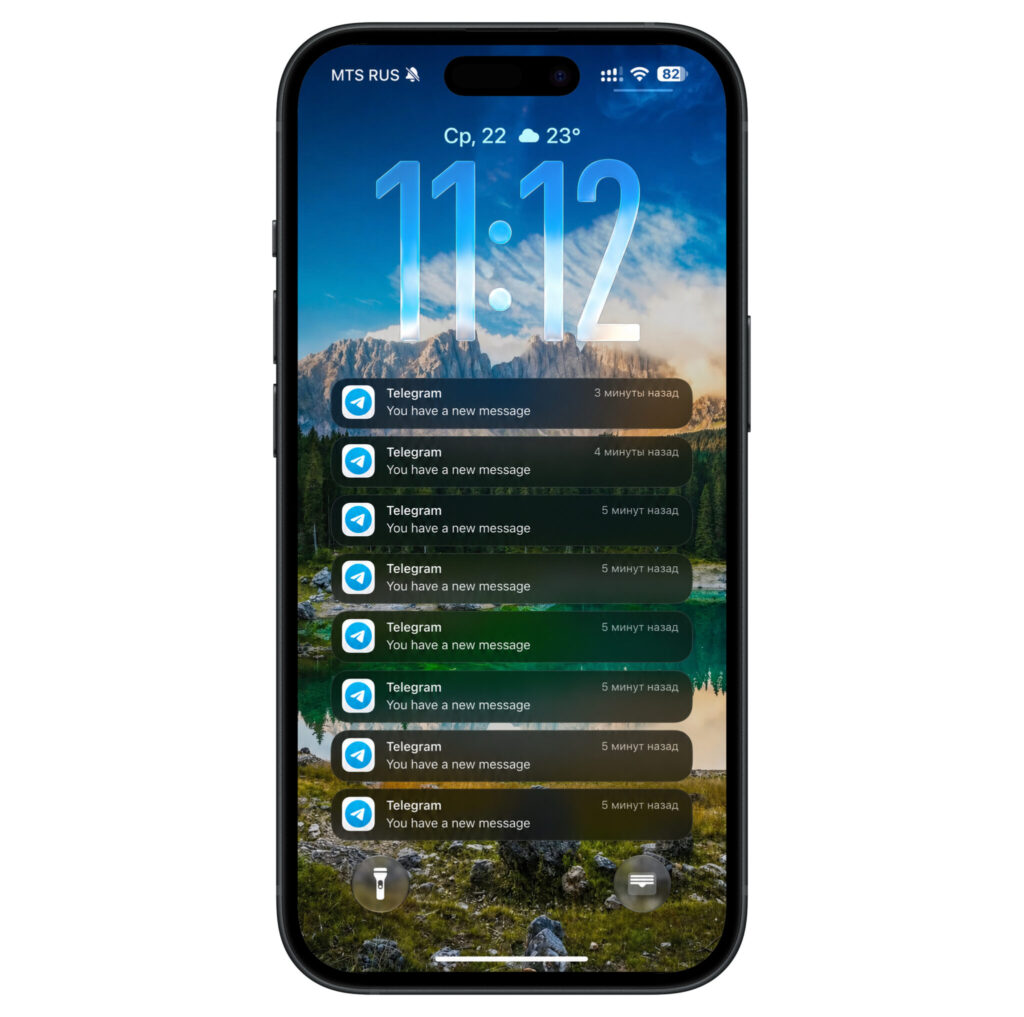
- The bug produces dozens to hundreds of phantom “You have a new message” push notifications that correspond to no actual messages.
- Affected iPhones can overheat enough to pause charging, and one journalist reported 11% battery drain in 30 minutes with the phone idle.
- The issue appears on both stable iOS and the public beta, suggesting the cause lies in the Telegram client rather than the operating system.
- A full reinstall of Telegram is the current workaround, but the bug may return after 7–14 days; no official fix has been announced.
What the notifications look like
At some point, an iPhone or iPad begins receiving a relentless stream of push notifications from Telegram, all bearing the same English-language text: “You have a new message.” The app’s own language setting has no effect — even users with a fully localized interface see the generic English string. New pushes arrive roughly every minute, turning the device into what the author describes as “a vibrating alarm clock that cannot be turned off.”
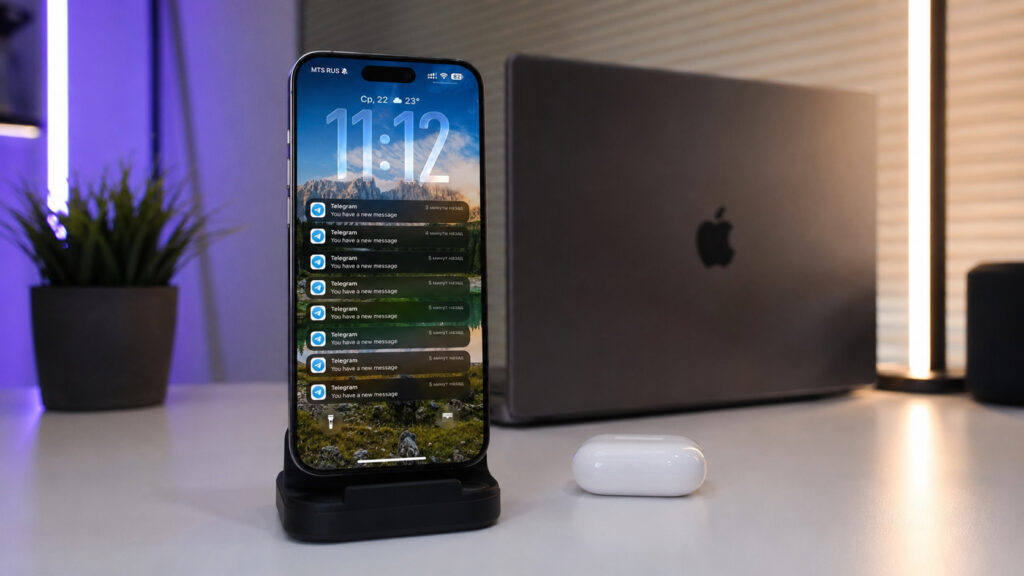
The most frustrating part is that these notifications are not tied to anything. Tapping them opens nothing because no new messages actually arrived. Yet new pushes keep coming roughly every minute.
Why iPhones overheat because of this bug
Alongside the notification flood, affected devices heat up noticeably. The overheating can be severe enough that iOS temporarily suspends charging until the device cools down. Keeping the phone in a pocket or on a car mount in direct sunlight makes the problem worse.
Battery drain is the other major side effect. One journalist, in late May, observed an iPhone losing 11% of its charge in just 30 minutes while sitting untouched. That journalist reportedly resorted to charging the phone from a gamepad with a built-in cooling fan to bring the temperature down. Removing Telegram returned battery consumption to normal levels.
Based on user observations, the bug appears on both stable iOS releases and the public beta. Complaints reportedly became more common after Telegram was updated to version 12.9, pointing to the Telegram client itself rather than any specific iOS build as the likely cause. Summer saw a noticeable increase in complaints, though the first reports appeared in late spring.
How to fix the overheating and phantom notifications
There is no universal fix yet, but a reinstallation procedure has worked for many users. Important caveat: before deleting Telegram, make sure you can log back in — SMS verification codes may not arrive, so a passkey or other backup login method is essential.
- Clear the Telegram cache: Open Telegram Settings → Data and Storage → Storage Usage. This alone sometimes quiets the notifications for several days.
- Set up a passkey (or confirm you have one) for logging into your Telegram account. Without it, you may be locked out after reinstalling. This is critical because SMS confirmation codes may not be delivered.
- Verify access to all your accounts. Authorization codes may be sent to another device or to your email. If two-step verification is enabled, have your cloud password ready.
- Delete Telegram completely from the device — do not simply offload the app.
- Reinstall Telegram from the App Store and log back into all your accounts.
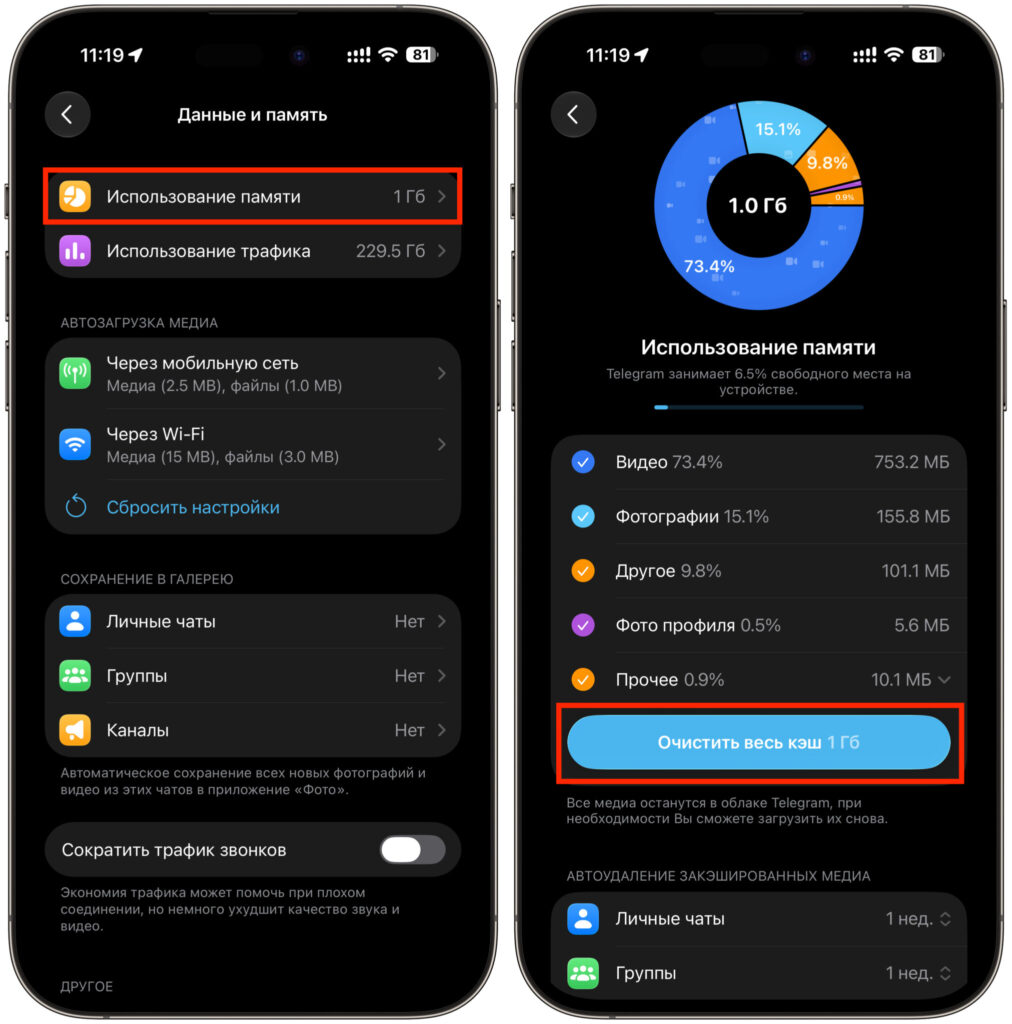
If the notifications return the same day, try disabling Background App Refresh for Telegram in iOS Settings. This does not eliminate the bug entirely but can reduce overheating.
Will Telegram fix this?
The outlook is uncertain. The reinstallation workaround is not permanent — for some users the bug returns within 7–14 days, requiring the entire process to be repeated. That is why setting up a passkey once is strongly recommended, to avoid a login ordeal each time. No official statement from Telegram has addressed the issue, and the app’s release notes for recent updates make no mention of notification-related fixes.
It is worth monitoring the Battery section in iOS Settings. If Telegram appears at the top of background activity despite minimal use, that is a strong indicator the bug is active. A reinstall takes only a few minutes and can provide days of relief — though it remains a workaround, not a cure, until Telegram issues an official fix. The bug manifests irregularly and can lie dormant for months before resurfacing.


