If you use the MAX messenger (which recently changed its name to МАКС), you’ve probably already sent stickers. There are plenty of them here — animated, static, meme-based, for every taste. But until recently, all of them were made by others. Creating your own pack and sharing it with friends wasn’t possible. More precisely, regular users couldn’t do it — the feature was only being tested with authors of large channels. Now everything has changed.

Now you can create your own stickers in MAX
Where to Find Stickers in MAX on iPhone
Let’s start with the basics. MAX already has a built-in sticker library, and it’s quite extensive. To access it, open any chat and tap the smiley icon next to the message input field. By default, the emoji tab might open — don’t worry. At the bottom of the panel, there’s a toggle between emoji and stickers. Tap the “Stickers” tab — and the available packs will appear before you.
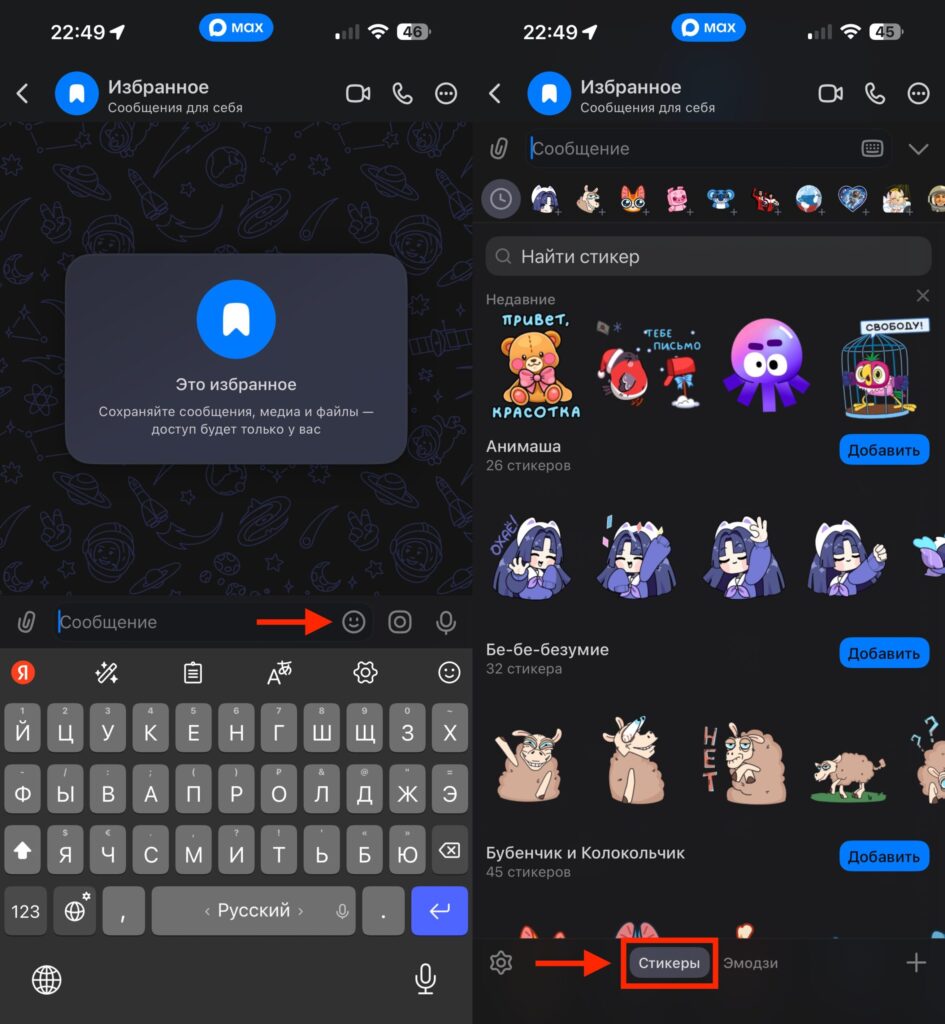
Stickers, like in any proper messenger, are accessed through the keyboard
Here you can browse popular packs, preview each set, and add the ones you like with the “Add” button. Everything is free, with no subscriptions or hidden charges. All basic collections are available to any user without restrictions. This also applies to MAX installed on iPad. Everything works the same way there.
If the built-in catalog isn’t enough, there’s another way. Open the global search in MAX and type “Stickers” or “sticker packs.” The messenger will show public channels that regularly publish new packs. Subscribe to any of them — and get fresh stickers right in your feed. Channel authors often create unique packs specifically for MAX: from cute cats to trending memes.
How to Send Stickers in MAX
This part is completely intuitive. Open the desired conversation or group chat, tap the smiley icon, switch to the “Stickers” tab, and choose the one you want. One tap — and the sticker flies off to your contact. You can even send them to yourself in MAX so you don’t lose the ones you need.
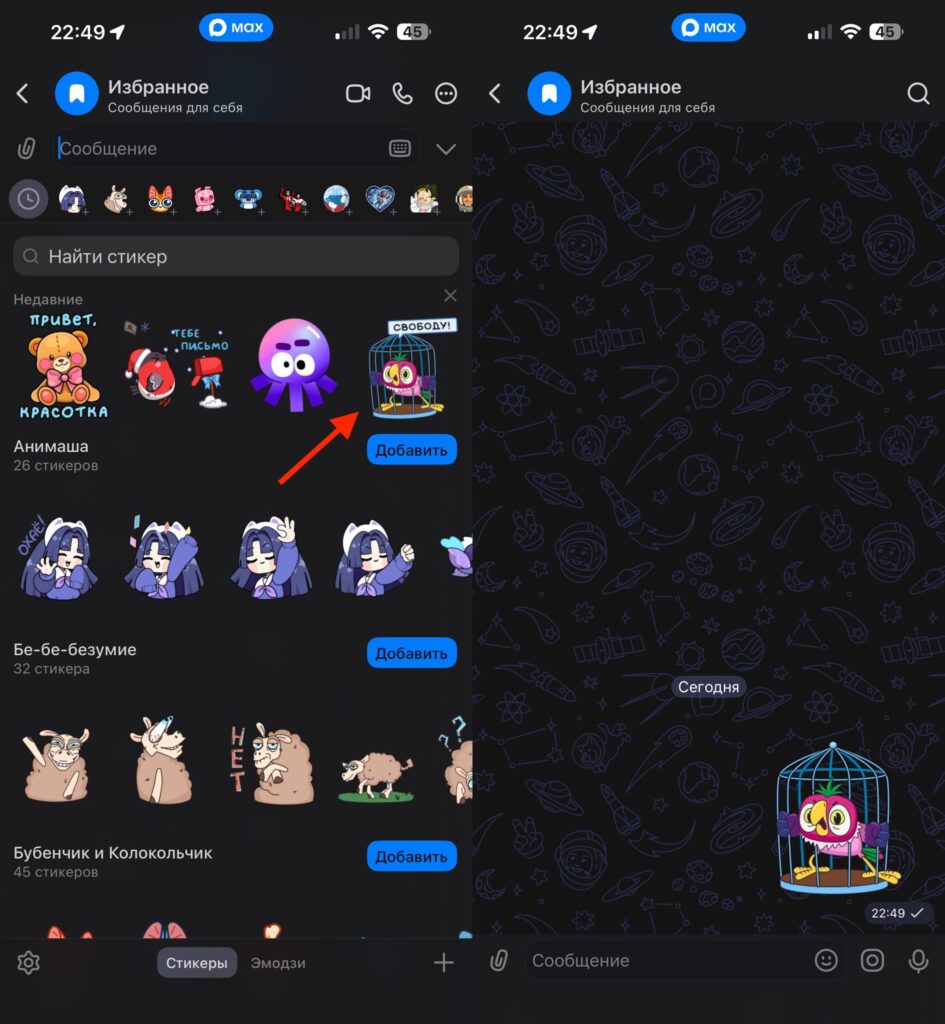
Simply tap the sticker and it will be sent to the selected chat
If you’ve already added several sticker packs, they appear at the bottom of the panel as small icons. You can quickly switch between packs. And if you remember a specific sticker but can’t recall which pack it’s in — use the search. Enter a keyword or a matching emoji in the search bar, and MAX will find suitable options from your collections.
By the way, stickers in MAX come in two types: static and animated. Static ones are regular high-quality images that load quickly and save data. Animated ones are more expressive, with motion and effects. Both types are sent the same way — there’s no difference in the process.
Create Your Own Stickers in MAX on iPhone
Now we’ve reached the most interesting part. Before rushing to the bot and uploading everything you have, it’s worth preparing your images. MAX accepts images in PNG or JPG format with a resolution of at least 288×288 pixels. It’s better to make the background transparent — this way the sticker will look neater in any chat, regardless of the theme.
To create stickers in MAX, you use the official chatbot. You can find it via this link or through the messenger’s search — look for the bot called “Stickers in MAX”. The only requirement is that you must have a Digital ID connected. Access to sticker creation will open within a few minutes after activation.
After that, everything is simple:
- Update the MAX app to the latest version
- Open the “Stickers in MAX” chatbot
- Tap “Create Sticker”
- Select “Create Pack”
- Upload your prepared images
- Come up with a name for your sticker pack
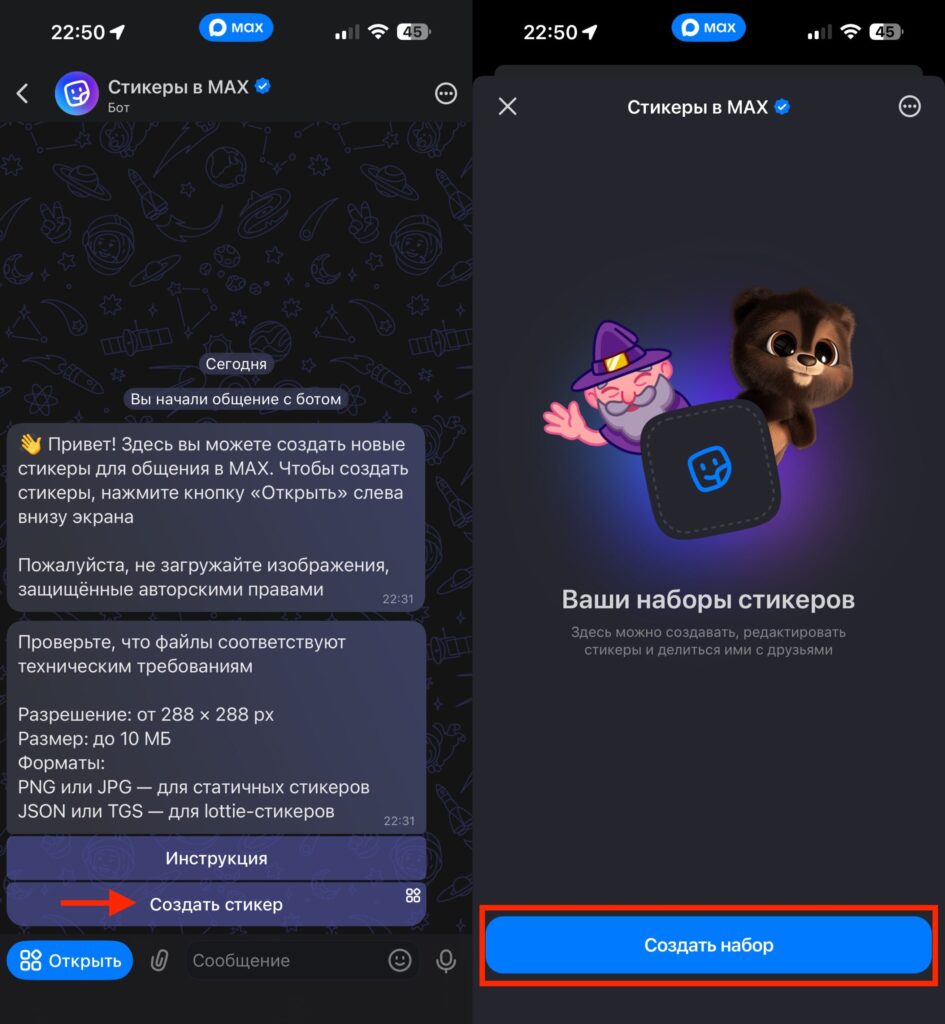
Sticker creation starts with the bot
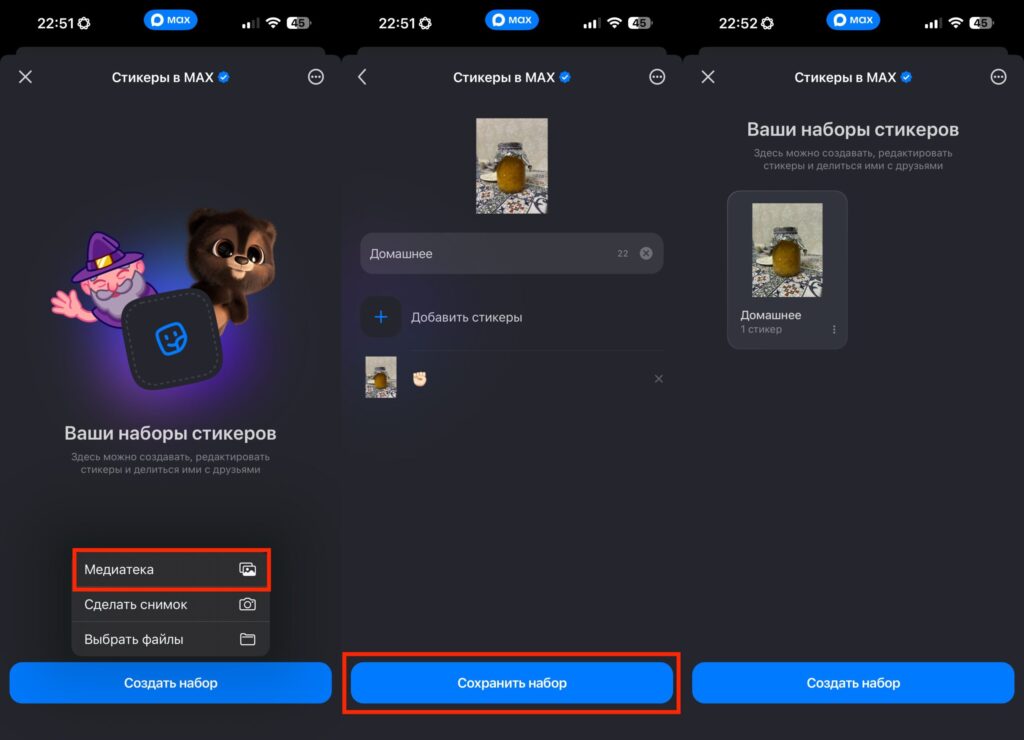
Upload selected images from your photo library
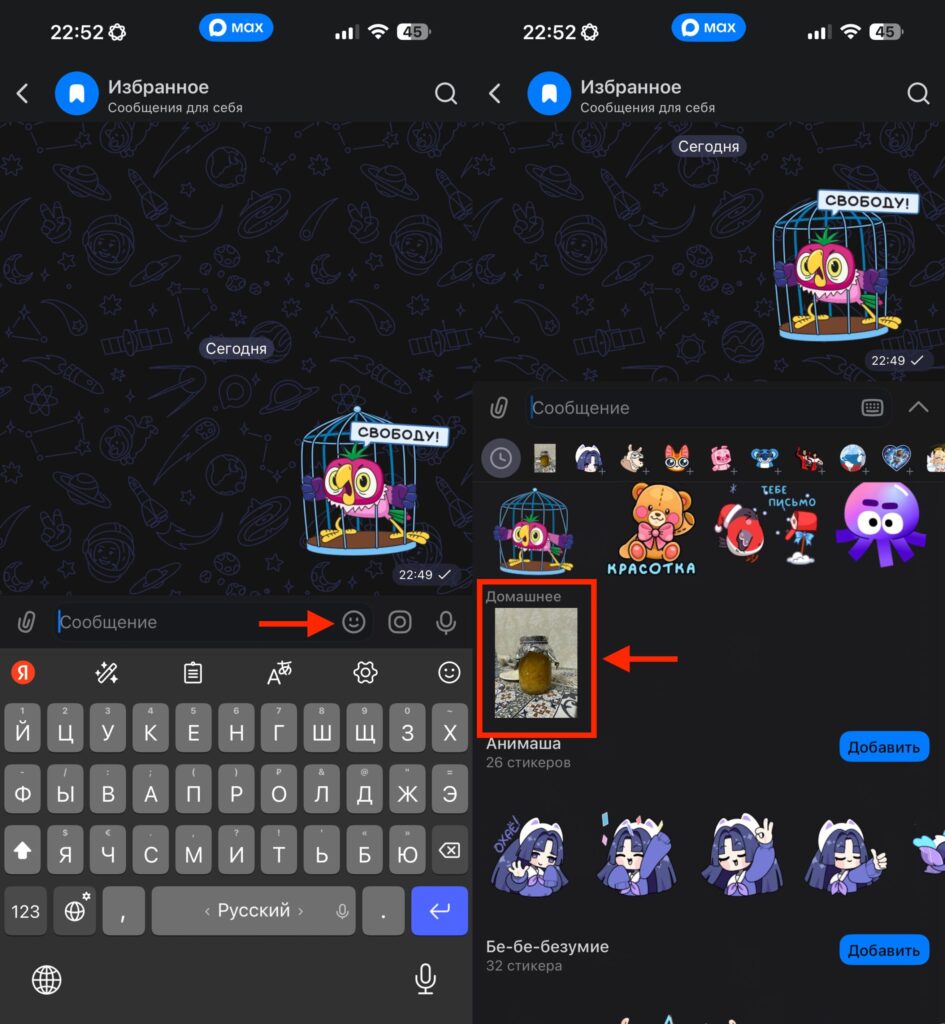
After adding, the sticker pack will be available for sending in the standard way
After publishing, the bot will generate a unique link to your pack. You can share this link with friends, in chats, or channels. Additionally, the sticker pack author can edit the pack at any time: change the name, assign emoji to each sticker, or add or remove individual images.
Is It Worth Creating Your Own Stickers in MAX
If you actively communicate in MAX — definitely yes. Custom stickers are both a way of self-expression and an opportunity to make chat conversations more lively. Especially if you have a channel and want to build a recognizable style. Custom sticker packs work great as a calling card.
And if you simply want to turn a photo of your cat into a sticker and send it to your friends — now you can do it in just a couple of minutes without leaving the messenger.


