Yesterday I wrote about how MAX changed its name styling in Russian stores, and that was the main event of the day. Today the news is more interesting: MAX has introduced the ability to create your own stickers through the Stickers in MAX bot. Until now, you could only use stickers from ready-made packs (creating your own wasn’t possible even if you really wanted to). Now the situation has changed, albeit with some caveats. I’ll break it all down in order: where to find stickers, how to add others’ stickers, how to make your own, and how to send them.
Learning to create and send stickers in the national messenger
Where to Find Stickers in MAX
Stickers in the MAX app are located in the same place as in most other messengers. Open any conversation, find the text input field, and tap the smiley icon on the right. By default, the emoji panel will open — switch to the “Stickers” tab at the bottom of the screen.
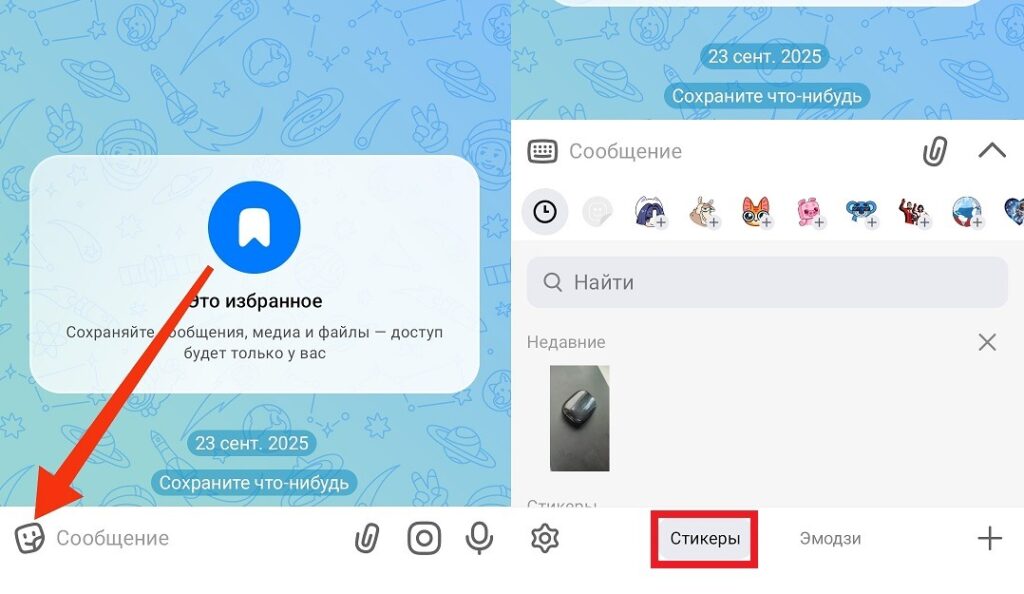
This is where stickers are hiding in MAX
Here you’ll see all your installed packs. The built-in library already contains several sets, including animated funny stickers in MAX featuring Froggy, which has become the unofficial mascot of the messenger. Animated stickers in MAX work in APNG and WEBP formats, weigh up to 500 KB each, and last up to 3 seconds. They look lively.
How to Add Stickers in MAX
Adding someone else’s sticker pack is simple. When a contact sends you a sticker in MAX on your phone — tap and hold it. An “Add set” button will appear — tap it, and the entire pack will be added to your gallery.
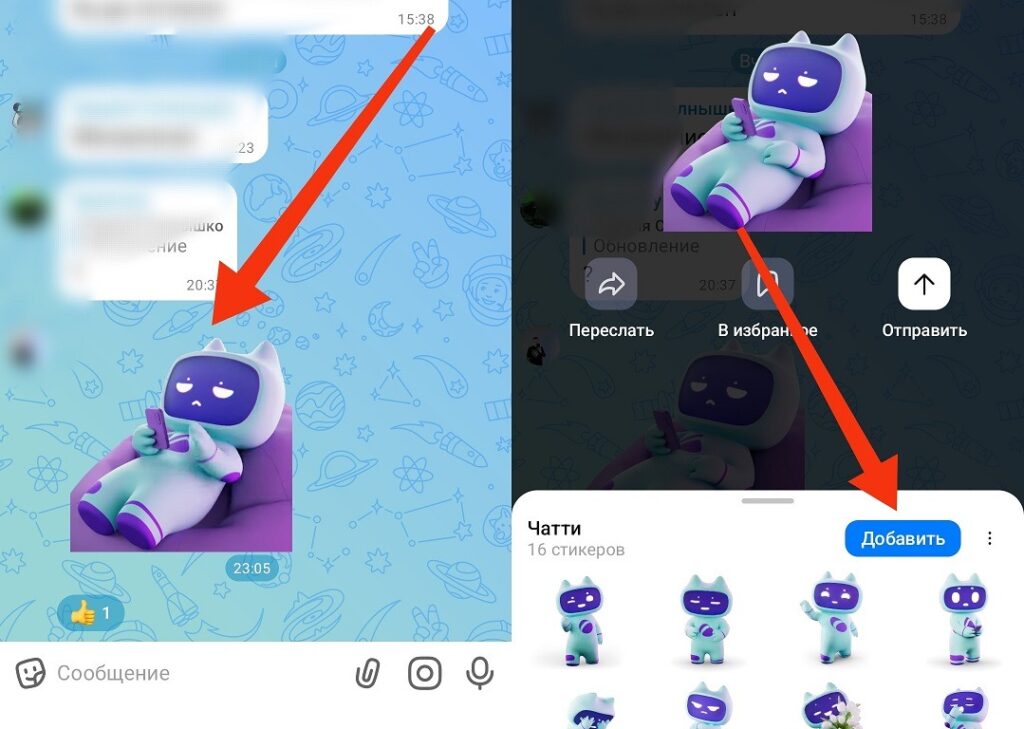
Any sticker you come across can be added to your collection
The second method is through channels within the messenger. In the search, type “Stickers” or “sticker packs,” and a list of channels that publish sticker sets for MAX will appear. Subscribe to the channel you like, choose a pack, and add it to your collection.
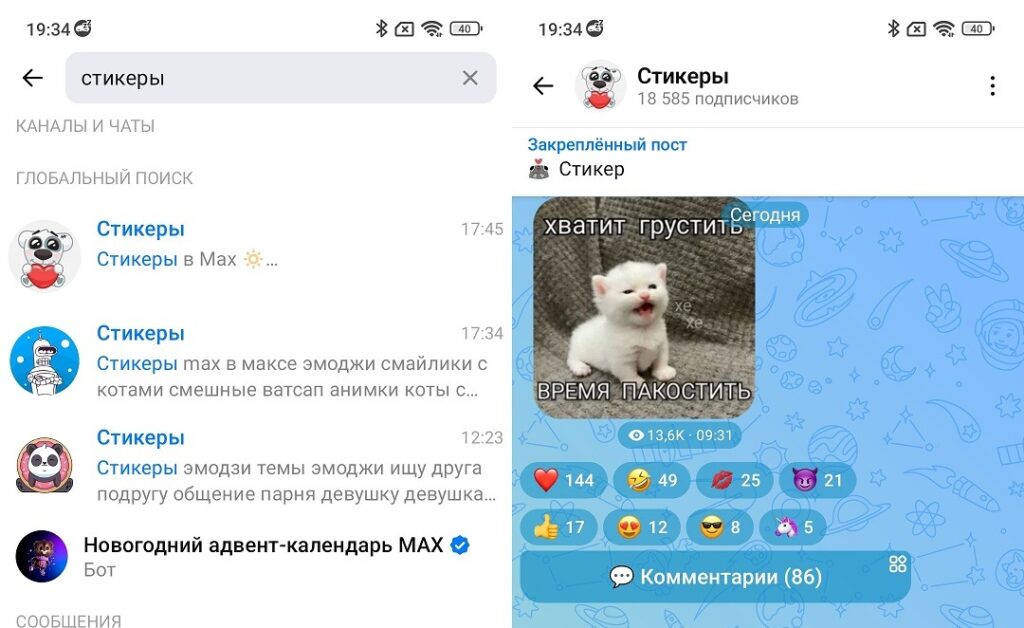
The messenger has entire channels dedicated to stickers
This method works, although it requires a few more steps.
Can You Add Your Own Stickers to MAX
Until recently — no. The official bot for creating stickers existed but didn’t work for regular users. In March 2026, MAX launched testing together with authors of public channels with the A+ badge: the first to create their own stickers in MAX were Valya Karnaval, Mash, and others.
On April 22, 2026, the Stickers in MAX bot became available to all users. Now anyone can create them — not just authors with large audiences. This is a notable step forward, because previously this was the single most obvious advantage Telegram had over MAX.
How to Make Stickers in MAX
To create beautiful stickers in MAX through the bot, you need images in PNG format with a transparent background, sized 512×512 pixels (ideally). Prepare them in advance, then follow these steps:
- Launch the “Stickers in MAX” bot and tap “Start.”
- Tap the “Open” button in the bottom left corner, and the upload interface will appear.
- Add images from your gallery or device files.
- Enter a name for the sticker pack.
- Assign an emoji to each sticker (this is needed for keyword search).
- After adding all images, publish the set (the bot will generate a link to your pack).
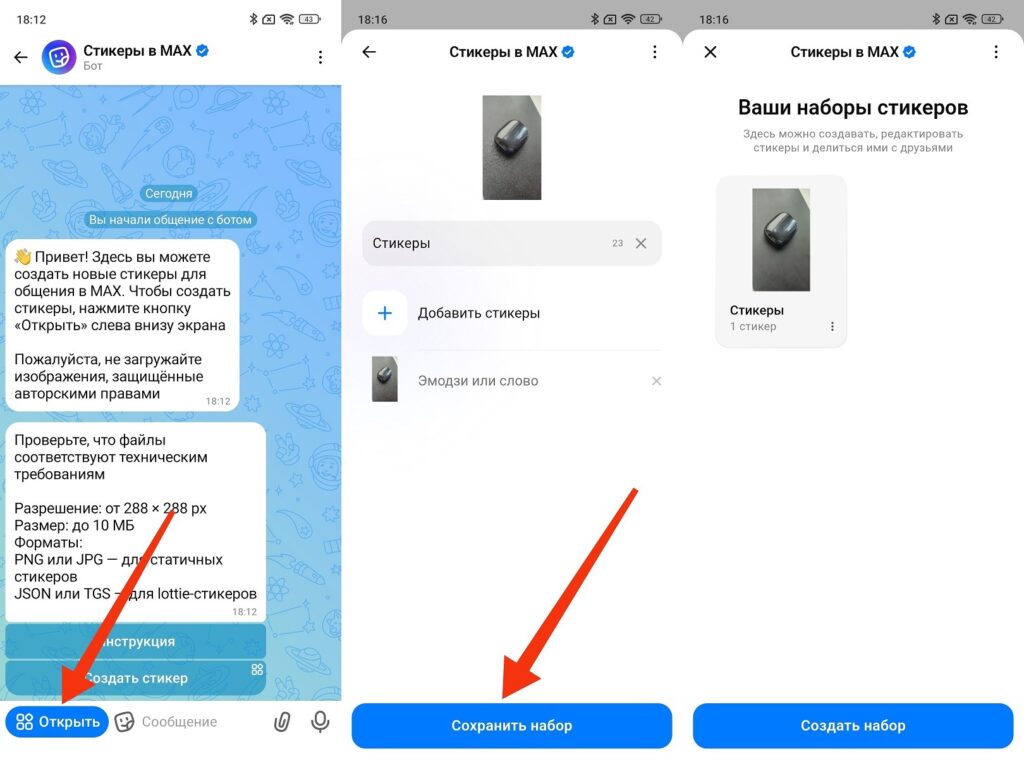
Stickers are created through a special bot
The finished sticker pack can be edited: you can change the name, add and remove images, and change emojis. You can share the pack via a link, and other users will be able to add it to their collection.
How to Send a Sticker in MAX
Sending a sticker in MAX is very simple. Open a conversation, tap the smiley icon, switch to the “Stickers” tab, and select the one you want from your gallery. One tap, and the sticker is sent.
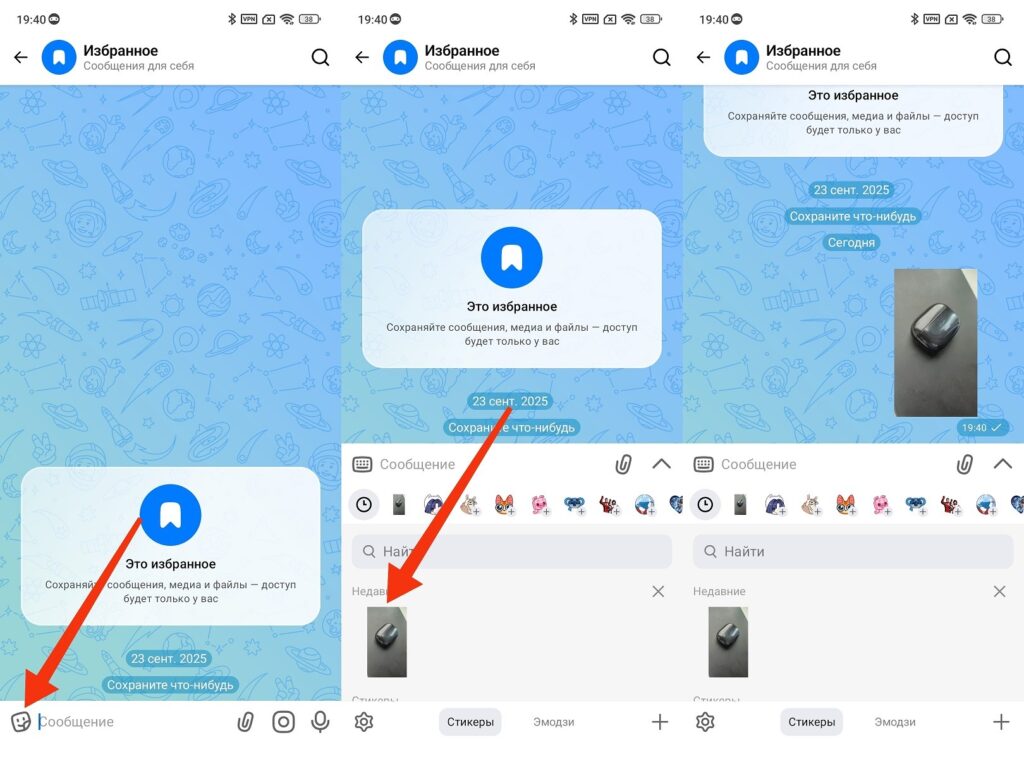
Stickers in MAX are sent instantly
If you want to find a specific sticker quickly, use the search bar in the stickers panel. Enter an emoji or keyword that you assigned to the sticker when creating it, and the right one will come up immediately. Cool stickers in MAX from someone else’s chat can be added by long-pressing, after which they go straight to your gallery.
Overall, the mechanics are no different from what everyone is used to in Telegram. So the question of whether it’s worth using the MAX messenger at all takes on new dimensions. Stickers for MAX can now be made by anyone, and this removes one of the main reasons to stay exclusively on Telegram. One of them, but not the only one.


