Souchastnik (Russian for “Accomplice”) is an open-source Android keyboard that runs a small AI model entirely on the phone and warns Russian users, before they hit send, when a message they are typing could theoretically carry a fine or criminal liability under Russian law. It was built with MAX in mind, the Russian state-backed messenger whose privacy policy, according to the source author, allows user data to be handed to law enforcement on request. The keyboard is distributed only through GitHub, needs Android 9 or later with 4 GB of RAM, takes 4-6 seconds per check, and its developer stresses that it is not legal advice.
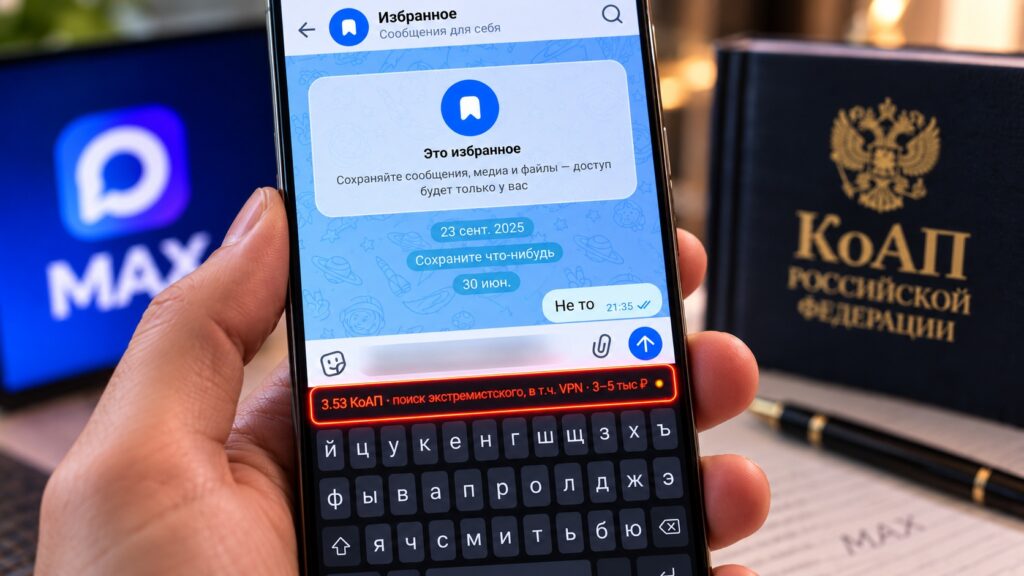
The keyboard displays what a message sent in MAX could theoretically cost its author
What you need to know
- Souchastnik is an open-source Android keyboard, available only on GitHub (not Google Play or RuStore), that estimates possible fines or prison terms for text under Russian law.
- Analysis runs fully offline on a quantized Qwen3.5-0.8B model; the source says no typed text leaves the device.
- Requirements: Android 9 or later, ARM64 processor, at least 4 GB of RAM. Each check takes roughly 4-6 seconds.
- The developer states the tool is not legal advice; it can miss risky phrases and flag innocent ones, according to the source.
What Souchastnik is
Souchastnik looks like an ordinary Android keyboard, but it works differently. As you type, a built-in AI model analyzes the text and indicates whether it contains anything that could theoretically lead to legal liability in Russia, and if so, roughly what fine or sentence might apply.
A key technical point emphasized in the source: the keyboard works completely locally, without an internet connection. Everything is processed on the smartphone itself, and the text is not sent anywhere. Under the hood it uses a quantized Qwen3.5-0.8B model.
Where to get it and how to install it
The app is not in Google Play or RuStore; it is distributed only through GitHub. The source describes the installation as follows:
- Open a browser on the Android device and go to github.com/MShverdiakov/souchastnik.
- Open the Releases section and download the latest APK file.
- Open the downloaded file from a file manager (allow installation from the browser if the system asks).
- Install the app.
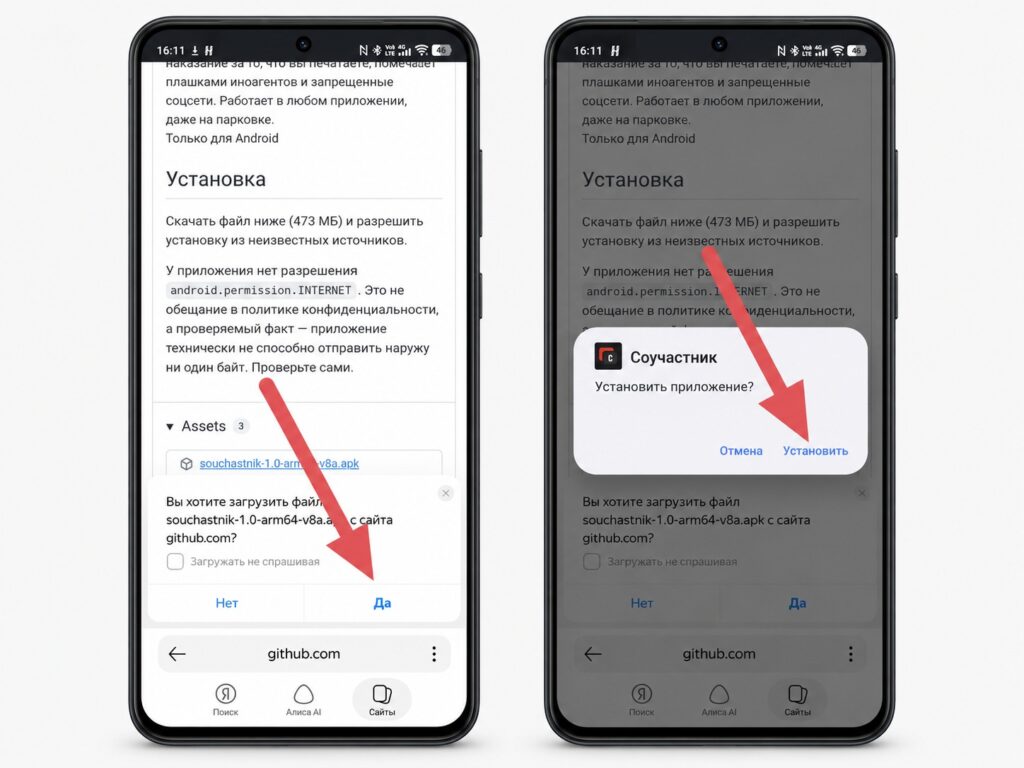
Download the APK on Android and confirm the installation
The keyboard then has to be enabled in the system settings:
- Open Settings > General management > Keyboard (on Samsung) or Settings > System > Languages & input > Virtual keyboard (on most other Android devices).
- Find Souchastnik in the list and switch it on.
- Android will warn that third-party keyboards can read what you type; tap OK. The source notes this warning appears for any third-party keyboard, and the developer states that no data is transmitted anywhere.
- Select Souchastnik as the default keyboard, or switch to it via the globe icon while typing.
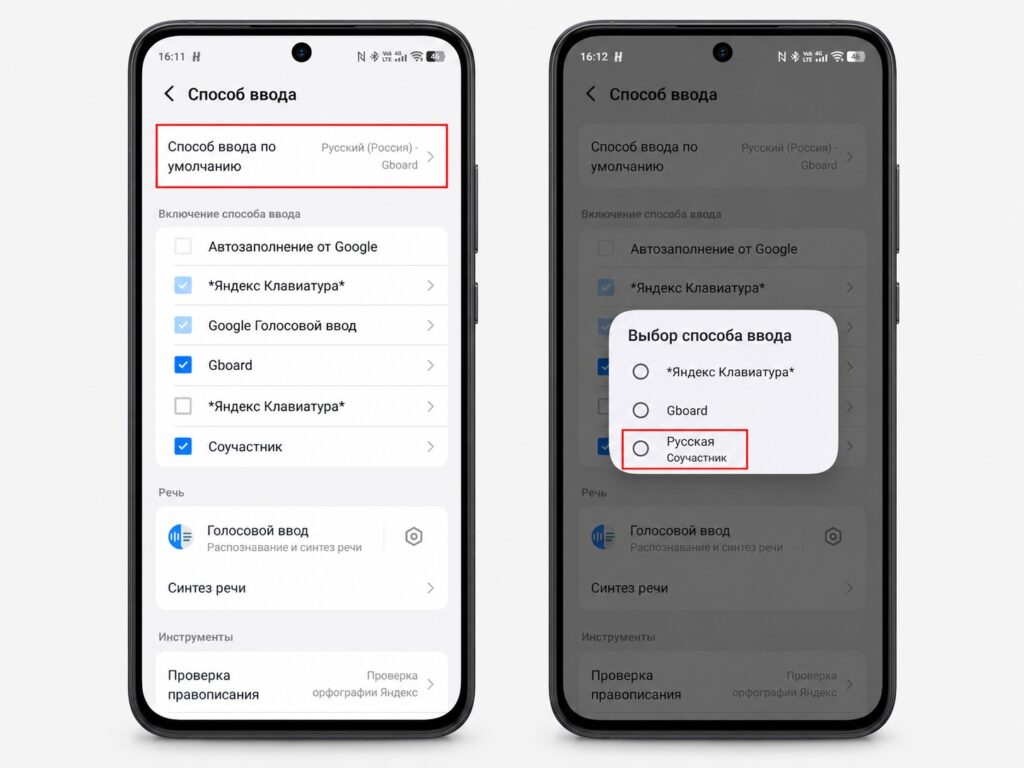
Select Souchastnik as the default keyboard
System requirements are Android 9 or later, an ARM64 processor, and at least 4 GB of RAM. The source author reports that it ran without problems on a vivo X300.

How it behaves in practice
The source author tested the keyboard inside MAX by typing typical phrases from personal chats and describes the results as occasionally surprising. A sentence such as “I am a law-abiding person” produced a green status. A phrase mentioning “banned content” triggered a warning referencing a possible legal article and fine. Neutral discussions of news items also sometimes set off a warning.
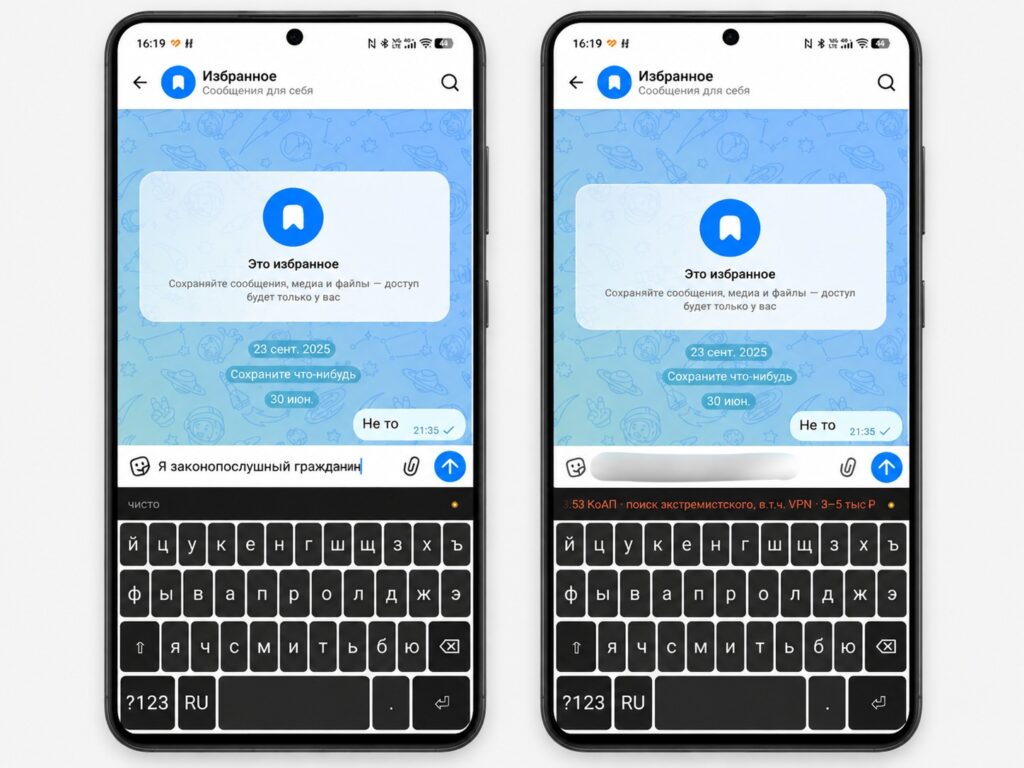
Some messages in MAX carry no penalty at all
A two-stage mechanism
According to the source, the analysis has two stages. First, a keyword dictionary stored in a file called triggers.json narrows down the set of potentially relevant legal articles. Then the local AI model examines the context and decides whether the text actually matches an offense. This explains why results are not instant: each check takes about 4-6 seconds, which is the model’s processing time rather than interface lag.
The source author considers the delay tolerable for ordinary messaging (type a sentence, wait a couple of seconds, see the status) but inconvenient as an everyday keyboard for everything. As a tool to check a specific message before sending, the author finds it workable.
How accurate is it? The limitations
The developer explicitly warns about the tool’s limits, and the source stresses these should not be ignored. Souchastnik is not legal advice. Qwen3.5-0.8B is a small, quantized model: adequate for basic analysis, but no substitute for a lawyer. According to the source, it can:
- miss a genuinely risky phrase if it does not match anything in the trigger dictionary;
- flag innocent text because it contains dictionary words without the relevant context;
- misinterpret legal nuances.
The source’s conclusion is that its verdicts should not be treated as final. Its value, the author argues, is prompting a pause before sending: not “you cannot write this,” but “wait, what exactly did I just write?”
Who might want it
The source describes the audience as narrow. The keyboard may be useful for people in Russia who actively discuss sensitive topics in MAX and want a better sense of the legal context of their words. It is unnecessary for those whose chats are mostly about everyday matters such as work, family, and shopping, where there is little to trigger and the 4-6 second delay would only get in the way.
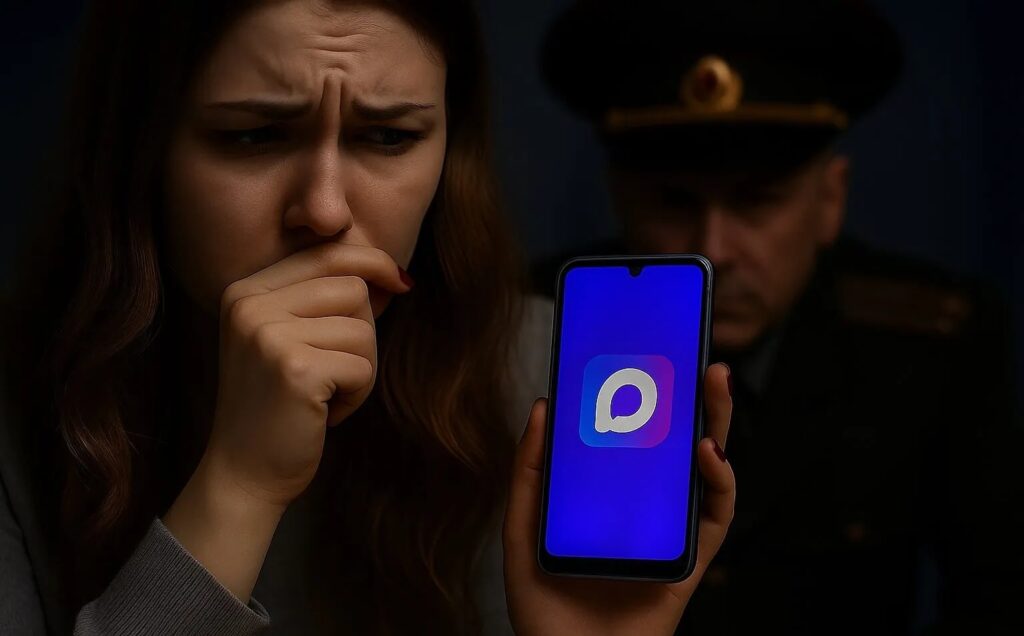
The keyboard may appeal to anyone wary of using the MAX messenger
After several hours with Souchastnik, the source author’s main takeaway is that most ordinary conversations are entirely safe: the keyboard returned a green status for about 95% of the author’s messages. That figure reflects one person’s chats and should not be read as a general measurement of the tool’s accuracy.