A familiar situation: you come out to your car in the morning, only to find you can’t get out. Someone double-parked and blocked your way. Previously, the only option was to run around apartment buildings, look for a note under the windshield wiper, or call the police and wait for a tow truck. Now you can contact that driver right from your smartphone without leaving the Gosuslugi app. Today we’ll look at another useful feature of the portal.
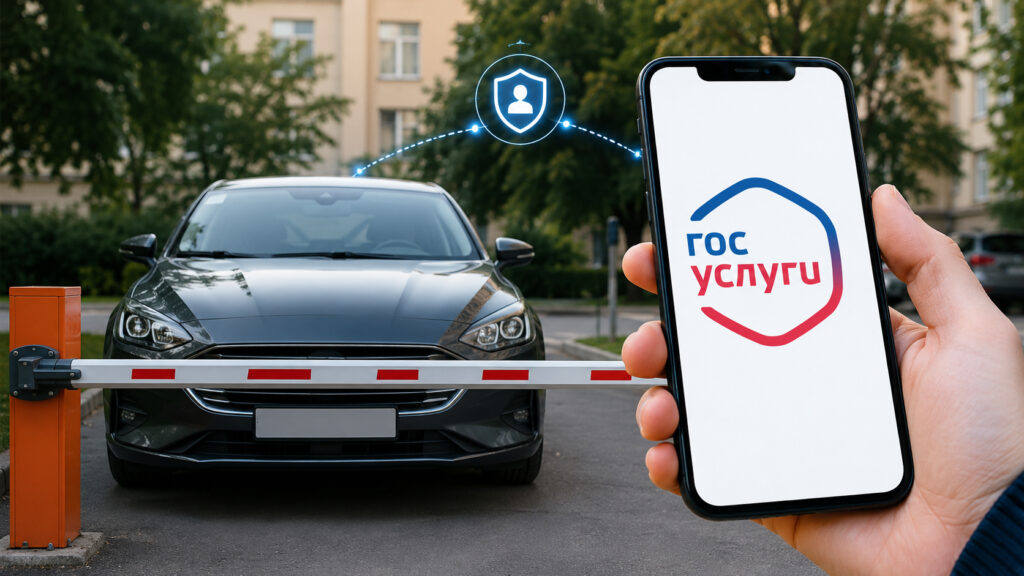
Now you can contact the owner of any car through Gosuslugi
The ability to message an unknown car owner appeared in the Gosuslugi app back in February 2025, but many people still don’t know about it. And that’s a shame. This is a case where a couple of minutes on your smartphone saves you half an hour of frustration and being late for work.
How to Message a Driver by License Plate Through Gosuslugi
The entire process takes less than a minute. Open the app and follow this simple path:
- Go to the “Services” section, then “Transport & Licenses.”
- Select “Send a message about a problem to the vehicle owner.”
- Specify the reason for your request, for example, “blocking the way.”
- Enter the license plate number of the car that’s in your way.
- Tap “Send message.”
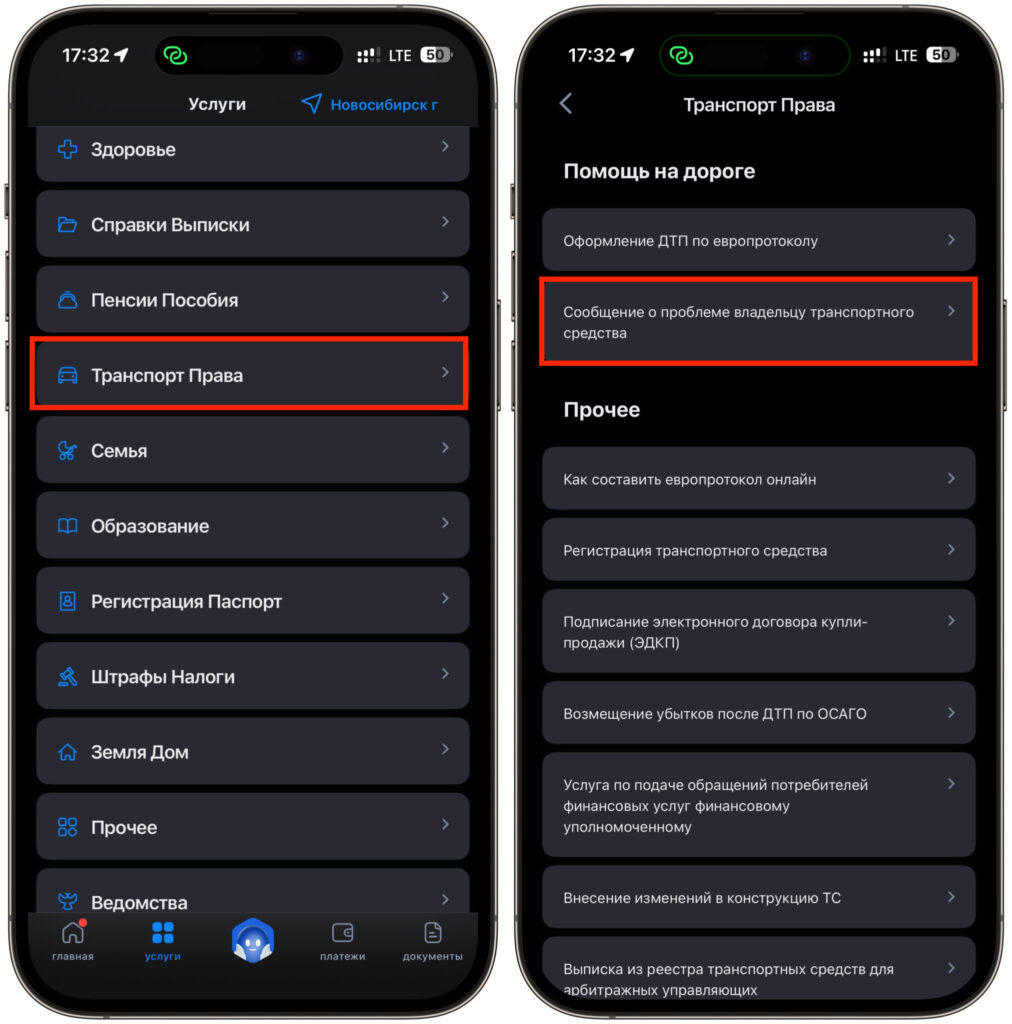
Select the service
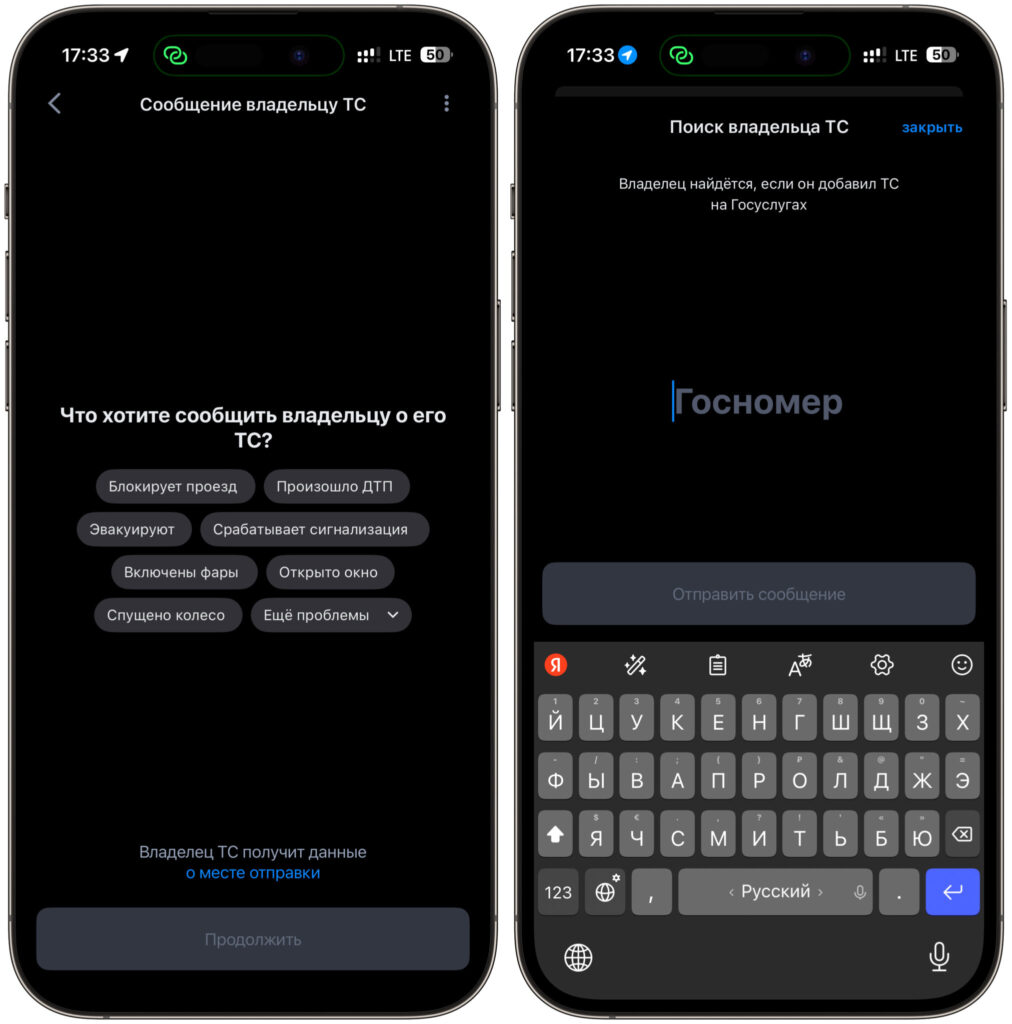
You need to choose a reason and enter the license plate number
After that, the car owner receives a notification. They see that their car is causing trouble for someone and understand exactly where it’s parked. Along with the message, the sender’s geolocation is transmitted. This isn’t done for surveillance purposes but so the person clearly understands that the message is about their car near this specific building, not about a namesake on the other side of the city.
What’s nice is that the driver won’t see your personal data. The message arrives completely anonymously. This means you don’t risk getting into a conflict with an aggressive neighbor who might then try to find out who “reported” them. For many people, this is the deciding factor in actually using the feature.
What Messages Can You Send to a Driver Through Gosuslugi
A blocked driveway is far from the only scenario. The developers built in seven standard situations, each of which comes up regularly in everyday life:
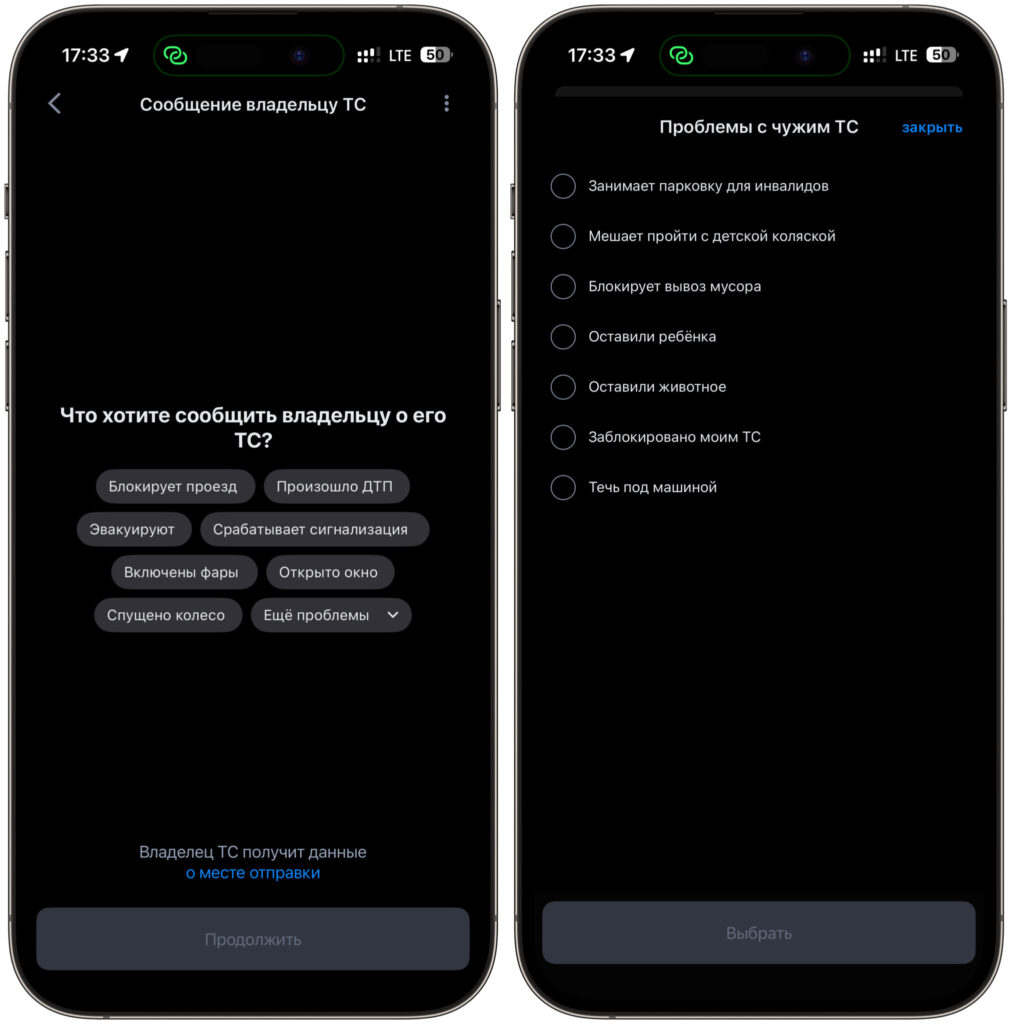
There are actually many reasons available
- the car is blocking the way;
- a traffic accident occurred;
- the car is being towed;
- the alarm is going off;
- the headlights are on;
- a window is open;
- a tire is flat.
The list covers almost everything that can happen to someone else’s car while the owner isn’t around. I’ve personally seen cars in the courtyard with headlights left on all night a couple of times. In the morning, the person’s battery was dead, yet a single message would have been enough for them to come down and turn off the lights. Now such a small issue is resolved in a couple of taps.
I should also note that it’s not just other drivers who can message a car owner. Pedestrians can also send a notification. If a car is parked on the sidewalk and blocking passage with a stroller, or its alarm is blaring under your windows all night keeping the whole building awake, you can simply report it through the app. You don’t need a driver’s license or your own car for this.
Why a Message to a Driver Through Gosuslugi Might Not Be Delivered
And here’s the main catch without which the whole thing doesn’t work. The message will reach the owner only in one case: their car must be linked to their personal account on Gosuslugi. If the person hasn’t added their vehicle information to their profile, your notification will simply go into the void.
If the driver doesn’t use Gosuslugi, the message simply won’t reach them
That’s why the system is a double-edged sword. To receive such messages, you need to add your vehicle information to the app in advance. It’s worth doing at least for your own peace of mind. If you accidentally block someone’s exit or forget to turn off your headlights, you’ll be notified right away instead of dealing with a tow truck or a dead battery.
There’s another limitation worth keeping in mind. You can start a conversation about the same car no more than once per day. This is protection against spam and harassment, preventing bad actors from flooding someone with dozens of notifications. The feature works in two apps: the main “Gosuslugi” and the separate “Gosuslugi Auto.”
What Limitations Does the Driver Chat Through Gosuslugi Have
Let’s be honest: the feature hasn’t become a magic wand. If a driver deliberately double-parked and went about their business, a single message is unlikely to make them drop everything and rush to move their car. A lot depends on the basic decency of the person on the other end.
But in most everyday situations, the tool really helps. Headlights, car alarms, an open window before rain, minor misunderstandings in the courtyard — all of this gets resolved peacefully without police involvement. The creators of the idea were specifically aiming to reduce the workload on traffic police and tow services, and for calm situations, it works.
My advice is simple. Link your car to Gosuslugi if you haven’t done so yet, and keep this feature in mind in case your exit gets blocked. The service is free, takes a minute, and at the right moment will save you both nerves and time.