Samsung’s One UI 9.0, built on Android 17, debuted in July on the new Galaxy Z Fold 8, Z Fold 8 Ultra, and Z Flip 8. For owners of other Galaxy devices, the broader rollout is expected to begin around September, starting with flagship models. The update focuses primarily on new AI-powered tools, a redesigned quick settings panel, and multitasking improvements rather than a major visual overhaul — significant design changes already arrived with One UI 8.5. Below is a breakdown of the key features, the projected list of eligible devices, and the expected timeline.
What you need to know
- One UI 9.0 is based on Android 17 and launched in July on the Galaxy Z Fold 8 series and Z Flip 8; a wider stable rollout is expected from approximately September.
- Samsung has not yet published an official list of eligible devices — the model list below is a projection based on Samsung’s existing update policy, not a confirmed schedule.
- Key new features include AI tools such as Now Nudge, My FanCam, and Voice Photo Assist, plus three-app split-screen multitasking and an upgraded Game Booster overlay.
- The update will be delivered over the air in regional waves; no sideloading is required.
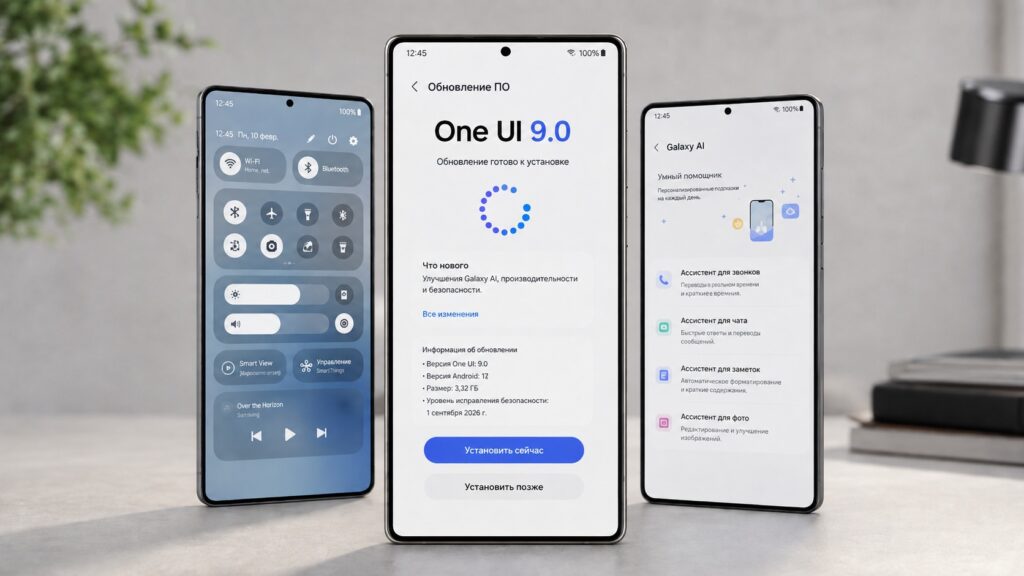
Everything you need to know about the One UI 9 update for Samsung
New AI Features in One UI 9.0
The most prominent additions fall under Samsung’s Galaxy AI umbrella. Here is what the update introduces:
- Now Nudge — a contextual assistant that monitors on-screen activity and offers relevant suggestions at appropriate moments.
- My FanCam — lets users turn a wide-angle shot into a clip with object tracking directly in the Gallery app, with cropping and aspect-ratio adjustments.
- Voice Photo Assist — allows users to describe photo edits by voice; the AI applies the changes and shows a before-and-after comparison.
- Ask AI sidebar in Samsung Internet — a new panel powered by Perplexity AI for quick searches and concise summaries while browsing.
- Now Brief improvements — cards can now be customized to personal interests, and action buttons within cards let users jump directly to tasks without opening a separate app.
Interface, Multitasking, and Security Changes
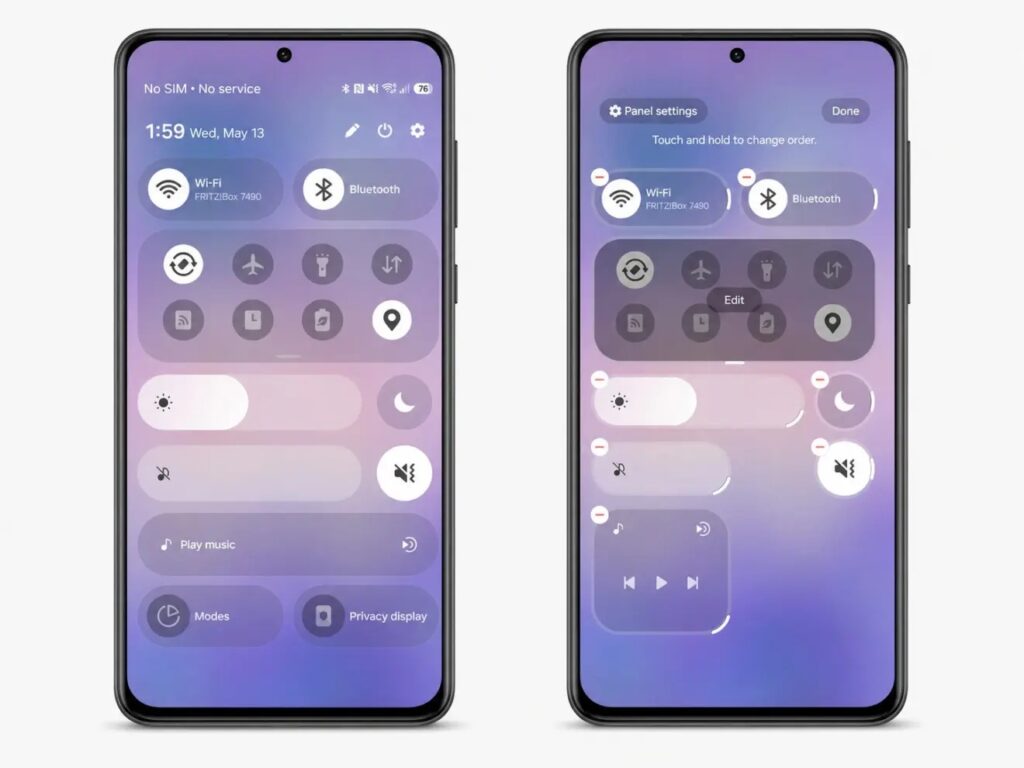
The notification shade on Samsung is now more flexibly customizable
Beyond AI, One UI 9.0 brings several everyday interface refinements. The redesigned quick settings panel now features separate sliders for brightness and volume, along with a resizable media player widget. On the lock screen, the system can automatically reposition wallpaper elements so they don’t overlap with widgets, and it uses generative AI to fill in empty areas. Navigation has also been streamlined: verbose text descriptions have been replaced with cleaner headings, and bottom bars have given way to floating pill-shaped panels to maximize usable screen space.

For productivity, multi-window mode now supports up to three apps side by side. Samsung Notes gains a decorative tape tool for hiding text or straightening handwritten lines, plus new pen styles. Gamers get an upgraded Game Booster overlay that allows on-the-fly hardware setting adjustments without minimizing the game.
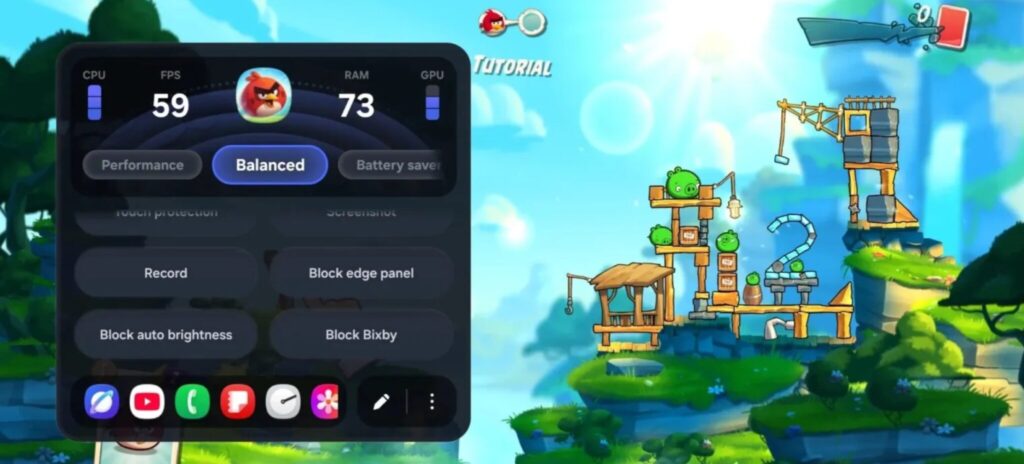
The redesigned Samsung gaming utility in One UI 9.0
On the security front, a new “AI Assistant Activity” section logs every action performed by AI assistants on the user’s behalf, including timestamps. Samsung Internet now warns users when they are about to visit a malicious site. The enhanced Auto Blocker is stricter as well: it blocks high-risk apps and provides detailed information about blocked background installations.
Expected Rollout Timeline
One UI 9.0 debuted in July on the Galaxy Z Fold 8, Galaxy Z Fold 8 Ultra, and Galaxy Z Flip 8. The stable release for other devices is expected around September, beginning with flagship models such as the Galaxy S26 series, Galaxy Z Fold 7, and Galaxy Z Flip 7.
If the rollout proceeds smoothly, Samsung is expected to expand the update to mid-range and budget devices relatively quickly, with all eligible models potentially receiving it by the end of the year. This is a projection based on Samsung’s past update cadence, not an officially announced date.

Projected List of Eligible Galaxy Devices
Important caveat: Samsung has not yet published an official eligibility list. The following is based on the company’s current update policy and should be treated as an informed forecast, not confirmed data.
The update is expected to reach primarily recent models
Galaxy S Series
- Galaxy S26, S26+, S26 Ultra
- Galaxy S25, S25+, S25 Ultra, S25 Edge, S25 FE
- Galaxy S24, S24+, S24 Ultra, S24 FE
- Galaxy S23, S23+, S23 Ultra, S23 FE
Galaxy Z Series
- Galaxy Z TriFold
- Galaxy Z Fold 7, Z Flip 7, Z Flip 7 FE
- Galaxy Z Fold Special Edition
- Galaxy Z Fold 6, Z Flip 6
- Galaxy Z Fold 5, Z Flip 5
Galaxy A Series
- Galaxy A57, A56, A55, A54
- Galaxy A37, A36, A35, A34
- Galaxy A27, A26, A25, A24
- Galaxy A17 (4G/5G), A16 (4G/5G), A15 (4G/5G)
- Galaxy A07 (4G/5G), A06 5G
Galaxy M Series
- Galaxy M56, M55, M55s, M54
- Galaxy M47
- Galaxy M36, M35, M34
- Galaxy M17, M17e, M16, M15
- Galaxy M07, M06
Galaxy F Series
- Galaxy F70e
- Galaxy F56, F55, F54
- Galaxy F36, F34
- Galaxy F17, F16, F15
- Galaxy F07, F06
Galaxy XCover Series
- Galaxy XCover 7
- Galaxy XCover 7 Pro
Galaxy Tab Series
- Galaxy Tab S11, Tab S11 Ultra
- Galaxy Tab S10 Lite, Tab S10 Plus, Tab S10 Ultra
- Galaxy Tab S10 FE, Tab S10 FE+
- Galaxy Tab S9, Tab S9+, Tab S9 Ultra
- Galaxy Tab S9 FE, Tab S9 FE+
- Galaxy Tab S6 Lite (2024)
- Galaxy Tab A11, Tab A11+
- Galaxy Tab Active 5, Tab Active 5 Pro
How to Install One UI 9.0
The update is delivered over the air — no sideloading from third-party sites is necessary. When the firmware becomes available for a given model, the process is straightforward:
- Connect to Wi-Fi and plug in the charger, or ensure the battery is above 50%.
- Open Settings and navigate to Software update.
- Tap Download and install and wait for the system to check for updates.
- If One UI 9.0 is available, download the package and start the installation — the device will restart automatically.
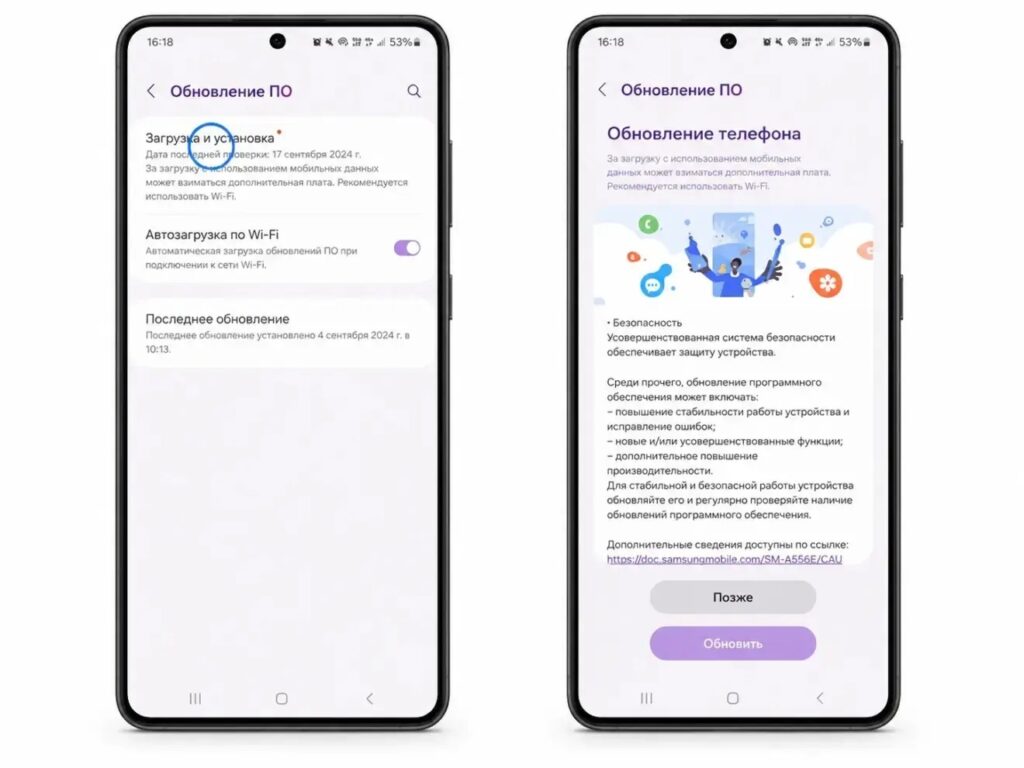
The update can be installed through the Settings app
If the update is not yet showing, that is normal: rollouts proceed in waves by region and model. It is advisable to avoid installing unofficial firmware to speed things up — waiting for the official release is safer for both data integrity and warranty coverage.


