You know what I love most about new versions of watchOS? Fresh watch faces for Apple Watch. And here’s an interesting leak that just dropped: Apple is preparing new watch faces for watchOS 27, and one of them is a simplified version of the stunning Modular Ultra, which was previously exclusive to the Apple Watch Ultra. Now, according to rumors, regular Series models will get it too. The information was leaked by Mark Gurman — a reliable source, as you know. Meanwhile, let’s dig into what else awaits us.
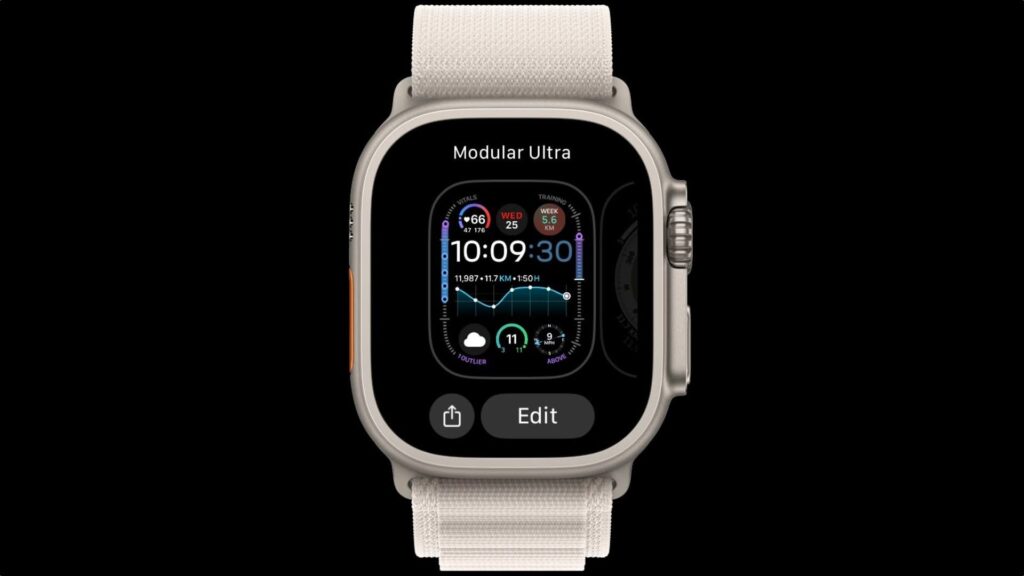
New watch faces for Apple Watch coming in watchOS 27
What We Know About watchOS 27
According to insiders, watchOS 27 has the codename “Orchid” and Apple is already testing several new watch faces for it. The specific list and final names haven’t been revealed yet — these are internal builds, and some of them may change or never reach users before release.
It’s important to understand the limits: everything we know right now is a leak from an insider newsletter, not an official Apple announcement. There aren’t many rumors, and the ones that exist mostly talk about Siri in iOS 27. Apple will traditionally reveal the full list of changes at WWDC, which usually takes place in early June.
New Apple Watch Face — What It Looks Like
The main novelty from the leak is a simplified version of the Modular Ultra watch face. Currently, this watch face is only available on the Apple Watch Ultra and is considered one of the most information-dense: mini-widgets on the face showing things like heart rate or weather, and six size and position options for the time display. In the new version, Apple is removing some elements:
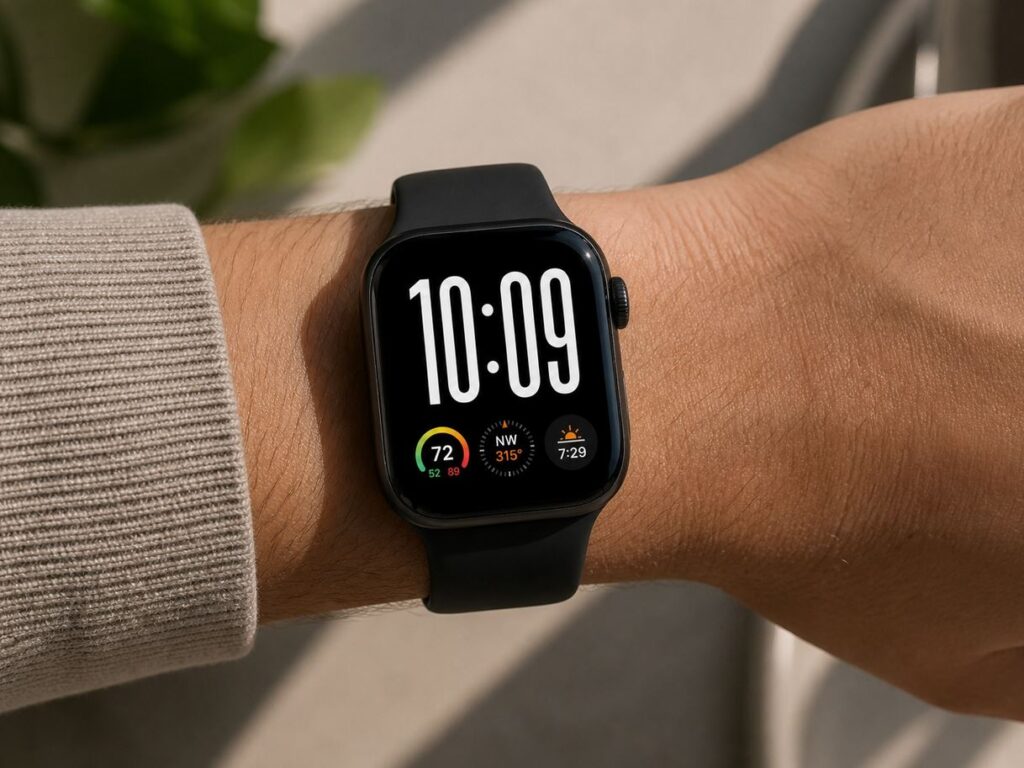
A convenient watch face, isn’t it?
- the center widget on the watch face disappears;
- the row of three small widgets above the time is removed;
- information around the edges of the display (on the ring) is gone
As a result, the large clock takes up two-thirds of the screen, with a row of three small widgets remaining below. According to Gurman, Apple wants to bring the signature “Ultra” look to regular Series models, but in a calmer form — so there’s more information than on standard watch faces, but without the overload.
Why a New Watch Face Is Needed in watchOS 27
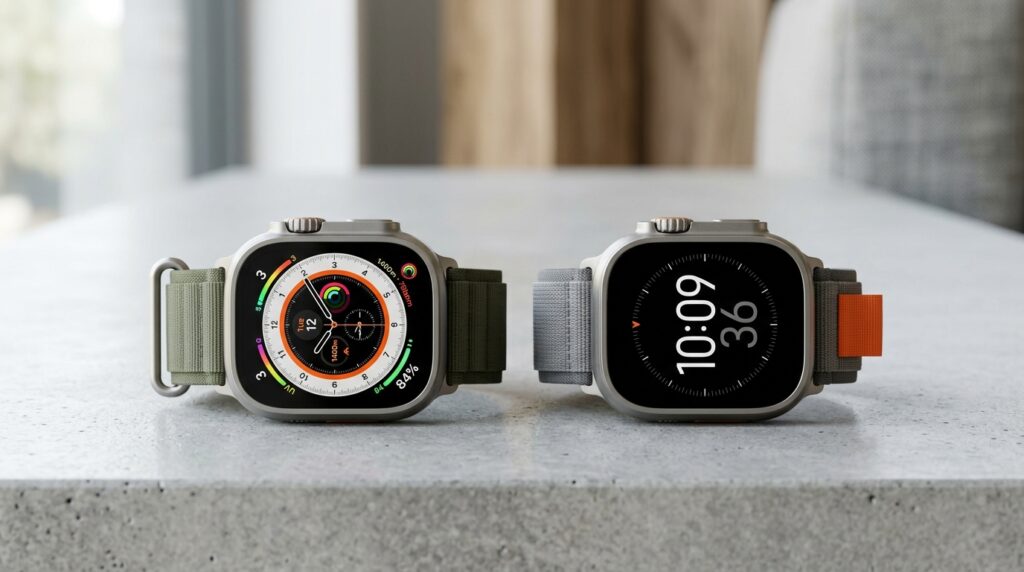
Original Modular Ultra and its simplified version — the difference in information density
If the leak is confirmed, regular Apple Watch models will get an Ultra watch face. This isn’t a functional breakthrough, but rather a matter of appearance and convenience: a large, readable watch face with minimal distracting elements — exactly what standard models often lack.
For Apple Watch Ultra owners, nothing changes: the original Modular Ultra with seven widgets and activity rings (displaying key metrics and workload) stays in place. The new watchOS 27 watch face is not a replacement, but a separate option designed for less extreme scenarios.
When Will watchOS 27 Be Released
Apple hasn’t named dates, but we already know when the beta versions of new operating systems will be released. Those who use Apple products already know everything without announcements.
- watchOS 27 announcement — at WWDC in June
- watchOS 27 beta versions for developers — immediately after the presentation
- public beta — usually in July
- final release — in September, alongside new Apple Watch models
This means you’ll be able to see the new watch faces in their final form in fall 2026. Apple will announce the exact list of compatible models closer to release — usually the oldest watches from the current supported list lose support.
How to Add New Watch Faces on Apple Watch
When watchOS 27 is released, new watch faces will appear automatically after installing the update. You don’t need to “download” them separately — Apple doesn’t allow installing watch faces from third-party sources. You can add a watch face to your collection in two ways:
- On the watch itself: press and hold the current watch face, swipe all the way to the right to the plus button, and choose the one you want from the gallery.
- In the Watch app on iPhone: open the “Face Gallery” tab, select a watch face, configure the widgets, and tap “Add.”
To switch between added watch faces, simply swipe left or right on the watch screen.
If you use a regular Apple Watch and like the Ultra look but don’t like the information overload, the simplified Modular Ultra is a reason to update to watchOS 27 when it comes out. For Ultra owners, the new addition doesn’t offer anything new — they already have the original. For those who are indifferent to watch faces and have been using the same one for years, there’s no need to follow this leak: the real benefit is purely visual, and the situation may still change before fall 2026.


