Polls in MAX only appeared this spring, and I’ll admit, I had been waiting for them for a long time. Before this, gathering opinions in a group chat on iPhone was only possible with reactions, which is a so-so option: half the participants put likes randomly, and in the end, it’s unclear who’s for what. Below I’ll explain where exactly on iPhone this feature is hidden, how to make a poll anonymous, and what to do if you don’t have the “Poll” button for some reason.

Understanding polls in the national messenger
Where Do Polls Work in MAX and Who Can Create Them
Yes, polls exist in MAX, and on iPhone they work the same way as on Android or in the desktop version. The feature appeared in an update at the end of April 2026 — initially it was only enabled in chats with up to 15 people, but within a few days the limitation was lifted. Now you can launch a poll in any group chat.
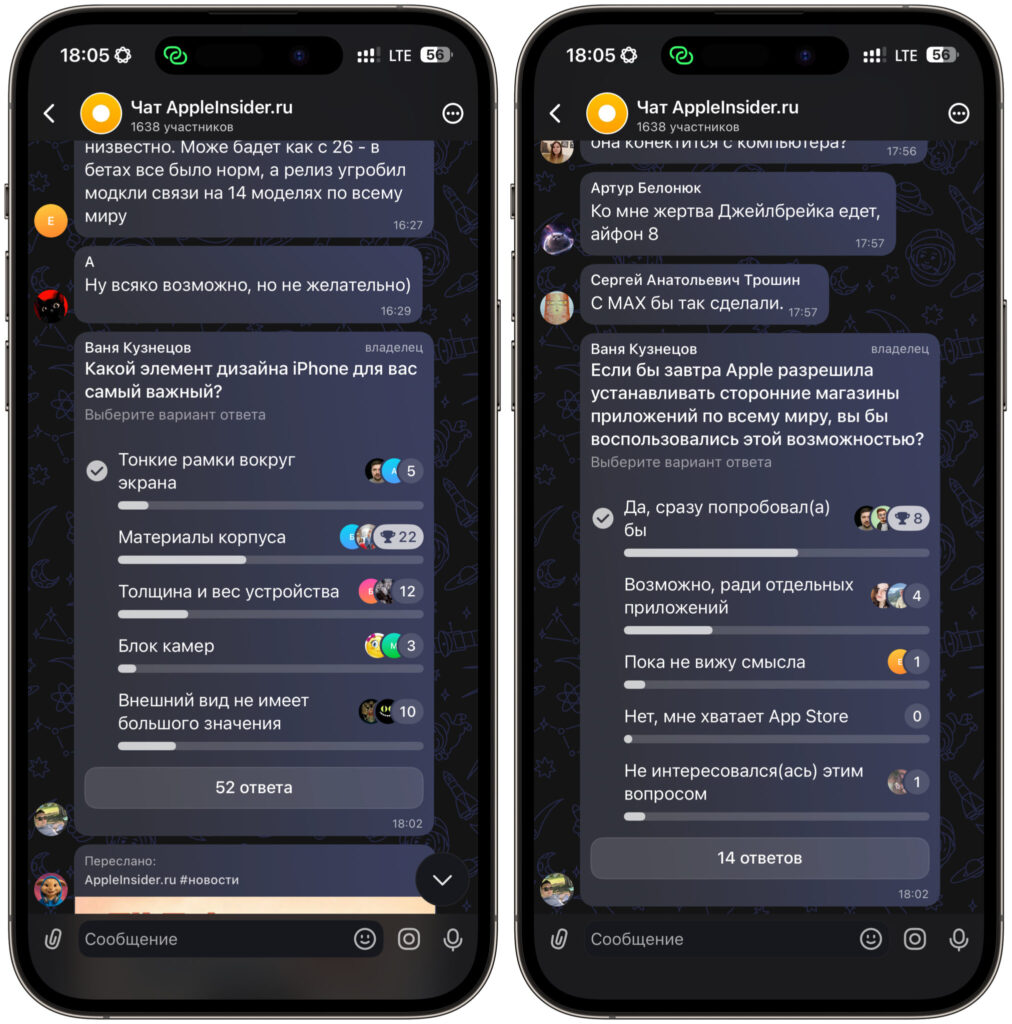
Polls exist, but only in groups
The main thing to understand right away: polls exist only in group chats. And this is where MAX differs noticeably from Telegram. In Telegram, you can launch a poll anywhere — in a group or in a public channel, where an author gathers opinions from thousands of subscribers with a single post. In MAX, that won’t work: there are no polls in channels yet, the feature is available exclusively in group chats. For channel admins, this is a serious limitation, since the familiar Telegram scenario of “asking your audience with a poll” doesn’t work here.
If you need a poll specifically in a channel, the only option is to conduct it in a group chat with your readers. However, not all channels have a chat attached.
How to Launch a Poll in a MAX Group Chat
Before pressing anything, keep one thing in mind. MAX has been removed from the App Store, so updating the app on iPhone the usual way won’t work. If you have an old build without polls or don’t have the app at all, the easiest way is to open the web version of the messenger right in Safari — you log in with the same phone number, and polls work just like in the app. The steps below are the same for both the app and the browser.
Creating a poll takes literally half a minute:
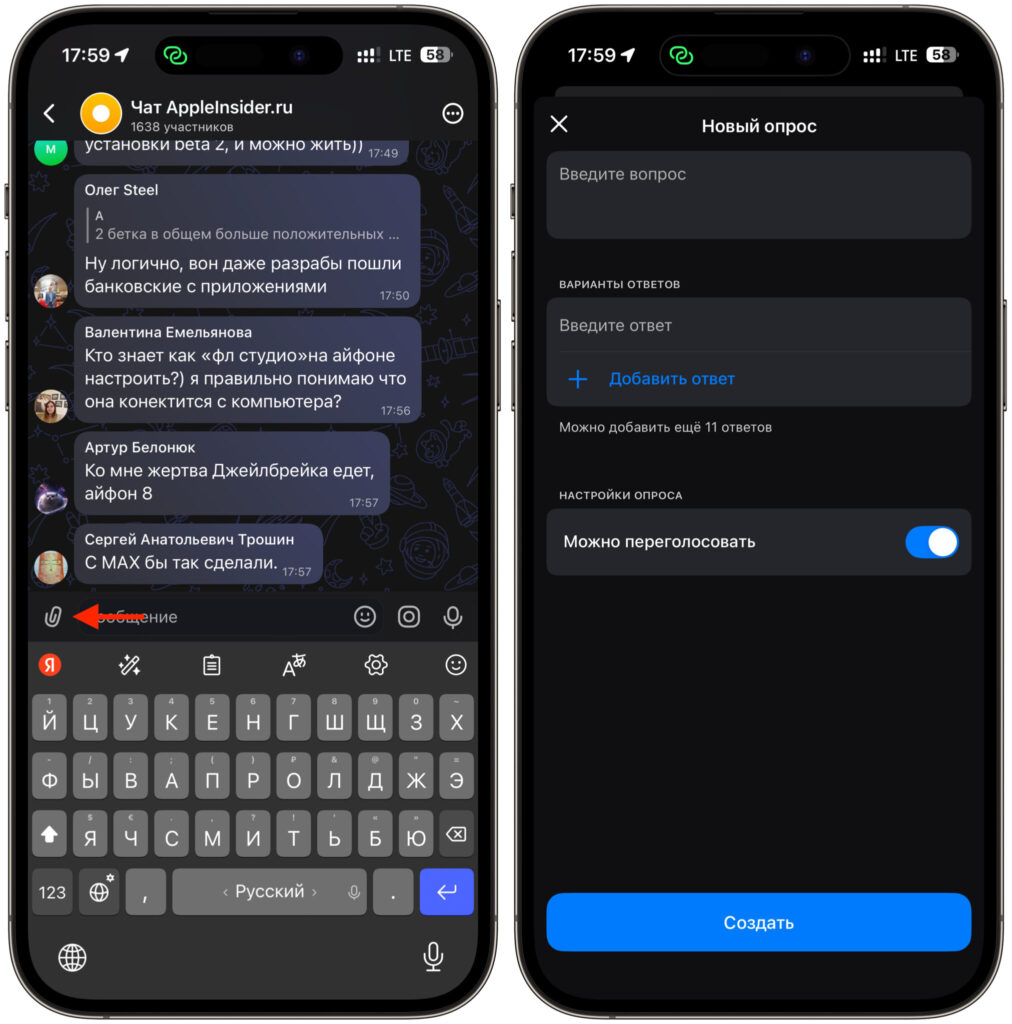
A poll is created via the paperclip icon
- Open the group chat where you want to launch the poll.
- Tap the paperclip icon to the left of the input field. In some versions, there’s a plus sign instead of a paperclip — same thing.
- In the attachments menu that opens, select “Poll”. It’s usually next to photos, files, and geolocation.
- Enter your question. Keep it short and clear — there’s a limit of a couple hundred characters, so you can’t write an essay anyway.
- Add answer options. The “Add answer” button creates a new line, and you can set up to 12 options in total.
- Tap the blue “Create” button, and the poll will instantly appear in the chat.
After publishing, participants will receive a notification and can vote with a single tap. Results update in real time right below the message, and everyone can see how many votes each option has received. To see details, simply tap on the number of responses under the poll — a percentage breakdown will open.
An important detail that many people trip over: you cannot edit a poll after publishing. People have already started voting, and changing the rules midway would be unfair. So if you made a mistake in the wording, you’ll have to delete the poll with a long press and create a new one. For the same reason, I recommend planning your options in advance rather than adding them in a rush.
Admin rights are not required for any of this. Any chat participant can launch a poll, but only the person who created it can end or delete it.
Can You Hide Poll Participants in MAX
This is where it gets interesting, because anonymity in MAX is not entirely straightforward yet. By default, a poll is public: any participant can tap on an option and see who voted for what. For a casual chat where you’re choosing where to go on Friday, that’s fine. But for work-related or sensitive topics, this openness can be a problem.
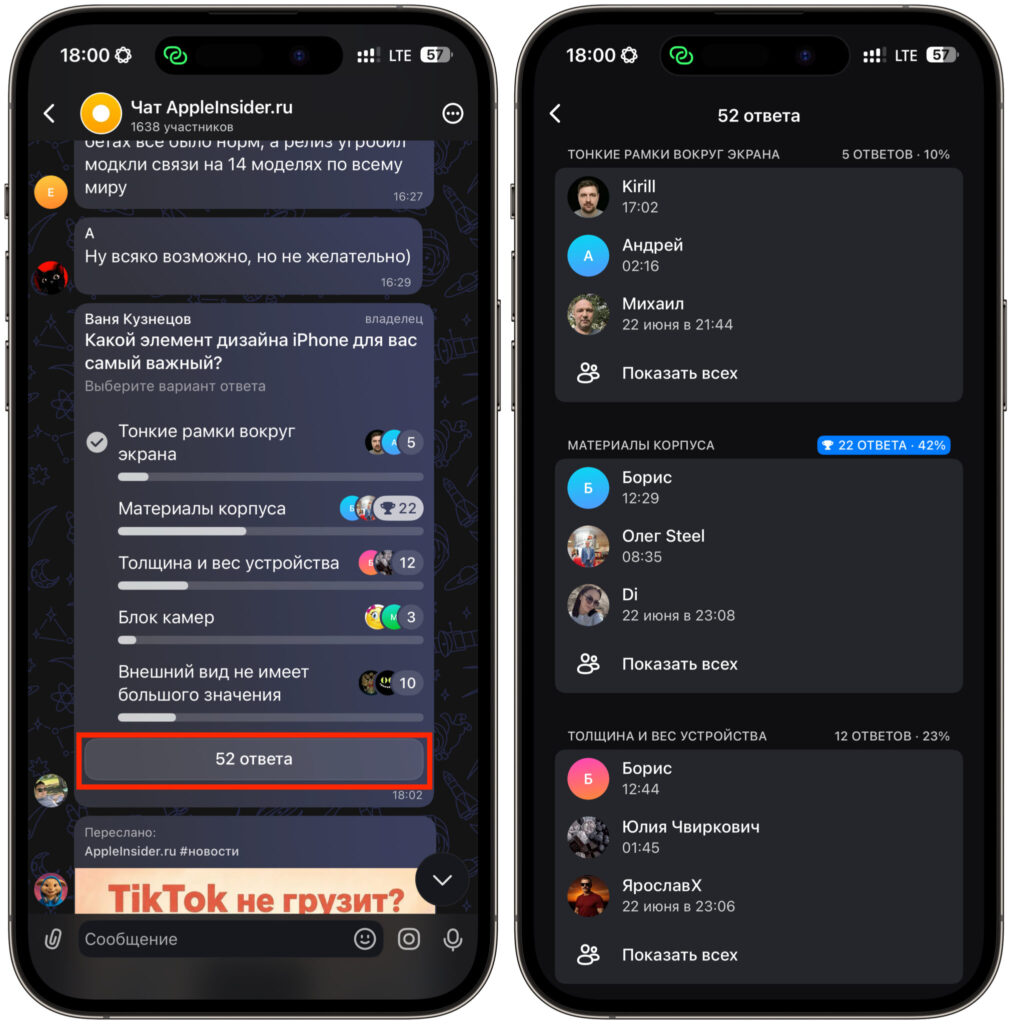
There’s no anonymity here at all
Unfortunately, there is no anonymity toggle in either the web version or the app removed from the App Store. Let’s hope that this feature will eventually appear. However, there is a “Allow re-voting” toggle. It’s enabled by default and allows participants to change their choice. If you want to lock in the results permanently so that no one can change their mind, simply turn it off before publishing.
When it’s time to close the voting, you can manually end the poll in two ways. First: tap on the number of responses under the poll, select “End” and confirm. Second: tap on the poll itself, find “End poll” in the context menu and confirm as well. After that, the results will be saved in the chat forever, but voting or reopening the poll will no longer be possible.
Why Polls Don’t Work in MAX
The most common reason the “Poll” option doesn’t appear in the paperclip menu is an outdated app build. Previously, this was fixed by updating, but MAX has been removed from the App Store, and installing a fresh version on iPhone through standard means is no longer possible. The only solution is to go to the web version of the messenger through Safari — polls are available there. The second reason is that you’re trying to create a poll in a channel, where the feature is not available. Switch to a group chat, and the button will be right there.
Now I’ll go through the questions that are asked most frequently.
- Do you need admin rights to create a poll? No, you don’t: any group member can launch a poll, and only the author can manage it — end or delete it.
- How many answer options can you add? Up to twelve per poll. The question itself is limited to a couple hundred characters, so keep it to the point.
- Can you select multiple answers? In a standard poll, no — your vote goes to one option.
- Can you attach an image to a question? Also no, polls accept only text. If you really need an illustration, send it as a separate message alongside the poll.
- Can you edit a poll after publishing? You can’t: you cannot change the question or answers, and you’ll have to delete and recreate it. So double-check everything before pressing the “Create” button.
Overall, polls in MAX on iPhone are made simply and without excessive settings, and for most everyday tasks they’re more than enough. Choosing a meeting date, deciding which movie to watch, gathering colleagues’ opinions — all covered.


