Many iPhone owners were used to paying for a VK Music subscription directly from their mobile phone balance. It was convenient: no cards, no extra steps. But as of April 1, 2026, this method stopped working. MTS and Beeline disabled carrier billing for Apple by order of the Ministry of Digital Development. Here’s what to do if your subscription lapsed, and how to pay for VK Music with a bank card directly.
Now you’ll have to pay for VK Music with a bank card
Why Mobile Balance Payment Stopped Working on iPhone
Until April 2026, MTS and Beeline subscribers could link their phone number to their Apple ID and pay for any App Store subscriptions directly from their phone balance. VK Music was no exception: money was debited automatically, and there were no issues.
Everything changed after a meeting at the Ministry of Digital Development on March 28. Carriers received instructions to disable the carrier billing mechanism for Apple. Starting April 1, payment from mobile phone balance stopped going through.
Two reasons are cited. First: pressure on Apple to restore deleted Russian apps to the App Store. Second: fighting VPN services, which were actively paid for through mobile balance.
Cancel Your VK Music Subscription Made Through Apple ID
If your VK Music subscription was paid from your mobile balance, the first thing you need to do is cancel it. Otherwise, the system will repeatedly try to charge money using a method that no longer works. This can lead to subscription blocking and errors when trying to set up a new one.
Here’s what you need to do:
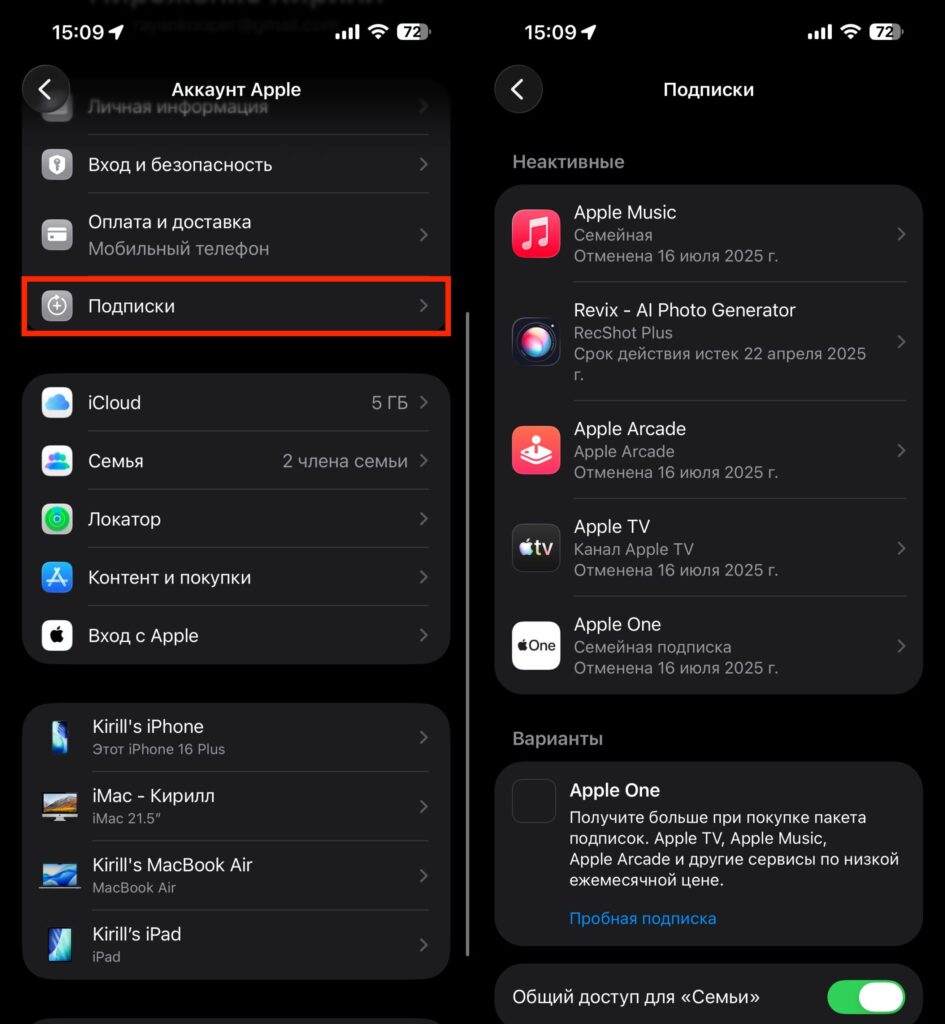
Cancel the VK Music subscription from this section
- Open “Settings” on your iPhone.
- Tap on your name at the very top — this is the Apple ID section.
- Go to “Subscriptions”.
- Find VK Music in the list and tap on it.
- Tap “Cancel Subscription” and confirm the action.
After cancellation, the subscription will remain active until the end of the paid period. Your music won’t disappear instantly: you’ll retain access until the next billing date. But it will no longer renew.
Pay for VK Music on iPhone with a Bank Card
Now the most important part. After canceling the old subscription through Apple ID, you can set up a new one — this time paying with a Russian bank card. And you don’t need to change your Apple ID region or buy gift cards.
Everything is done right in the app:
- Open the “VK Music” app on your iPhone.
- In the upper left corner, tap the profile icon.
- Tap on the “VK Music Subscription” line.
- Wait for the page to load — this may take a few seconds.
- Choose a plan and pay with a bank card.
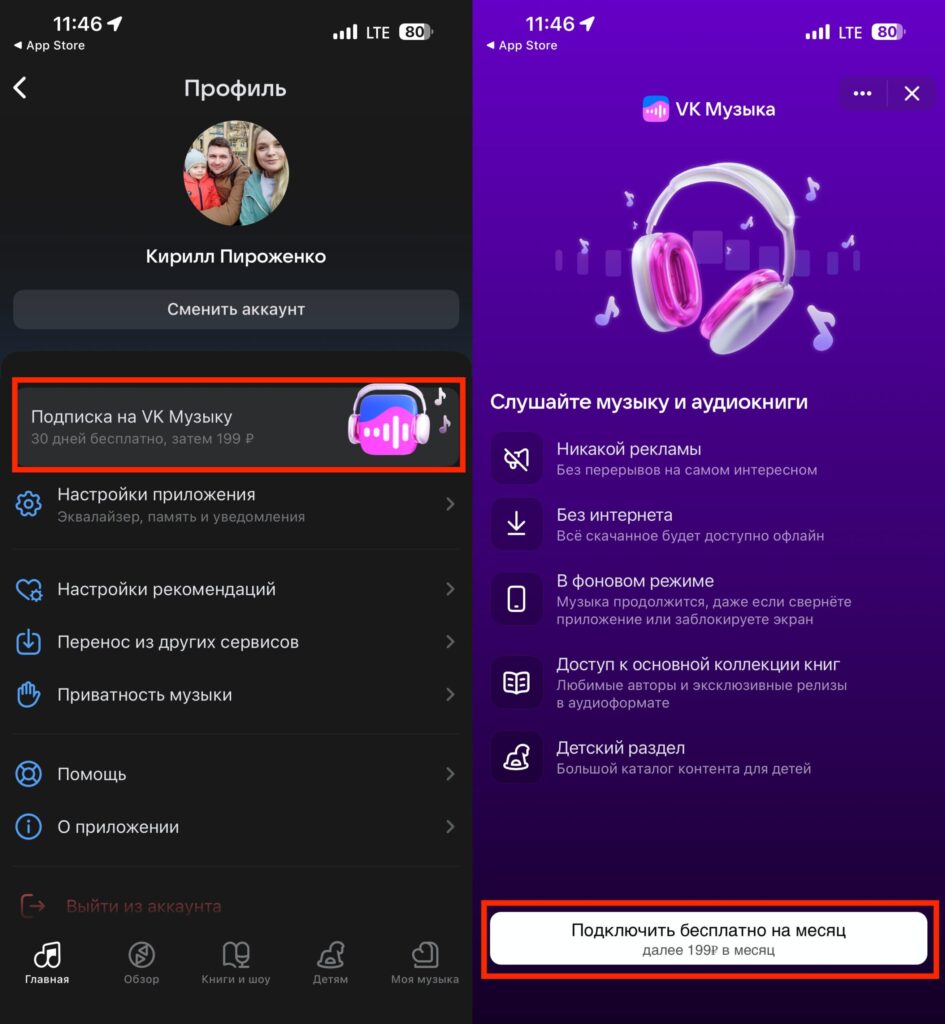
Go to your profile and select subscription
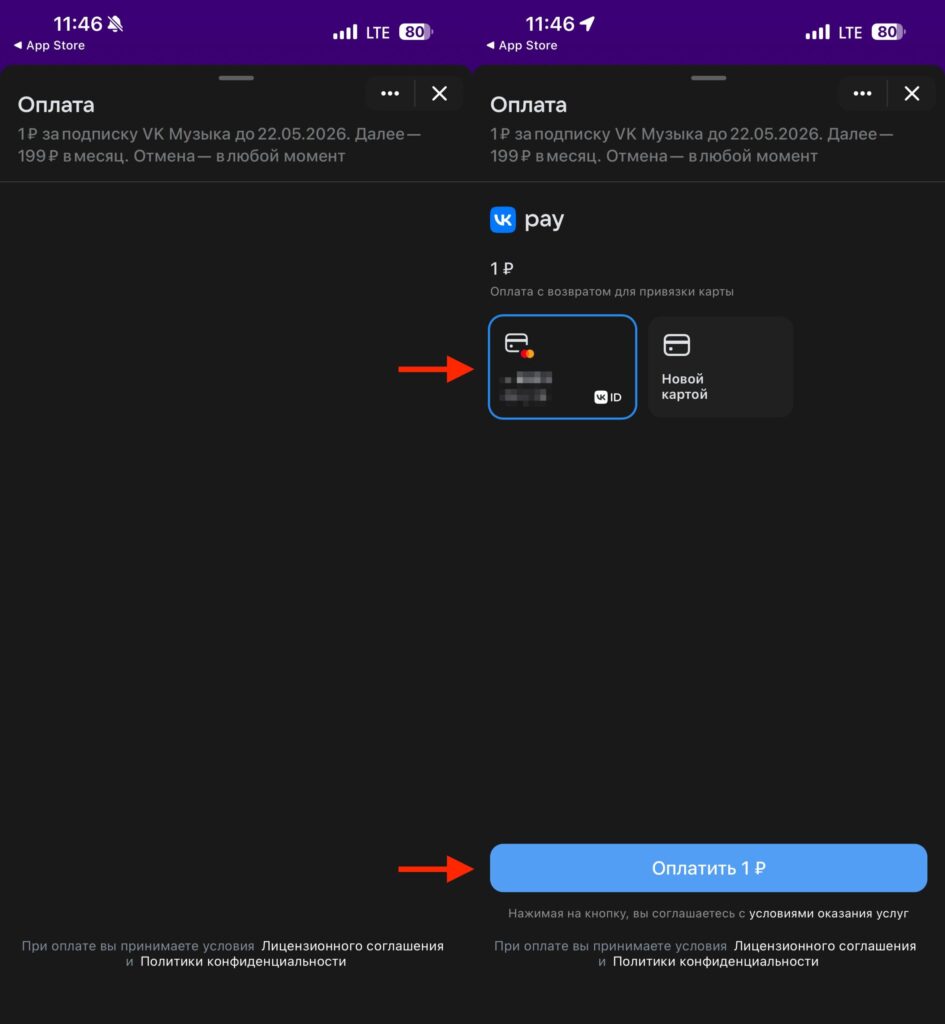
You’ll have to wait a bit for the payment page to load. For some reason it’s slow
You’ll need to enter the card number, expiration date, and CVV code. After that, you’ll receive an SMS with a confirmation code from your bank. Enter the code — and the subscription is activated. A payment receipt will arrive in your VKontakte messages.
How Much Does a VK Music Subscription Cost in 2026
Current VK Music pricing for 2026: the basic subscription costs 199 rubles per month. There’s an annual plan — 1,699 rubles, which is significantly cheaper than paying monthly. Students get a reduced price: 99 rubles per month. There’s also a combined VK Music + Wink plan for 299 rubles per month.
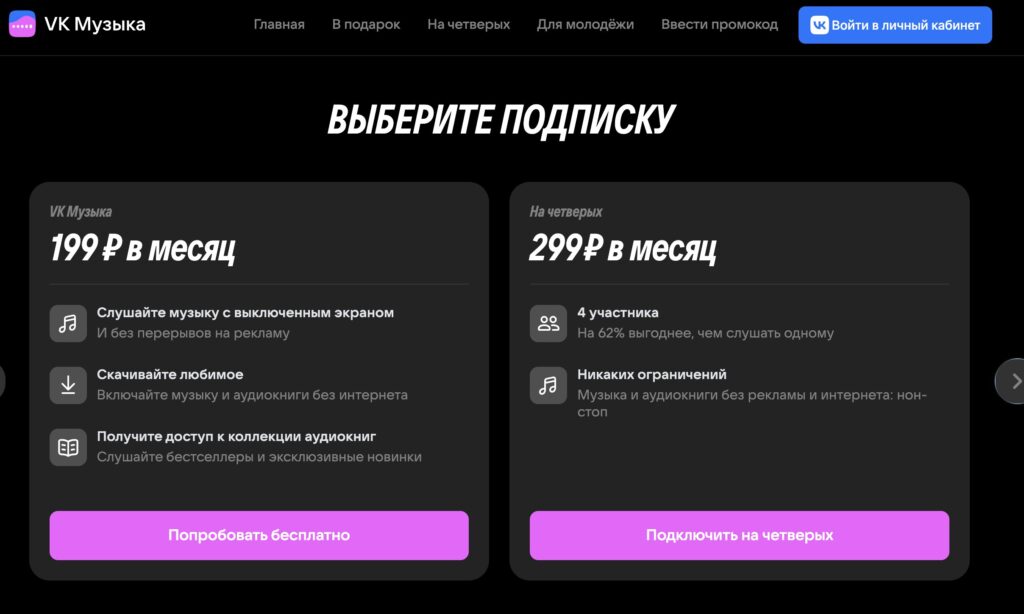
There are different plans. You can even get a plan for four people
By the way, if you haven’t subscribed to VK Music in a while, you might get a free trial month. My last subscription was a year or a year and a half ago, and now when I open the app, I’m offered this nice little bonus.
What You Need to Know About Paying for VK Music Without the App Store
Paying with a bank card through the VK Music app is not a workaround or a life hack. It’s a standard payment method that worked before as well. Many people simply didn’t know about it because carrier billing was more convenient.
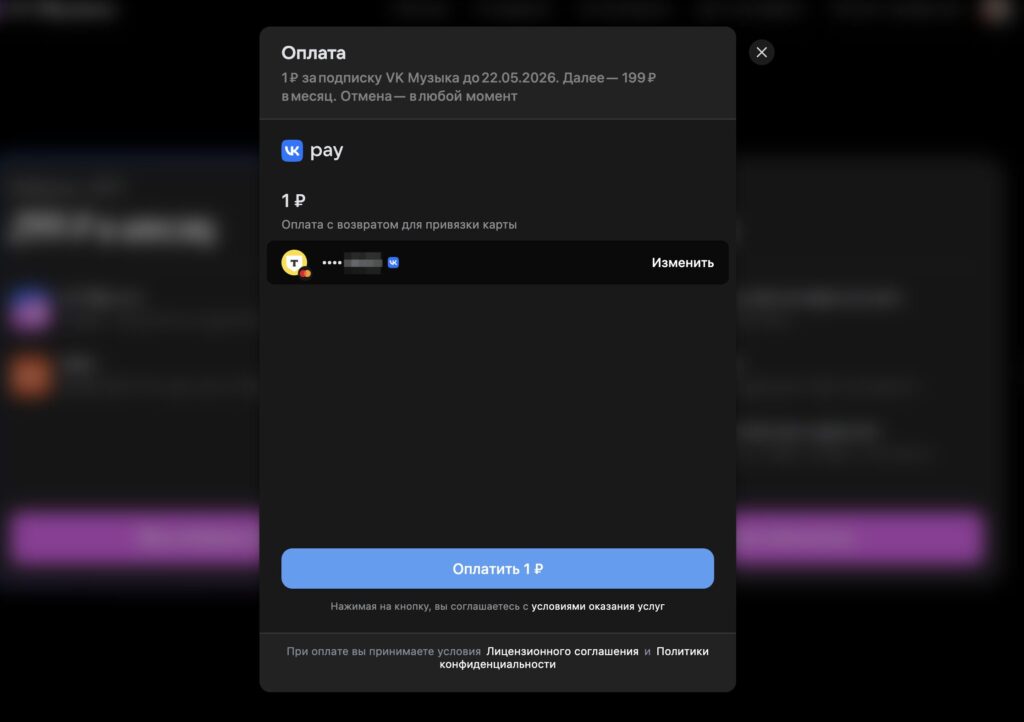
If needed, you can also subscribe through a browser
Another option: subscribe through your mobile browser at music.vk.com. You can also pay by card or through VK Pay there. This is useful if you encounter any errors in the app.
The key point: don’t confuse an App Store subscription with a subscription directly through VK. If you subscribe with a card in the VK Music app, it will be managed through your VKontakte account, not through the “Subscriptions” section in your iPhone settings. You’ll also need to cancel it through VK, not through Apple.


