Having only just started rolling out the One UI 8.5 update, which is officially the latest, Samsung has launched beta testing of One UI 9 based on Android 17 for the Galaxy S26, S26+, and S26 Ultra, and published a full list of changes. The update weighs 3.6 GB and includes the May 2026 security patch. The list of new features is noticeably more modest than in One UI 8.5: most changes are hidden “under the hood” and are related to the Android 17 platform, with only a few user-facing innovations.
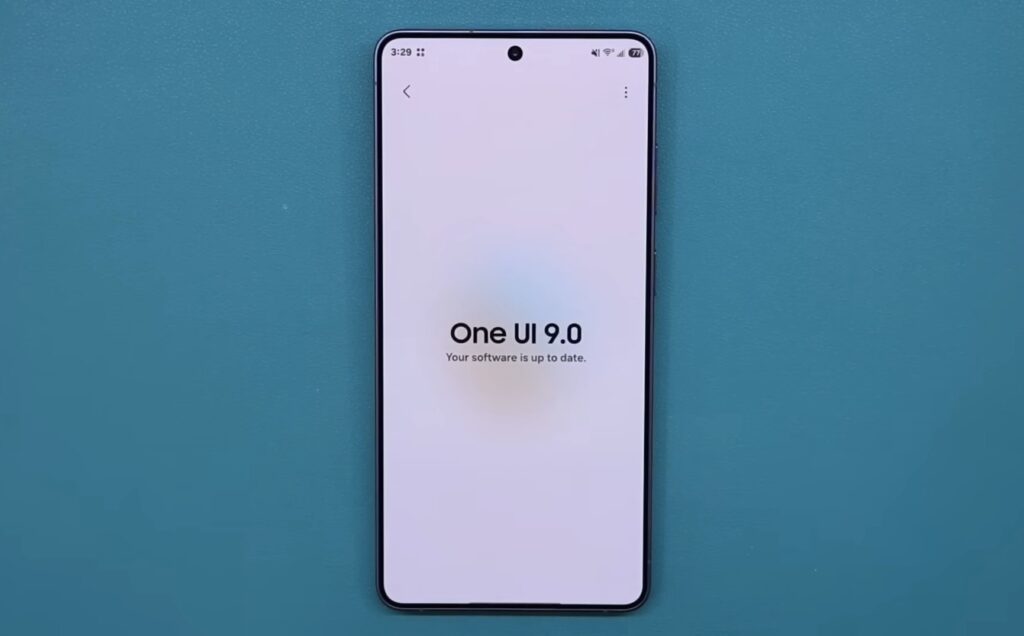
One UI 9 Beta based on Android 17 has been officially released. Image: sakitech
Who Can Install the One UI 9 Beta
The One UI 9 beta is currently available only to owners of the Galaxy S26 series, whose smartphones have already dropped significantly in price.
To join the One UI 9 beta testing program, you need to register through the Samsung Members app. At launch, the beta is open in six countries: Germany, India, South Korea, Poland, the United Kingdom, and the United States. Russia is not on the list, as was the case with previous Samsung beta programs.
The stable version of One UI 9 will arrive later: Samsung has stated directly that the full release will come alongside the launch of new flagships closer to the end of the year. As is tradition, these will be foldable models: the Galaxy Z Fold 8 and Z Flip 8 are expected. Galaxy S26 owners will have to wait longer for the final build.
Notification Shade in One UI 9
One of the main new features of One UI 9 is the expanded Quick Panel settings. You can now change the size of the brightness and volume sliders, as well as the media player. The sound mode button can be separated from the volume slider. Essentially, the notification shade finally allows you to customize each element independently (previously everything was rigidly tied to each other).
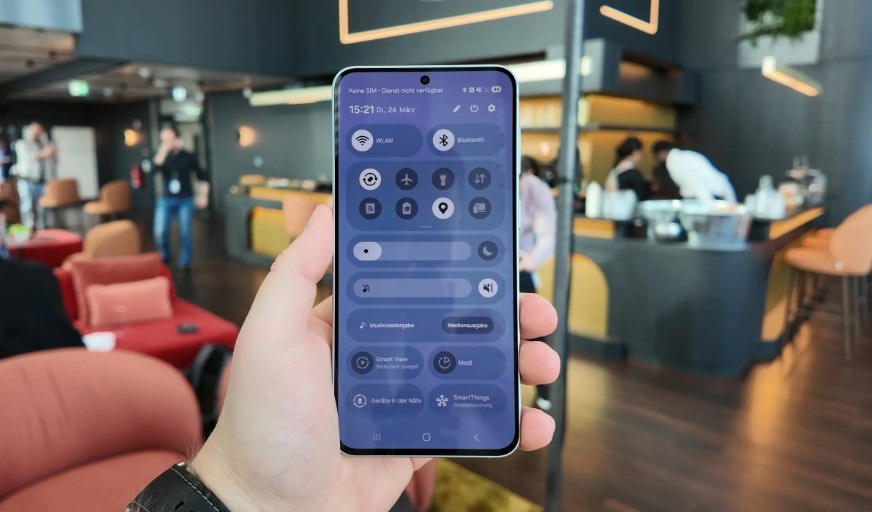
This is what the new notification shade looks like now. Image: sammobile.com
For those who use the notification shade dozens of times a day, this is a small change that can relieve frustration. Especially if you’re used to a specific arrangement of elements, which can now be changed not only in shells like One UI but also in stock Android 17 for Google Pixel, which was recently unveiled.
Samsung DeX Improvements in One UI 9
Samsung DeX — a mode that turns your phone into something like a desktop computer when connected to a monitor (we covered it separately). In the new shell, it has received simplified window management. You can now move an app between desktops through a menu at the top of the window. Desktop previews are displayed on the recent apps screen, and switching happens with a single tap.
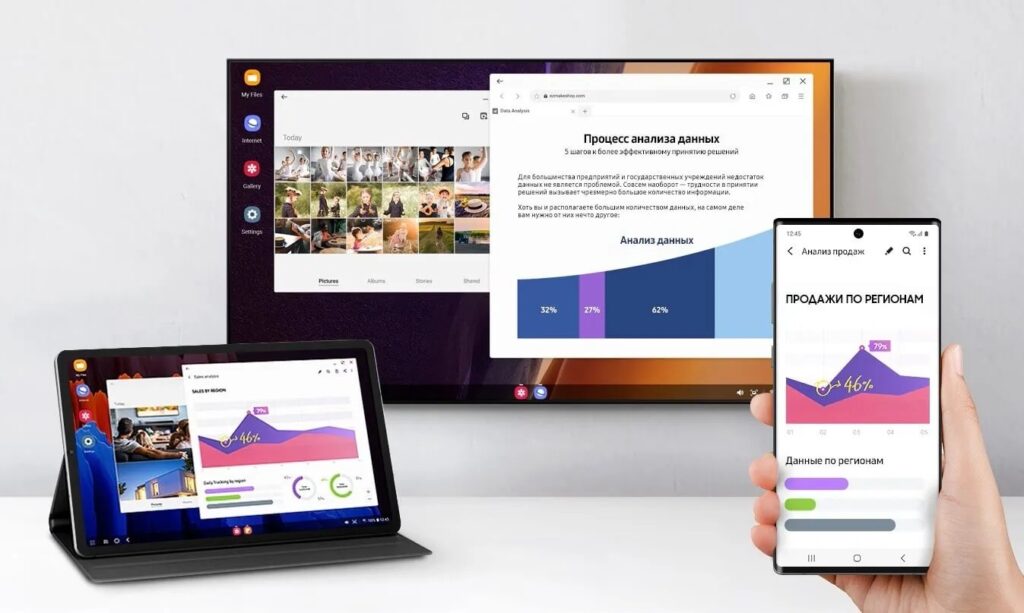
Samsung DeX also received visual changes. Images: Samsung
Samsung Notes has added a Tape feature — decorative ribbons that can cover parts of a note and be opened as needed. New pen styles for drawing and writing have also been added. This is a niche innovation: it will be useful for those who actively use the S Pen and handwritten notes, while others will hardly notice the difference.
Game Booster on Samsung Galaxy
The Game Booster panel now allows you to change screen resolution and screenshot format right during gameplay, without needing to exit to settings. For mobile gamers, this is convenient: you can lower the resolution for better performance or switch the screenshot format on the fly.
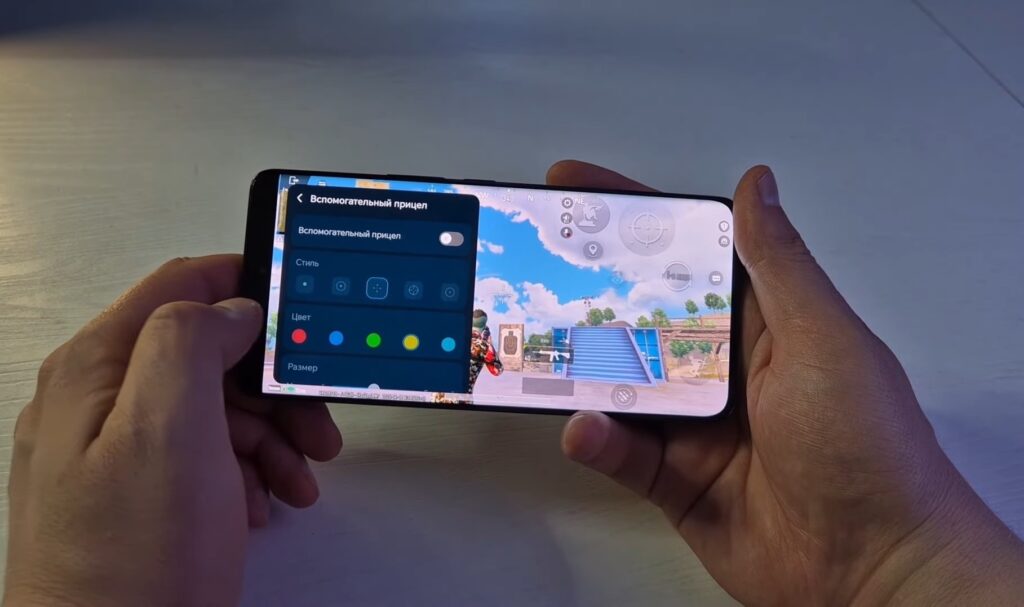
Samsung’s gaming utility has also been updated! Image: MadCoby
The new location access indicator deserves special attention. When an app uses geolocation, a blue marker appears at the top of the screen. By tapping on it in the quick access panel, you can see exactly which app is requesting your location. This is a useful addition to privacy control — you can immediately see who’s tracking your movements.
Other One UI 9 Features for Galaxy S26
In the One UI 9 shell, there’s noticeable work on accessibility, and there are more changes here than in other sections:
- Text Spotlight: when you tap on any text on the screen, it’s displayed enlarged in a separate window. Font size, colors, and other parameters are customizable.
- Select to Speak: you can select text or an image on the screen and hear its description read aloud, without enabling the full TalkBack mode.
- Unified TalkBack: Samsung and Google have merged their versions of the voice assistant for visually impaired users. Now TalkBack updates come through Google Play rather than through firmware.
- Hotkeys for accessibility features: when a physical keyboard is connected, you can invoke accessibility functions without touching the screen.
- Improved mouse control from keyboard: cursor speed and acceleration settings have been added, and you can use the numeric keypad for movement and clicking.
The merging of TalkBack with Google’s version is an important step. Previously, screen reader updates depended on firmware updates, but now everything can be updated through the Play Store at any time. This speeds up bug fixes and makes the feature more accessible.
Should You Install the One UI 9 Beta and What to Expect in the Final Release
One UI 9 is a Samsung update without revolutions. After the massive visual changes of One UI 8.5, the company has focused on targeted improvements and the Android 17 platform foundation. For the everyday user, the noticeable things here are only a more flexible notification shade, a location indicator, and updated accessibility tools.
Installing the beta on your main phone is not recommended: this is a test build with potential bugs and instability. If you’re not willing to put up with bugs and potential data loss, it’s better to wait for the stable version. It will be released closer to the second half of the year alongside Samsung’s new foldable flagships.


