The One UI 9 beta has been in testing for several months, and as new builds roll out, the picture is becoming clearer. Samsung is using this time to refine and expand the shell before its official launch. The first device with One UI 9 will most likely be the foldable Galaxy Z Fold 8, whose release is expected in the coming weeks. Below, we break down the key changes: what truly makes life easier, what simply refreshes the interface, and what’s better to stay away from.
Overview of all new features in the One UI 9.0 update
Flexible Quick Settings in One UI 9
One of the most noticeable changes is the redesigned quick settings panel. At first glance, it looks similar to the previous one, but there are visual tweaks: volume and brightness sliders have become thicker, and the dark theme and sound toggles are now separated from these sliders.
The editing mode changes the most. New accessibility toggles have appeared, including “Select to Speak,” which reads parts of the interface aloud. The panel has become more flexible in resizing tiles: they can now be moved and resized more than before. For the first time, volume and brightness sliders can be reduced to a 2×1 format, allowing you to create a more compact layout.
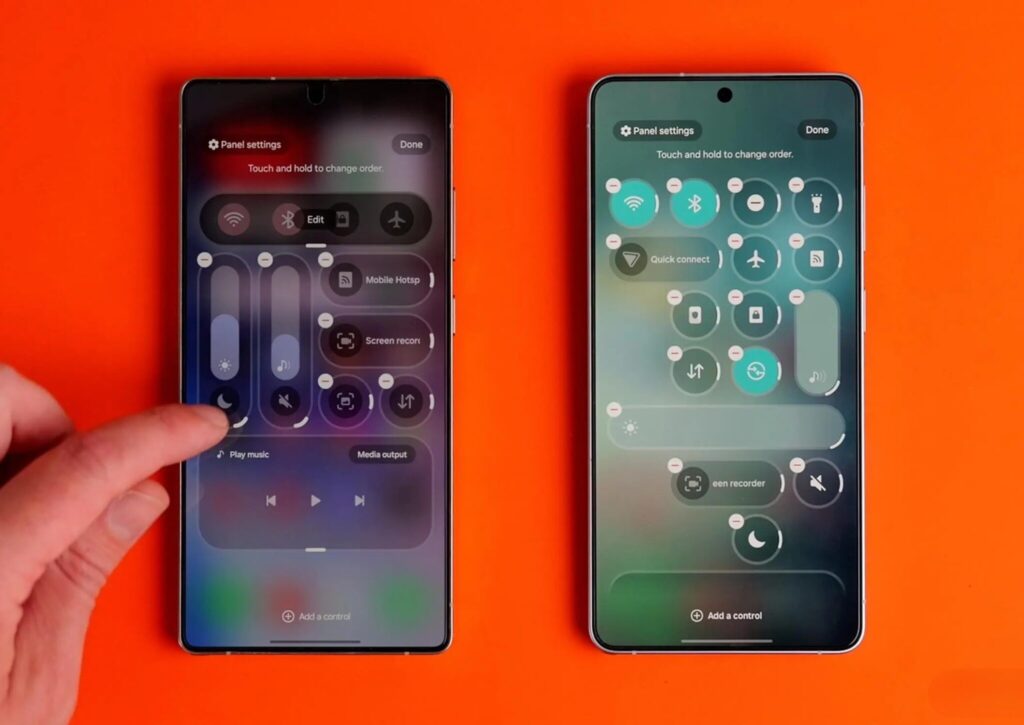
The quick settings panel is now flexibly adjustable. Image: 9to5google.com
The mini player has also been updated: round play, pause, and skip buttons, along with neater handling of album art colors. The playback bar with visualizer has become brighter because it takes hues from the current track’s album art. Background blur is also worth noting — the effect has been added in many places throughout the interface and is implemented neatly.
Network Speed Indicator in the One UI Status Bar
You can finally add a network speed indicator to the status bar — something that has long been available on Chinese firmware. It’s a convenient way to notice if an app is unexpectedly consuming mobile data or Wi-Fi. However, there’s a caveat: this can only be enabled through the Quickstar app in the Good Lock suite.
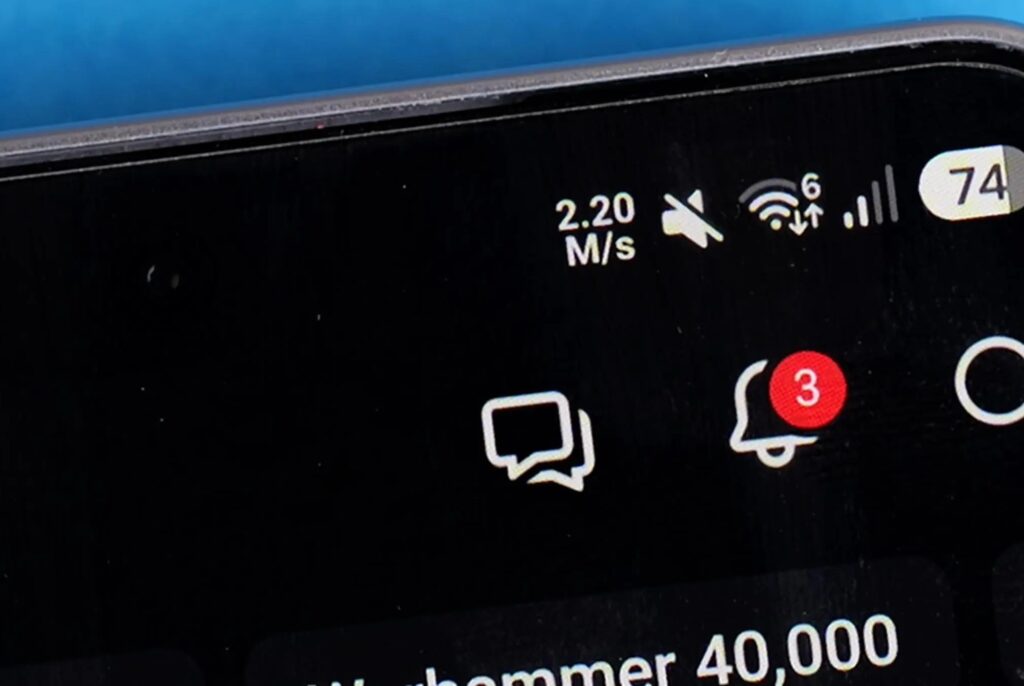
Samsung finally shows internet speed. Image: 9to5google.com
Samsung has also increased the size of the “pill” in the status bar, so a bit more information can fit. The downside is that the interface may look slightly cluttered compared to the previous compact version.
How Samsung Changed After the Release of One UI 9
There are many small but pleasant tweaks in One UI 9. A feature to turn each browser window into a separate card in the recent apps list has appeared — this isn’t a new idea for Android, but it’s back and convenient for multitasking. Floating gesture panels have also returned: on one hand, the gesture bar has become cleaner; on the other, some elements may overlap.
If you use automation through “Modes and Routines,” Samsung has added descriptions to each preset, so you won’t have to guess what a particular template does. The Game Booster panel has received new options like screenshot resolution and charge bypass during gaming.
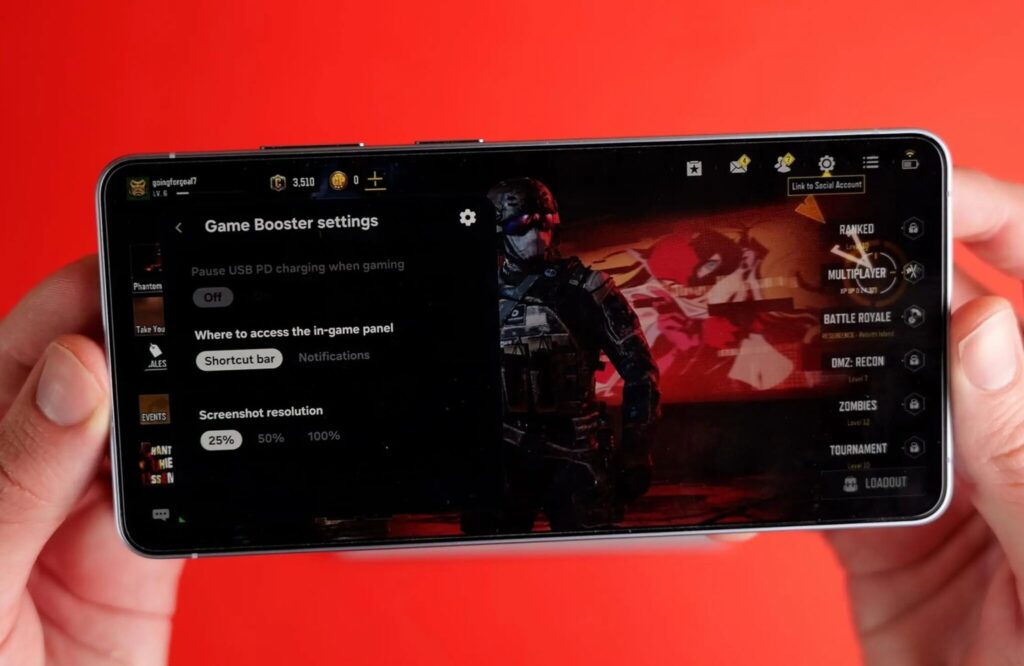
This is what the updated Game Booster panel looks like. Image: 9to5google.com
Samsung Notes now has a “ribbon” tool for hiding text and images: you can cover a fragment, and then tap with the S Pen to see what’s underneath — useful primarily as a study aid. There’s also a new security measure: restarting or shutting down the smartphone now requires entering a PIN code.
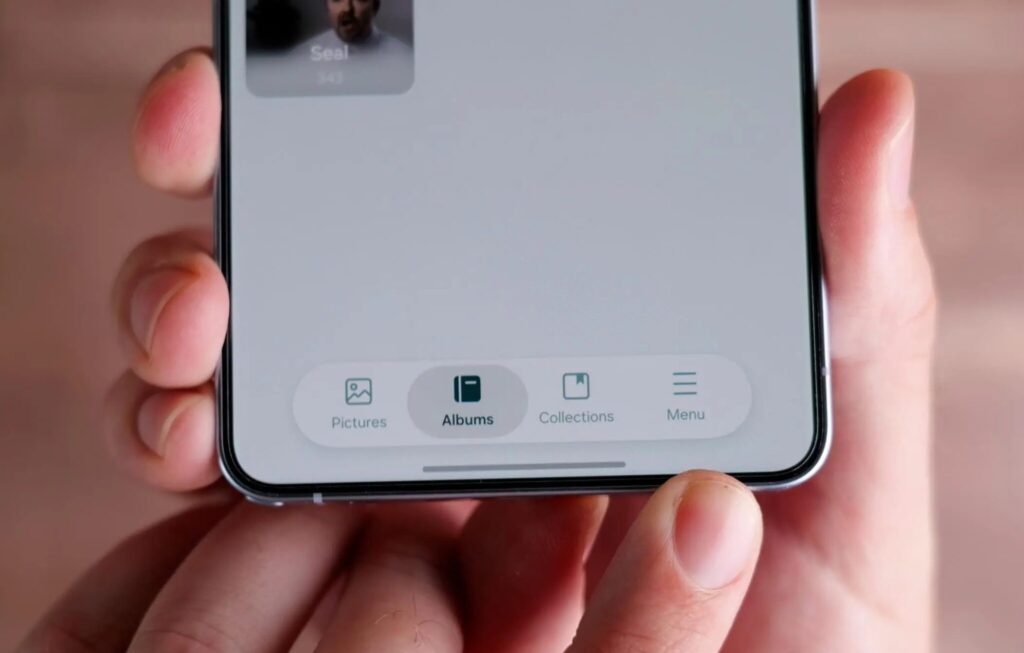
This is what the updated One UI 9.0 Gallery looks like. Image: 9to5google.com
The camera has a couple of interesting innovations. The main one is simultaneous vertical video recording from both the front and rear cameras. The output is a square 1:1 clip that can come in handy for Instagram (owned by Meta, recognized as extremist and banned in Russia). There’s a significant limitation: recording is only available in 1080p, so beyond social media, the usefulness is questionable.
Samsung has refined the phone app by merging all dialers into one section. Now when you open the phone app, the feed will show calls from Google Meet, WhatsApp, Viber, Line, and other apps with their own calling features. For those who constantly switch between messengers for calls, this saves time.
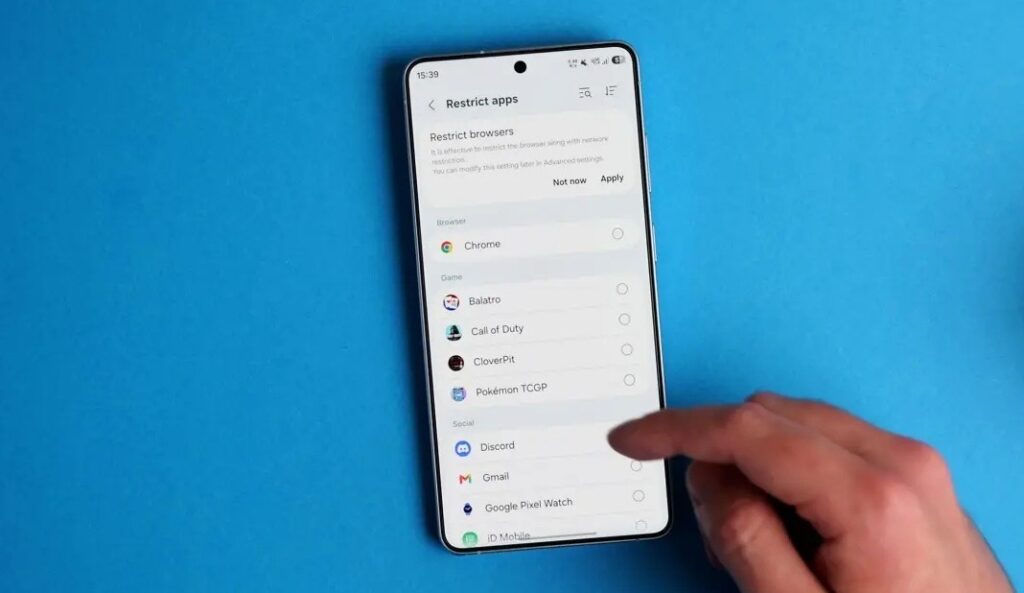
Blocking Internet Access for Apps on Samsung
Perhaps one of the best new features of One UI 9 is the ability to block specific apps from accessing the internet directly in settings. The feature is called “Network Restrictions,” and it’s surprising it wasn’t available before.