Apple has showcased new accessibility features powered by Apple Intelligence, and the announcement turned out to be truly impressive. The main change — subtitles are now generated for any video right on the device, and Apple Vision Pro owners will be able to control a wheelchair with their gaze. It sounds like a sci-fi scenario, but this is a working technology that will be released later this year. Apple continues to systematically turn its devices into full-fledged health and accessibility assistants. And all the new accessibility features are processed locally, so privacy isn’t compromised — no data is sent to servers.
New iOS 27 features leaked online ahead of release
Wheelchair Control via Gaze Tracking on Apple Vision Pro
Some electric wheelchair users cannot operate a joystick due to limited mobility. Apple offers a solution through Vision Pro eye tracking: the headset becomes an alternative input method for compatible control systems. There’s no doubt this is a logical continuation of the already existing eye-tracking control for iPhone.
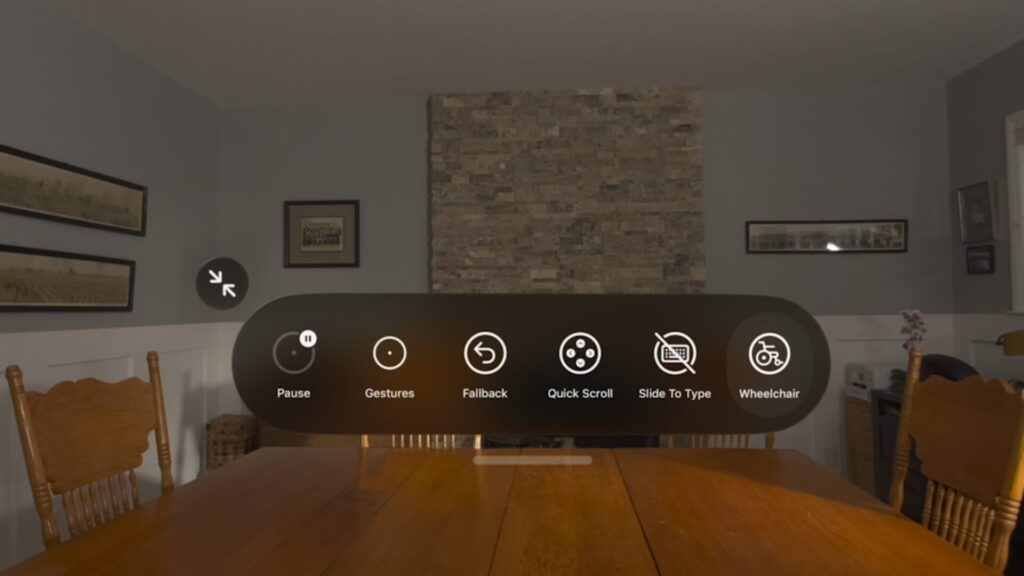
The new feature works using existing eye control technology
Apple notes that eye tracking on Vision Pro doesn’t require frequent recalibration and works under different lighting conditions. At launch, Tolt and LUCI systems are supported in the US, connecting via Bluetooth and cable. Apple plans to expand the list of compatible wheelchairs. This is arguably the strongest argument for why Vision Pro matters: some users simply have no alternatives.
New VoiceOver and Magnifier Features on iPhone
Both features are designed for blind and visually impaired users. Image Explorer in VoiceOver now provides more detailed image descriptions across the entire system — from photos to scanned receipts and personal documents. Live Recognition has become another function of the Action button on iPhone: you can point the camera, ask a question about what’s in the frame, and clarify details using everyday language.
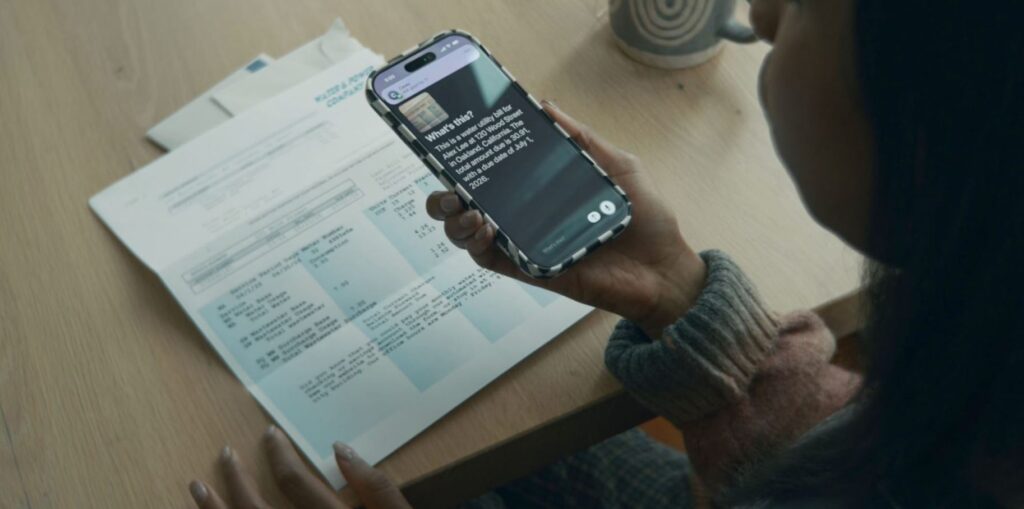
The updated Magnifier now runs on AI
Magnifier also works with the Action button and accepts voice commands like “zoom in” or “turn on the flashlight.” In practice, this eliminates extra steps: instead of navigating through menus — one button and a short question.
Automatic Subtitles for Any Video on iPhone
This is arguably the most impactful feature for the masses in this announcement. iPhone will automatically generate subtitles for videos that don’t have them: clips recorded by the user, sent by relatives, or internet streams. Speech recognition works directly on Apple devices, so video doesn’t get sent to Apple’s servers.
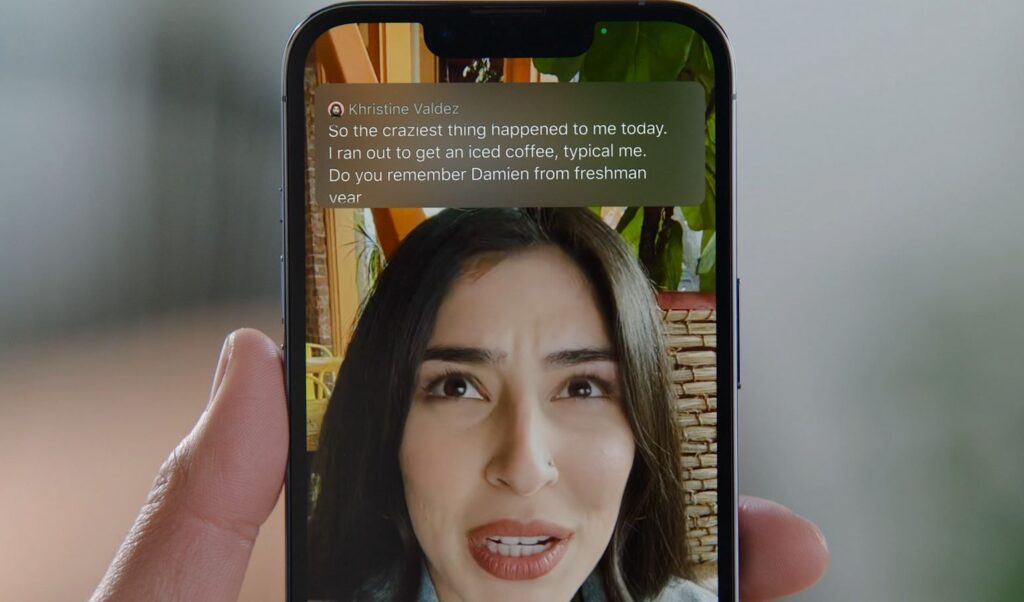
iOS 27 will bring updated subtitles
For deaf and hard-of-hearing users, this is a significant change: until now, personal videos and messages from loved ones almost never came with subtitles. But the feature will be used by far more than just them — everyone who watches videos without sound on public transit, at work, or at night next to someone sleeping will get a convenient alternative to manually turning on YouTube subtitles.
Voice Control on iPhone Without Commands
Previously, voice control required memorizing exact commands and element labels on the screen. Now Apple allows users to describe buttons and elements in their own words: for example, “tap on the guide to the best restaurants” or “open the purple folder.” This is especially useful in apps with complex visual layouts — such as Maps or Files — and helps work around situations where interface elements aren’t labeled for accessibility.
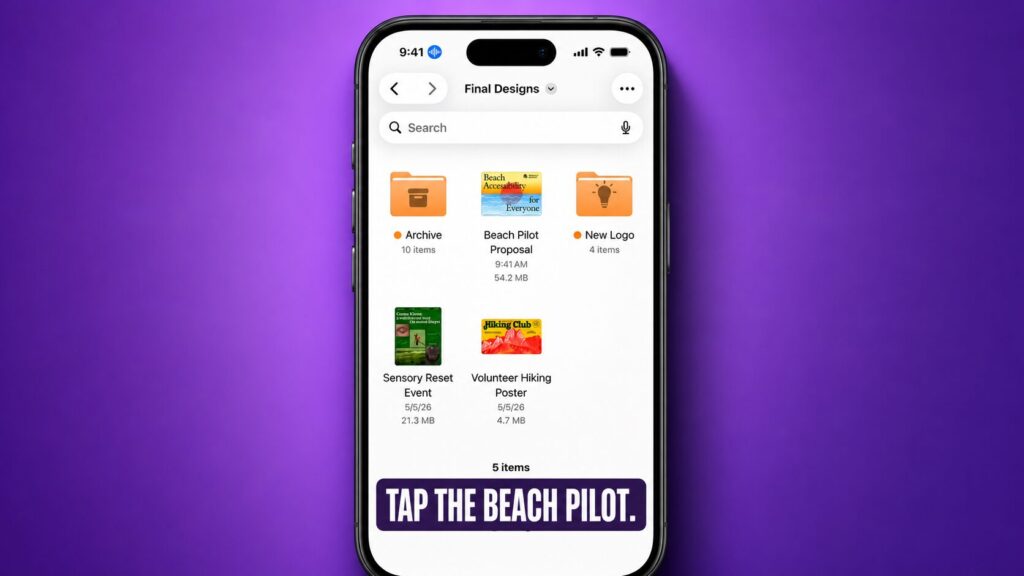
Voice control has now become significantly smarter
In parallel, the adapted reading mode for people with dyslexia, low vision, and other text comprehension difficulties has been improved. With Apple Intelligence, it has learned to handle complex sources: scientific articles, multi-column texts, documents with images and tables. As a bonus — brief summaries on request and built-in translation into the user’s native language while preserving font, color, and formatting.
How Accessibility Will Change in iOS 27

iOS 27 promises many new AI-powered accessibility features
Apple listed other accessibility changes in iOS 27 that will be useful for all users. For example, motion sickness prevention will now appear in visionOS — you can comfortably ride while wearing Vision Pro and go about your tasks. The following changes are also expected:
- Vision Pro will support facial expression control and a new method of selecting elements with gaze.
- Made for iPhone hearing aids connect more reliably and switch between devices more smoothly.
- tvOS will add support for enlarged text for visually impaired users.
- The feature that alerts users when their name is called now works in more than 50 languages.
- Developers of sign language interpretation apps have been given the ability to connect a live interpreter to a FaceTime call.
- The Sony Access controller can be connected to iPhone, iPad, and Mac as a game controller — with button customization and the ability to combine two controllers.
Interestingly, Apple revealed these features ahead of Global Accessibility Awareness Day — May 21. However, the exact release date for the new features was not mentioned in the announcement.


