Moscow is preparing for another round of mobile network restrictions. This time — during the May holidays. Carriers have already warned subscribers, and sources in the telecommunications market have revealed specific dates. Previously, the Ministry of Digital Development had already explained which websites and services work during shutdowns, but this time the situation may be more complicated. Here’s what to expect and how iPhone owners can prepare.
Mobile service will be scarce in Moscow during the May holidays
When Will Mobile Service Be Shut Down in Moscow
Mobile internet and voice service restrictions in the capital have become a common occurrence. Last year, Muscovites already experienced disruptions during the May holidays, and in March 2026, mobile internet in the city was down for nearly three weeks. Now it has been revealed that new restrictions will affect several consecutive days — and will be stricter than before. Mobile service restrictions are scheduled for May 5, 7, and 9. On the fifth, preparatory events will begin; on the seventh — the Victory Day parade dress rehearsal; and on the ninth — the parade itself on Red Square.
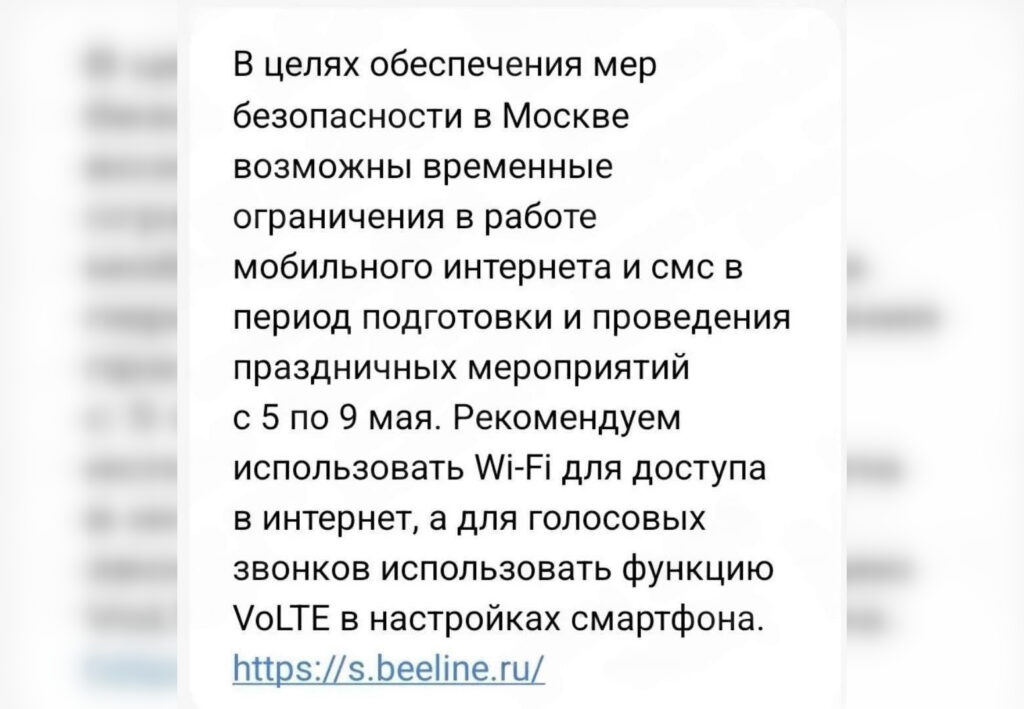
Beeline has already started warning subscribers about possible disruptions
Sources in the telecommunications market report that on these days, authorities intend to restrict all mobile communications, including SMS transmission and even the so-called “white lists” — websites that usually remain accessible when the internet is shut down. We previously covered in detail which sites are included in the white list, but this time even their availability is in question. The restriction zone will cover the entire area within the MKAD (Moscow Ring Road), not just the city center.
What Won’t Work During the Moscow Communication Shutdown
Based on the experience of previous shutdowns and information from sources, you should prepare for the following:
- Mobile internet — will stop working completely or will be limited to white-listed sites.
- SMS messages — disruptions in sending and receiving are possible.
- Voice calls — may work unstably, especially if the smartphone switches to an overloaded 2G/3G network.
- Taxi and delivery services — Yandex, Sberbank, VkusVill, Samokat, and other companies have already warned about possible disruptions.
- Card payments — terminals in stores and the Fast Payment System (SBP) may malfunction.
Last time, the damage from the internet shutdown in Moscow was estimated at approximately 1 billion rubles per day. This year, the scale of restrictions promises to be even more serious.
How to Enable VoLTE on iPhone for Calls Over LTE
Beeline in its newsletter recommends using the VoLTE feature for voice calls. This is a technology that allows making calls over the 4G network, providing higher quality communication. On iPhone, it may be turned off by default, so it needs to be activated manually.
Here’s how to do it:
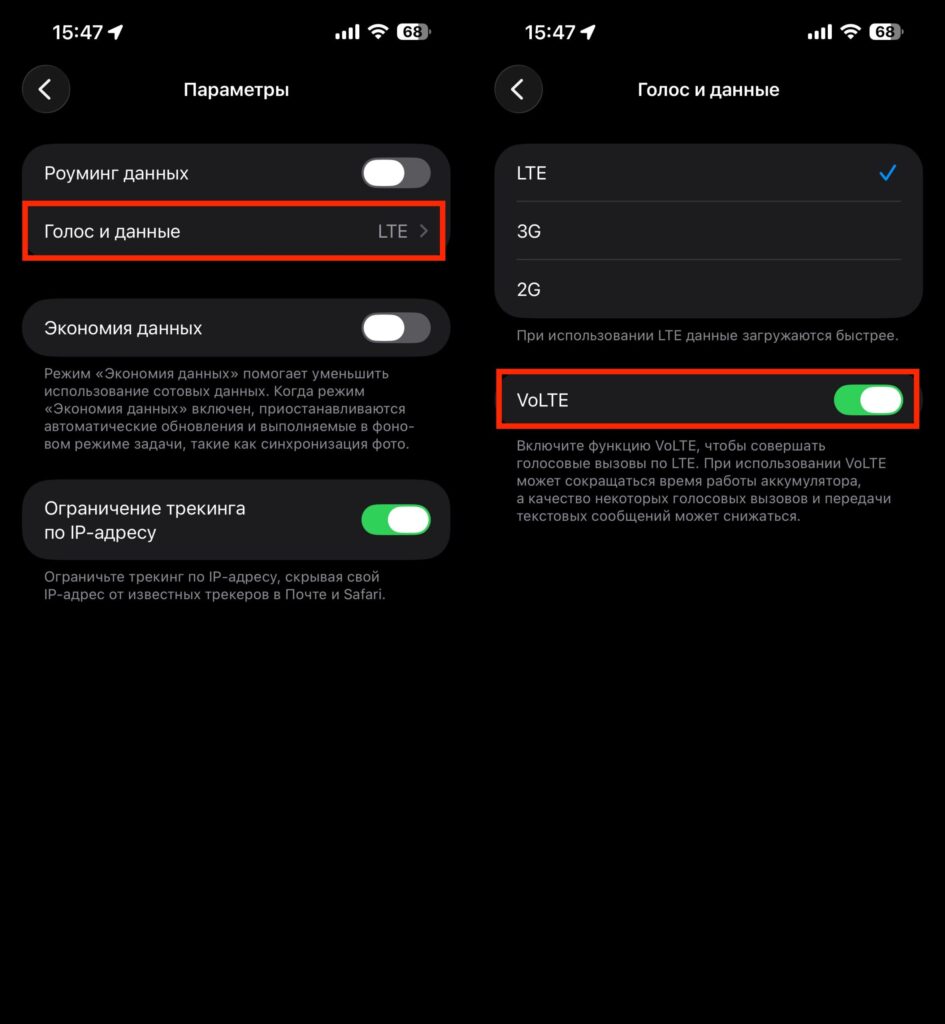
Beeline recommends enabling VoLTE
- Open “Settings” on your iPhone.
- Go to the “Cellular” section.
- Select the desired SIM card if you have multiple.
- Tap “Options” (or “Data Options”).
- Go to “Voice & Data”.
- Activate the “VoLTE” toggle.
If the VoLTE option doesn’t appear in settings, try updating your carrier settings: go to “Settings” — “General” — “About” and wait for a notification to appear. Also make sure your iPhone has the latest version of iOS installed. Starting with iOS 18.0.1, VoLTE is activated automatically on some devices.
Why is this important right now? Without VoLTE, when receiving a call, the smartphone switches from 4G to 3G or even 2G. If mobile internet is being jammed and 3G networks are overloaded, the call may simply not go through. VoLTE allows making calls over the LTE network, which usually remains more stable.
Why Wi-Fi Calling on iPhone Doesn’t Work in Russia
Many will remember the VoWiFi (Wi-Fi Calling) feature, which allows making calls over Wi-Fi even without a mobile network. In theory, this is an ideal solution during shutdowns: connect to your home router — and call as usual. But in practice, things are more complicated.
Due to sanctions restrictions, Apple does not support Wi-Fi Calling on iPhone 14, iPhone 15, and iPhone 16 in Russia. The feature is simply absent from settings, and it’s impossible to activate it even through workarounds. This applies to all models starting from the fourteenth series.
On older iPhones (up to and including the 13), Wi-Fi Calling may work with carriers MTS, Beeline, and MegaFon. But there’s a catch: Tele2 (T2) officially does not support this feature on iPhone at all. So not everyone should count on VoWiFi as a backup option.
How to Download an Offline Map of Moscow on iPhone
Without mobile internet, the navigator on your smartphone becomes a useless icon. To avoid being left without maps, download them to your iPhone’s storage in advance. In Yandex Maps, this takes just a couple of minutes.
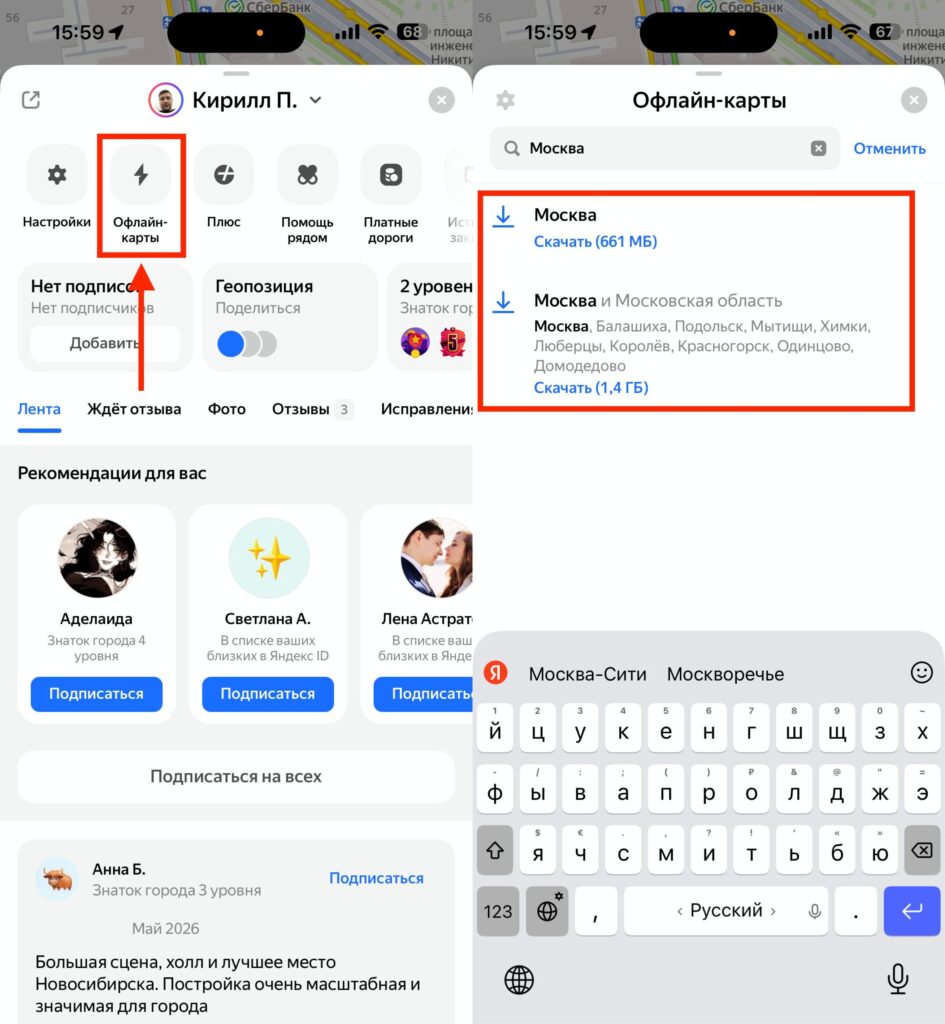
Make sure to download maps to your smartphone’s storage, just in case
- Open Yandex Maps on your iPhone.
- Tap the profile icon (avatar) in the upper left corner of the screen.
- Select “Download Maps.”
- Tap the search button and type “Moscow” or select the city from suggestions.
- Tap the download button and wait for the download to complete.
After this, the app will be able to search for addresses, businesses, and build routes for walking, driving, and cycling — even without an internet connection. Offline mode activates automatically when the network signal is lost. The only limitation is that traffic data and public transport arrival predictions won’t work, since they require a server connection.
Yandex Music Without Internet on iPhone
Without internet, you won’t be able to listen to music in streaming mode. But Yandex Music offers the ability to save tracks and playlists to your iPhone for offline listening. You’ll need an active Yandex Plus subscription for this.
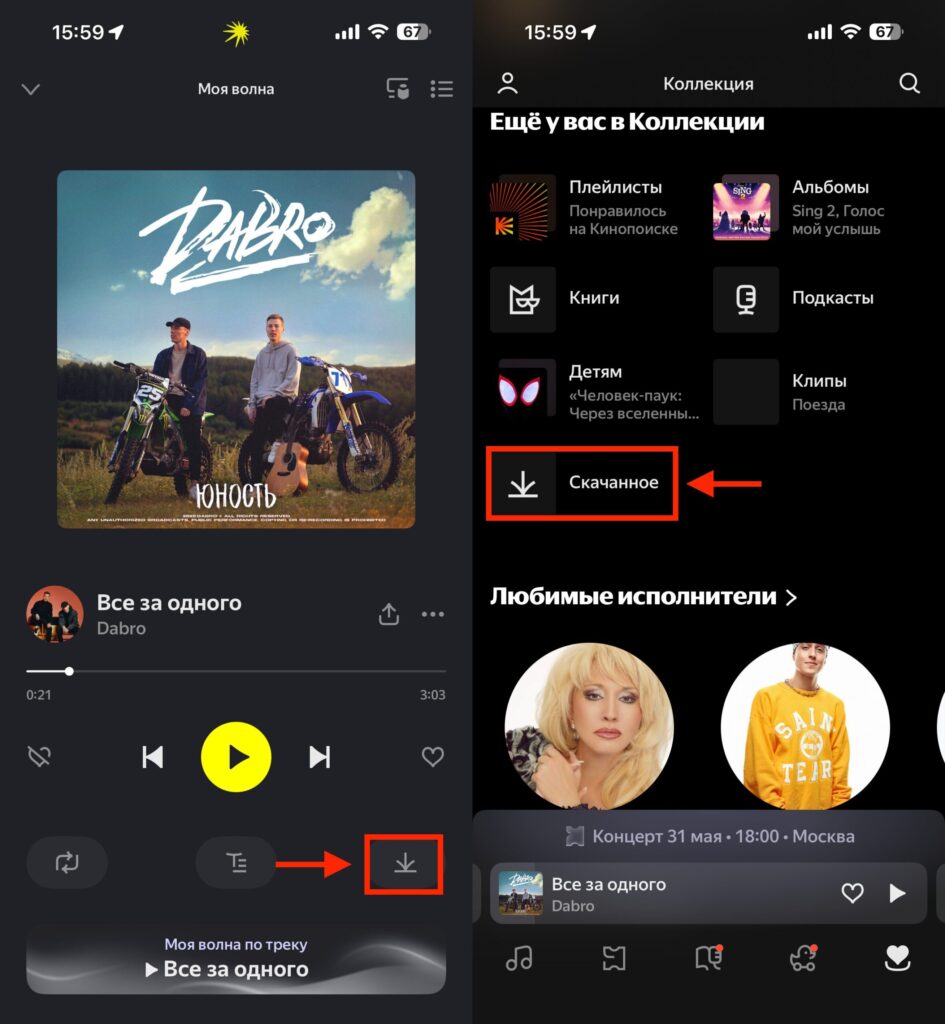
If you plan to walk around listening to music, stock up on tracks too


