On July 16, 2026, the MAX messenger disappeared from Google Play. Along with it, VKontakte, Odnoklassniki, Mail.ru, and other VK services were also removed. Now it’s natural to ask: will MAX still work on Android? Let me break down what happened, whether the app still works, and where to get it now.
Explaining what the removal of MAX from Google Play means
Why MAX Was Removed from Google Play
MAX was removed from Google Play on July 16, 2026, simultaneously with other apps from the VK ecosystem. The listings disappeared from all regional versions of the store, not just the Russian one. Three days earlier, on July 13, the European Union introduced a new sanctions package against VK and the legal entity associated with MAX.
The removal from the store happened shortly after, which is why the events are linked — but Google has not officially named sanctions as the reason for its decision. The company remains silent. VK responded by saying it had not received an official explanation from Google and considers the removal unlawful. The dispute continues.
Does the MAX Messenger Work on Android?
Yes, it works. MAX on Android continues to function normally. Accounts have not been deleted, conversations are intact, and servers are running. The removal of the listing from the store does not affect the MAX app itself on smartphones where it is already installed.
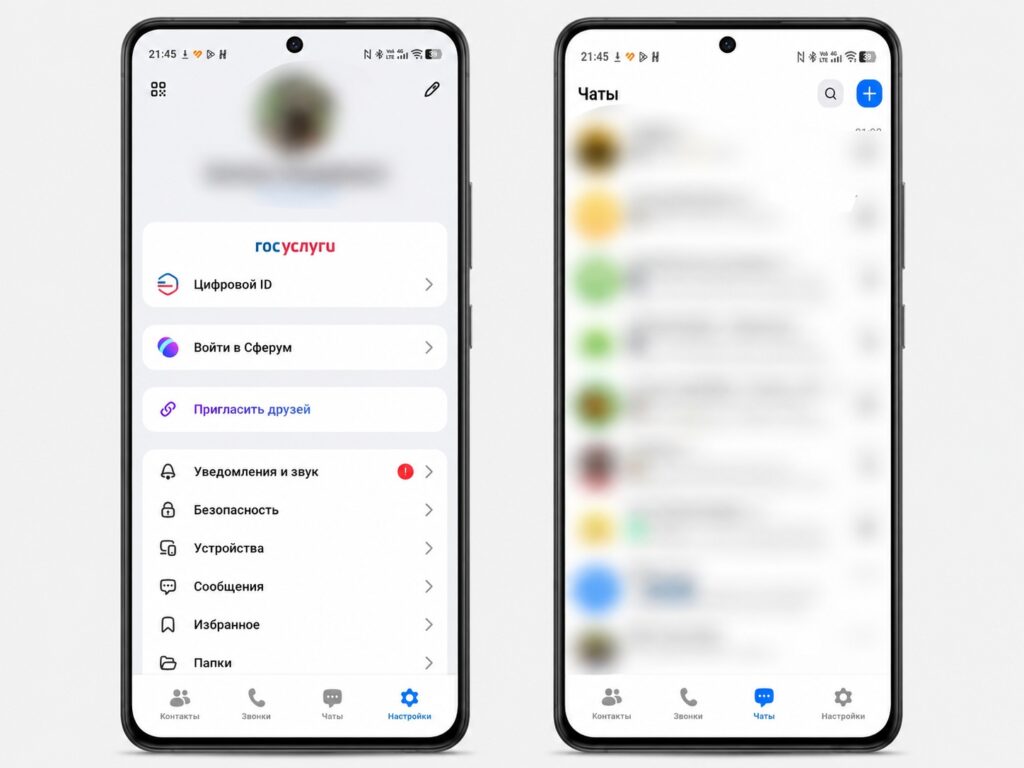
The MAX messenger continues to work on Android
VK officially confirmed: already installed versions work without restrictions. There’s no need to urgently reinstall MAX on your phone (if the app is there, just keep using it). There’s no reason to panic.
What Will Happen to Notifications and Calls in MAX on Android
This is a separate — and important — question. After MAX was removed from the App Store, iPhone owners found that notifications stopped arriving: Apple controls the push infrastructure centrally and revokes tokens from deleted apps.
On Android, the situation is different. The absence of MAX in Google Play does not by itself disconnect the app from Google services on the smartphone. VK states that notifications in MAX, calls, and messages continue to arrive normally. This confirms the fundamental difference between Android and iOS: the openness of the platform means the app continues to work through its own infrastructure even without being present in the official store.
Where to Download MAX on Android After Removal from Google Play
If you need to install MAX again or set it up on a new smartphone, Google Play is no longer an option. RuStore is the main alternative:
- Open rustore.ru in your smartphone’s browser or find RuStore in your device manufacturer’s store.
- If RuStore is not yet installed — download the APK from the official website and install it, allowing installation from the browser.
- Find MAX in the search and tap “Install.”
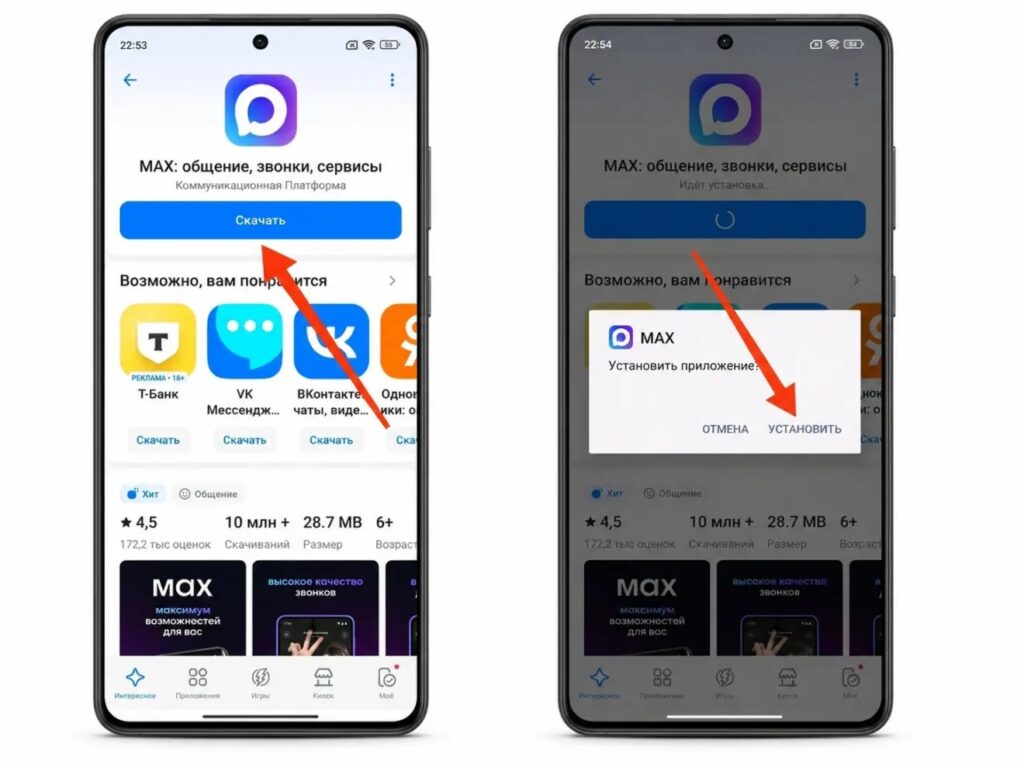
MAX was and remains in the RuStore app store
Manufacturer stores:
- HUAWEI AppGallery — on HUAWEI and HONOR smartphones;
- Samsung Galaxy Store — on Samsung devices;
- Xiaomi GetApps — on Xiaomi, REDMI, and POCO smartphones.
Finally, there’s the max.ru website — it has a direct link to the APK for Android. It’s installed manually: allow installation from the browser, download the file, and run it. Do not download MAX from unofficial APK aggregators — the risk of getting a fake version with malicious code is real right now, as people are massively searching for a Google Play alternative.
How to Update the MAX Messenger on Android
After MAX was removed from Google Play, automatic updates through it will no longer arrive. What happens next depends on where the app was installed from. If you installed it through RuStore, updates come automatically. Check that auto-update is enabled: “RuStore — Profile — Settings — Auto-update.” Nothing else needs to be done.
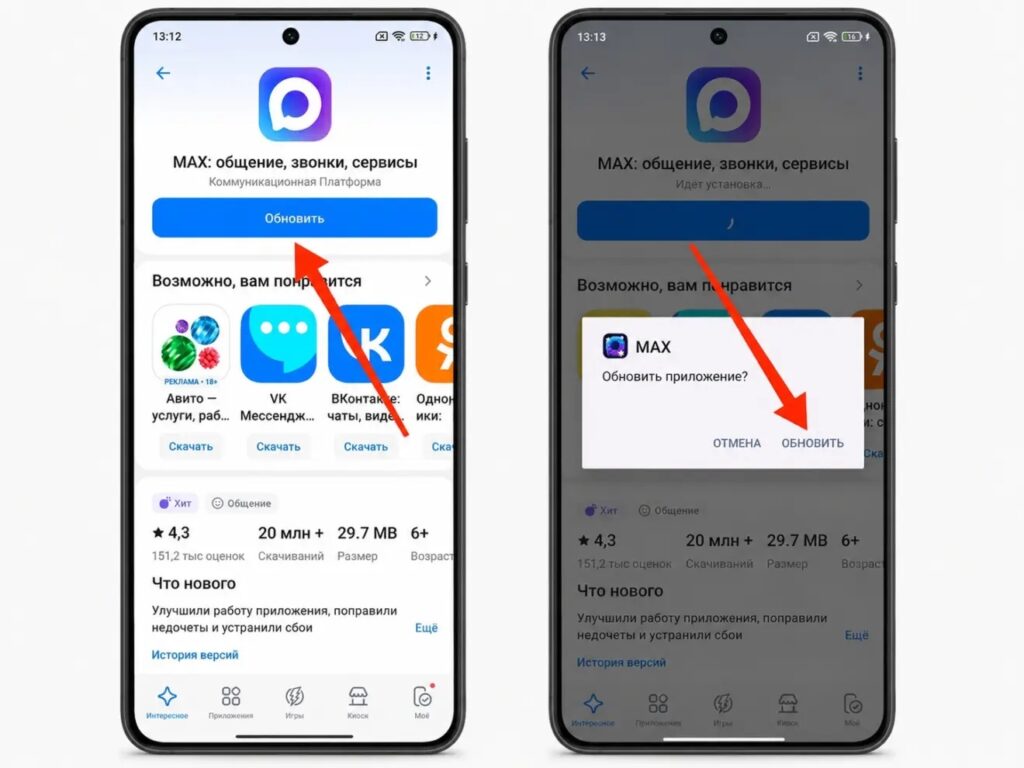
MAX continues to receive updates through RuStore
If you installed it through a manufacturer’s store, updates are also automatic through that same store. Check the auto-update settings within the store app. If you installed the APK from the website, there are no automatic updates. You’ll need to periodically visit max.ru and check for the latest version. You can see your current version in “Settings — Apps — MAX — About app.” If the version on the website is newer — download and install it over the existing one.
Updating MAX through RuStore is the easiest option — I recommend reinstalling from there, even if you currently have the Google Play version. Then future updates will come automatically without any manual steps.


