If MAX on an iPhone shows a red icon next to a message that won’t send, the internet connection is only one possible culprit. The messenger can also refuse to send because a VPN check is triggered, the account has been quietly restricted, the recipient can’t receive messages from you, the app lacks photo access, or the service itself is down. The red icon itself doesn’t say which of these applies.
This matters especially for iPhone users. According to the source, MAX was removed from the App Store in the summer, and many people are still running an older version. The source author checked the common causes on his own iPhone. He reports that the best-known one, a VPN, didn’t block his messages.
What you need to know
- A failed message shows a red circle with an exclamation mark, with no explanation of the cause.
- A profile restriction for rule violations is shown only in the Settings tab, not in chats. MAX has an official recovery bot for lifting it.
- Each attachment is capped at 4 GB, and video messages can be no longer than one minute.
- Because MAX isn’t in the App Store, the source advises against signing out or deleting the app. It suggests checking the web version at web.max.ru first.
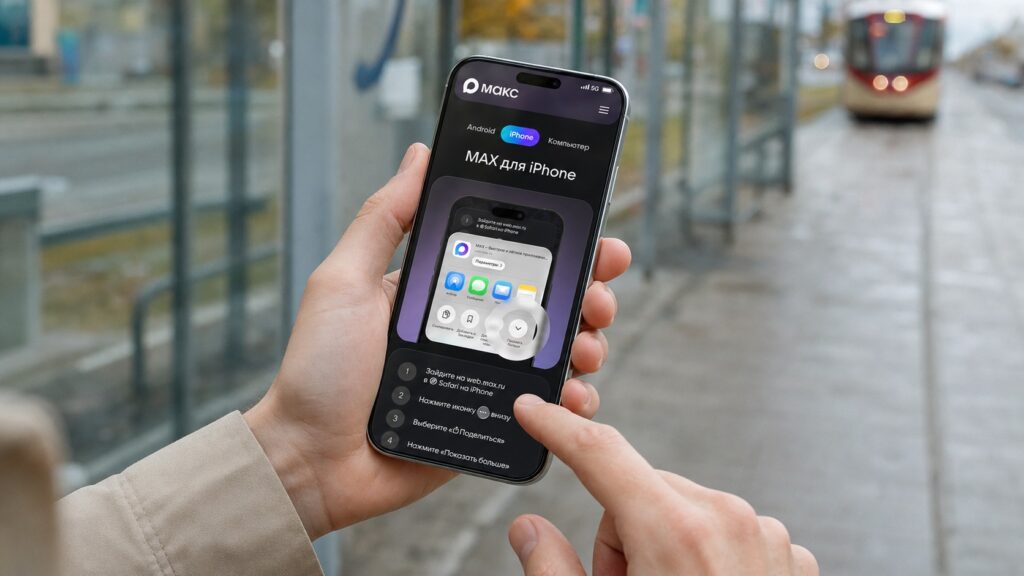
The MAX page for iPhone on a smartphone screen
The red icon doesn’t say what went wrong
Sending normally happens in two stages. First a clock icon appears next to the message. Once the message reaches the servers, a checkmark replaces it. If sending fails, a red circle with an exclamation mark appears instead. That is all MAX tells you: the message stayed on the phone, and the reason is left for you to work out.
Sometimes the cause is obvious. If the connection drops for a moment, the messenger shows that it is waiting for the network or connecting. In that case, switching from Wi-Fi to mobile data, or the other way round, is usually enough. You can resend the message from its menu without retyping it.
If the network works but the red icon comes back after every attempt, the internet isn’t the problem. Many users suspect a VPN first.
A VPN doesn’t always block sending
The suspicion has a basis. According to the source, MAX has checked since the spring whether a VPN is active on the phone. If it detects one, it shows a request to turn the VPN off in place of the text field. You can still read chats and receive new messages, so it can look as if only sending is broken.
The source author expected to see this request because a VPN was running on his iPhone at the time. Instead, his messages to his Favorites (saved messages) chat went through one after another, with checkmarks and no warnings. He suggests that the check may catch only some VPN services, not all of them. This is his observation from a single device, not a confirmed rule. His practical advice: if messages aren’t sending and a VPN is on, turn it off for a minute and try again.
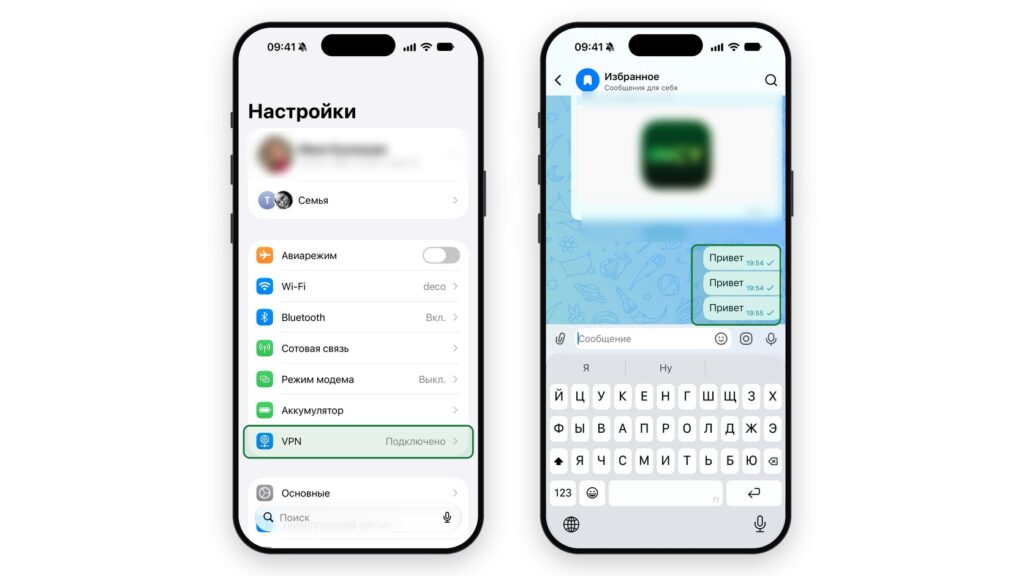
With a VPN turned on, the source author’s messages in MAX still went through
The situation is more serious if the VPN is off and messages still won’t send to anyone. Then the account itself may be the problem.
Profile restrictions are silent and appear only in Settings
A restriction for breaking the rules looks deceptively normal in MAX. The profile is still there, chats open and incoming messages arrive, but you can’t write to anyone. The chats themselves give no warning, so many users keep blaming their connection. The only notice appears in the Settings tab: the profile’s features are limited. The source author reports that this line doesn’t appear on his account. He recommends that readers look for it first.
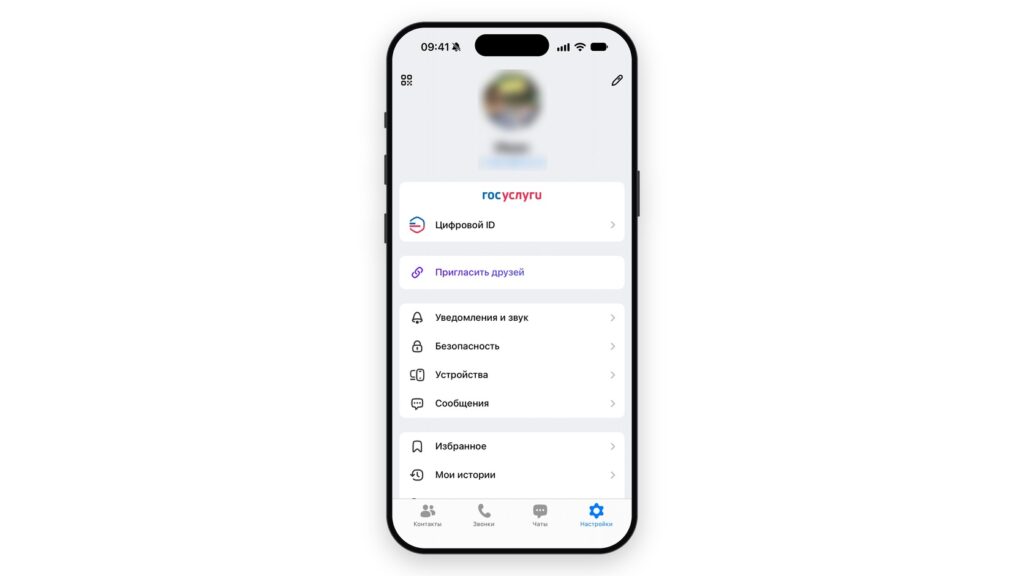
If the profile is restricted, a warning appears on this tab
Using the official recovery bot
A restriction lifts on its own when it expires, but MAX may not say how long that will take. According to the source, you don’t have to wait. The messenger has an official profile recovery bot that you can use to try to remove the restriction yourself. The bot works only from a phone. The source says the iPhone needs to be prepared first:
- turn off the VPN and Wi-Fi;
- turn on mobile data;
- make sure the SIM card linked to the profile’s phone number is active.
The bot then asks you to share your number and chooses how to verify you: through your mobile carrier or through Gosuslugi, Russia’s state services portal. For Gosuslugi verification, the number in MAX must match the number registered on the portal. The source also warns that a repeat violation can lead to the profile being closed permanently.
When messages fail to only one person
Sometimes every chat works except one. In that case, the problem lies with the recipient rather than with you. If the person isn’t in your contacts, MAX may suggest that they write first. It explains that you’ll be able to chat once the other person adds you or replies. The same window has a button that copies an invitation. You can send it by any means, including an ordinary SMS. Once the person saves your number or writes to you, the conversation will work.
The source lists two other cases that you can’t fix yourself:
- you have been blocked, and until you are unblocked you can neither message nor call that person;
- the other person has deleted their account or it was closed for violations, in which case the chat will say so.
A deleted profile can’t be restored.
Text sends, but photos and videos get stuck
A different problem arises when text messages go through but photos and videos don’t. In that case you can rule out the connection, the VPN and blocks, because the text has already passed through them. According to the source, the most common cause is that MAX has no access to your photos. You can check this in the iPhone’s own settings:
- Open Settings and go to the Apps section.
- Find MAX in the list.
- Tap the Photos entry and choose Full Access.
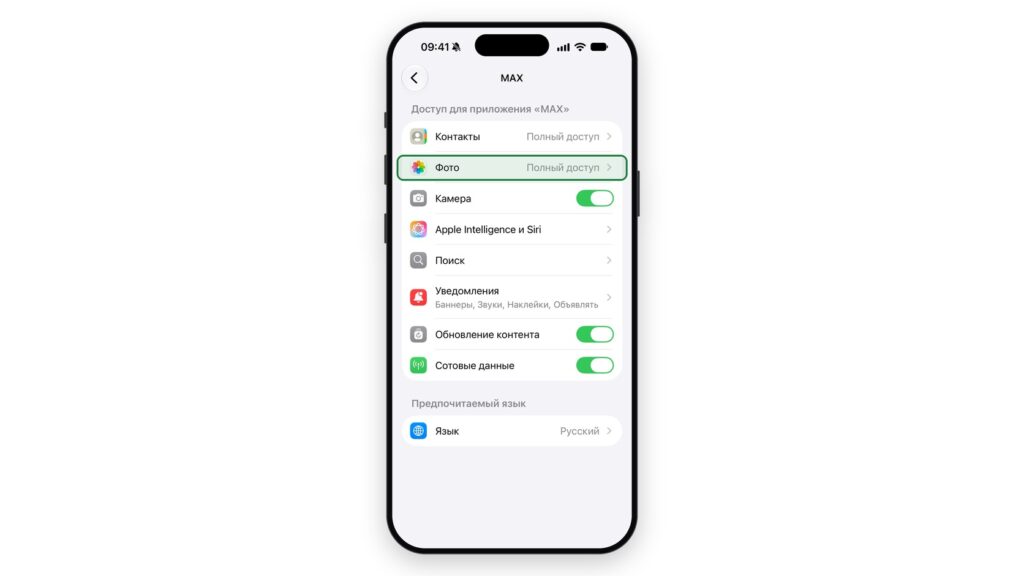
MAX needs full access to photos
Camera access is enabled on the same screen, and video messages won’t record without it. The source author notes that his menu has no microphone entry at all. That entry appears only after MAX asks for access, for example the first time you try to record a voice message.
File size and format limits
If MAX has access but a video still won’t send, check its size. A single attachment in MAX can be no larger than 4 GB, and a long 4K video can reach that limit quickly. Video messages can be no longer than one minute, and the messenger doesn’t accept some file formats at all. According to the source, MAX shows a warning for each of these limits. If it says that sending media is temporarily unavailable, the problem is on MAX’s side. In that case, all you can do is wait.
Nothing sends to anyone: check MAX itself
The last case is when the VPN is off, Settings shows no restriction, and messages won’t send to any chat. Here it is worth checking whether MAX itself is down. The source notes that this has happened before. On the morning of March 30, for example, users in several regions stopped being able to send and receive messages. If the Russian outage-tracking site Sboy.rf shows a spike in complaints at that moment, there is nothing to fix on the iPhone.
If there is no outage, MAX recommends clearing the cache, updating the app and signing back in to your profile. You clear the cache in the messenger’s settings, under the storage section. According to the source, your chats remain. Only the photos and videos saved on the phone are deleted, and they will download again if needed.
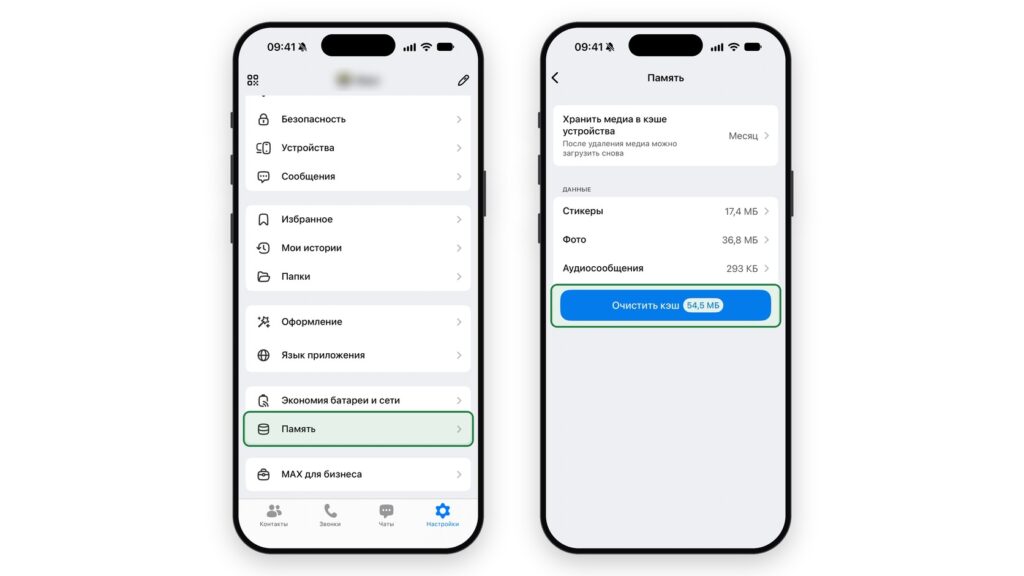
The MAX cache is cleared in the storage section, and chats are kept
Why updating and reinstalling are harder on iPhone
The other two recommendations are harder to follow on an iPhone. You can’t update MAX through the App Store because it isn’t there, so a newer version has to be installed by workarounds. For the same reason, the source author advises against rushing to sign out of your profile. He advises even more strongly against deleting the app, because you won’t be able to download it again from the App Store.
The source suggests a safer first step: open the web version at web.max.ru in Safari. If messages send there but not in the app, the outdated app version is the likely cause.
A suggested order of checks
A red icon in MAX can mean anything from a brief connection drop to a profile restriction, and the messenger doesn’t distinguish between them. The source author recommends checking in this order:
- the network and the VPN;
- the profile status in Settings;
- the specific recipient;
- the cache and the app version.