Users of the MAX messenger on iPhones running iOS 27 are encountering a persistent freeze when long-pressing a message to open the context menu. The moment you press and hold a message to access Reply, Copy, Forward, or Delete options, the app locks up entirely — the screen freezes, buttons stop responding, and the only escape is force-quitting the app from the multitasking view. Because MAX has been removed from the App Store, no official patch can be delivered through normal update channels. Two workarounds are available: using the web version of MAX, and a modified touch gesture within the native app.
What you need to know
- MAX messenger freezes on iOS 27 whenever a user lifts their finger after long-pressing a message to invoke the context menu.
- The bug is attributed to a conflict between how iOS 27 handles long-press animations and MAX’s older implementation.
- No official fix is expected because MAX has been removed from the App Store, so updates cannot be distributed.
- Two workarounds exist: adding the MAX web app to the home screen via Safari, or keeping your finger on the screen while sliding to a menu option instead of lifting it.
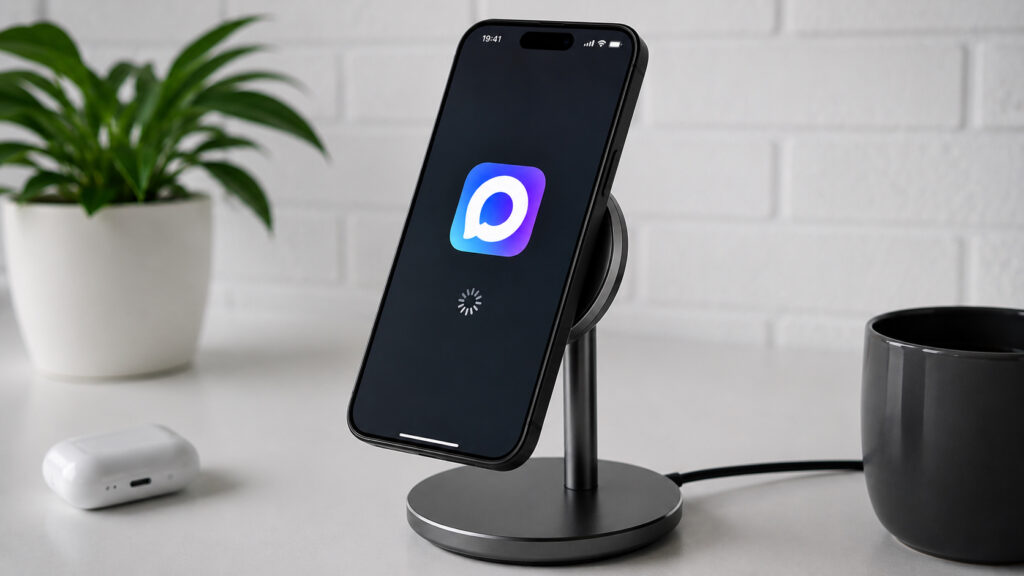
MAX can freeze completely on iOS 27
Why MAX freezes on iOS 27
The bug manifests identically for users who have updated to iOS 27. Opening any chat and long-pressing a message to bring up the context menu — the popup with Reply, Copy, Forward, and Delete — causes the interface to lock up. The message appears to stick to your finger, the menu partially appears, but the messenger stops responding to any touch input.
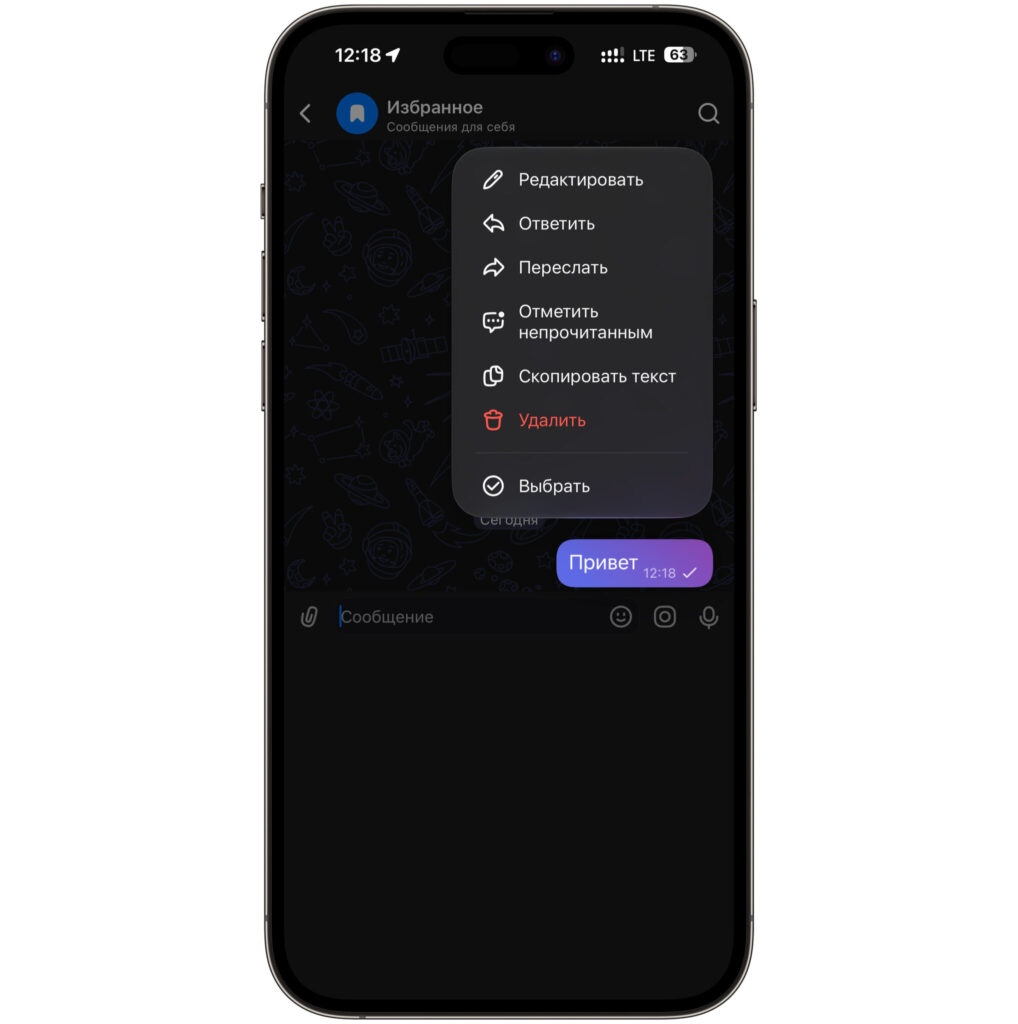
Invoking the context menu causes the app to freeze completely
The only immediate remedy is force-quitting: swipe the app away from the multitasking view and relaunch it. However, the freeze recurs the next time you long-press any message.
The root cause, according to the source, lies in how iOS 27 handles long-press gestures and popup menu animations. MAX was built against older animation rules, and the new iOS animation engine processes the gesture differently, causing the app to choke. Because MAX has been removed from the App Store, an official update cannot be delivered — the source author states this situation may be permanent.
Workaround 1: Use the MAX web version on iPhone
The most reliable workaround is to bypass the native app entirely and add the MAX web version to your home screen. The same bug does not occur in the browser — the context menu opens normally without any freeze.
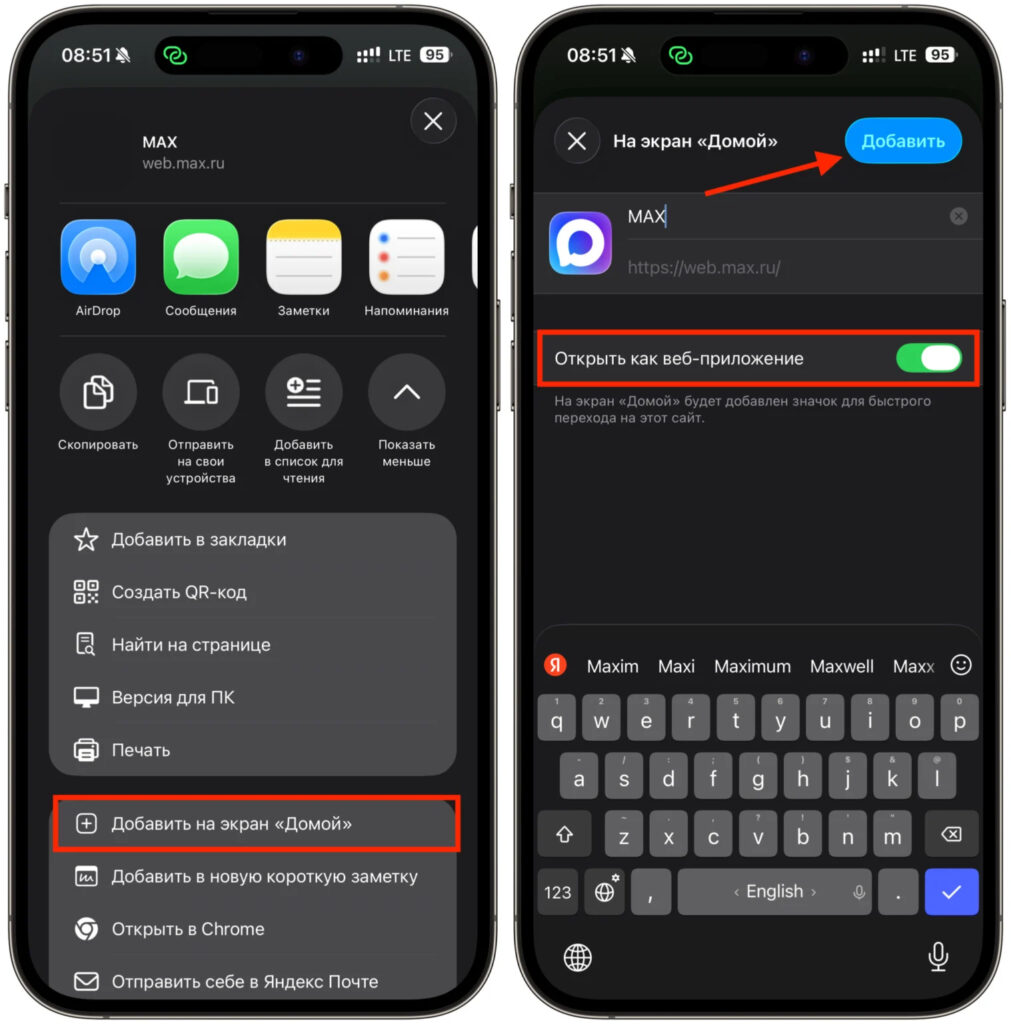
The web version has no freezing issues
- Open Safari and navigate to max.ru, then log in with your phone number.
- Tap the Share button — the square with an upward arrow in the bottom toolbar.
- Scroll through the list and select “Add to Home Screen.”
- Optionally rename the shortcut, then tap “Add” in the upper-right corner.
- Launch MAX from the new home screen icon — it opens the web version without the freezing bug.
The web version also has the advantage of not running background processes and not accumulating storage over time. The trade-off is that notifications in the web version arrive less promptly than in the native client.
Workaround 2: Modified touch gesture in the native app
For those who prefer to keep using the native app, there is a gesture-based workaround. The key insight is that the freeze is triggered specifically when you lift your finger after the context menu begins to appear. By keeping your finger on the screen and sliding it directly to the desired menu option, the freeze can be avoided.
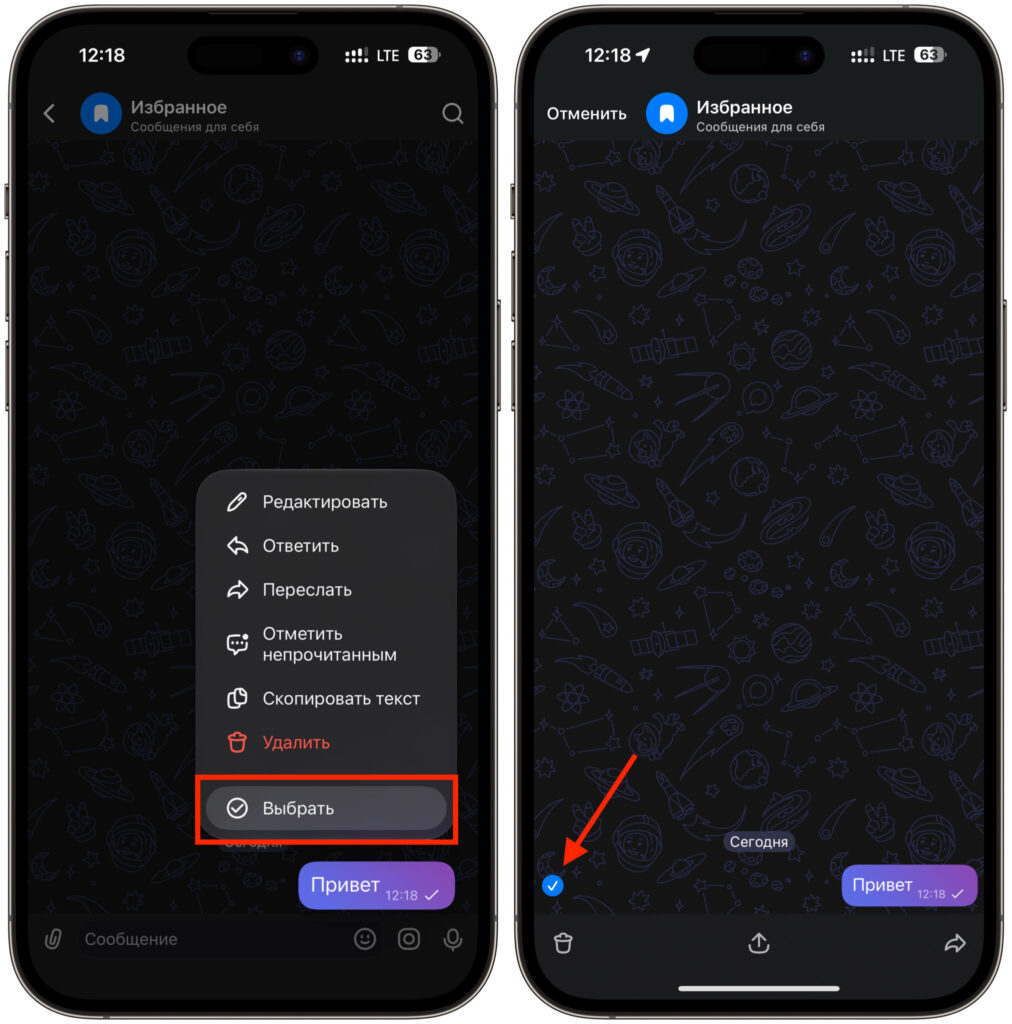
Keep your finger on the screen to use the popup menu without freezing
- Long-press the desired message and do not lift your finger from the screen.
- Wait for the context menu with actions to begin appearing around the edges.
- Without lifting your finger, smoothly slide it toward the desired option — Reply, Copy, or Forward.
- Hover over the action and only then release your finger — the command executes and the app does not freeze.
This works because the freeze occurs at the moment of finger release, when the system tries to register the selection and finish the animation simultaneously. While the finger remains on the screen, the menu stays in a “live” state and completes its animation normally.
Limitations of the gesture workaround
According to the source, this method works reliably in direct (one-on-one) chats. In group chats, however, it is less consistent — it only works occasionally, and the menu often still freezes the interface. For group conversations, the web version described above is the more dependable solution.
Both workarounds are free and take only a couple of minutes to set up. Given that the app remains unavailable on the App Store, an official fix is considered unlikely for the foreseeable future.


