When I first started testing the Nothing Phone, I was skeptical about the idea of “yet another Android shell” — it seemed like after One UI or ColorOS, coming up with something fundamentally new was already impossible. But Nothing OS turned out to be that very firmware that breaks the mold. It’s not just another skin on top of Android — it’s a full-fledged philosophy with unique hardware and software solutions that neither Samsung, nor Xiaomi, nor Google have. This became especially apparent after my review of the Nothing Phone 3a — every little detail in the system works toward a unified visual language. Let me tell you about the Nothing smartphone features that make these the most unusual devices on the market worth checking out.
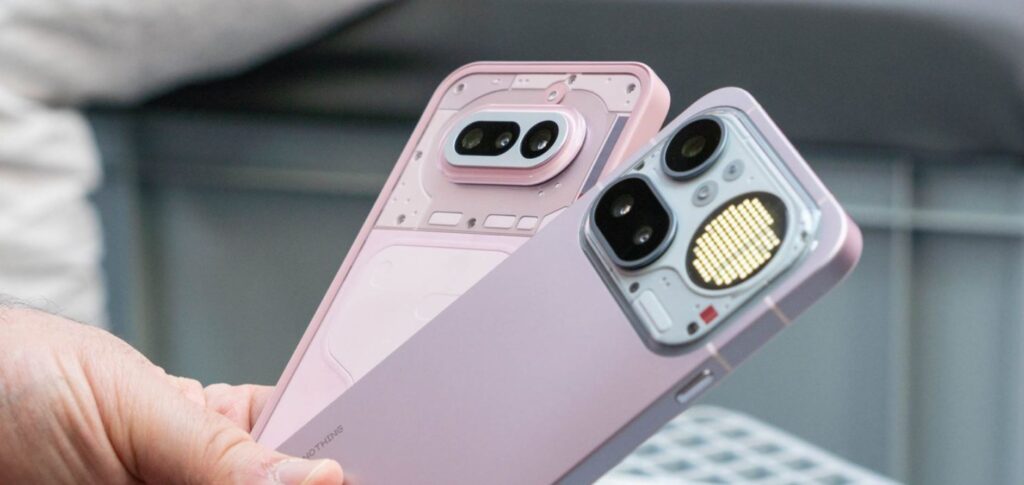
Explaining what features are exclusive to Nothing Phone smartphones
Side Button on Nothing Phone — What It Is and How It Works
The Essential Key button on Nothing Phone is arguably the boldest decision in the Android smartphone world in recent years. Manufacturers have been removing physical buttons for years, but Nothing went against the trend and added a dedicated button specifically for AI functions. A short press sends a screenshot to Essential Space (a special space within the smartphone), while a long press launches a voice note with automatic transcription. Inside Essential Space, artificial intelligence analyzes the content on its own:
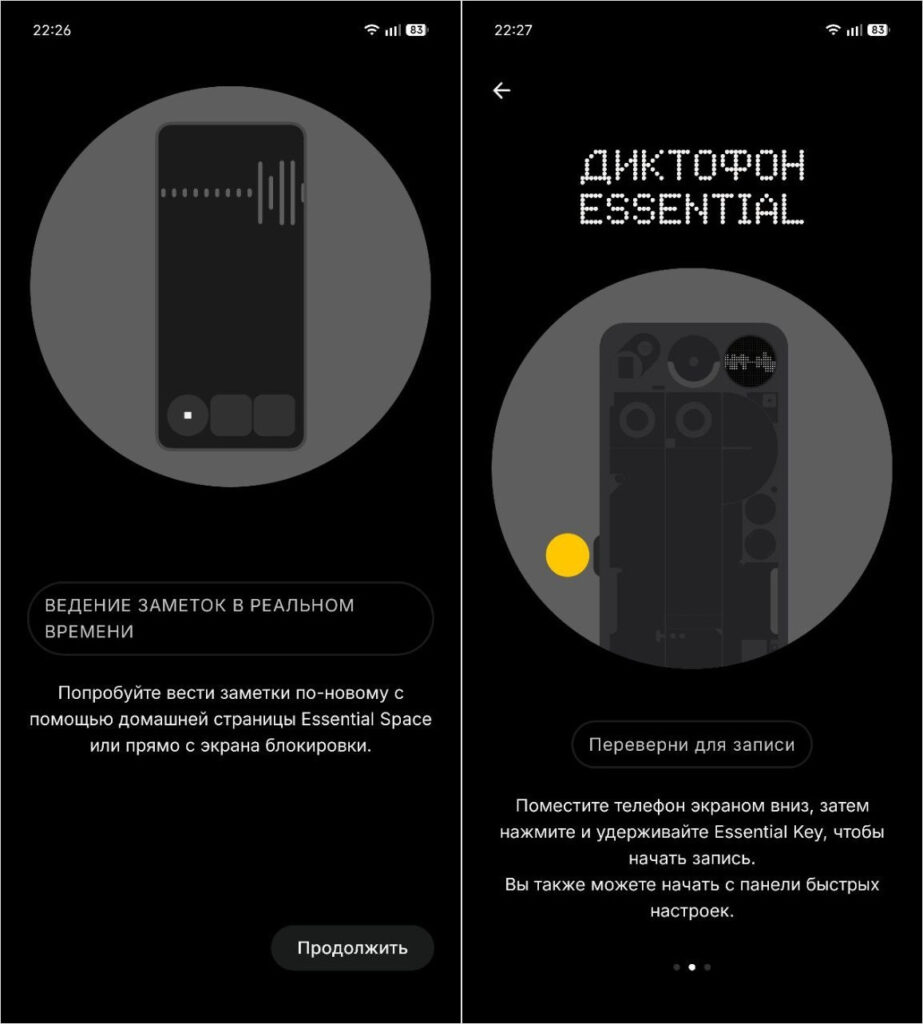
Essential Space helps work with audio recordings and notes. Smart storage!
- Recognizes text on screenshots.
- Transcribes audio to text.
- Summarizes important data.
- Tags notes and links them together.
I’ve caught myself several times thinking that I no longer use third-party note-taking apps — everything I need is collected in one place. Essential Key Nothing is an attempt to rethink how we save information from our smartphones altogether.
Nothing Earbuds Connect Like in Apple’s Ecosystem — And It Shows
In most Android smartphones, working with wireless earbuds comes down to launching a separate app from the manufacturer — inconvenient and not always stable. Nothing went further: Nothing earbuds connect to the smartphone at the system level. When I connect Nothing Ear or CMF Buds Pro to the Phone 3a, a special block appears in the notification shade showing the charge level of each earbud and the case. All settings are already built into the system, so Nothing X opens when needed.
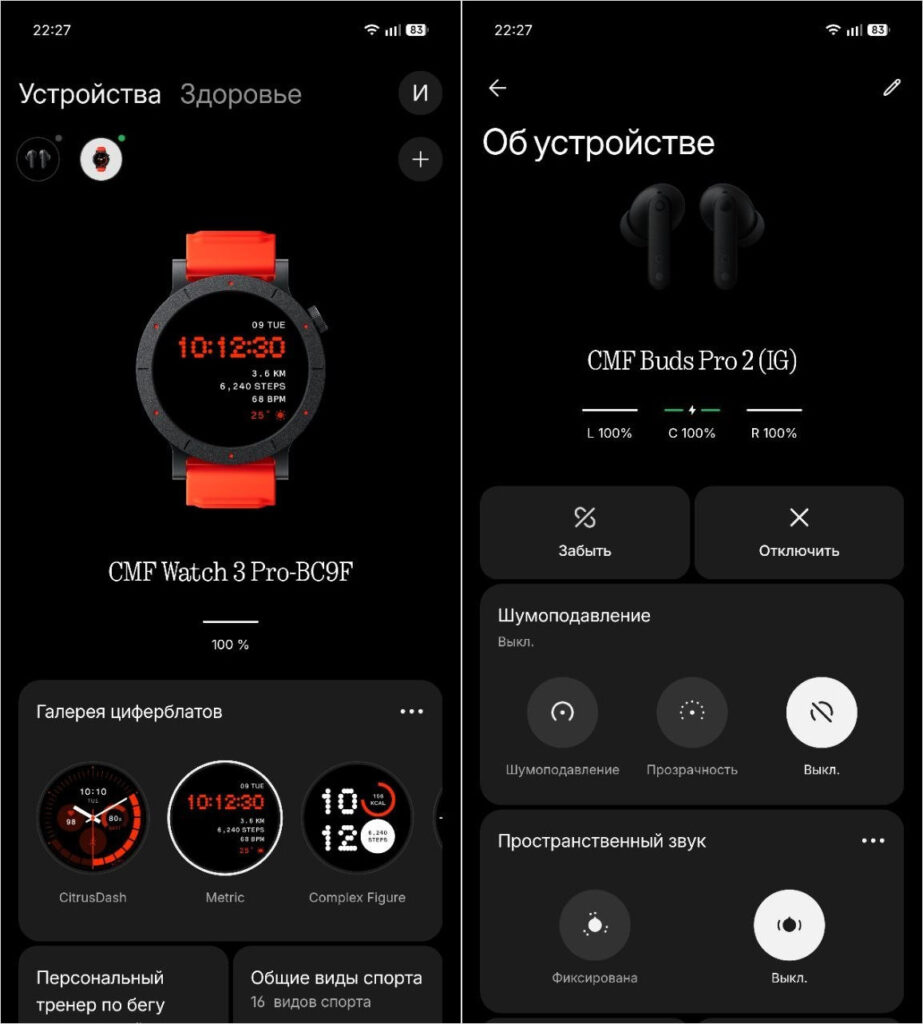
All branded accessories are configured through the Nothing X app
There’s no need to open any third-party apps — controls are built into the proprietary utility. The same goes for other brand accessories like the CMF Watch 3 Pro. The Nothing X app remains available for deeper settings: customizing gestures, updating earbud firmware, and personalizing sound profiles. It feels like an ecosystem, not a collection of disparate gadgets.
Glyph Interface on Nothing Phone — How to Set It Up and What It’s For
The Glyph Interface on Nothing Phone is the brand’s main calling card and a feature you won’t find from any other manufacturer. It’s not decorative rear panel lighting like an LED ring on some POCO X8 Pro Max, but a full-fledged second screen. I can assign unique blinking patterns to important contacts and know who’s calling. And for standby mode, I can simply set a cool animation from the system or a custom one from ecosystem users. Moreover, the second screen on Nothing Phone has a wealth of functions.
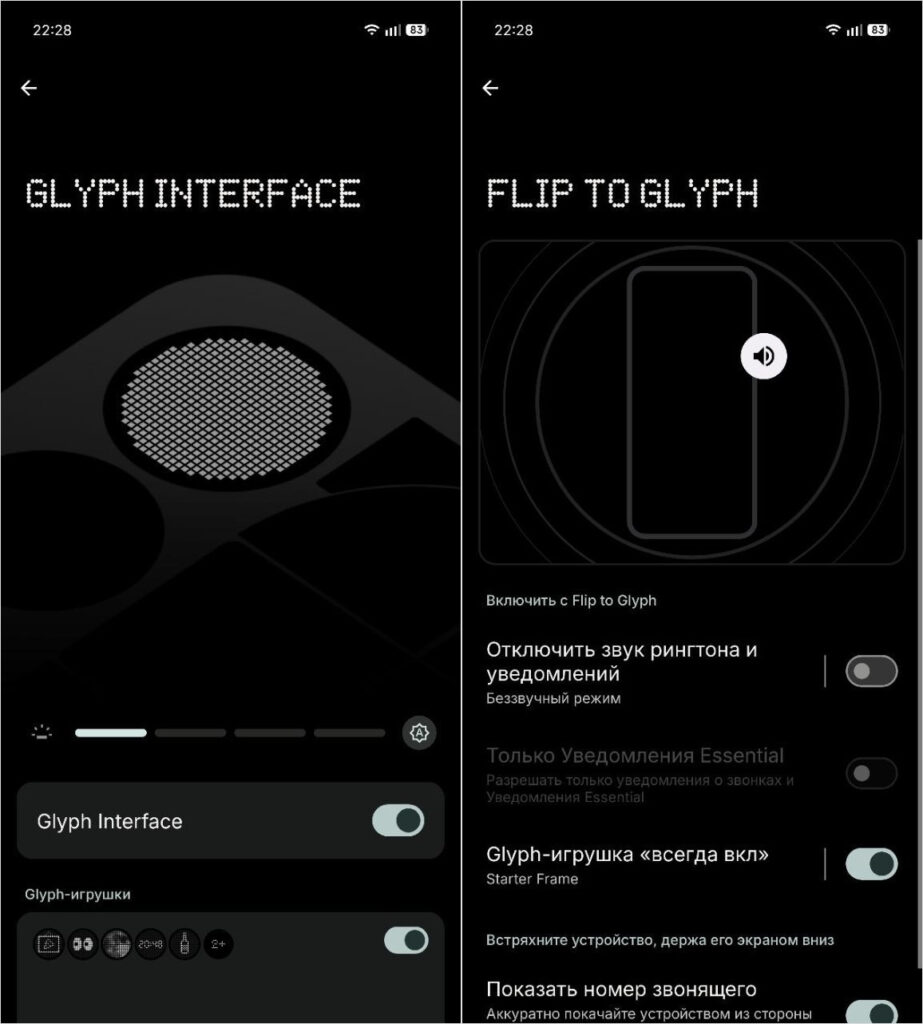
Glyph Interface is genuinely useful in everyday life. Not to mention it looks amazing on the smartphone
- Glyph Timer shows a countdown right on the body — handy when the phone is lying screen-down during cooking or a workout.
- Glyph Progress shows battery charge if you rock the phone side to side while charging.
- Through Glyph Composer, you can create your own melodies synchronized with the LEDs.
- And the Glyph Mirror function turns the backlight into fill light for selfies using the main camera — photos come out noticeably better than with a regular front camera.
Right out of the box, the developers included a sleep mode for glyphs on Nothing Phone, screen-off while using the smartphone, an animation generator, and other nice touches.
Nothing OS Without Ads and Pre-installed Apps — Why This Matters
This is the feature for which I’m personally willing to tolerate many compromises. Nothing OS without ads is a rare phenomenon in today’s Android market. After Hyper OS or Color OS, where ads pop out of literally every system app — from the file manager to the calendar — switching to Nothing feels like a breath of fresh air. No banners in the weather app, no promo notifications in the gallery, no app recommendations in settings.
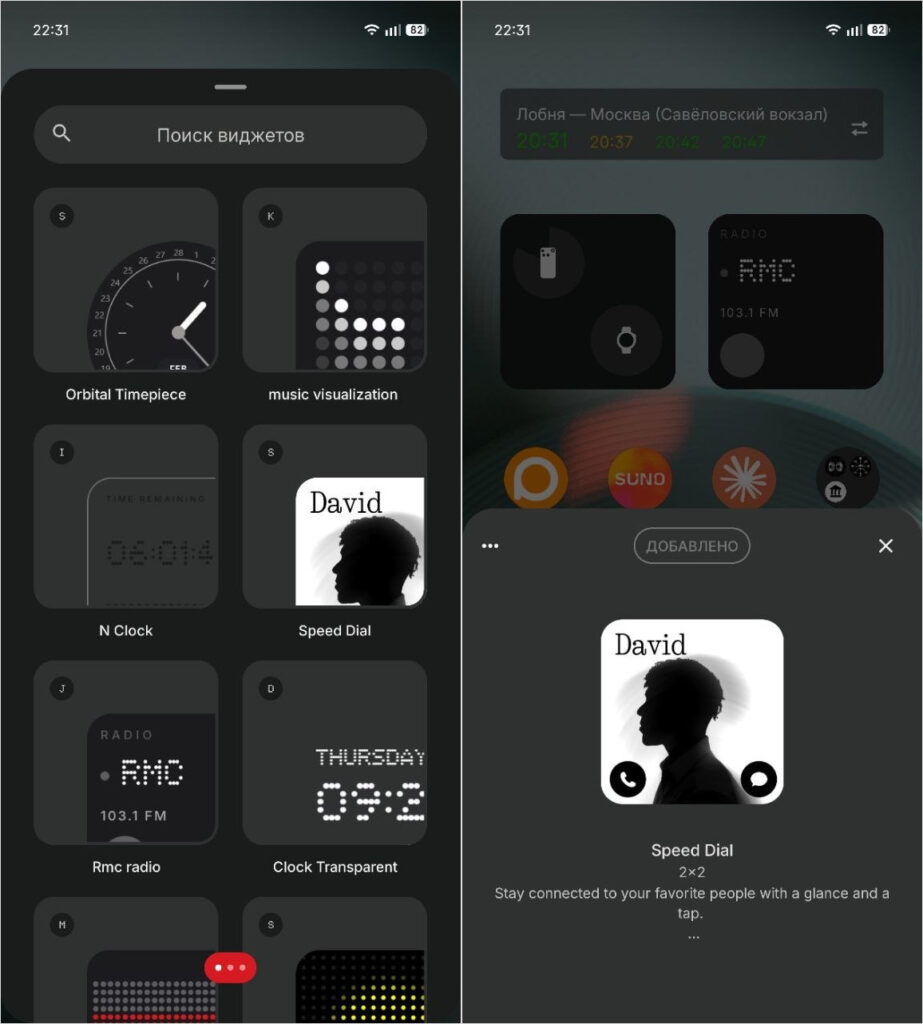
You won’t find any ads in the system, but you will see cool widgets for every occasion
Pre-installed software is also minimal: only basic tools and proprietary Nothing apps that you actually need. No AliExpress, TikTok, mobile games, or partner services that you can’t uninstall later. Nothing OS firmware is closer to Google’s Pixel smartphones in interface cleanliness, while offering much deeper customization.