A nine-second video posted on X shows bright pink and multicoloured blocks flashing across the unfolded inner screen of an iPhone Duo. This differs from earlier reports of inner screens cracking along the fold. The cause is unknown, and Apple has not commented. After a frame-by-frame review of the clip, the source author argues that the artefacts look more like a graphics rendering error than physical damage. However, only one such video has surfaced so far, and key details, including the iOS version, are missing.
What you need to know
- X user Tarun Vats posted the clip on October 31. It shows pink blocks appearing over an animated MacBook Pro page in Safari on the iPhone Duo’s inner display.
- The artefacts last only fractions of a second, move around, and appear only near the page’s animation. There is no fixed line, no dead zone along the fold, and no visible crack.
- Apple’s only official statement concerns cracked inner screens on a small number of devices. It has said nothing about this glitch.
- The source author found no second recording of the same issue, so calling it a widespread defect would be premature.

Pink and multicoloured squares over a MacBook Pro web page on the unfolded screen of an iPhone Duo
What the video shows
X user Tarun Vats posted the clip on October 31 with a short caption describing it as a new iPhone Duo bug. When the source article was written, the clip had almost 16,000 views. In the video, the phone lies unfolded on a sofa. Safari is open to the MacBook Pro page on Apple’s US website, which shows cards for a model with a PROLED XDR display at $2,899 and a 14-inch M6 version at $1,999.
For the first few seconds, everything looks normal. Then a bright pink square, resembling a patch of pixel grid, briefly flashes in the top-left corner of the inner screen. It disappears about a second later. Towards the end of the clip, pink rectangles appear directly over the image of the laptops, and individual words in the model description are highlighted in pink. In the final frame, the text below the image looks as though it has been coloured over with a marker.
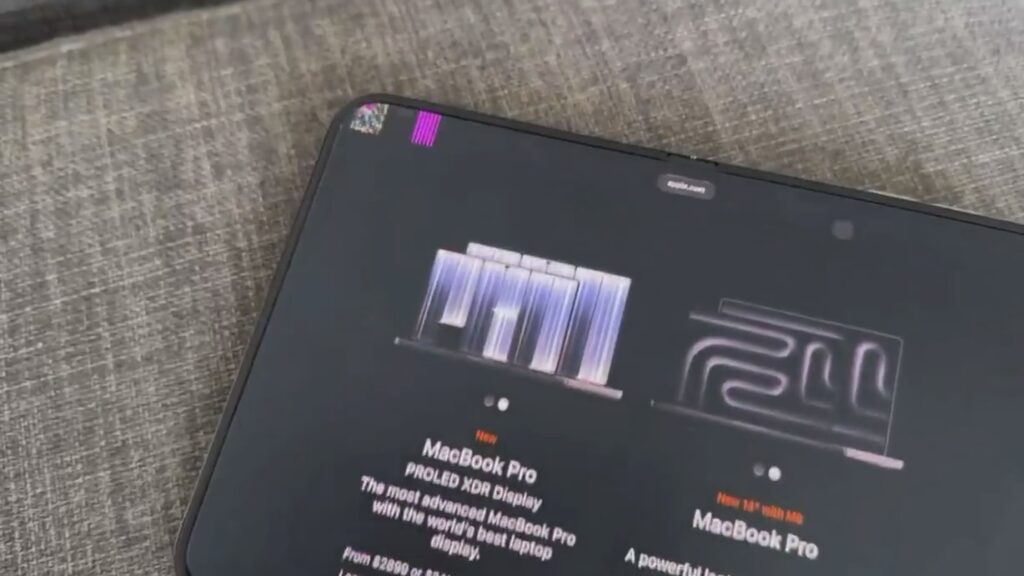
Two coloured squares in the top-left corner of an iPhone Duo screen, a frame from the video
The source author points out that what the video does not show is just as telling. The artefacts last only fractions of a second and do not stay in one place. There is no persistent stripe, no dead zone along the fold, and no crack. The glitch appears only in the upper part of the screen, where the page is playing an animation of the new MacBook Pro models.
Why it looks more like a rendering error than a crack
The source author stresses that nobody, including the person who posted the video, yet knows the cause. Apple has not commented. The caption does not say whether the glitch relates to software, to a specific web page, or to the display itself. The points below are observations, not conclusions.
Cracked inner panels look different. Owners who encountered cracks in the first days of sales saw a thin line along the fold, with nearby pixels going dark. Those defects did not go away and were visible on every screen and in every app. Even a green stripe that one owner spotted on the outer display on October 28 stayed in place while he watched short videos.
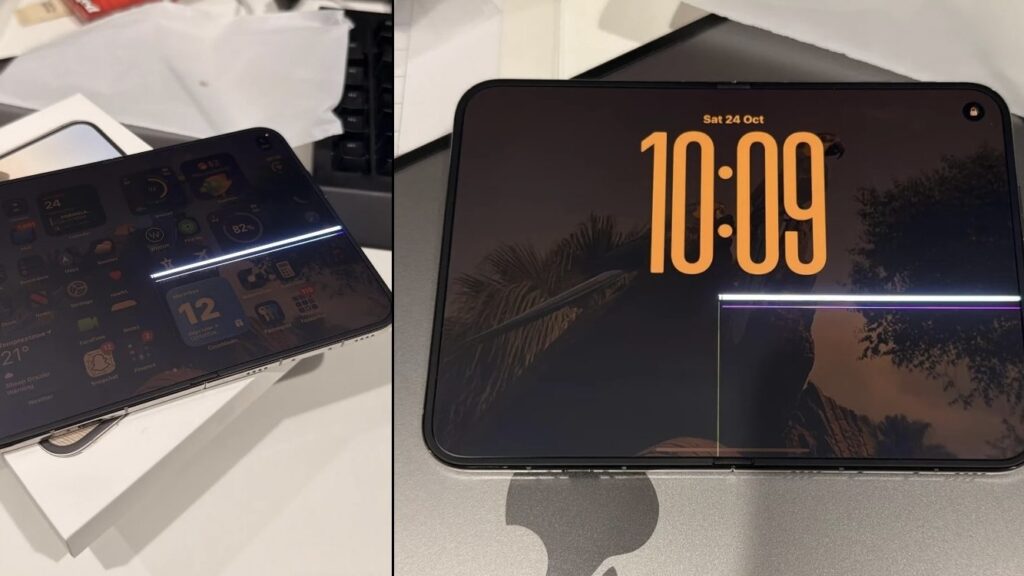
A stripe across the inner screen of an iPhone Duo on the home screen and the lock screen
In the new clip, by contrast, the artefacts jump around the screen and coincide with heavy animation on the website. According to the source author, bright pink blocks are a classic sign of a GPU failing to keep up or making an error while drawing a frame. Owners of the iPhone 12 and iPhone 13 saw similar pink flashes after software glitches, and in the iPhone 13 case the problem was attributed to an iOS bug at the time.
The source author notes this is not certain either. A display cable or display controller can also produce visual garbage, but that usually affects the whole screen rather than appearing in patches over a single image. The author also says the iOS version on the phone in the video is unknown, and calls this the main missing piece of information.
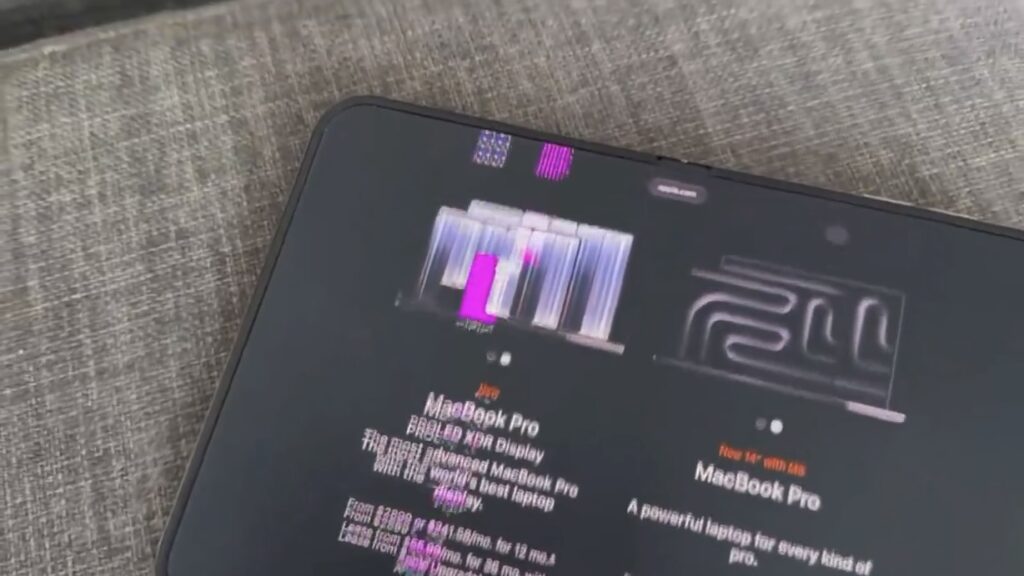
A pink rectangle over an image of the MacBook Pro and smeared text on an iPhone Duo screen, a frame from the video
Apple has only addressed the cracks
Apple’s official position concerns a different problem. The company acknowledged that inner screens cracked on a small number of devices and said this was not a widespread defect. According to the Chinese portal MyDrivers, retail stores and authorised service providers received a single diagnostic procedure. If damage is confirmed, the phone is repaired or replaced under the standard warranty process. Apple advises owners with cracked screens to contact Apple Support or AppleCare. Apple has made no statement about the pink artefacts.

A woman holding an unfolded iPhone Duo with the App Library on the inner screen
The wider situation around the Duo remains tense:
- A Foxconn employee claimed that Apple relaxed some standard quality-control requirements because of production constraints.
- South Korea’s FineMTEC, which has been named as the hinge supplier, denied any involvement in the screen failures and threatened legal action.
- Samsung took the opportunity to mock the foldable iPhone’s cracks out on the streets.
Against this backdrop, the source author notes, any video mentioning “iPhone Duo” and “bug” spreads quickly, even when it shows an isolated case. So far, only one person has shown the pink artefacts, and the author could not find a second recording. The glitch looks unpleasant, but it is too early to call it a new widespread defect.
How to check your own iPhone Duo
The source author suggests a short check built around one idea: take a screenshot while the glitch is happening. According to the author, a screenshot captures what the system rendered, not what the physical panel displayed. If the pink blocks appear in the screenshot, the error is likely in software. If the screenshot is clean but the screen showed artefacts, the hardware is more likely at fault. This is the author’s diagnostic reasoning, not an official Apple procedure.
The suggested steps are:
- Update the iPhone Duo to the latest iOS version via Settings → General → Software Update.
- Open a heavy, animated page in Safari, such as the same MacBook Pro page on Apple’s website, and scroll through it with the phone unfolded.
- If you see artefacts, take a screenshot immediately, or start a screen recording from Control Center.
- Set solid black, white, and red wallpapers in turn, and inspect the whole screen, especially the fold area and the corners.
- Force restart the phone: press and release volume up, then volume down, then hold the side button until the Apple logo appears.
According to the source author, if the glitch does not return after the restart and update, it was most likely a one-off system glitch. If the pink blocks keep appearing and do not show up in screenshots, the author recommends recording a video of the problem and bringing it along when seeking a warranty repair, as this makes the claim easier to support.
The source author adds that if the artefacts are indeed a rendering error, Apple could fix them in an upcoming update. The first iOS 27.3 beta was expected the same week the source article was published. Whether that update will address the issue is not confirmed.