Today, July 20, Apple released iOS 27 beta 4 — the fourth developer build. Following the public beta that reached mass testers a week earlier, Apple delivered a fresher update for developers: featuring the first noticeable features beyond the WWDC lineup, plus the usual polish. Below, we break down what actually changed in the fourth beta of iOS 27 and whether it’s worth touching right now.

Apple released iOS 27 beta 4. What changed?
What’s New in iOS 27 Beta 4
The fourth beta brought not only refinements for the first time in a while, but also a couple of fresh features that users had been waiting for all summer. Here’s what stands out right away.
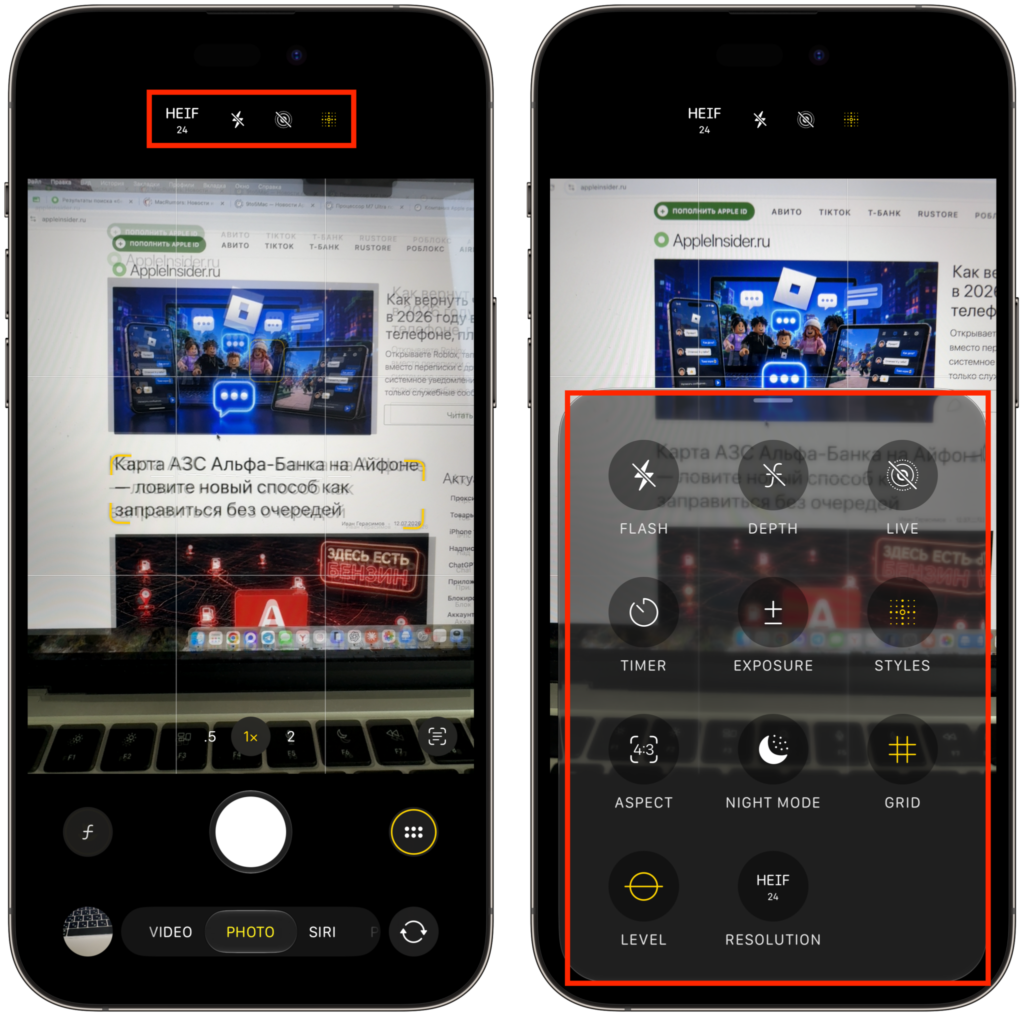
Camera updated. It’s become significantly more convenient to use
- Customizable Camera. The main new feature of this build. Now you can rearrange controls in the Camera app to your liking — following the logic of Control Center. Do you often shoot portraits, slow-motion video, or clips? Place the modes you need in a prominent spot and tuck away the rest. A small thing, but for those who shoot on iPhone every day, the time savings are noticeable.
- Smart Siri and third-party AI. The assistant has learned to take on more complex tasks: briefly summarize a long document, draft text, help with planning. Plus, Apple is carefully testing the integration of third-party neural networks right within the system — for example, to edit a photo or compose an email without leaving your familiar environment.
- Unified smart home notifications. Previously, a single smart lock or doorbell could bombard you with a series of alerts. Now similar events are grouped into one notification: the doorbell detected motion and recorded video — you get one neat alert instead of three. For those with a whole fleet of smart devices at home, this is a noticeable relief.
- Full-page widgets. Large full-screen widgets that appeared for Weather, Music, Notes, and Reminders have been extended to new apps in this beta. It looks impressive and is genuinely convenient when you need information at a glance.
Apple is once again boasting about speed and battery life separately. Transitions between apps are snappier, loading is faster, and battery drain has been reduced — which is especially pleasant given the heavy AI features.
Should You Install iOS 27 Beta 4 Right Now
It all depends on what device you have and why you need it. The new Beta 4 is noticeably more stable than earlier builds, but it’s still a raw version of a major system: crashes, finicky banking apps, and sudden battery life drops are possible.
No rush to install just yet
If you’re just curious to try out the new features and have a spare iPhone — go ahead, the build is pleasant. But on your primary device that you rely on for calls, payments, and work, I wouldn’t risk it.
When Will iOS 27 Be Released for Everyone
The final iOS 27 will be released in fall 2026, traditionally in September, alongside the iPhone 18 lineup. The beta schedule is running like clockwork so far: the next build is expected around August 3, and from mid-August Apple usually switches to weekly updates to polish the system faster before release.
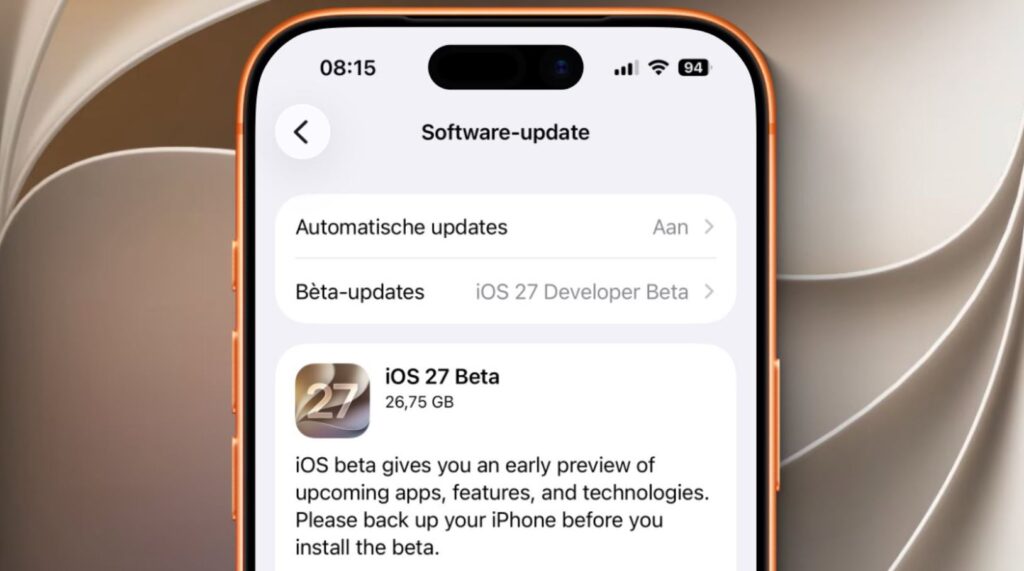
The beta is already available in iPhone settings
So the general audience doesn’t have long to wait.
How to Install iOS 27 Beta 4 on iPhone
You can install iOS 27 beta 4 if you’re a member of the developer program. If you’re not yet enrolled, first register at developer.apple.com.
- Open Settings, go to General, and select Software Update.
- In the Beta Updates section, select iOS 27 Developer Beta.
- Wait for the build to appear and tap Download and Install.
Before installing, be sure to make a backup via iCloud or Finder: rolling back from a beta to a stable version without a full reset won’t work. And remember a simple rule — there are only a couple of months left until the final release, and risking your primary iPhone for a week of early access is almost always not worth it.


