Today, June 22, Apple released iOS 27 beta 2 — the second developer test build, two weeks after the first beta from WWDC 2026. And if the iOS 26 line updates were about quiet polishing, iOS 27 is a completely different story: it’s a system with a reimagined Siri and a dozen new AI features. Let’s break down what changed in iOS 27 beta 2, when to expect the release, and which build is actually worth installing.
iOS 27 beta 2 has been released
What’s New in iOS 27 Beta 2
iOS 27 beta 2 is the same large-scale build from WWDC, but with fixes and refinements. The overall feature set hasn’t changed, but there’s been time to understand what awaits us this fall. The new features are already known. Now let’s talk about what changed in iOS 27 beta 2.
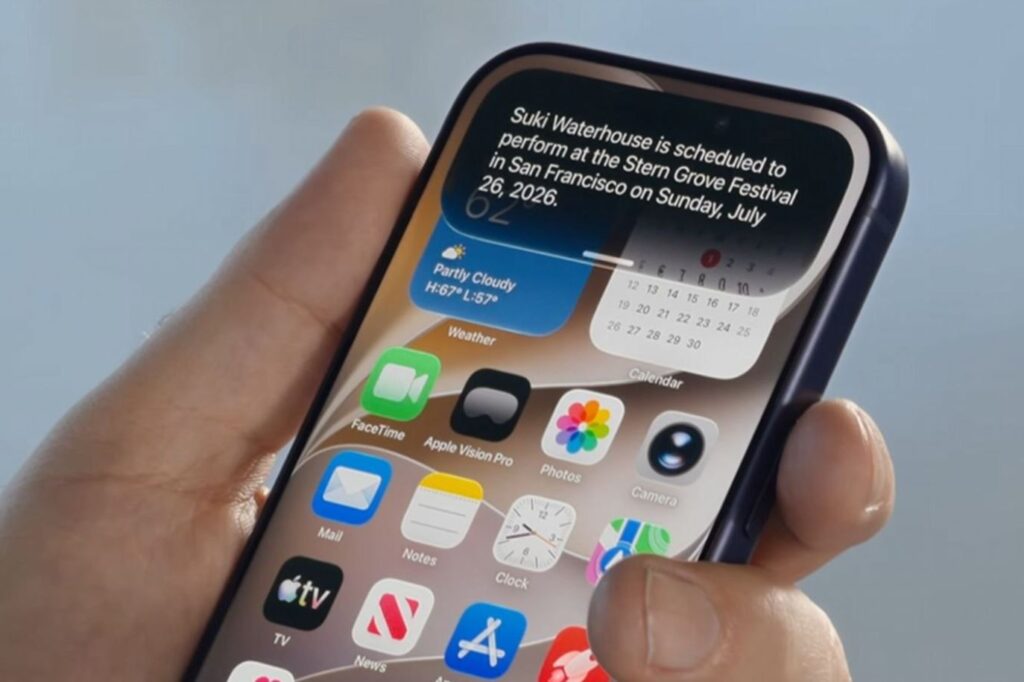
The new beta is focused on bug fixes
- Improved Dictation — a new voice recognition model works directly on-device and more accurately converts speech to text. Enable it in Settings — Keyboard — Dictation — “Advanced Dictation Preview.”
- AirPods Max 2 Firmware Update — the headphones can finally be updated to the beta firmware, which wouldn’t install in the first beta.
- Critical Charging Issue Fixed — previously, a deeply discharged iPhone could permanently freeze on the red battery screen and refuse to turn on. This has now been fixed.
- PlayStation Access Controller Support — Sony’s special gamepad for people with disabilities now works on iPhone and iPad, with customizable control profiles.
- Health: Menopause Tracking — the Health app now includes new parameters for women’s reproductive health.
- Smart Home with AI — if you enable Apple Intelligence in the Home app, security camera recordings are processed directly on-device: the system describes what’s happening in the video and allows searching by events.
- Stickers in Messages Fixed — previously, stickers from unknown senders weren’t displayed; now they’re visible.
- Text Selection Improved — text in apps can now be selected with a familiar gesture, as in regular editing, rather than through a pop-up menu.
Important note for Russia: Siri AI and Apple Intelligence are not officially available — there’s no Russian language support and regional restrictions apply. Some features can be activated by changing the region and language, but stability is not guaranteed.
iOS 26.6 or iOS 27 — Which One to Download
Right now two systems are being tested simultaneously, and the choice depends on what you want. iOS 26.6 is the final update of the current line: stable, nearly ready for release, but without major new features. Release is expected at the end of July. iOS 27 beta 2, on the other hand, is packed with new features, but it’s a raw beta of a major version with all that entails: crashes, increased battery drain, and finicky banking apps.

Many people want to update to the new version right now, but there’s no need to rush
If you need stability and accidentally ended up on a beta — it’s better to wait for the final iOS 26.6 in July. If you want to be the first to try Siri AI and the new Liquid Glass — install the iOS 27 beta, but only on a spare iPhone. Installing any beta on your primary device that you depend on for calls, payments, and work is risky.
When Will iOS 27 Be Released
The final iOS 27 will be released in fall 2026 — traditionally in September, alongside the iPhone 18 lineup. Before that, Apple will release several more developer betas, and in summer will launch public beta testing for anyone interested. So the iOS 27 update on the stable branch is still three to four months away. In the meantime, the current system is the May iOS 26.5, on top of which the final iOS 26.6 will arrive this summer.
How to Install iOS 27 Beta 2 on iPhone
iOS 27 beta 2 is available for download to members of the developer program. Here’s the process: first, register at developer.apple.com if you’re not already in the program.
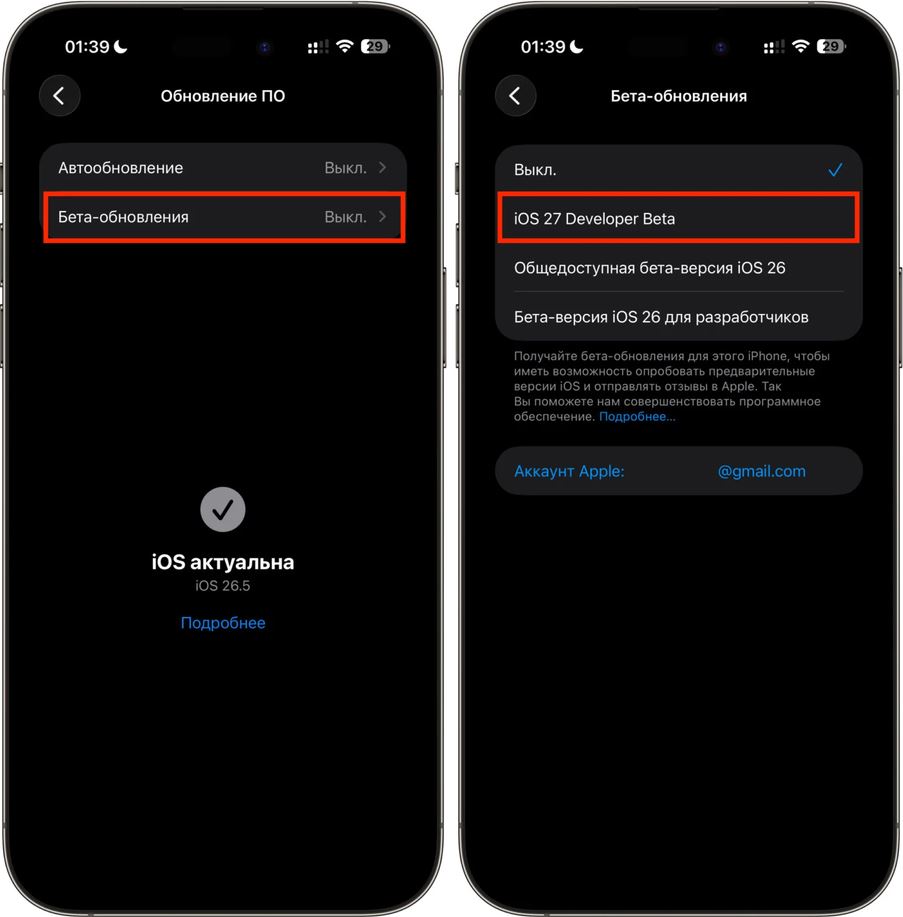
Installing a beta version requires preparation
- Open Settings — General — Software Update.
- In the “Beta Updates” section, select iOS 27 Developer Beta.
- Wait for the build to appear and tap “Download and Install.”
Before installing, be sure to create a backup via iCloud or Finder — rolling back from a beta to a stable version without a full reset is not possible. And remember: the public beta is just around the corner, and the final release is only a couple of months away. Sometimes waiting is better than having to fix your primary iPhone.


