Today, May 28, the new iOS 26.6 Public Beta 1 was released — a test build for regular users. The developer beta came out two days earlier, and now regular iPhone owners can join the testing. Don’t expect major new features: iOS 26.6 is the final update of the iOS 26 lineup before the big transition to iOS 27. Here we’ll summarize the key points and talk about the public version.
iOS 26.6 Public Beta is available for download. What has changed?
What’s New in iOS 26.6 Public Beta 1
Apple didn’t add any notable features — the focus is on security, stability, and preparing the system for future releases. The main change is a notification about the blocked contacts limit. When you reach the maximum (around 20,000 numbers), iPhone will show a warning. To block someone else, you’ll need to remove someone from the list via Settings — Apps — Phone — Blocked Contacts. Here’s what else was found in the build:
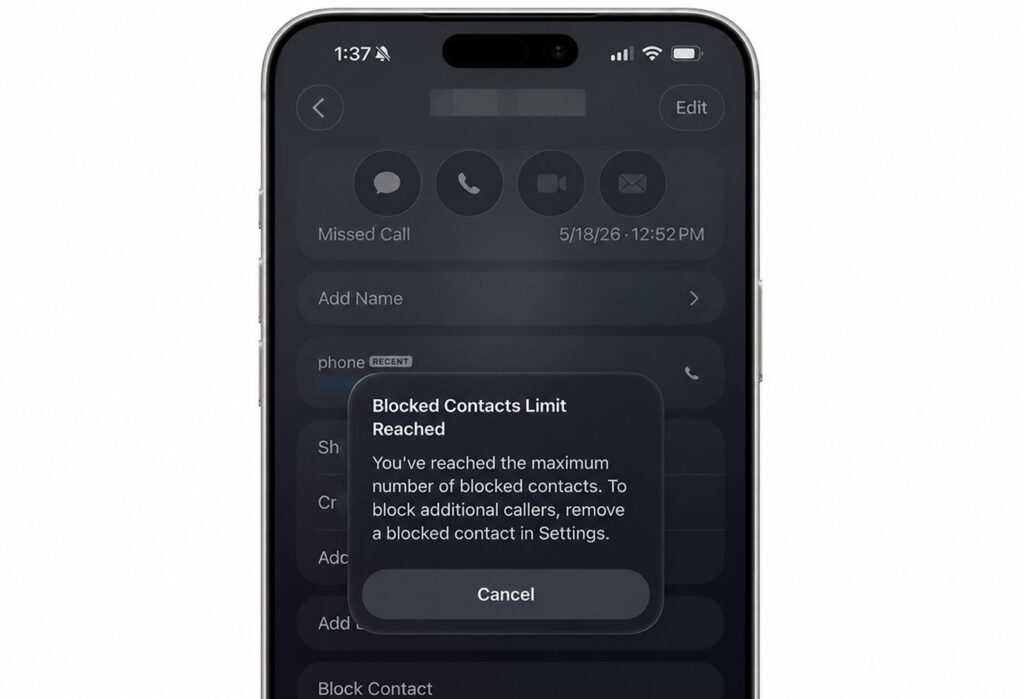
There aren’t many changes, but some are quite useful
- Maps BlastDoor — an important change. Previously, this sandbox mechanism protected iMessage from attacks via malicious files by isolating and checking unsafe data. Now map data and user content in Maps will be processed in the same way.
- Updated splash screens — the Apple Games and Apple Books apps received refreshed launch screens.
- Modem firmware for iPhone 16. The goal is to reduce the number of dropped connections and stabilize signal in areas with weak coverage.
- Bug fixes and the usual closing of security vulnerabilities.
Under the hood, there were also some things for developers: updated AI models, new NFC services, and 183 new files in the build.
How iOS 26.6 Will Affect Battery Life
Battery life has been the main pain point of the entire iOS 26 lineup. After the release of iOS 26.5, complaints about fast draining didn’t subside.
Updates like iOS 26.6 often include optimization of background processes, so there’s a chance that iPhone battery drain will decrease. But it’s too early to judge on a beta version — the system is still rough. We’ll make full conclusions about battery life closer to the final release.
When Will iOS 26.6 Be Released
Apple hasn’t named an exact date, but based on the schedule of previous years, the final iOS 26.6 will be released in late July 2026. Before that, there will be several more betas and an RC build. It’s worth remembering that soon all of Apple’s attention will shift to iOS 27 — it will be officially revealed on June 8 at WWDC 2026, and the first beta will appear the same day.
So iOS 26.6 will most likely be the last update of the current system.
Should You Install iOS 26.6 Public Beta 1
On your main iPhone, you shouldn’t download iOS 26.6. The public beta is more stable than the developer version, but it’s still test software: increased battery drain, app crashes, and banking app issues are possible. Given that there are almost no new features in iOS 26.6 for regular users, risking it for a contacts limit notification makes little sense.
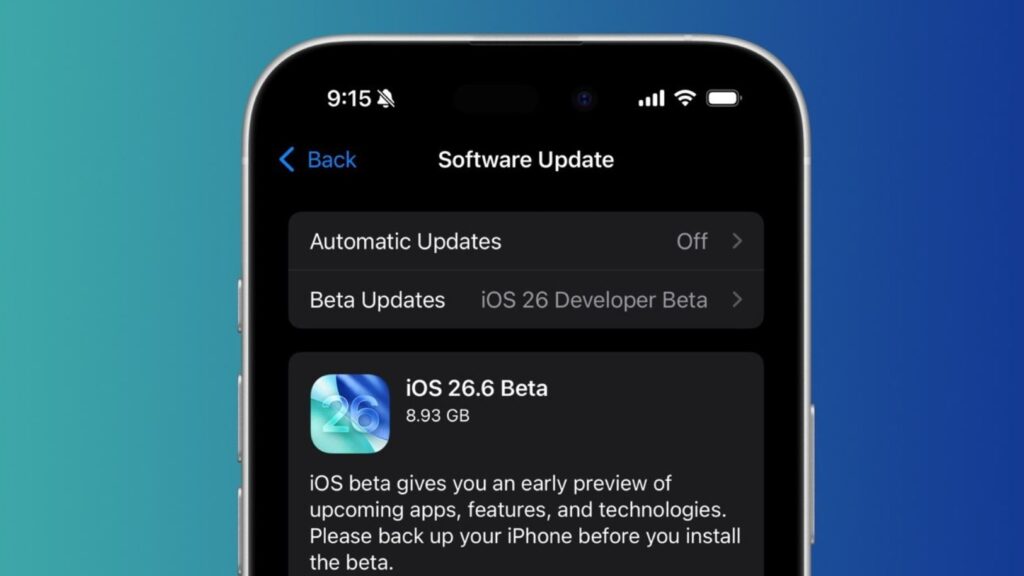
The update is already available in settings
If you really want to try it — install it on a spare device and make sure to create a backup. iOS 26.6 Public Beta is available to all owners of compatible iPhones. Here’s what you’ll need to do.
- Go to the Apple Developer Program and sign up for Apple’s public beta testing program.
- On your iPhone, open Settings — General — Software Update.
- Tap “Beta Updates” and select iOS 26.5 Public Beta.
- When the build appears in the list, tap “Download and Install.”
Before installing, make sure your battery is above 50% and there’s enough free space on your device.


