Today Apple released the fourth beta of iOS 26.6 and iPadOS 26.6. It’s a telling moment: users are getting two iPhone updates at once, since iOS 27 beta 3 with a full list of changes was also released simultaneously, not to mention fresh macOS builds. While enthusiasts are exploring the fall release, Apple is quietly polishing the current iOS 26 lineup. No headline features are expected here, but it’s still worth understanding what’s inside, when to expect the iOS 26.6 release, and who needs this beta.
Fourth beta is out: iOS 26.6 is on the home stretch!
What’s New in iOS 26.6
Apple is closing the cycle on this version, so the fourth beta of iOS 26.6, like the previous ones, is focused on bug fixes, security, and performance optimization. There are no new icons or redesigned menus here.
Almost no new features. But many bugs have been fixed
Among the notable changes in this cycle: the system warns you when you’ve hit the limit of blocked contacts, and builds are refining theft protection. If an iPhone is snatched from your hands, it automatically locks so the thief can’t get inside. This feature will apparently be finalized by the release.
According to the update release notes, changes have been made to the Health app, developer-facing improvements, Maps isolation using BlastDoor technology, and overall strengthening of iOS security. It’s nice to see the effort paying off: by measurements, iOS 26.6 runs smoother than iOS 26.5.1, and on iPhone 17 Pro it scores higher in benchmarks. Pretty cool!
All the big new features are saved for iOS 27, and the speed improvement there is more noticeable.
When Will iOS 26.6 Be Released
The fourth beta arrived on the usual two-week schedule, which means the final version is close. Based on past years’ timelines, the stable iOS 26.6 should appear closer to the end of July, and this is likely the last major update in the iOS 26 cycle.
After that, all attention will shift to iOS 27, which we expect to be released in September alongside iPhone 18.
How to Install the New iOS 26.6 Beta and Who It’s For
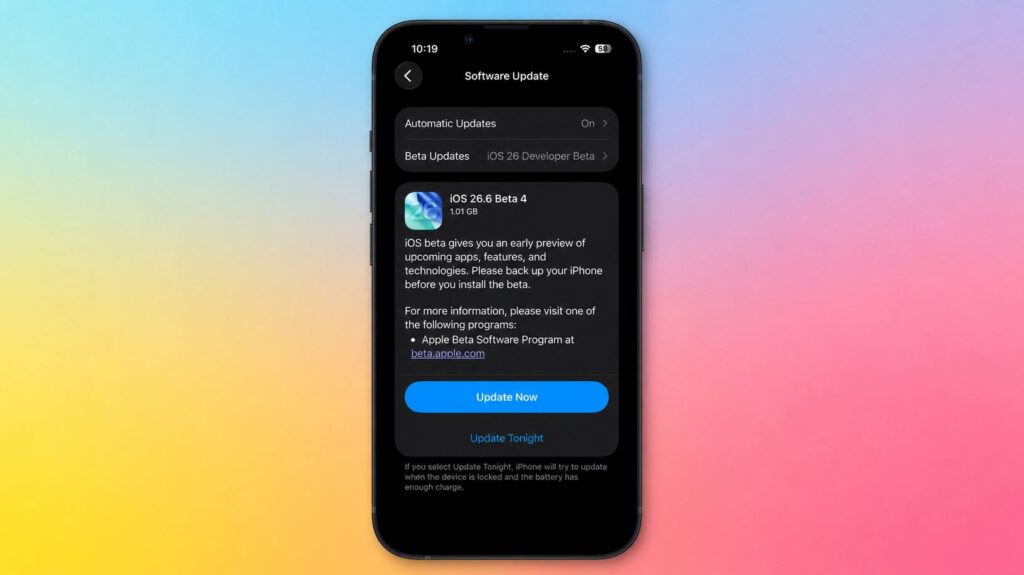
The beta is already available in iPhone settings
The build is open to registered developers, and free registration on Apple’s website makes this possible. You’ll need an Apple ID linked to the program. Here’s what to do:
- Go to developer.apple.com with your Apple ID and accept the program terms;
- On your device, open Settings, General, Software Update;
- In the Beta Updates section, select iOS 26.6 Developer Beta;
- Wait for the update to appear and install it like a regular update.
iOS 26.6 Battery Life and How Long iPhone Lasts on a Charge
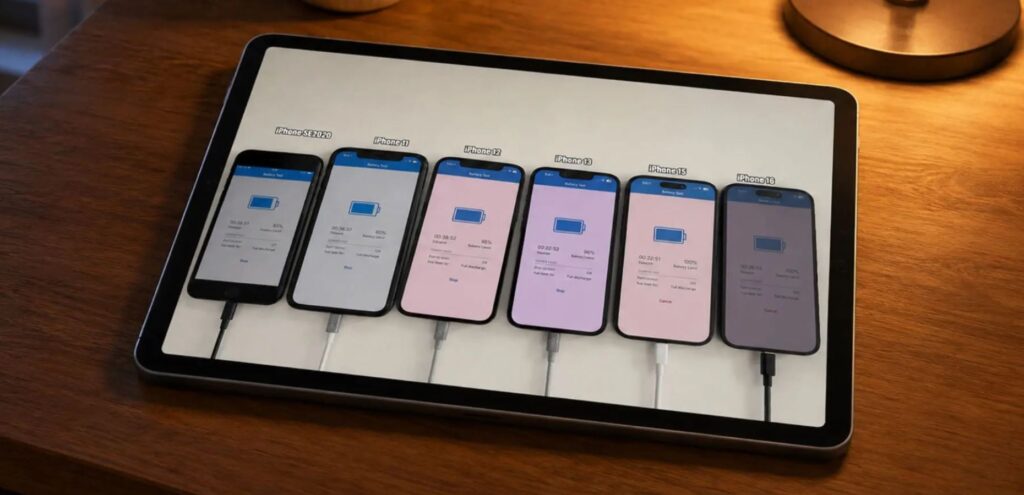
The previous iOS 26 version fixed battery drain issues
With beta versions, battery life almost always takes a hit: the system isn’t fully optimized yet, and background processes run inconsistently. But since this is the final branch of iOS 26, battery life will surely be improved by the release. On this fresh build, I wouldn’t count on stable screen-on time, but the public version should be pleasing.
Who Should Download iOS 26.6
Short answer: you don’t need to install this beta on your main iPhone. There are no major features in iOS 26.6, but crashes, accelerated battery drain, and finicky banking apps on an early build are almost guaranteed. It only makes sense if you have a spare iPhone lying around or you’re a developer testing your app on the new system.
Everyone else would be wiser to wait for the public release: it will arrive automatically and without the hassle of profiles.


