Scammers long ago stopped hacking iPhones directly — it’s much easier to make the owner do everything themselves. A call “from the bank,” a bit of panic, and the person transfers money or grants access to their account with their own hands. It’s precisely against such scenarios that Apple is preparing scam protection in iOS 27.

New scam protection in iOS 27. This is genius!
What Is Trust Insights — the New iOS 27 Feature
Trust Insights is a system framework that Apple will build into iOS 27. Its purpose is to catch the moment when a user becomes a victim of social engineering and performs actions under a scammer’s direction. This new iOS 27 feature doesn’t protect against hacking in the traditional sense — instead, it provides a safety net for situations when you voluntarily do exactly what the scammer wants.
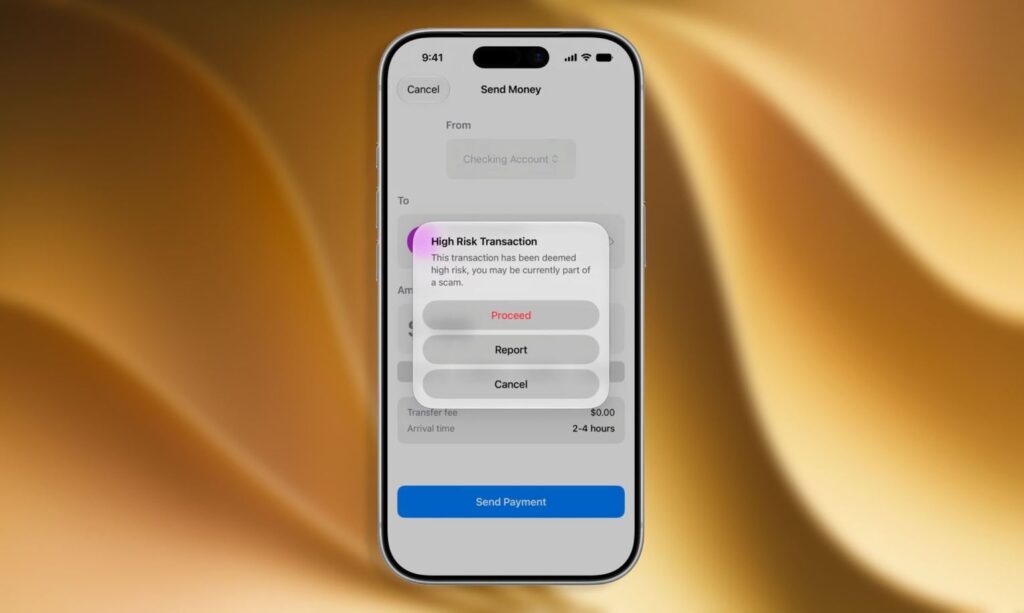
The new feature is already being tested
This is a fundamentally different approach to iPhone security: the system watches not for someone else’s hands but for atypical behavior from the owner themselves. The logic is simple — if someone is being guided over the phone, they act differently than usual, and it’s noticeable. Apple has already published a corresponding developer document.
How Scam Protection Works in iOS 27
Everything is processed right on the device. Trust Insights analyzes how you interact with an app: the technology takes into account speed, context, and sensor data. If the user’s behavior resembles actions performed under external pressure, the system assigns a medium or high risk level.
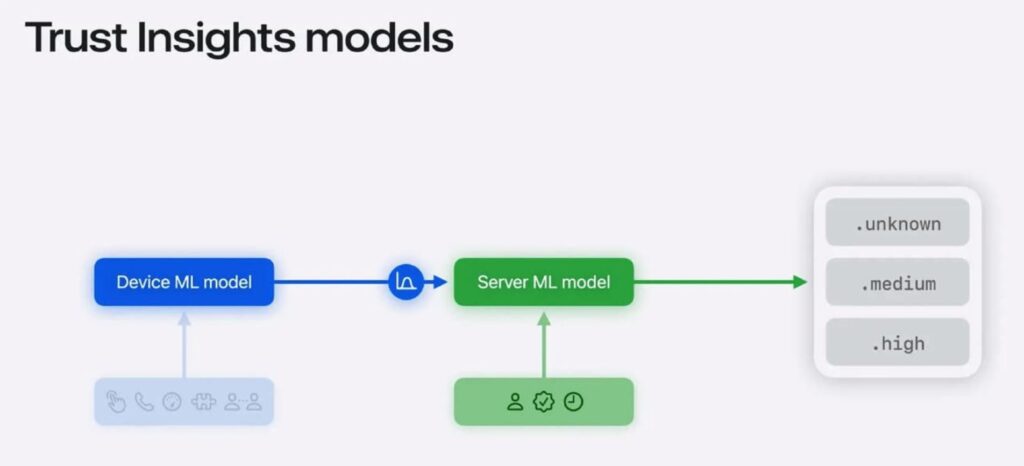
Developers will need to integrate the protection API into their apps
Then the app itself decides what to do: show a warning, add a pause before the operation, or request additional confirmation. Essentially, this is the answer to the question of how to protect your iPhone from scammers without manual settings — the prompt appears exactly when you’re about to make a mistake.
What Operations Trust Insights Protects Against Scammers
At launch, the new iPhone protection covers five categories of actions. It’s quite likely that the list will expand over time. For now, it looks as follows:
- Payments and transfers;
- Changes to security settings or account data;
- Access to expensive resources, such as AI queries;
- Sending messages, documents, and forms;
- Other sensitive operations.
These are precisely the scenarios most commonly used in scams: stealing money, hijacking accounts, and extracting documents.
Privacy and How to Disable Scam Protection
Trust Insights doesn’t read the content of photos, messages, or emails — it only looks at behavioral signals. Source data is immediately deleted, and only the final risk assessment is sent to Apple’s servers, without details. The technology’s transparency eliminates the feeling that scam protection on iPhone will turn into user surveillance.
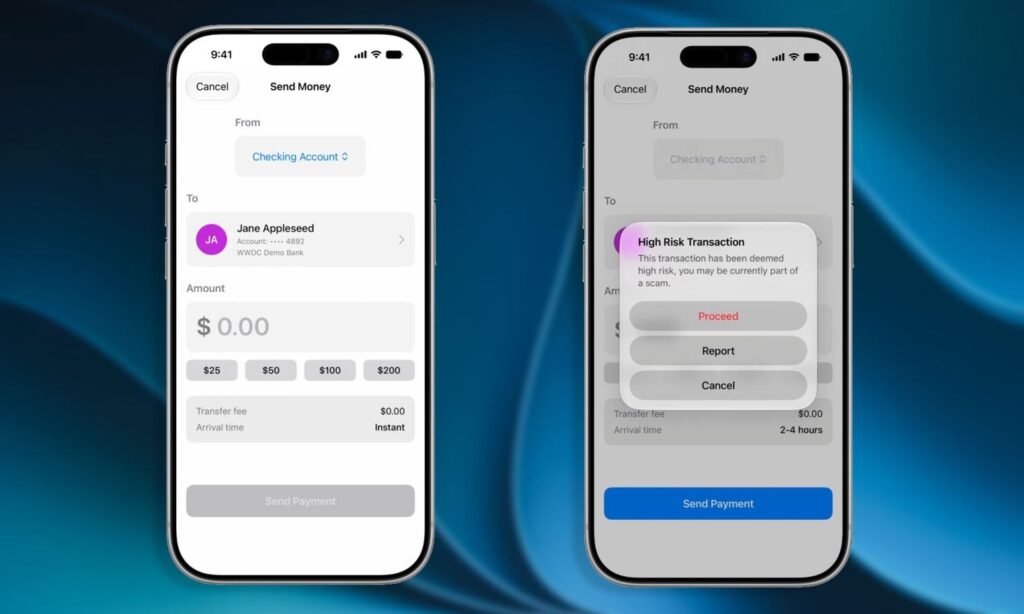
The system will assess the risk of each operation
With Trust Insights, it’s a different story — everything stays on the device, and the feature can be turned off in settings if desired.
Apple has additionally asked developers to submit statistics: how often the system actually stopped suspicious operations and which of those were later confirmed as fraud. This way, iPhone security will become more accurate with each update.


