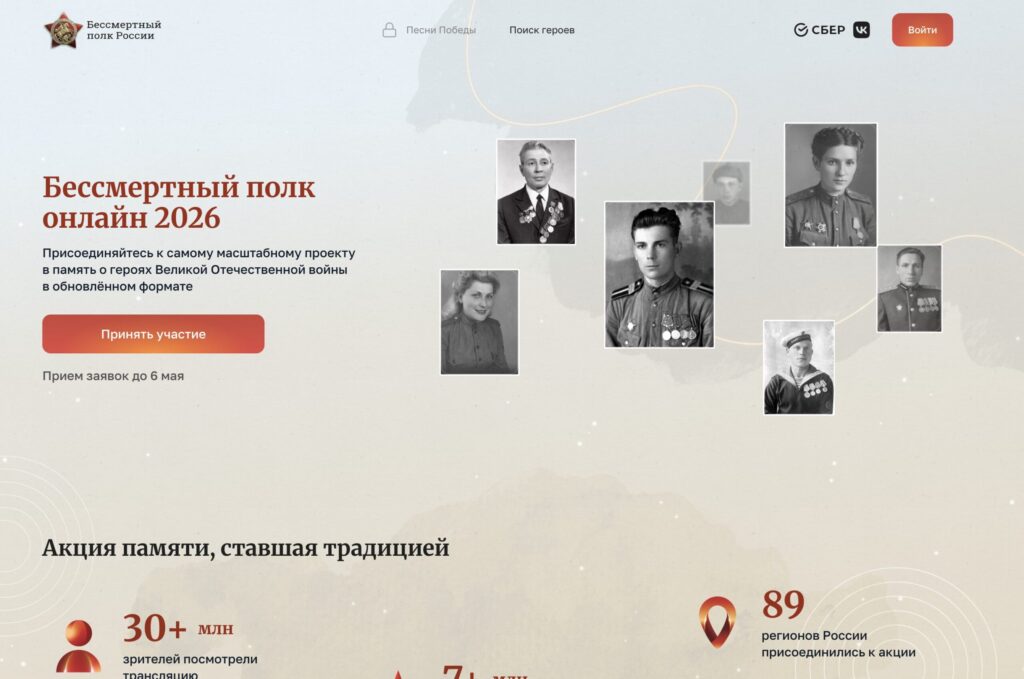
There’s very little time left until May 9, which means it’s the perfect time to submit an application to participate in the “Immortal Regiment Online” campaign. This year, the organizers are once again offering a way to honor the memory of veterans in a digital format — and you can do it right from your iPhone. Not only through the website, but also through the MAX messenger on your smartphone. Here’s how it works and what you need.
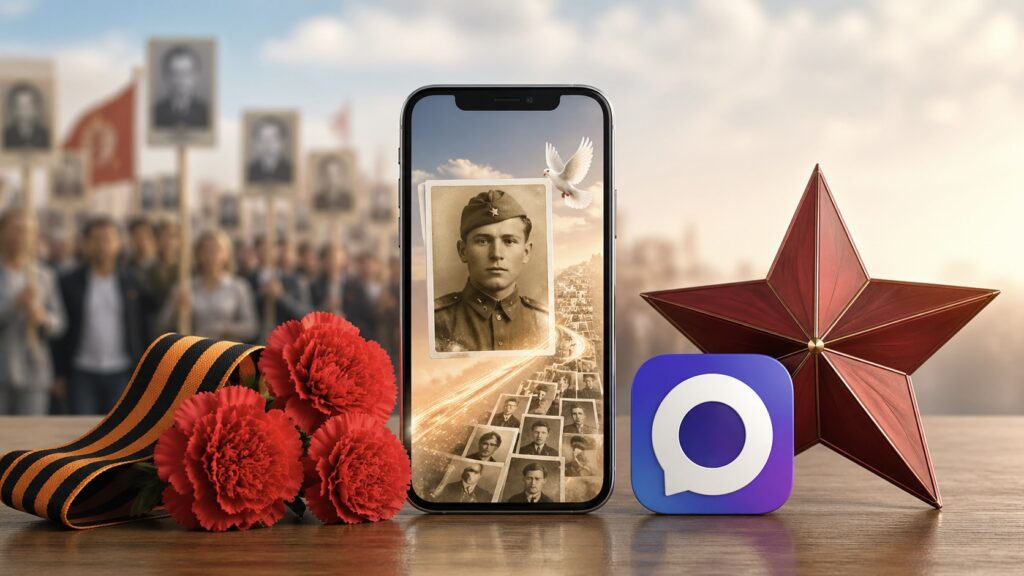
A special tool has appeared in MAX that allows you to add a hero’s photo to the “Immortal Regiment”
Immortal Regiment Online 2026 — What Is This Campaign
“Immortal Regiment Online” is a digital format of the nationwide memorial campaign dedicated to the Great Patriotic War. The idea is simple: you upload a photo and details of your hero — a veteran, home front worker, or combat participant — and on May 9, their portrait appears in the online broadcast on the website 2026.polkrf.ru and on media screens across the country.

The campaign has become a cherished tradition in Russia and around the world
The broadcast starts on May 9 at 12:00 local time. The first to see the march will be residents of Chukotka and the Far East, then the relay of memory will move through Siberia, the Urals, Central Russia, and conclude in the Kaliningrad region. The result is a massive digital march that spans all time zones.
Applications can be submitted until May 6, inclusive. There are several platforms for this: the official campaign website, mini-apps on VKontakte and Odnoklassniki, as well as a chatbot in the MAX messenger. It’s this last option we’ll discuss in more detail — it’s especially convenient for iPhone owners.
Immortal Regiment via the MAX Messenger on iPhone
MAX Messenger is a Russian platform that has grown significantly over the past year. You can not only text and make calls in it, but also use bots, mini-apps, and even access government services. If you haven’t installed MAX on your iPhone yet, now is the perfect time to do so.
The main advantage of submitting an application through MAX is speed. You don’t need to open a browser, register on a separate website, or figure out a personal account. Everything happens right in the messenger: you open the bot, press a button, and start filling out the form. The entire process takes literally five minutes.
The “Immortal Regiment Online” bot is already available in MAX. It appears right on the main chat screen as a banner inviting you to upload your hero’s form. Just tap on it, and you’ll enter a dialogue with the official bot. If the banner doesn’t appear, you can find the bot by searching for its name.
How to Add a Hero to the Immortal Regiment Online
Here’s what you need to do to add a hero through MAX on iPhone:
- Open the MAX messenger on your iPhone.
- On the main “Chats” screen, find the “Immortal Regiment Online” banner with the red star. Tap on it. If there’s no banner, type “Immortal Regiment Online” in the search and open the verified bot with the blue checkmark.
- Tap the “Start” button at the bottom of the screen — a welcome message with the campaign description will open.
- Tap the “Participate” button — a mini-app with a form to fill out will open.
- Select the federal district whose broadcast you want to participate in. Tap “Continue.”
- Upload the hero’s photo. Photo requirements: PNG, JPG, or JPEG format, minimum size 300×400 pixels, maximum file size — 5 MB. The photo should be a portrait, without captions or frames. If you don’t have a photo, this field can be left empty.
- Fill in the hero’s details: last name, first name, and patronymic. Last name and first name are required fields.
- Enter the date of birth — day, month, and year. If the exact details are unknown, fill in only what you know.
- Add the date of death and a description of the combat record, if this information is available.
- Review the entered data and submit the form. After moderation, your hero will appear in the online broadcast on May 9.
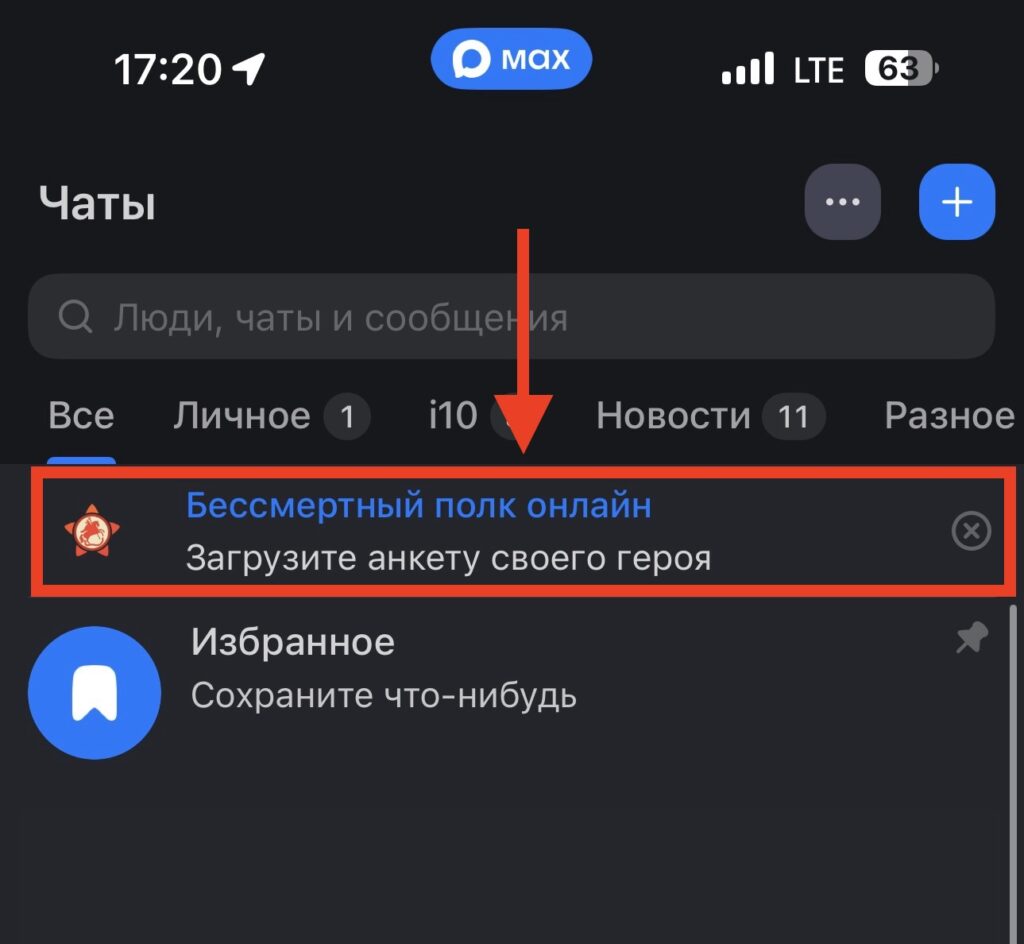
All users now see this banner
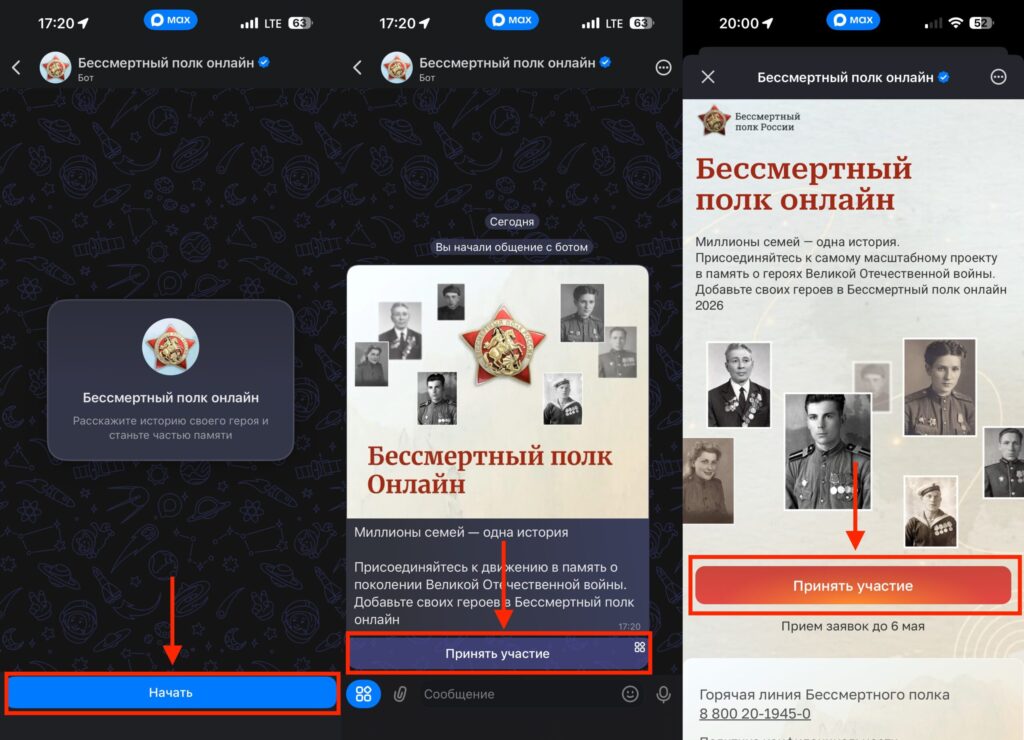
Start adding via the special bot
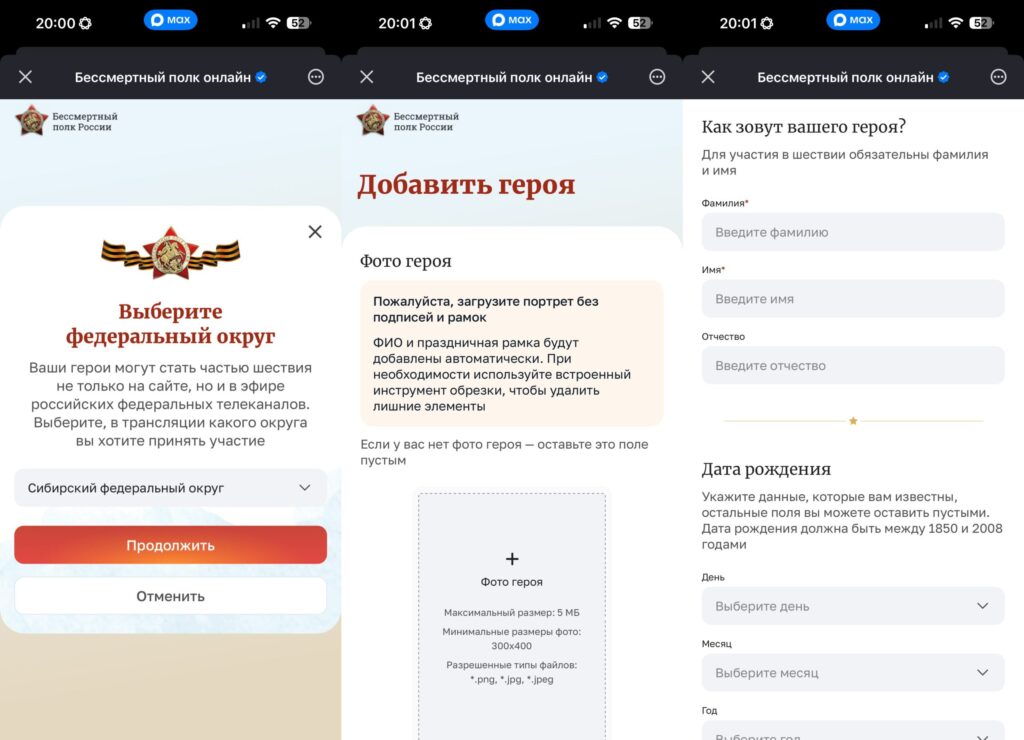
Fill in all the required details and upload a photo
If you encounter any difficulties while filling out the form, don’t worry — the bot will suggest what to fix.
Photo Requirements for the Immortal Regiment Online
This point deserves special attention, because it’s the photo that most often raises questions. The organizers ask you to upload a portrait without captions or frames — the full name and a festive frame will be added automatically. If the photo has any extra elements, use the built-in cropping tool right in the mini-app.
The photo format should be PNG, JPG, or JPEG. Minimum resolution is 300×400 pixels, maximum file size is 5 MB. If you have an old, low-quality photograph, the website 2026.polkrf.ru has a special neural network that can help improve the photo and even colorize it. Unfortunately, this feature is not yet available in the MAX bot, but you can process the photo on the website, save it to your iPhone gallery, and then upload it through the messenger.
And if there’s no photo of the hero at all — that’s okay. The form can be submitted without a photo. It’s enough to provide the first name, last name, and years of life.
Immortal Regiment Broadcast on May 9, 2026
So, you’ve filled out the form. What’s next? After moderation, your hero is added to the database of online march participants. The broadcast will take place on May 9 at the website 2026.polkrf.ru. Portraits will alternate on the screen, and you’ll be able to see your hero in the shared ranks — from anywhere in the world.
By the way, if you submitted an application last year and it already passed moderation, you don’t need to do anything again. The hero will automatically be included in the 2026 broadcast. The online march will also be shown on media facades and screens in cities across Russia, as well as on federal TV channels — when filling out the form, you can choose the federal district for the broadcast.