The MAX messenger in 2025 has become practically a must-have app in Russia: it’s used for messaging, digital documents are appearing through it, and new features are gradually being added. To ensure all these capabilities work correctly, you need to keep the app up to date. That said, not everyone is confident about the messenger’s reliability. Below is how to update MAX on iPhone and what you need to know about auto-updates.
Update MAX regularly, it’s important
Updating MAX via the App Store
On iPhone, the only official way to install a messenger update is through the App Store. There are no alternative stores like RuStore or APK installation on iOS: Apple doesn’t allow such scenarios. Therefore, the App Store is the only place to install and update MAX.
To update the app manually, follow these steps:
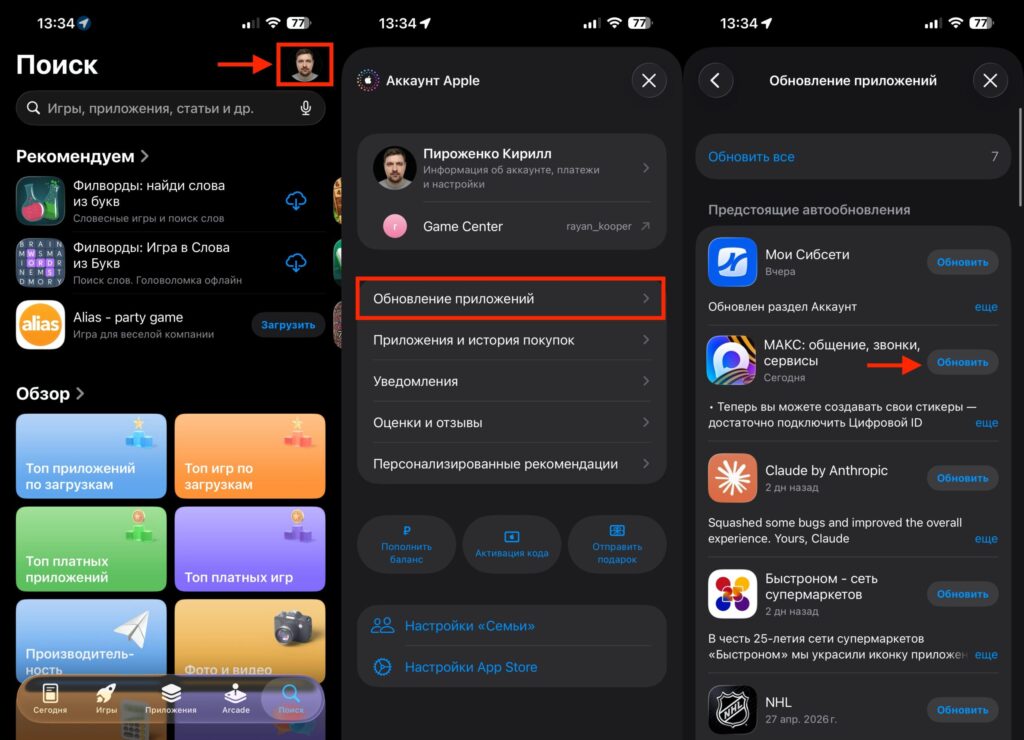
MAX updates in one tap
- Open the App Store on your iPhone.
- Tap on your profile icon in the upper right corner.
- Scroll down to the section with available updates.
- Find MAX in the list and tap “Update.”
- Wait for the download and installation to complete.
If MAX isn’t in the update list, it means you already have the latest version installed. You can verify this another way: open the app’s page in the App Store via search. If the button says “Open” instead of “Update,” no update is needed.
How to Enable Auto-Updates for Apps on iPhone
To avoid coming back to this question every time, it’s easier to enable automatic updates. Then your iPhone will pull new versions of MAX and other apps in the background — usually at night when the device is charging and connected to Wi-Fi.
Here’s how to enable it:
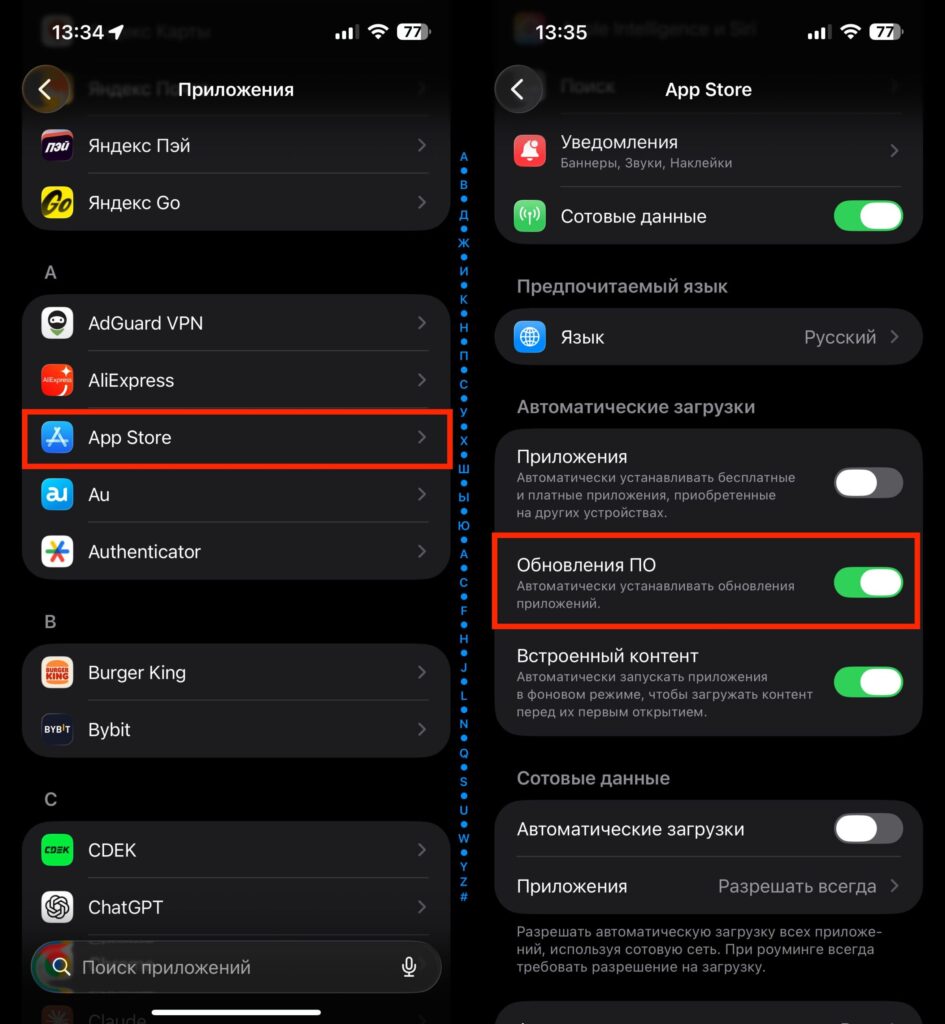
It’s easier to use auto-updates
- Open “Settings” on your iPhone.
- Go to the “App Store” section.
- In the “Automatic Downloads” block, toggle on “App Updates.”
- Optionally, enable the mobile data option below if you want to update apps without Wi-Fi.
Auto-updates are the most convenient option for most users: MAX will always be up to date, and you won’t miss new features like digital documents or security changes.
What to Do If MAX Won’t Update on iPhone
Sometimes the “Update” button doesn’t appear or the download gets stuck. Most often the cause is mundane and can be resolved without reinstalling.
- Check your internet connection — on weak Wi-Fi, the App Store may delay the download.
- Make sure your iPhone has enough free space: updating requires available storage.
- Restart your device — this resolves most temporary App Store glitches.
- Sign out and sign back into your Apple ID in the App Store settings.
- Check your iOS version: if it’s too old, the new version of MAX may simply not be supported.
If nothing helps, you can delete MAX and reinstall it from the App Store — your chats and account will be restored after signing in again with your phone number.
How Updating MAX on iPhone Differs from Android
On Android, users have a choice: Google Play, RuStore, or manual APK installation. On iPhone, there’s no such variety — only the App Store. On one hand, this is a limitation: you can’t install a beta version from a third-party source. On the other hand, it’s a security advantage: on iOS, the scenario where a fake app is downloaded disguised as a MAX update is virtually eliminated.
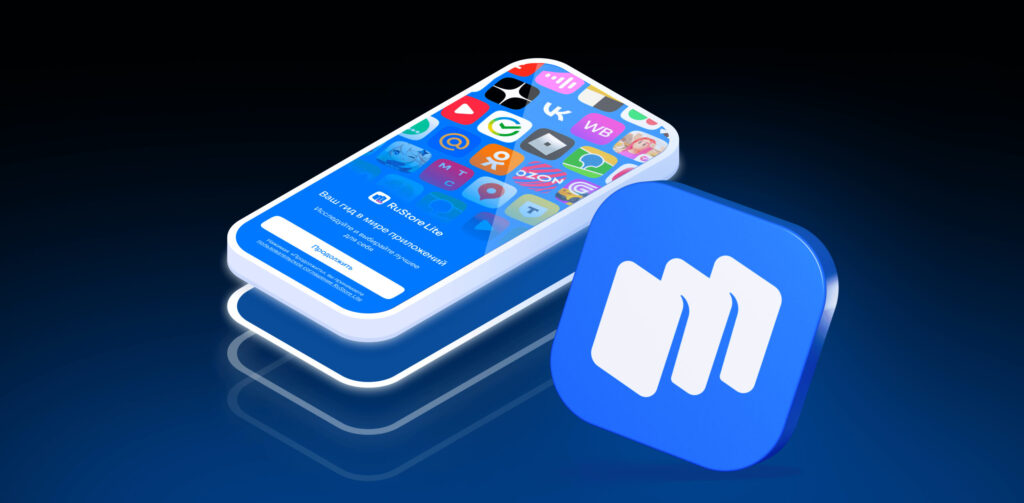
Android users have RuStore, but iPhone doesn’t. Image: ads.vk.com
Another practical point: MAX developers have promised to enable updates directly within the app in the future, bypassing stores. On Android, this could potentially mean downloading an APK through the messenger itself. On iPhone, such a mechanism won’t work due to Apple’s policies — updates will go through the App Store in any case.
Why You Should Update MAX on iPhone to the Latest Version
For everyday users, the reason to update MAX is straightforward: new features (including digital documents) and bug fixes appear specifically in the latest versions. If you use the messenger every day, it’s easier to enable auto-updates once and forget about it.
If you’re cautious about updates and prefer to install them manually after reading reviews — that’s also a valid approach, especially for an app that’s actively evolving. The main thing is not to stay on a version that’s six months old: some features will eventually stop working correctly with an outdated client.


