Samsung smart TVs can identify what is playing on screen and send that information to the company, and this content-recognition feature is switched on by default. It can be turned off in the TV’s privacy settings, alongside interest-based advertising and voice recognition. The source article’s author owns a 55-inch Samsung Crystal UHD bought in 2021. He says disabling these settings did not make the TV noticeably faster. The home-screen banners did, however, stop matching his recent viewing so closely, and nothing he needed stopped working.
What you need to know
- Samsung’s content recognition, called viewing information services, identifies what is on screen and sends that data to the company. The source says this includes content from apps and from a set-top box or antenna.
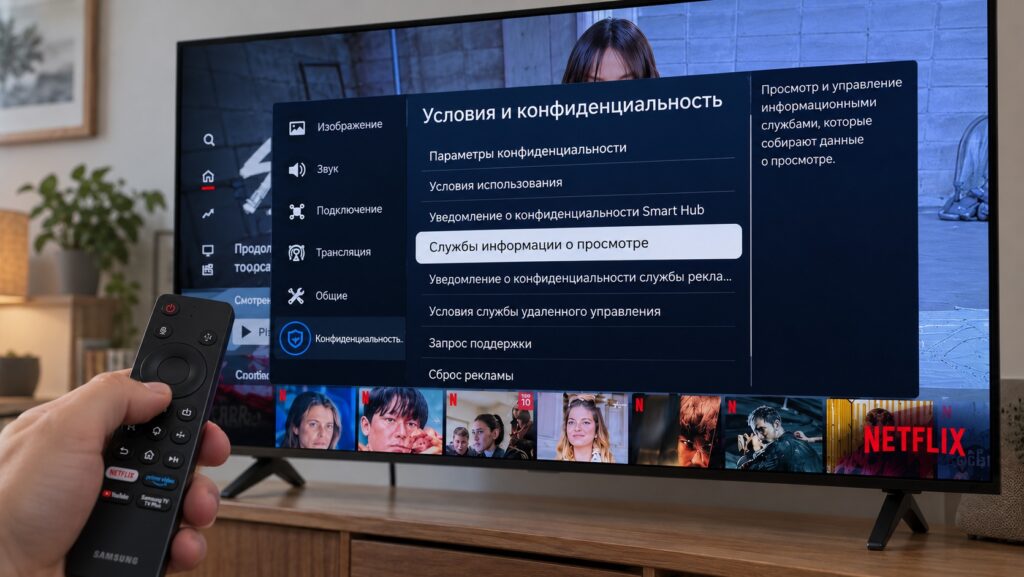
- The setting is on by default and sits among the privacy and legal items, not in the picture settings. On older models it is under Support.
- Turning off voice recognition services also disables voice control. Turning off interest-based ads does not remove ads but makes them non-targeted.
- After making the changes, the source author saw no clear speed improvement. Home-screen recommendations became more generic, and screen casting, apps and updates kept working.
A hidden TV setting that turns off tracking
Why the author went looking
The source author says he had never opened his TV’s privacy settings in the years he had owned it. Like most people, he simply accepted the terms when he first set it up. Advertising prompted him to look. Banners on the home screen increasingly suggested films and series similar to what he had recently watched. He reports this happened not only for content watched in apps but also for content played through a set-top box. He wanted to find out how the TV knew this and whether it could be switched off.
What a Samsung TV can learn about you
The tracking relies on content-recognition technology, which Samsung calls viewing information services. The TV identifies what is currently on screen and sends that data to the company. According to the source, this covers apps as well as content coming from a set-top box or antenna.
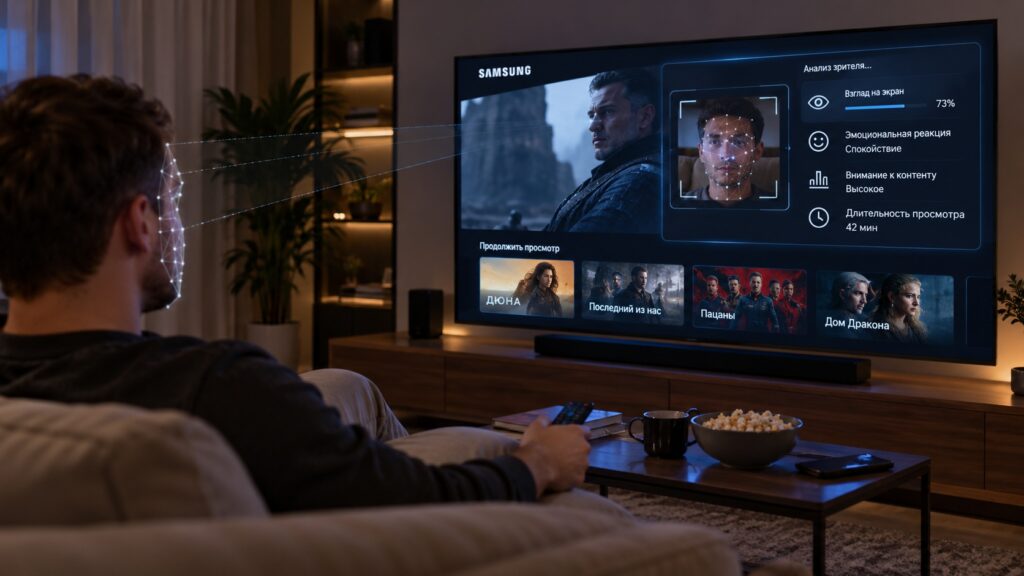
Illustration of a Samsung TV analyzing its owner’s activity
The source points to Samsung’s Smart TV privacy policy, which lists the kinds of data the TV may collect:
- what content you watched;
- what you bought, downloaded or played through apps;
- other information about how you use the TV;
- information about the device itself.
The linked page is the Russian-language version of Samsung’s policy, so readers elsewhere may want to check the version that applies in their country.

Officially, this data collection is meant to make recommendations more accurate. The source author says he does not want his TV reporting every film he watches to the company. His rule of thumb is that anything that can be switched off without losing functionality is worth switching off.
The main switch is in the privacy section
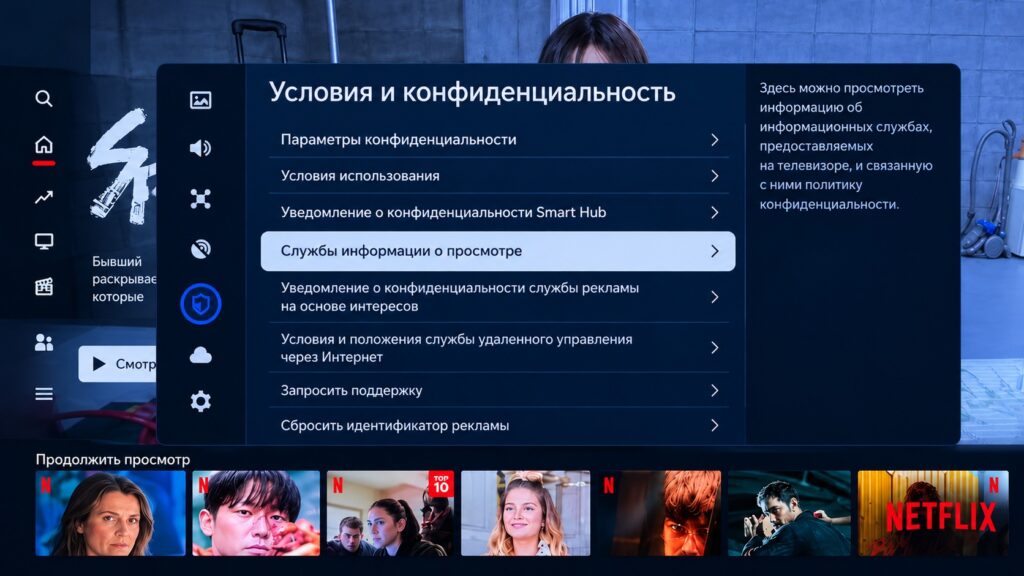
Content recognition is enabled by default, and it is not easy to find. The source notes that it sits among the legal and privacy items rather than in the picture settings. The source gives this path for recent Samsung TVs:
- Press the Home button on the remote.
- Open Settings, then All Settings.
- Go to General.
- Select Terms & Privacy, or the privacy options item.
- Open viewing information services and turn them off.
- Confirm your choice with OK.
Viewing information services in Samsung TV settings
Older models and menu variations
On older models, the same item is under Support, then Terms & Privacy. The source cautions that menu names can differ slightly depending on the model year and firmware version. The key phrase to look for is “viewing information.” The source describes a Russian-language interface, so the exact English menu labels on your TV may differ from the translations used here.
On the author’s 2021 TV, the setting was under the older Support path. He says it took several screens to reach it and he probably would not have found it without guidance. Among the legal documents, it looks like just another agreement rather than a switch.
Two more settings: interest-based ads and voice
The source stresses that one switch is not enough. Turning off content recognition does not make the TV fully private, because it may still send technical and diagnostic data. The same privacy section contains two more items worth checking:

- Interest-based advertising. This setting controls whether home-screen banners are tailored to you.
- Voice recognition services. These are needed only if you control the TV by voice through the remote.
There is a trade-off with voice: if you opt out of these services, voice control will stop working. The source author says he used voice control on his remote only a couple of times after buying the TV, so he turned it off without regret. Disabling interest-based advertising will not remove ads. According to the source, they will simply become random rather than matched to your habits.
Check the phone next to your TV, too
The source notes that the TV is only one way advertisers recognize you. Another is your smartphone. Every Android phone has an advertising ID that ad systems use to identify its owner, and it can be deleted in Android’s settings:
- Open Settings, then Google.
- Select Ads.
- Tap Delete advertising ID and confirm.
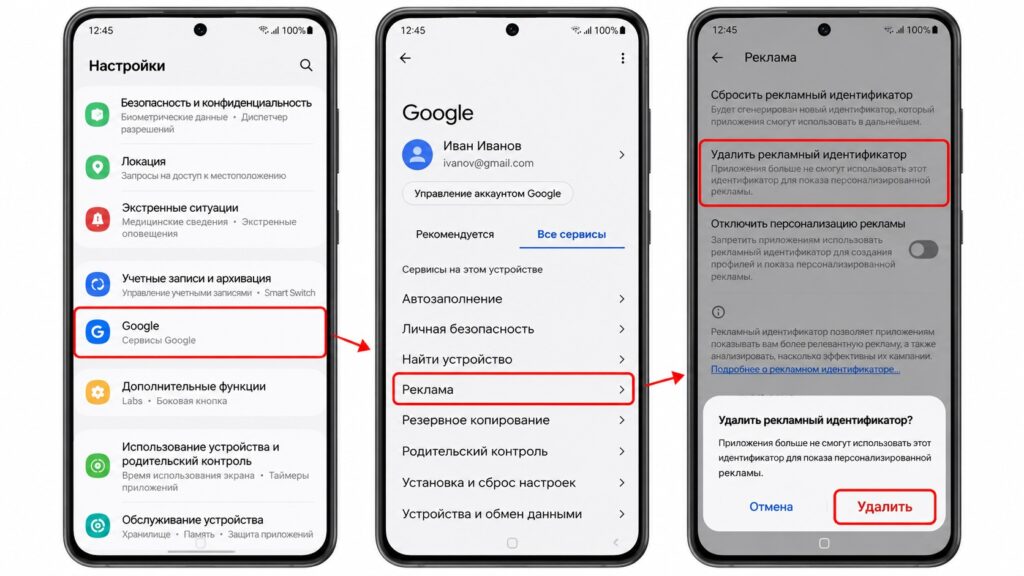
Deleting the advertising ID on a smartphone
On Samsung phones and those from other brands, the option may be under Privacy instead, but the source says the feature itself is the same across brands. It also cautions that this is not full anonymity. Deleting the Android advertising ID only makes it harder to link your activity across different apps.
What changed after switching it off
The source author addresses claims on social media that a TV starts to “fly” once tracking is disabled. He reports no such effect. Menus and apps opened at roughly the same speed as before. He says the interface may have felt slightly more responsive after a restart. He cannot reliably separate that from the effect of the restart itself.
The more noticeable change was on the home screen. The banners stopped matching his recent viewing so precisely and showed more general collections instead. Casting from an Android phone, apps and updates all kept working as before, and he says nothing he needed was lost. He concludes that five minutes with the remote are worthwhile: you watch films the same way, but the TV shares less about your habits.
This is one person’s experience with a single 2021 model, not a controlled test. Results and menu locations may vary by model and firmware.