Just recently I covered how to transcribe voice messages in MAX (the feature appeared in version 26.13.0 and turned out to be surprisingly useful). Before I could even celebrate, the state messenger rolled out another update with yet another feature. Now the messenger can transcribe not only voice messages but also video circles — those same “circles” that some people send instead of normal text. Video circle transcription in MAX appeared in version 26.15.1. Let’s see how it works.
The national messenger now allows you to convert video circles to text as well
Why You Need Video Circle Transcription in MAX
Voice messages are annoying. But circles in MAX are a whole different level of inconvenience. At least you can listen to a voice message discreetly with headphones. A video circle requires you to look at the screen (preferably in a quiet place, away from prying eyes). Receiving a video circle during a meeting or in a crowded subway means one thing: you’ll have to watch it later. And then you’ll forget about it again.
Circle transcription is free, no subscription, no limits on quantity.
Video message transcription in MAX completely solves this problem. The text version appears right below the circle: you read it with your eyes without opening the video. The feature is free, requires no subscription, and has no limits on the number of transcriptions.
How to Transcribe Video Circles in MAX
Before looking for the video-to-text button in MAX, make sure the app is updated. The feature is available starting from version 26.15.1 for Android. If the update hasn’t arrived automatically:
- Open Google Play on your smartphone.
- Tap on the profile icon in the upper right corner.
- Select “Manage apps & device.”
- Find MAX in the list of available updates and tap “Update.”
- After installation, restart the app.
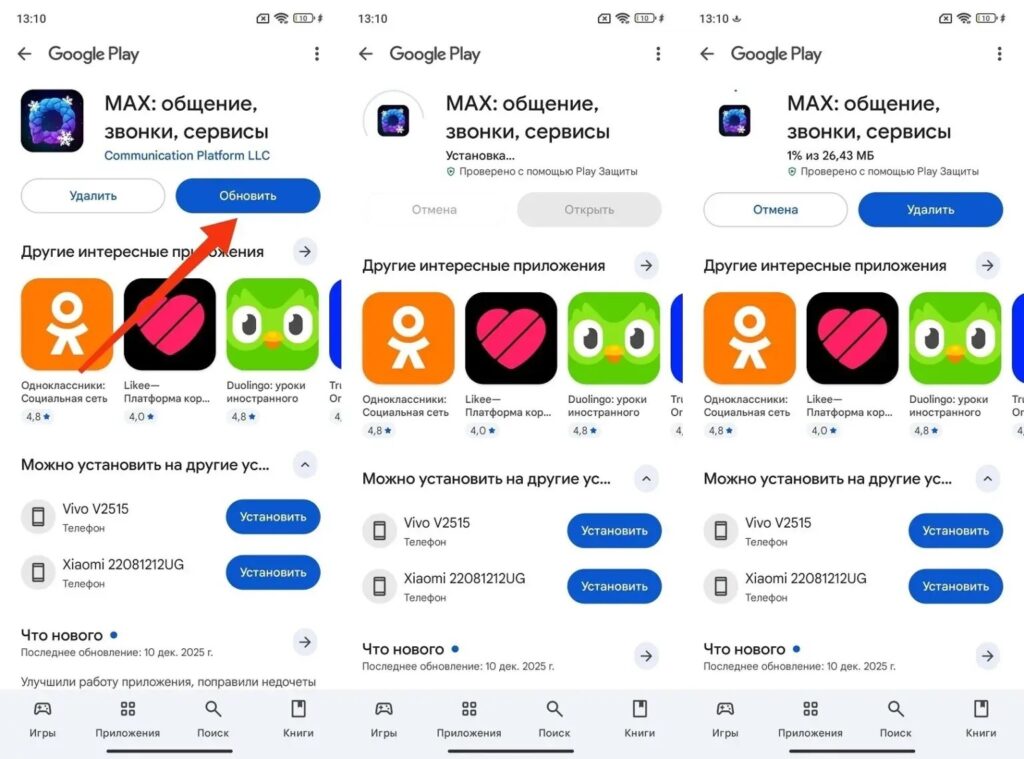
First you need to update the state messenger app
If the transcription button doesn’t appear after updating, clear the MAX cache through “Settings — Apps — MAX — Storage — Clear cache” and restart the messenger.
How to Convert a Circle to Text in MAX
After updating, everything works without additional settings. Here’s how to convert video to text in MAX:
- Open any chat with a video message circle.
- Find the special icon with an arrow next to the circle (this is the “T” letter in the MAX circle).
- Tap on it, and the system will instantly generate a text transcription right below the video message.
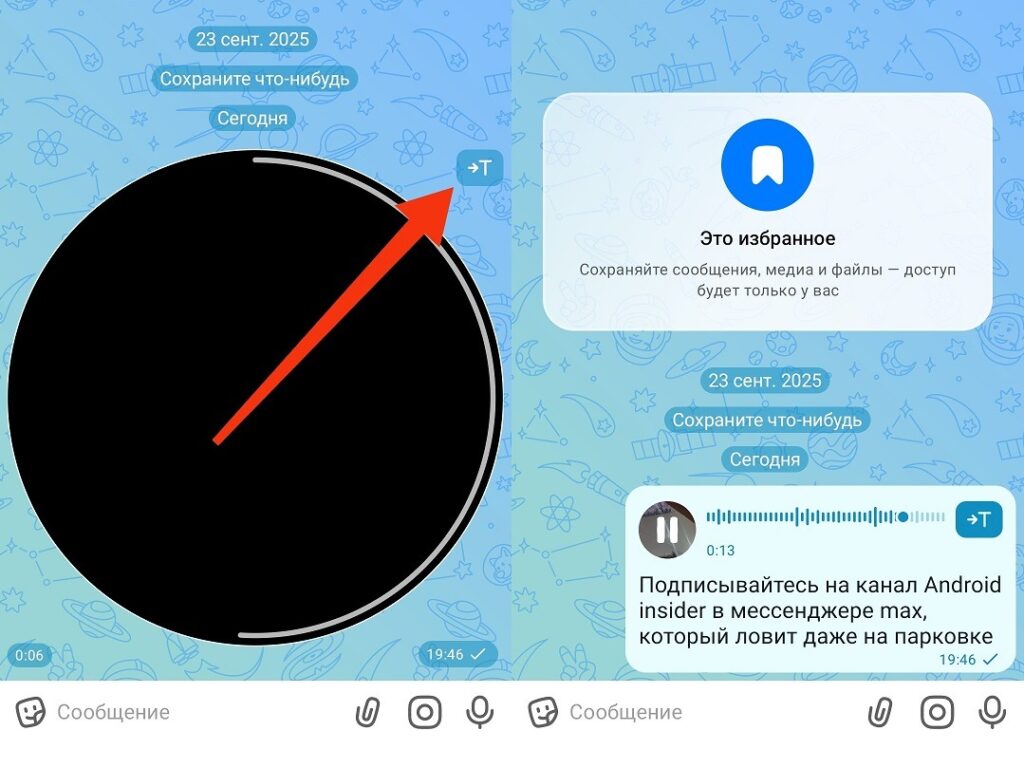
The button is available to everyone without any restrictions
The transcription is saved below the message (you can re-read it at any time or copy the text). You can transcribe a circle in MAX in any chat: personal, group, and archived conversations. There are no limits on video duration: video message transcription in MAX works for circles of any length.
Is It Worth Switching from Telegram to MAX
Video circle transcription in MAX without limits is a significant advantage compared to Telegram. In Durov’s messenger, transcription of both voice and video messages is available for free only twice a week. Everything else requires a Telegram Premium subscription. In MAX — no limits, no subscription: you can convert video to text in MAX as many times as you need.

Telegram is still superior to MAX
However, one convenient tool is not a reason to change your main messenger. If in short: circle transcription in MAX and voice messages without limits is a real advantage. But in terms of overall functionality, stability, and interface convenience, MAX still falls behind Telegram. Using both messengers in parallel is the most sensible scenario in 2026.


