If you’re a gamer with an iPhone and a Sberbank card, you’ve probably wondered at least once: can you top up Steam directly from the bank’s app? The good news is that Sberbank Online does indeed have a built-in section for paying for games, and Steam is available there too. However, it works with varying degrees of success, so I decided to figure out how everything works and what to do if a payment doesn’t go through.
Quickly top up your Steam account via Sberbank
Does Steam Top-Up via Sberbank Online Work in 2026
Yes, this option exists. The Sberbank Online app on iPhone has a section with gaming services through which you can top up your Steam wallet directly using your account login. The list of supported games and platforms approaches a hundred entries — among them Xbox Live, PS Store, Genshin Impact, and of course, Steam.
However, there’s a catch. After sanctions were introduced in 2022, this feature kept appearing and disappearing. As of spring 2026, Steam top-up via Sberbank works, but with periodic interruptions. For some users, the Steam option in the app is consistently available, while for others it disappears for several days or shows a message about technical maintenance.
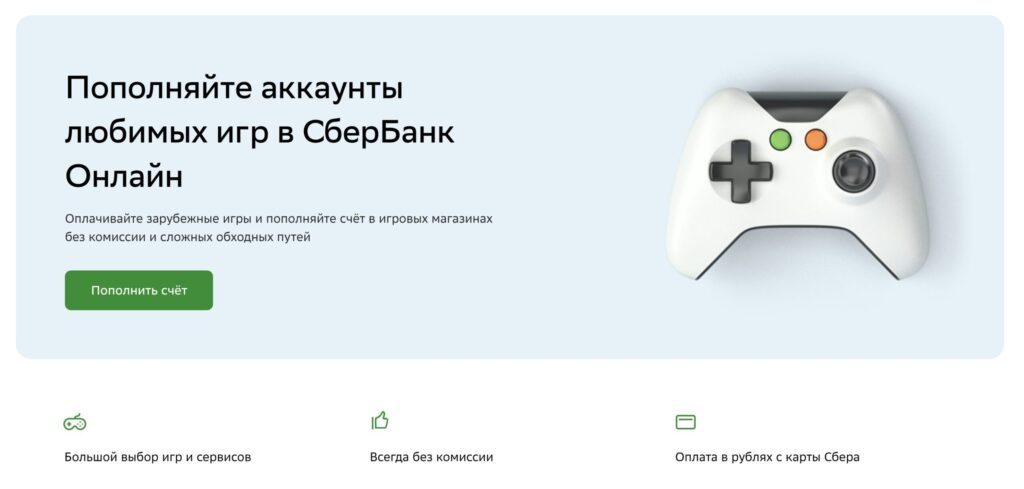
Sber offers top-ups not only for Steam but also for other gaming services
So if you’re planning to top up your balance — it’s better to do it right away while the feature is available. Below I’ll show the entire process step by step.
Where to Find Steam Payment in Sberbank Online
If the feature is available in your region and app, the process is as simple as it gets. You don’t need a VPN or a third-party website — everything is done directly in the mobile app on your iPhone. Here’s a step-by-step guide.
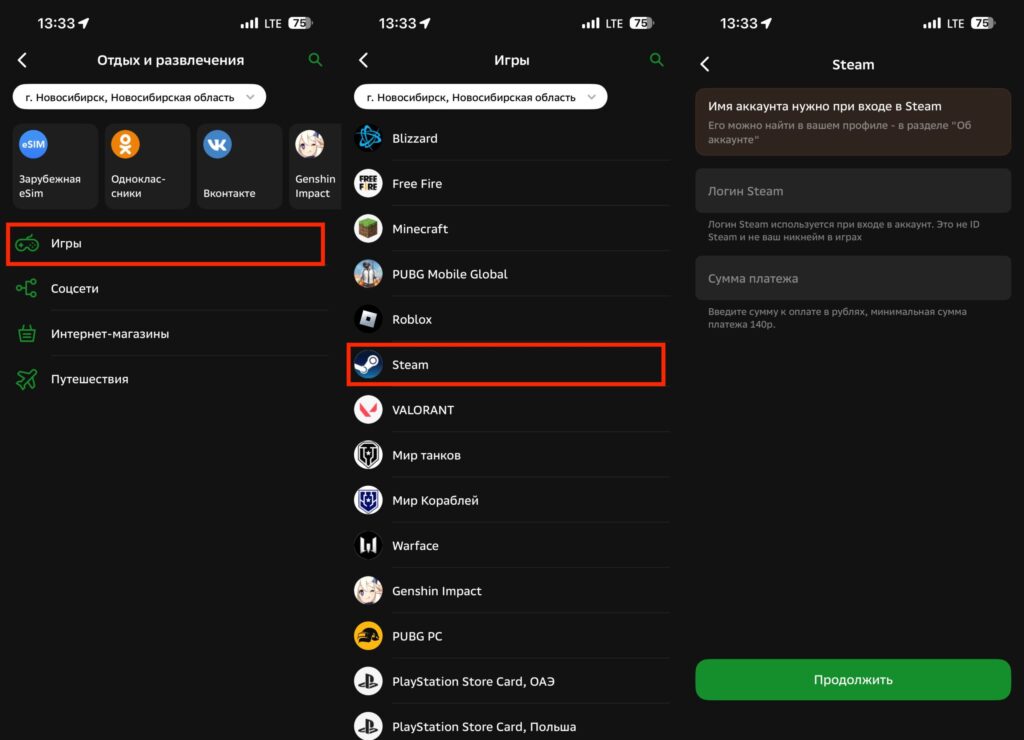
All you need to do is enter your login and choose the amount
- Open the Sberbank Online app on your iPhone.
- Go to the “Payments” tab in the bottom navigation bar.
- Scroll down to the “Leisure and Entertainment” section and tap on it.
- Select the “Games” category — a list of available gaming services will open.
- Find Steam in the list or use the search by typing “Steam” in the search bar on the “Payments” tab.
- Enter the login of your Steam account — specifically the login used to sign in, not your profile nickname.
- Enter the payment amount in rubles. The minimum top-up amount is 140 rubles.
- Tap “Continue.” The app will display the login and the amount in dollars at the current exchange rate.
- Confirm the payment by tapping “Pay” and enter the SMS code if required.
- Wait for the successful payment notification — the funds will arrive in your Steam balance within a few minutes.
Steam Not Showing Up in Sberbank Online: What to Do
If you opened Sberbank Online and couldn’t find Steam in the games section — don’t panic. This is a common situation, and there could be several reasons for it.
First, the Steam top-up feature in Sberbank is periodically disabled on the bank’s side due to international payment restrictions. Sberbank uses an intermediary provider to process such transactions, and its operation depends on the current sanctions situation.
Second, make sure you have the latest version of the app. Obviously, you may not be able to update it through the App Store, but at the very least you can contact the bank if the games section is missing.
Third, try using the web version of Sberbank Online through Safari on your iPhone instead of the mobile app. Sometimes the feature is available in the browser version but not in the app.
If none of these options worked, try again in a couple of days — the feature usually comes back.
Commission When Topping Up Steam via Sberbank
Whichever method you choose, there are a few important things to keep in mind.
Sberbank officially doesn’t charge a commission for top-ups through the built-in section. But in practice, the final amount credited may differ from the amount debited due to currency conversion. Steam converts rubles into the currency of your account — usually dollars or tenge. The conversion rate is set not by Sberbank but by the payment provider, so exchange rate losses can amount to several percent.
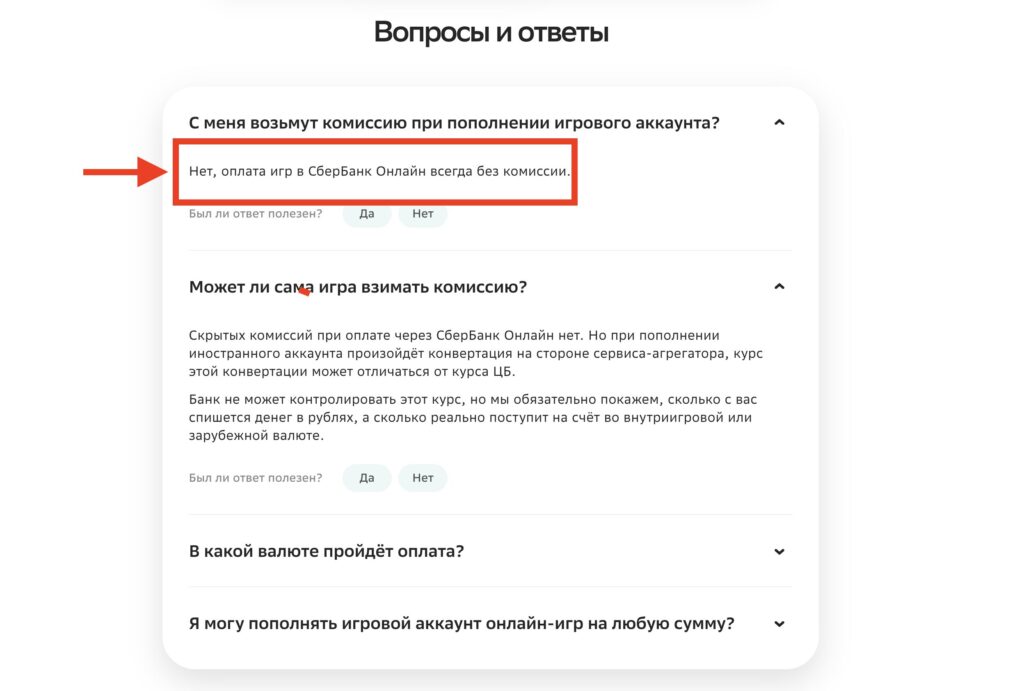
Sberbank states that it does not charge a commission for Steam top-ups
Before confirming the payment, be sure to pay attention to the final screen. The app will show how much money will be debited from your card and how much will arrive in your Steam balance in dollars. If the conversion rate doesn’t suit you — you can wait and try again later.
Another point — save receipts and screenshots of your payment until the money arrives in your account. If any issues arise, you’ll need them when contacting support.
Is It Safe to Top Up Steam via Sberbank Online
If the feature works in your app — absolutely yes. This is the fastest, safest, and most convenient way to add money to Steam from an iPhone. There’s no need to visit third-party websites, enter your card details elsewhere, or deal with marketplaces.
But I wouldn’t rely solely on it. The feature can be disabled at any moment, leaving you unable to top up your account before a sale. So if you see that Steam is available in Sberbank — top up in advance. This is especially relevant before major seasonal sales when every minute counts. And most importantly — don’t fall for websites promising bonuses like “+50% to your top-up.” In 99% of cases, it’s a scam.


