Previously, to pay for apps or subscriptions on iPhone, all you had to do was link your MTS SIM card, and the money would be debited from your mobile account. Today, the question of how to top up Apple ID via MTS has become a real problem for users in Russia: direct Apple ID balance top-up through the carrier is no longer available.
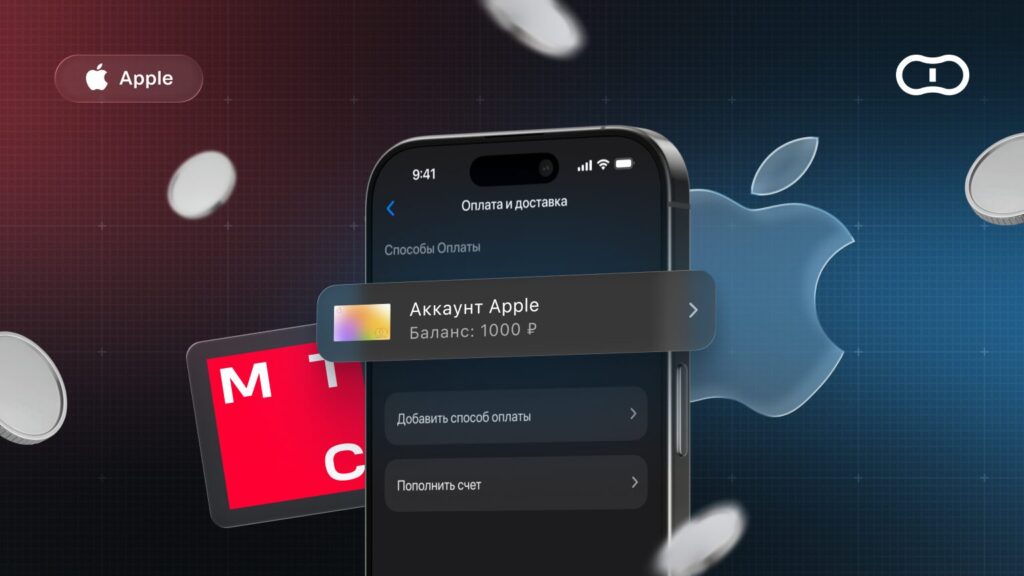
Can you top up Apple ID balance via MTS?
Why You Can No Longer Top Up Balance via MTS and Other Carriers
As of April 1, 2026, MTS disabled Apple payments and discontinued support for mobile payments for foreign services. The inability to pay for Apple Music, iCloud, and other services affected both wallet and direct account debits.
Similar restrictions were introduced by other carriers — the reason is the ban on paying for foreign platforms from mobile phone balances. As a result, the familiar method — topping up Apple ID balance via SIM card — stopped working.
Many are wondering whether Apple payment via MTS will return, but there is no definitive answer yet. The situation remains unchanged, and there is no reason to expect direct top-up to resume anytime soon.
What Top-Up Methods Are Currently Available in Russia
Despite the restrictions, topping up an Apple ID account without MTS is quite feasible. The main working options in Russia are:
- Gift Cards — the most convenient and reliable tool;
- Using a virtual number and a foreign bank card linked to Apple ID — requires additional effort.
The gift card remains the most accessible method: it doesn’t require adding a payment method on iPhone, doesn’t depend on sanctions, and allows you to pay for all the services you need.
What Are Gift Cards and Why Are They Convenient
An Apple Gift Card (also known as a redemption card) is a digital code that is credited to your Apple ID balance. With it, you can pay for purchases in the App Store, subscriptions to Apple Music, iCloud cloud storage, music, movies, and other services.
The convenience is that you purchase a card of the desired denomination in advance, activate it on your iPhone, and the funds immediately become available for use. You don’t need to worry about whether bank cards work or look for workarounds — the balance top-up is instant and secure. Below, we’ll go through step by step how to start using this method.
The Paytool service offers digital Apple gift cards with instant code delivery to your email. On the platform, you can purchase a card of any denomination and immediately top up your Apple ID without leaving home.
Step One — Changing Your Region
To activate a gift card for a specific country, you need to change your account region. It’s not difficult — the key is to prepare properly.
Before changing your region, you need to:
- Spend your remaining Apple ID balance down to zero;
- Cancel active subscriptions to avoid debts (you can do this in your account settings);
- Remove the current payment method (if one is linked), otherwise the system may request confirmation of the linked card;
- When changing the region, you’ll need to provide an address in the selected country — prepare it in advance so you don’t get stuck on this step;
- Make sure you have access to your backup email and phone number in case re-authorization is required.
After preparation, just a few simple steps remain.
Step-by-step instructions for changing your region:
- Open “Settings” on iPhone, tap your name at the top;
- Go to “Media & Purchases” — “View Account”;
- Tap “Country or Region” — “Change Country or Region”;
- Select the desired country (e.g., Turkey or the USA) and accept the terms;
- When the system prompts you to add a payment method on iPhone, you can select “None” — the gift card balance will cover expenses;
- Fill in the address. You can use the address of any hotel or generate a suitable address using special services.
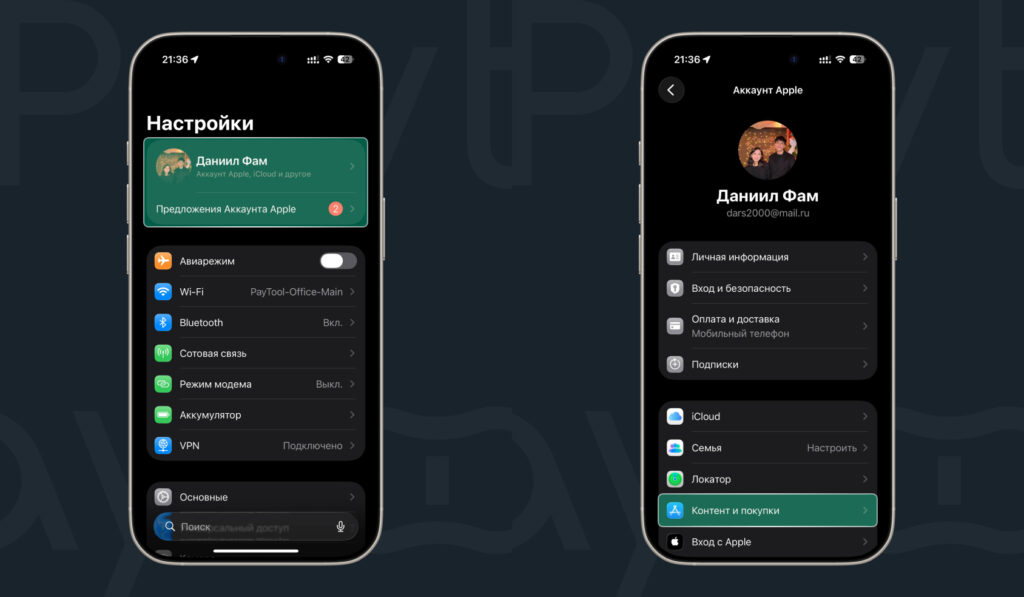
Region change starts in Settings
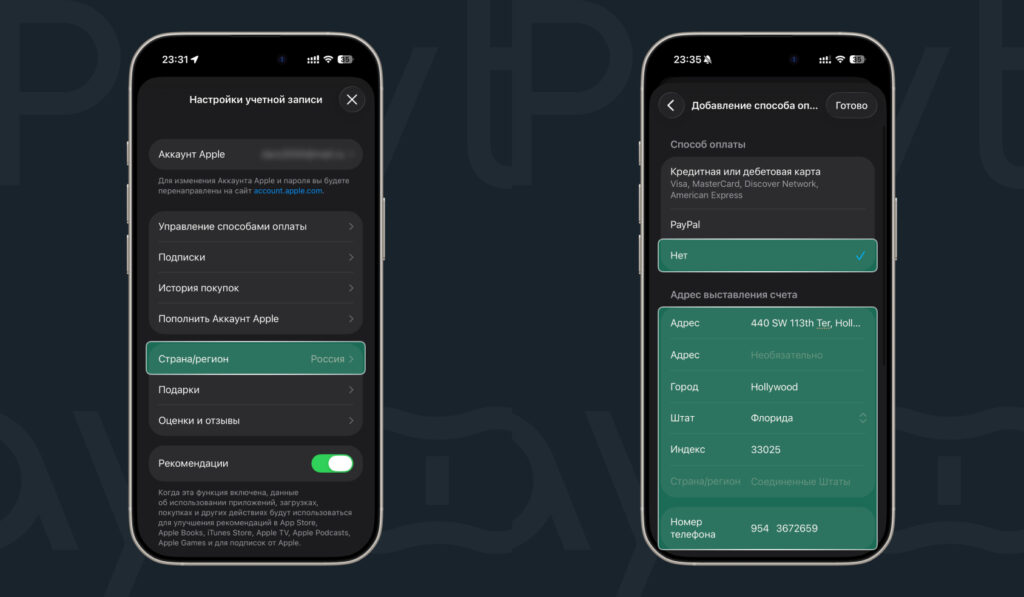
Select the country and enter an address
After changing the region, you’ll be able to activate the gift card and use it without restrictions.
Step Two — Purchasing a Gift Card
Using the Paytool service as an example, here’s how to buy an Apple gift card:
- Go to the Paytool website;
- Select the desired region and gift card denomination;
- If needed, add multiple cards by pressing “+”;
- Click “Go to Cart”;
- Enter your email address and choose a payment method: card, SBP, or SberPay;
- Scan the QR code to complete the payment;
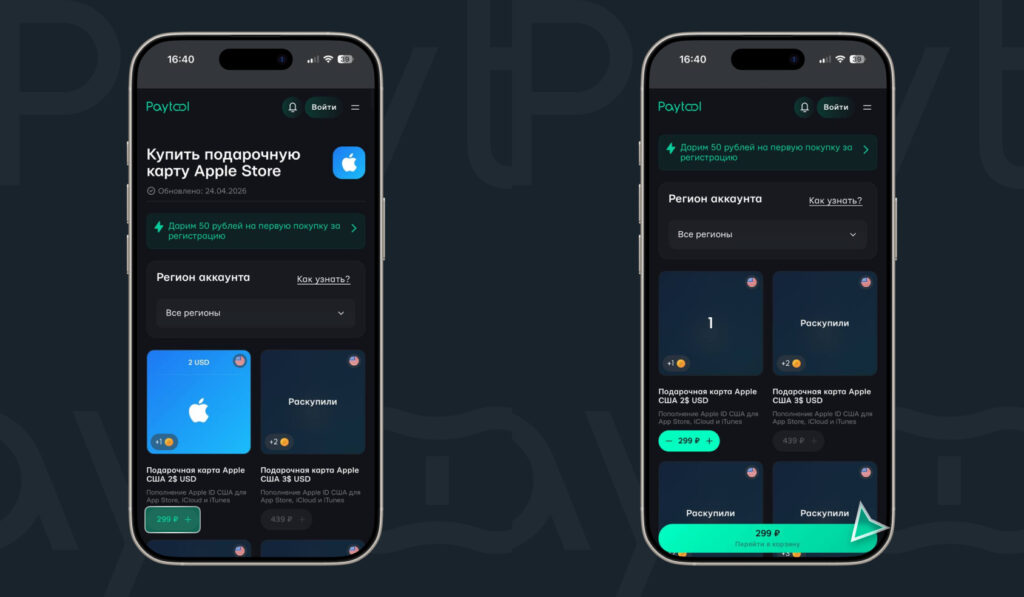
Select a card of the desired denomination and add it to your cart
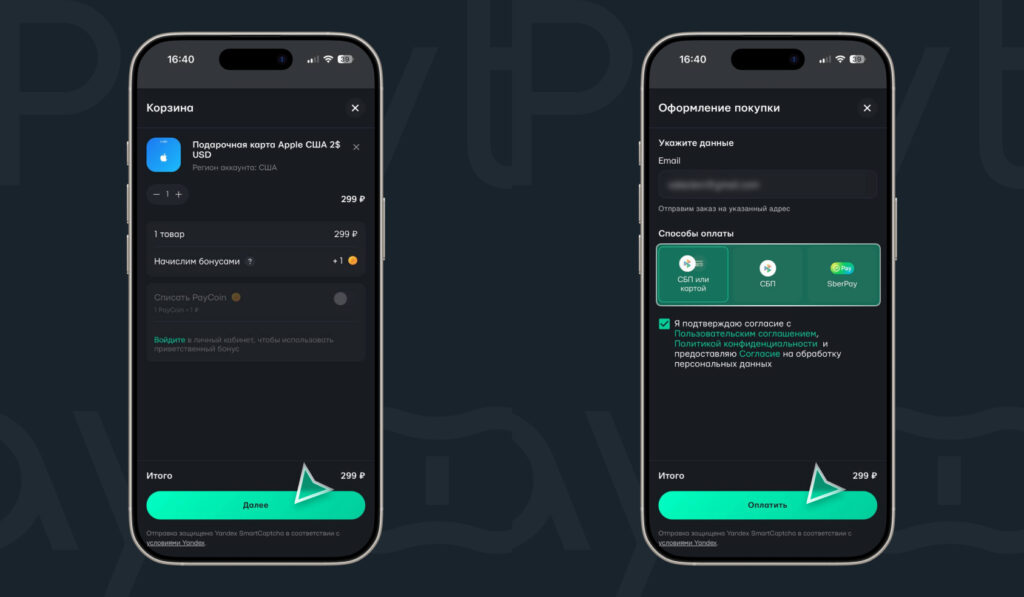
Pay for your order
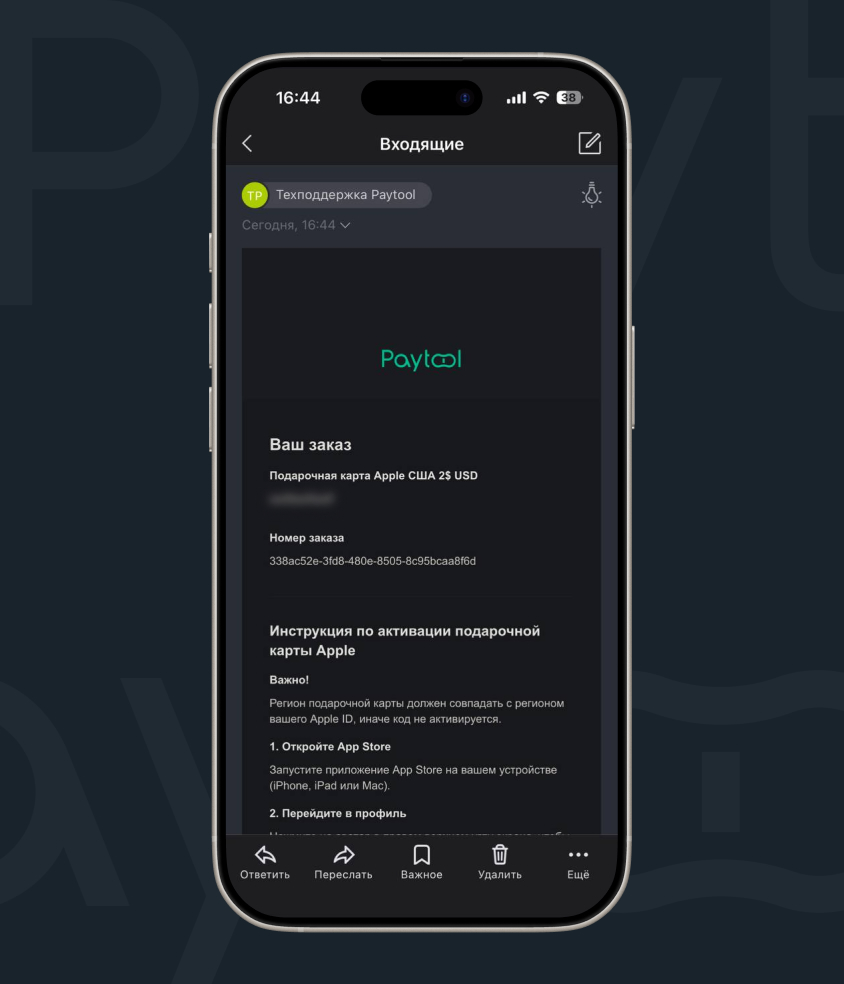
Receive the code via email


