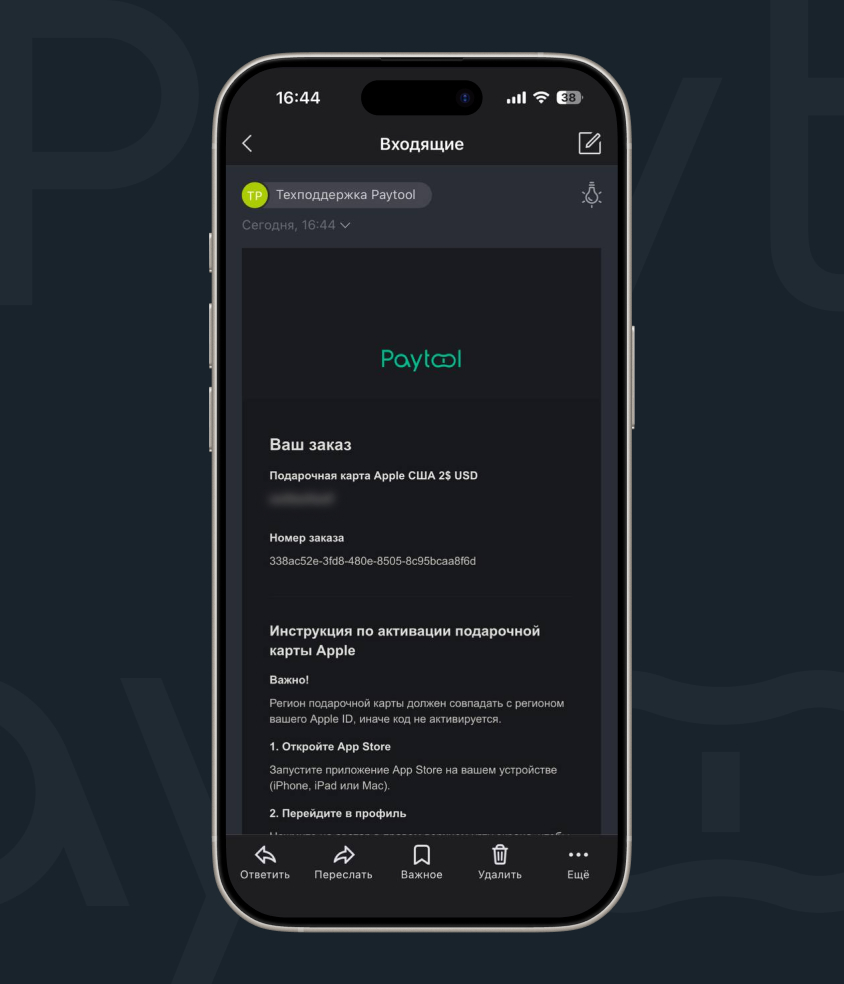
iPhone owners in Russia today are thinking about how to top up Apple ID. Previous payment methods for services — linking a Russian bank card or topping up the balance from a mobile carrier account — have stopped working. But there is a way out: an alternative method of topping up your account exists. Fortunately, the service hasn’t completely left Russia. Let’s figure out how to top up Apple ID to pay for purchases, donations, and subscriptions, including iCloud.
Figuring out how to top up Apple ID balance
What Are Apple Gift Cards and Why They’re the Best Option
An App Store & iTunes gift card (also known as a gift card or voucher) is a digital top-up code. Essentially, it’s a prepayment that credits a certain amount to your account in the system.
This is the most accessible and secure way to top up your Apple ID balance today. Why? You don’t need to bother with foreign banking details — you just need to change your account region if you have a Russian account.
You simply buy a code for rubles through specialized services with a commission, enter it, and the money is credited immediately. It’s convenient, fast, and allows you to make payments in advance while controlling your expenses.
A trusted online resource that specializes in selling digital Apple cards for residents of Russia is Paytool. The service offers instant code delivery to your email right after payment in rubles.
How to Change Your Apple ID Region and Why It’s Necessary
Gift cards for Russian regions are no longer available, which means direct payment is no longer possible. Under these circumstances, changing your region is the only necessity to gain access to the content you need.
Preparing to Change Your Region
To simplify the transition to a new region, it’s best to take several steps in advance:
Step 1. Zero out your Apple ID balance. If there is any remaining balance on your account, spend it on purchases (apps, music, ringtones) or contact Apple support with a request to write off the funds.
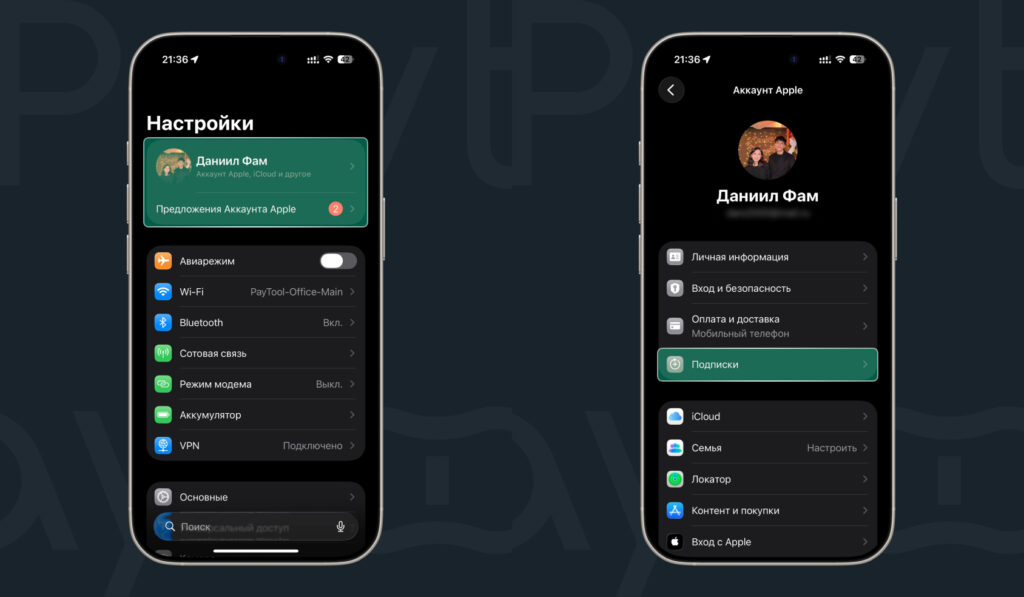
Go to iPhone settings
Step 2. Cancel all active paid subscriptions. Make sure there are no pending transactions or awaiting charges — without completing this step, you won’t be able to change the region.
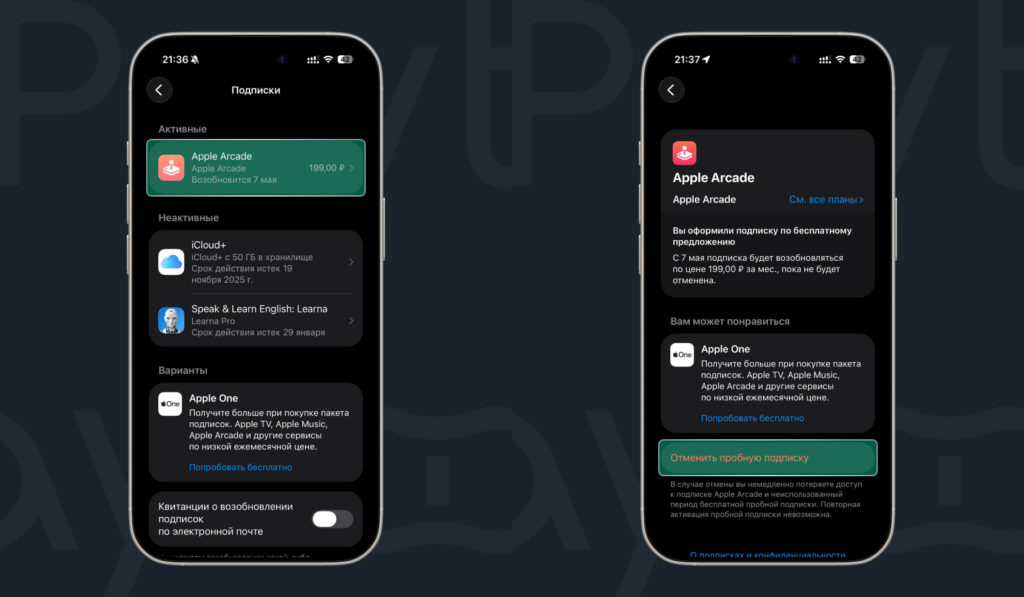
Make sure you have no paid subscriptions
Step 3. Leave the Family Sharing group. The system won’t allow you to change your location if you’re part of a group.
Step 4. Prepare an address in the chosen country. Find a real or compliant address in advance (for example, a hotel or store) — it will be required when filling in your account details after changing the region.
How to Set Up a New Apple ID Region
To do everything correctly, follow these instructions:
- Open “Settings” and tap your name at the top;
- Then “Content & Purchases” — “View”;
- Select “Country/Region,” then the desired country and accept the terms;
- Set the payment method to “None” (if you plan to use gift codes) and enter any valid address in the chosen country (for example, a hotel address).
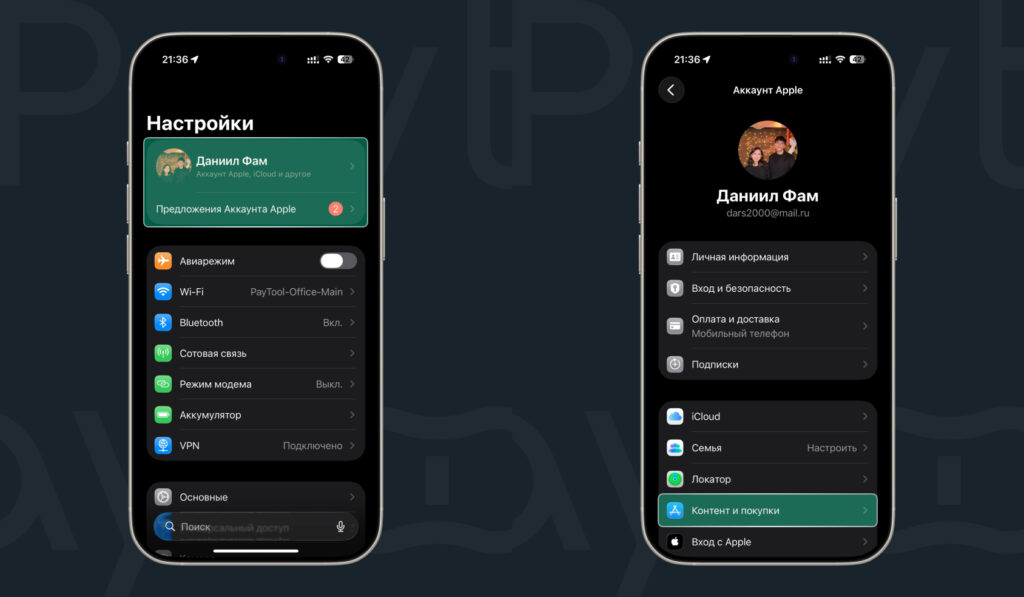
Go to your Apple ID settings again
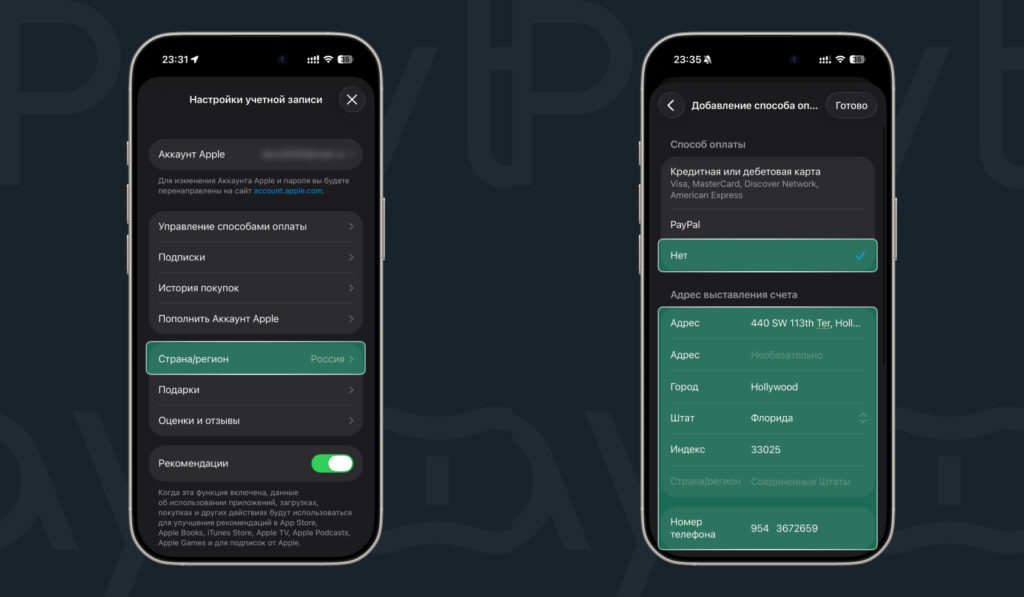
Change the region to the one you need
Where and How to Buy Apple Gift Cards in Russia
Previously, electronic certificates could easily be purchased at major retail chains, but today the most reliable route is through online platforms. One such service is Paytool, and we’ll walk through the card purchase step by step using it as an example:
- Go to the Paytool website;
- Select the desired region and denomination of the gift card;
- Add the required number of cards using the “+” button;
- Go to your cart;
- Enter your email address and choose a payment method: bank card, via SBP, or SberPay;
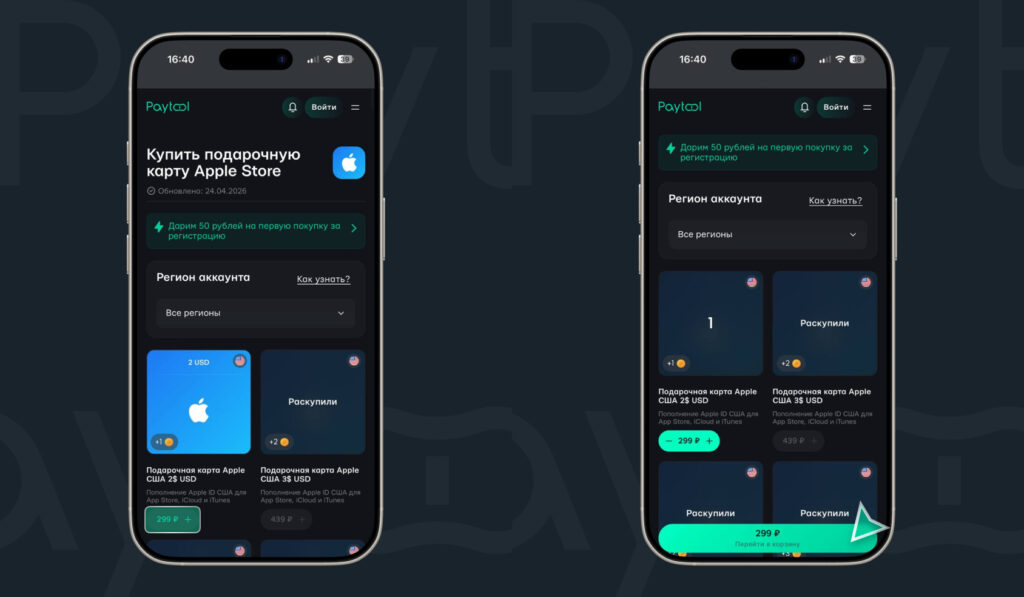
Choose a gift card of the desired denomination and add it to your cart
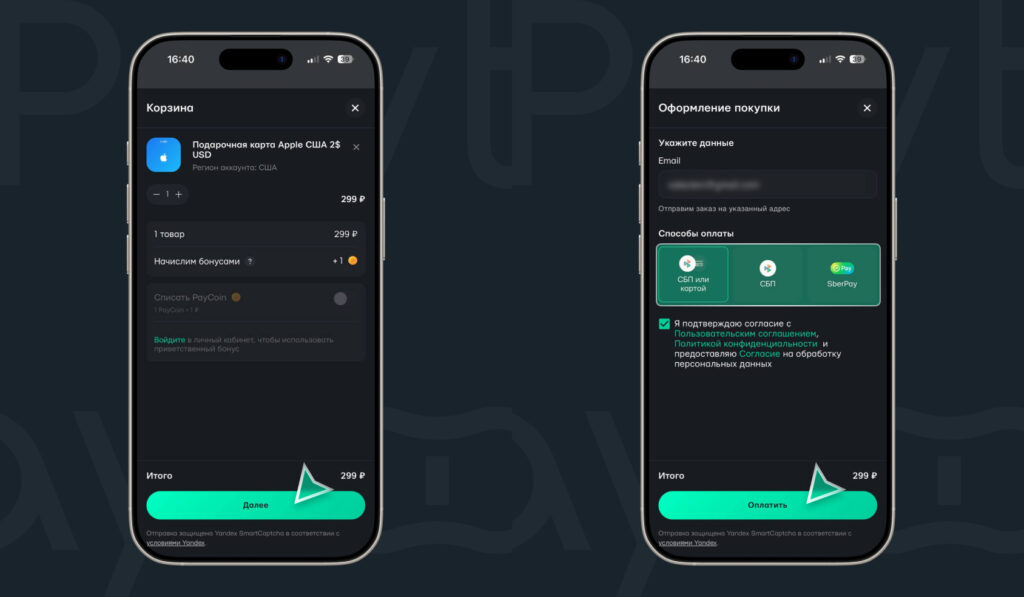
Pay for your order using a convenient method