You want to buy an app on the App Store. Or pay for an Apple Music subscription, iCloud, Apple TV+, Arcade. Or simply top up your balance for future purchases. But when you enter your card details in Apple ID, the system says: “This card is not valid for use in this store.” A familiar situation for millions of Apple users in Russia and Belarus.
Paying for Apple services in Russia has become not so simple
Since 2022, Apple has suspended sales of its devices in Russia and restricted the functionality of payment instruments. Mir, Visa, and Mastercard cards from Russian banks are no longer accepted for payments in the App Store and iTunes. Even if you change your Apple ID region to another country, you won’t be able to link a Russian bank card.
But there is a solution proven by thousands of users: Apple Gift Card — a digital gift card that can be purchased for rubles and activated in your Apple ID account. Funds are credited to your balance, and you can spend them on any purchases: apps, games, subscriptions, movies, books, in-app purchases.
In this article, we’ll cover in detail what an Apple Gift Card is, why it’s the only reliable way to top up the App Store from Russia, how to choose the right region, and most importantly, how to buy a card online.
What Is an Apple Gift Card and Why Do You Need It
Apple Gift Card (formerly App Store & iTunes Gift Card) is a digital certificate that can be activated in your Apple ID. After activation, the card balance is credited to your account, and you can spend it in the App Store, iTunes Store, Apple Music, Apple TV+, iCloud+, and other Apple services.
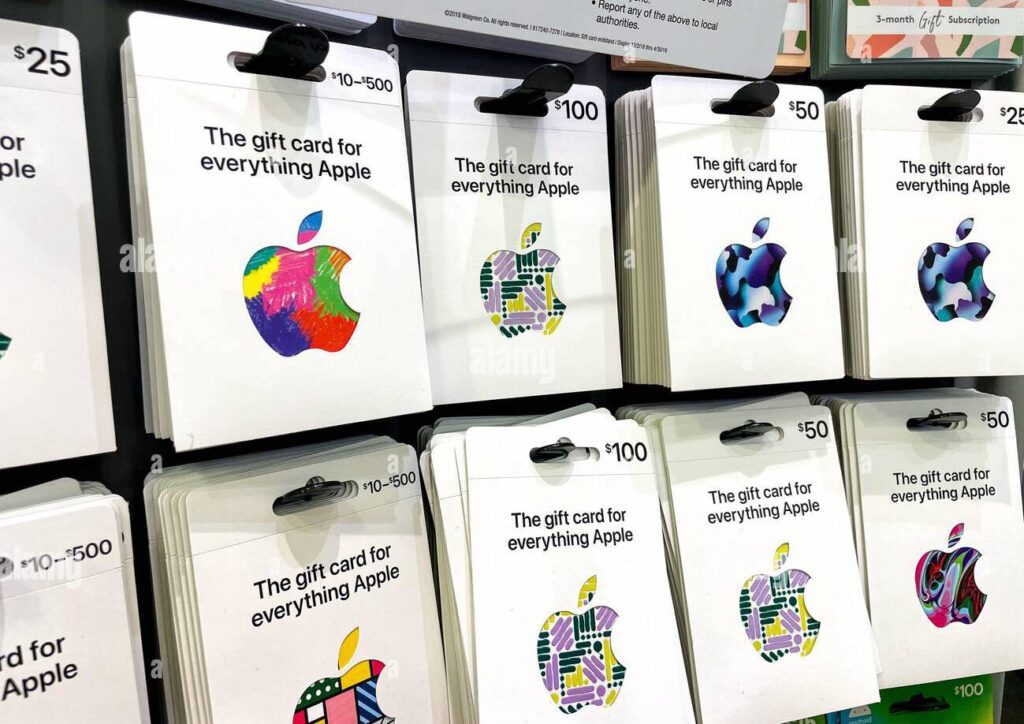
Apple gift cards allow you to top up your balance and pay for subscriptions and more
Key features that make Apple Gift Card indispensable for users from Russia and Belarus:
- No foreign card required. Apple Gift Cards can be purchased for rubles through intermediary services (for example, PayHolder). You don’t need to open a foreign bank account, issue a virtual card, or go through complex verification.
- Works for all Apple services. The card balance works for any purchases within the Apple ecosystem:
App Store — paid apps, games, in-app purchases.
Apple Music — music subscription.
iCloud+ — cloud storage expansion.
Apple TV+ — movie and TV show subscription.
Apple Arcade — ad-free gaming subscription without extra charges.
iTunes Store — purchasing movies, music, books.
Apple Books — purchasing books and audiobooks. - Works with any region. You can buy a card for the US, Turkey, India, UAE, and other countries. The key point is that the card region must match your Apple ID region. If you have a US account, you need a US card. If Turkish — a Turkey card. We’ll talk more about changing regions in the FAQ below.
- Instant crediting. Digital cards arrive by email (or appear in your personal account) within a few minutes after payment. You enter the code in your Apple ID settings, and the money immediately appears on your balance.
Why You Can’t Top Up the App Store Directly
Apple, as an American corporation, follows sanctions restrictions. Since 2022:
- Russian bank cards (including Mir, Visa, Mastercard) are not accepted for payment in the App Store.
- Apple Pay does not work at all for Russian bank cards.
- Even if you change your Apple ID region to the US, Turkey, or another country, you won’t be able to link a Russian bank card — the payment gateway will identify the BIN and decline the transaction.
The only legal and working method is to use an Apple Gift Card purchased from a reliable intermediary.
Overview of All App Store Top-Up Methods: From Worst to Best
Let’s look at each option from the perspective of an Apple user in Russia or Belarus.
- Direct payment with a bank card in the App Store
Verdict: doesn’t work.No card from Russian (Sber, T-Bank, Alfa, VTB) or Belarusian banks is accepted by Apple. Even if you have a foreign bank card but it’s funded from Russia, the chance of the transaction going through is low. Apple uses strict anti-fraud measures.
- E-wallets (YooMoney, QIWI)
Verdict: don’t work.The App Store does not accept payments via YooMoney or QIWI directly. You can try to find an exchange service that will buy a Gift Card for you, but:
Fees reach 20–30%.
High risk of fraud (the exchange disappears with your money or sends a non-working code).
No guarantee that the card will match your region. - Buying Gift Cards on marketplaces (eBay, Amazon)
Verdict: works, but complicated, risky, and expensive.On foreign platforms, you can find Gift Card sellers. But:
Many sellers don’t work with Russian cards.
High fees and markups (often +30–50% above face value).
Risk of encountering a scammer or buying a stolen or previously activated card.
You need to deal with English, currency conversion, and delivery. - Buying Gift Cards through specialized services (PayHolder)
Verdict: optimal, most reliable, and fastest.Services like PayHolder offer fully online purchase of digital Apple Gift Cards:
Choose the region (US, Turkey, India, UAE, others).
Choose the denomination (from $2 to $500 or equivalent in local currency).
Pay with a Russian card or SBP on the website.
Receive the code by email within 1–10 minutes.
Activate the code in your Apple ID settings.
How to Buy an Apple Gift Card Through PayHolder: Step-by-Step Guide
Below is the process used by thousands of Apple users from the CIS to top up their App Store balance. Everything is online, with no need to communicate with managers.
- Go to the PayHolder website. Visit the official website payholder.ru. In the menu, select “Apple Gift Card.”
- Choose the region. On the purchase page, you’ll be offered several regions:
US (denomination in dollars) — the most popular region. Suitable if you have a US Apple ID.
Turkey (denomination in liras) — often more cost-effective due to lower subscription prices (Apple Music in Turkey costs 2–3 times less than in the US).
India (denomination in rupees) — also a cheap region, but payments sometimes go through with more difficulty.
UAE (denominations in dirhams) — a stable region, great for those with a UAE account.
Other regions are available upon request. Important: The card region must match your Apple ID region. If you’re unsure which region you have, go to Apple ID settings — “Country/Region.” Below in the FAQ, we’ll explain how to change the region if needed. - Choose the denomination. Select the amount you want to add to your balance. Available denominations:
US: from $2 to $500 (typically: $2, $3, $4, $5, $10, $15, $20, $25, $30, $40, $50, $75, $100, $150, $200, $250, $300, $400, $500).
Turkey: from 100 TL to several thousand liras.
India, UAE, other regions: their own ranges.
Tip: If you’re buying a card for the first time, start with a small denomination ($5–10) to make sure everything works. Later you can buy larger amounts. - Enter your email to receive the code. In the “Email for receiving the code” field, enter your email address. You’ll receive a letter with the Apple Gift Card code after successful payment. Make sure the address is entered without errors.
- Choose a payment method. The website offers several payment methods:
SBP (Fast Payment System) — the fastest and most convenient. Transfer money via QR code or phone number. Commission is minimal.
RUB Card — payment with a bank card from any Russian bank (Mastercard, Visa, Mir). Enter your card details (number, expiration, CVV) and confirm the payment via 3D-Secure (SMS or bank app). - Click “Pay.” The system will generate an order. You’ll see the final amount in rubles (including the service fee). After clicking the “Pay” button, you’ll be redirected to the payment page (for cards) or see the details for SBP.
- Pay and receive the code. After successful payment, within 1–10 minutes (usually 3–5), an email from PayHolder with the Apple Gift Card code will arrive at the specified email address. Check your “Spam” folder if the email doesn’t appear in your “Inbox.”
- Activate the card
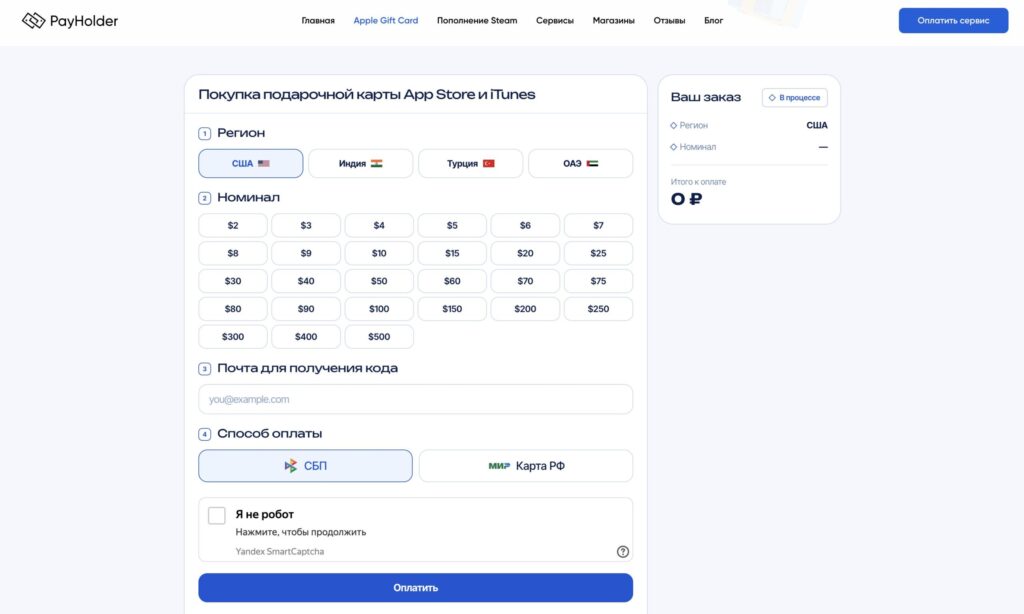
The PayHolder website is very user-friendly and even a student can figure it out


