The MAX messenger is gaining popularity, and more and more people are moving their conversations there. But sometimes you want to read a message without the other person knowing about it. In WhatsApp and Telegram, you have to disable read receipts in the settings to do this. But MAX has a much more elegant method that few people know about.

Some messages need to be read secretly. For example, ones like this
Chat Preview in MAX Without Read Receipts
You’ve probably noticed that MAX, like many messengers, has a double checkmark system. One checkmark means the message has been sent. Two mean it has been delivered. And when both checkmarks turn colored, the other person knows: you’ve already read everything.

The second checkmark means the recipient has read the message and there’s no getting out of it
The problem is that sometimes you’re simply not ready to respond. Maybe you need to think about the wording. Or you’re in a meeting. Or, let’s be honest, you just don’t want the person to know that their message has already been read. There are different reasons, and there’s no one to judge here.
MAX has a built-in feature that solves this problem. It works through a long press on the chat in the conversation list. No additional settings need to be enabled — everything is available right out of the box.
Secret Message Reading in MAX on iPhone
It’s done in literally a couple of seconds. Here’s the step-by-step process:
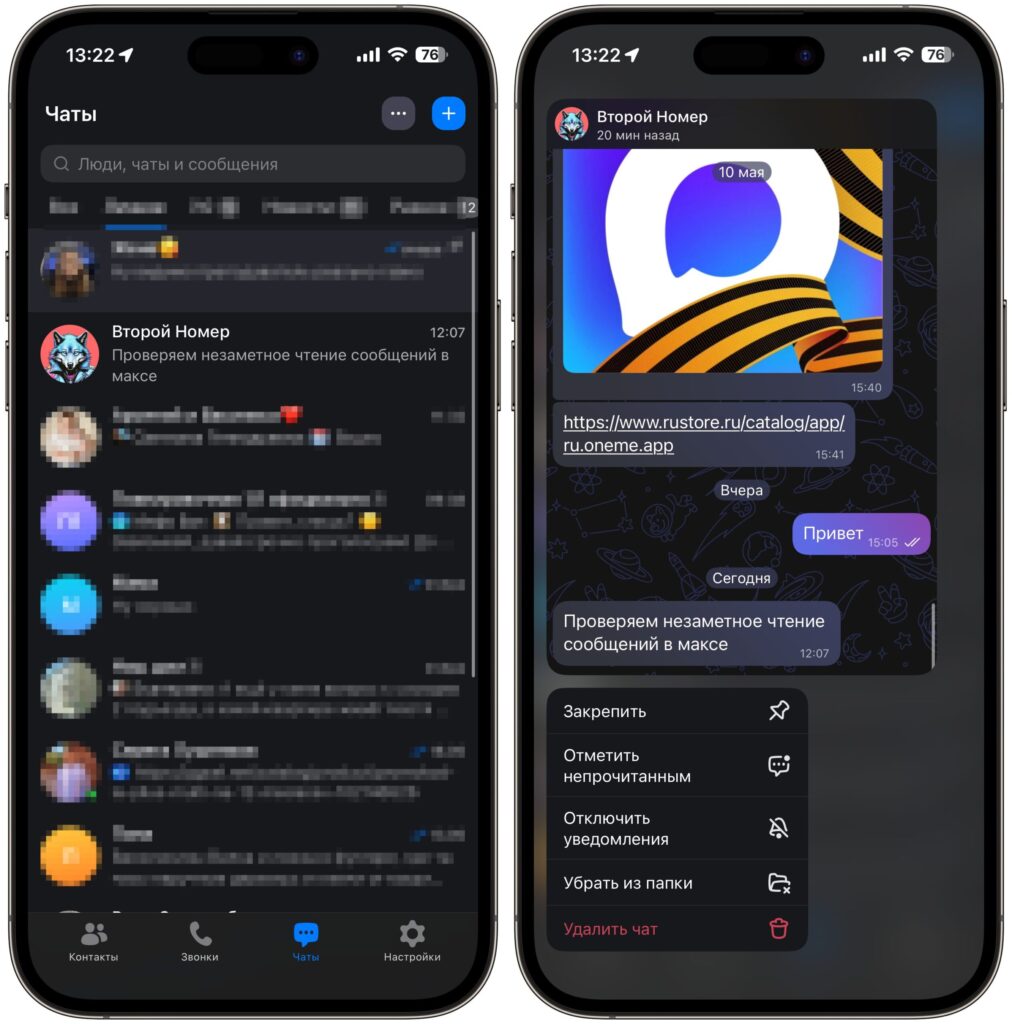
Hold your finger on the chat and it opens in preview mode
- Open the MAX messenger on your iPhone and go to the chats section.
- Find the desired conversation, but don’t tap on it with a short tap — otherwise the chat will fully open, and the read receipt will be sent immediately.
- Instead, press and hold your finger on the chat for about a second.
- A small pop-up window will appear on the screen with a preview of the chat contents.
- Scroll through the messages inside this window to read everything you’re interested in.
- When you’re done, simply lift your finger or tap on an empty area of the screen — the preview will close.
The most important thing: while you’re viewing messages this way, the second checkmark doesn’t turn colored. The other person only sees the “delivered” status and doesn’t suspect that you’ve already read everything.
A nice bonus — this trick isn’t limited to personal conversations. It works exactly the same way in group chats and even in channels. The principle is absolutely the same: press and hold your finger on the desired chat, wait for the preview window to appear, and calmly scroll through the messages.
In group chats, this is especially useful. Dozens of messages often fly by in a row, and sometimes you want to quickly see what the conversation is about without showing up in the list of those who’ve read it. The same goes for channels — you see new publications, but the view count doesn’t increase.
Can You Disable Read Receipts in MAX
In some messengers, you can simply turn off read receipts in the settings. However, MAX is not one of those apps. That’s why you’ll have to either use the pop-up window or accept it and open the chat with a read receipt.
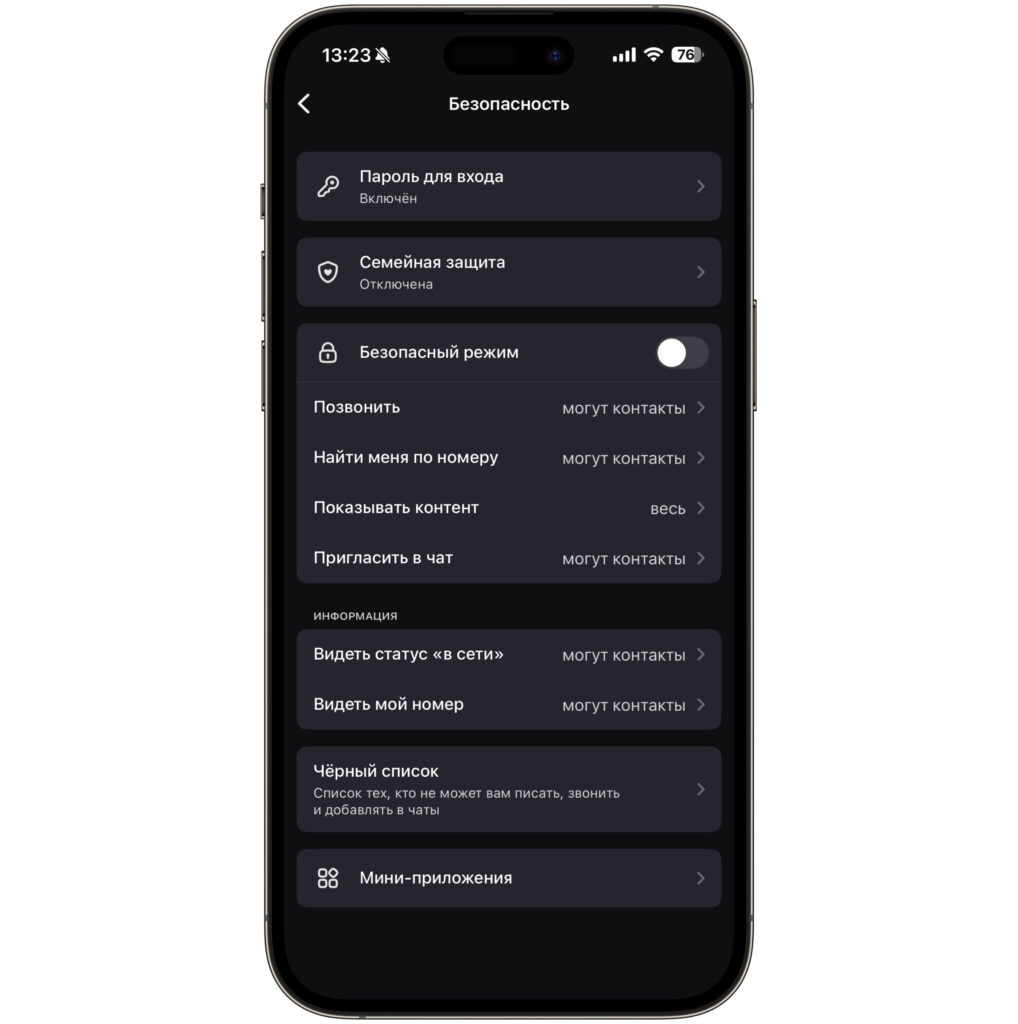
Unfortunately, completely disabling read receipts in MAX is not possible
Preview through a long press solves the problem, but you need to be careful each time you use it. You might accidentally tap on the pop-up window and the chat will open with the corresponding consequences.
What You Need to Know Before Secretly Reading Messages
There are a couple of nuances worth knowing about. First, the preview window is quite compact, and you’ll have to scroll through long messages. Second, you can’t reply from the preview — for that you need to fully open the chat. And the most obvious thing: if after the preview you still open the conversation with a regular tap, the read receipt will be sent immediately.
Otherwise, this is an absolutely working and convenient way to control your privacy in MAX. Use it when the situation calls for it.


