Accidentally deleting an important conversation in a messenger is unpleasant, and in MAX this situation is complicated by the fact that there are no recovery tools similar to those in WhatsApp. MAX has neither a trash bin nor a backup function that allows you to restore deleted messages and entire chats with attachments. Therefore, tips from guides for other messengers don’t apply to MAX. Let’s break down what you can actually do and what you shouldn’t count on.
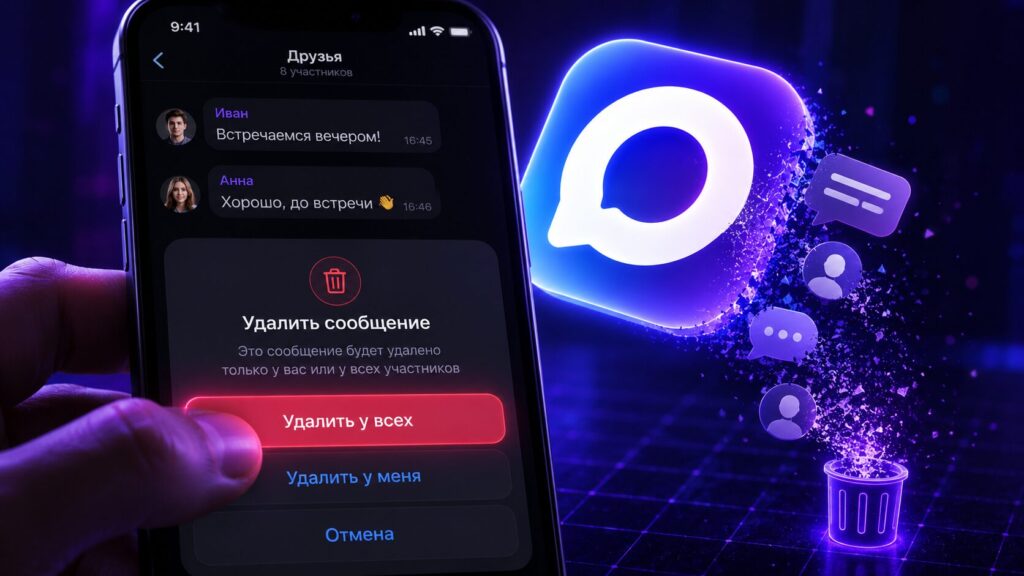
MAX has no backups and recovering deleted chats is not easy
Can You Even Recover Deleted Messages in MAX
Short answer: directly and on your own — no. If you or your conversation partner deleted a message in a chat, you cannot get it back. The MAX interface does not provide a trash bin or a cloud recovery function, as is done in some other apps. In other words, you won’t find a “restore deleted” button inside the messenger.
At the same time, it’s important to understand the mechanics. When you delete a message in a private conversation, it disappears only on your end — your conversation partner’s copy remains. The messages themselves are stored on MAX servers, so physically they don’t disappear anywhere at the moment you click. The problem isn’t that the data is permanently erased, but that you have no easy way to retrieve it.
In this case, you have two options: ask your conversation partner to resend the deleted messages or contact support requesting to restore messages in a specific chat.
To contact MAX support, you need to:
- Launch the messenger and open the “Settings” section;
- Scroll down and select “Help”;
- Choose “Ask your question”;
- Write a message restoration request to the bot.
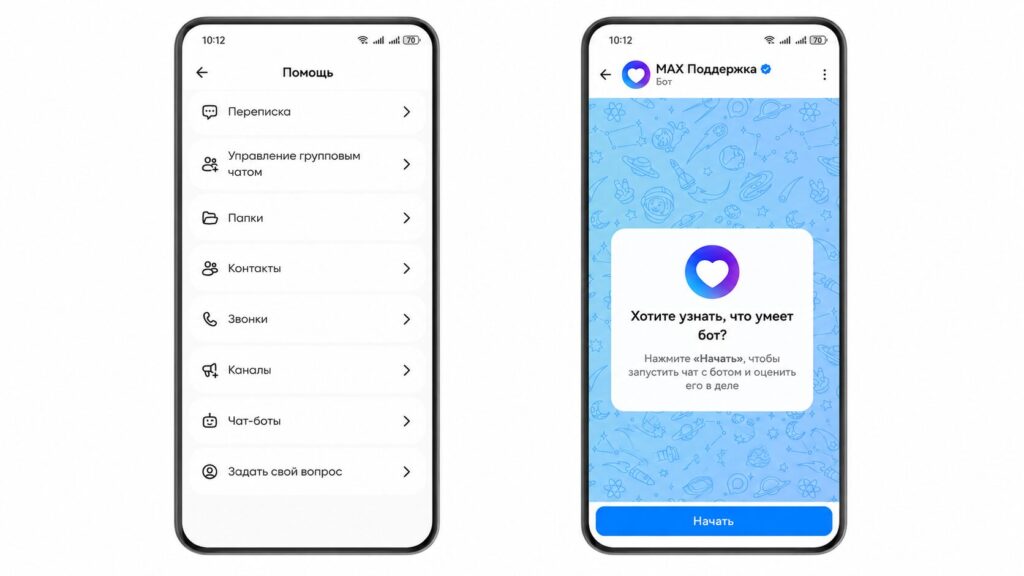
Support may help, or they may refuse
Nobody will guarantee success, of course. But it’s worth trying. After all, under the “Yarovaya package” law, messengers are required to store user correspondence on servers for at least three years, so technically the company can find the deleted chat. But whether they’ll accommodate your request is an open question: it depends on the wording and the messenger’s internal policies.
How to Recover a Deleted Chat in MAX Without a Backup
With chats, surprisingly, the situation is a bit easier. We’ll warn you right away: there are no backups for entire conversations in MAX either. However, if in a momentary impulse you decided to delete a chat, you can restore it within 5 seconds.
Here’s how it works:
- Find the chat you want to delete in MAX, tap on it and hold for about a second;
- After it gets marked with a checkmark, tap the 3 dots at the bottom right;
- Select Delete chat — Delete for me;
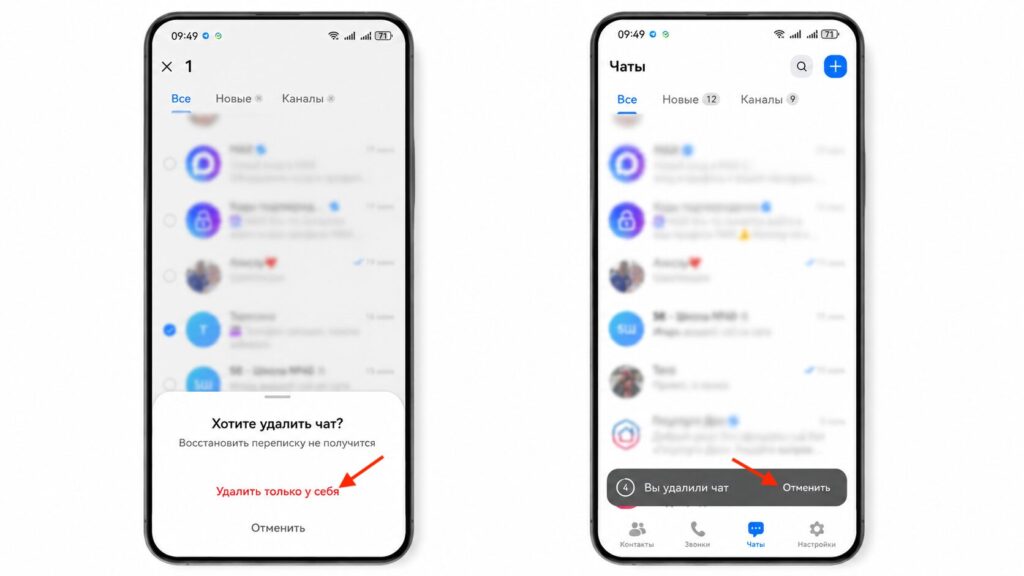
You can recover a chat, but only within 5 seconds after deletion
- Within 5 seconds after pressing the delete button, you’ll have the option to restore the chat;
- Tap the “Undo” button in the toast notification that appears at the bottom, and the chat will return.
Can You Read a Message in MAX That Your Conversation Partner Deleted
The logic here is the same as with your own messages. If your conversation partner deleted a message only for themselves, it will remain in your chat — you can read it without any issues. However, if they deleted the message for all participants, there is no separate “show deleted” button in MAX.
There are no “secret loopholes” or third-party programs that can honestly extract someone else’s deleted message in practice. Everything such services promise you should be taken with skepticism — more often it’s a way to extract money or data rather than a working method.
What Happens to Your Conversations If You Delete the MAX App
Here’s the good news: conversations are stored on MAX servers, not just on your phone. Therefore, deleting and reinstalling the app by itself does not erase chat history — after logging into your account, conversations should load back up.
This is fundamentally different from the case where you manually delete a specific chat: in that case, recovering it through standard means is no longer possible. So reinstalling the app and deleting conversations are different things, and you shouldn’t confuse them.
How to Restore Deleted Contacts in MAX
With contacts, everything is simpler than it seems. MAX relies on phone numbers, so if a person disappeared from your list but their number is saved in your phone’s contact book, they will reappear in the messenger when contacts sync.
If you deleted the number itself from your phone’s contacts, then the task comes down to restoring contacts in the system, not in the messenger. On Android, this is usually solved through a linked Google account.
How to Avoid Losing Important Conversations in MAX
Since there’s no proper recovery in MAX, the best strategy is prevention, not rescue. The most reliable technique: forward important messages to your “Favorites.” That way you’ll always have a copy regardless of what happens to the original chat.
A few simple habits that save your nerves:
- Immediately forward everything important to “Favorites” — addresses, codes, agreements.
- Don’t delete chats “for tidiness” if you’re not sure you definitely won’t need them.
- Keep the numbers of key contacts saved in your phone’s contact book, not just in the messenger.
The bottom line is simple. You cannot independently restore a deleted chat in MAX — there are no built-in tools or backups for this. Only two paths actually work: ask your conversation partner for a copy or contact technical support, and even then without guarantees. Therefore, it’s much more reliable to save important things in advance than to hope for recovery later.


