This week, Meta integrated its own neural network for image creation into Instagram*. Sounds convenient, but the update has an unpleasant detail: by default, anyone can use your photos and face as a basis for generated images. It can be turned off with two toggles, but finding them isn’t easy.
Disabling photo scanning for the neural network
How the New Neural Network for Images in Instagram* Works
Meta introduced the Muse Image tool, an image generator built right into the app. According to the company’s description, you explain in simple words what you want to get, and the neural network creates an image that you can save or immediately publish to your feed, stories, or chats. They also rolled out more than 30 new effects for stories, and in chats with Meta AI in WhatsApp you can now also generate images. All of this looks like a logical continuation of Meta’s course: the company has long been pushing neural networks into every product, and Instagram* is no exception. From an ordinary user’s perspective, there’s nothing scary about it — on the contrary, it’s a convenient tool at hand.
The feature itself doesn’t stand out: there are plenty of similar generators around, and most people will turn it on for a couple of fun pictures and forget about it. The problem isn’t with it at all, but with how Meta quietly configured access to your photos. This is exactly where that very nuance lies, which is casually mentioned in the company’s announcement.
Can Your Photos from a Public Instagram* Profile Be Used
Wired drew attention to the main catch. Public Instagram* accounts were automatically connected to this system, meaning your photos became material for other people’s AI-generated images, and nobody asked for your consent.
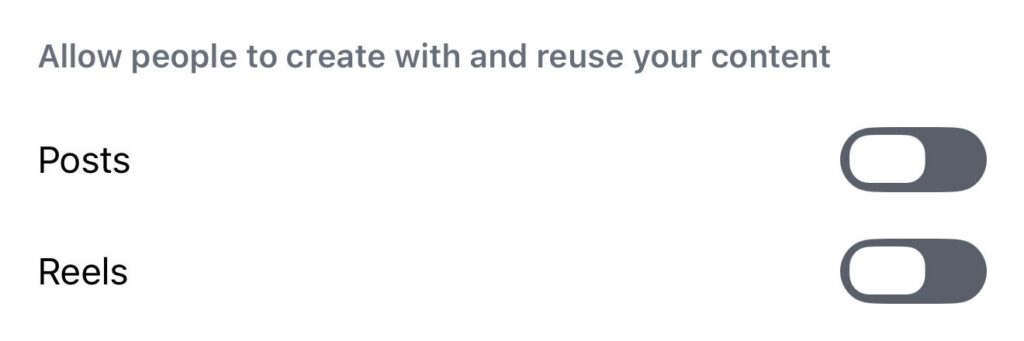
Public profile photos are available by default for image generation by other people
In practice, it’s simple: if your profile is public, all anyone needs to do is mention your account in a prompt to the neural network, and it will generate an image with your face. No separate consent is asked — the feature is enabled by default, and you have to opt out manually. Essentially, it’s the classic “enabled by default, disable it yourself” scheme that social networks love: the expectation is that only a handful of people will dig into the settings. Formally, Meta isn’t violating anything — after all, you can uncheck the box — but in reality, most people won’t even know about it and will continue feeding other people’s requests with their photos.
Those who should be especially careful are people with personal photos or photos of children in their profiles: someone else’s AI-generated alteration of such an image is no longer an abstract threat.
How to Disable Photo Usage for the Neural Network in Instagram*
The toggles themselves are inconveniently hidden, so follow these steps precisely:
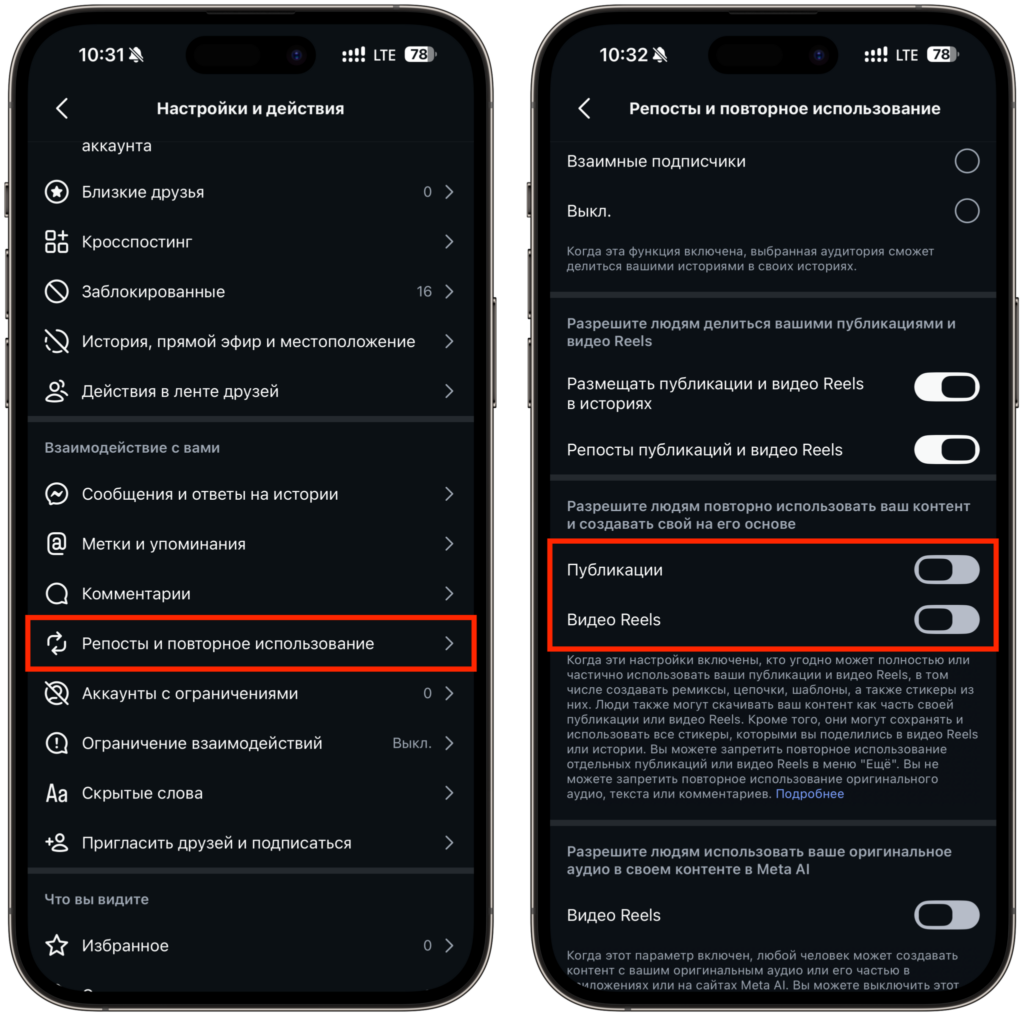
Both toggles need to be turned off
- Open the Instagram* app and tap on your profile photo in the bottom right corner
- Tap the menu icon (three lines) in the top right corner
- Scroll down to the “Reposts and reuse” section
- Find the block “Allow people to reuse your content and create their own based on it”
- There are separate toggles for posts and for Reels — turn off both
Both toggles are enabled by default, so you’ll have to uncheck them yourself. The names of the menu items in different language versions of the app may slightly differ, but the logic is the same: look for the section about content reuse. If you have an English-language build, look for the words “reuse” and “create”.
Which Instagram Accounts Are Available for Image Generation
If you have a private account, the risk is significantly lower: outsiders simply won’t be able to mention your profile in a prompt to the neural network. The most vulnerable are public pages: bloggers, experts, and anyone who uses Instagram publicly for work.
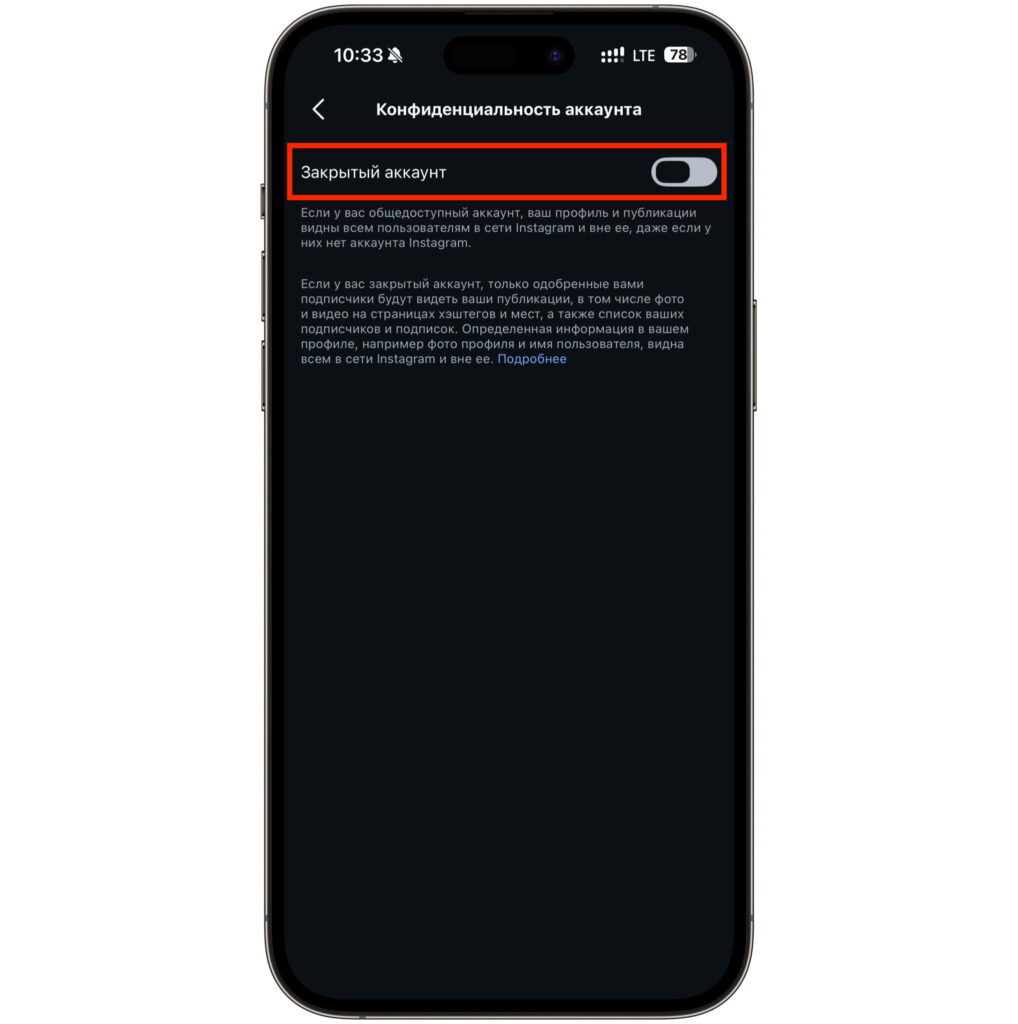
You can make your profile private if needed
I especially recommend checking your settings if you post photos of loved ones or use the account for personal branding. In such cases, someone else altering your face with AI is a real reputational risk, not a hypothetical scare story. Disabling takes less than a minute and doesn’t break anything: you can still use the image generation feature yourself — your photos will just stop being raw material for other people’s requests.
I would treat this as basic digital hygiene. Only owners of completely private profiles who have nothing to show to outsiders can safely skip this update. Everyone else should better spend that minute now rather than later finding their face in someone else’s AI-generated images.
*Meta and its social network Instagram are recognized as extremist and banned in Russia.


