Counter-Strike 1.6 can be played in an ordinary browser tab on a Mac, and on an iPhone through one of the available sites, with nothing to download or install. The original report points to two unofficial, fan-made projects. play-cs.com is built for keyboard and mouse. cs-online.io also offers a touch version for phones. Both run the 2003 shooter in modern browsers such as Safari, Chrome and Firefox, and neither is affiliated with Valve.
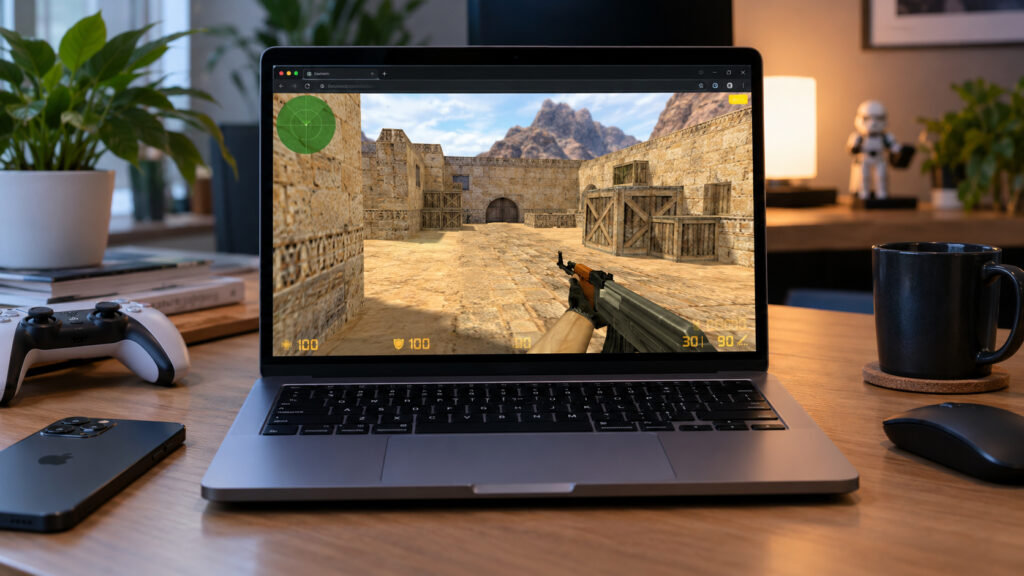
A MacBook on a wooden desk running Counter-Strike 1.6 in a browser window: the de_dust2 map with an AK-47 in hand, alongside a gamepad, an iPhone, a mouse and a mug
What you need to know
- play-cs.com lets you play as a guest without registering. An account adds 40 ranks, friends, clans and a shared leaderboard.
- cs-online.io is free and runs the Xash3D engine in the browser via WebAssembly. Its developers say it carries no ads, and it has a full touch version for phones.
- The first launch downloads maps, models and sounds to the browser cache. The cs-online.io developers put this at about 150 MB; on the source author’s iPhone, the game downloaded 159 MB.
- Both projects are unofficial, and the source warns that such sites sometimes close after legal letters from rights holders.
The main option: play-cs.com
The primary destination is play-cs.com. According to the source, the project began around 2019 under the name CS-Online.club and later moved to its current domain. The gaming portal Dust2.us reports that a team called Flying With Gauss began working on the engine in 2018. Their goal was to make a browser run games built on the Half-Life engine.
The site is a fan project with no connection to Valve. The source describes its interface as entirely in Russian. You can play as a guest. An account is only needed if you want to accumulate ranks and progress. The site offers 40 ranks, along with friends, clans and an overall leaderboard.
When the source author visited, the home page showed 793 players online, 62 active servers and 33 maps. The most popular mode was classic bomb defusal with 444 players, while another 104 were playing hostage rescue. The author calls that unexpectedly high for a 2003 game.
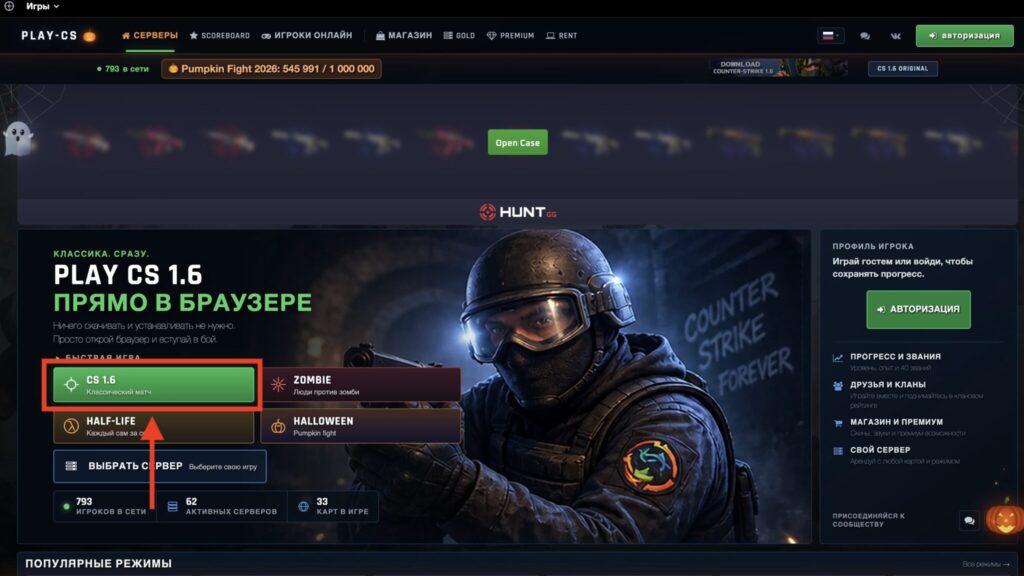
The play-cs.com home page: the CS 1.6 quick play button is outlined in red, with player, server and map counters below
Free to play, with modern extras
The game itself costs nothing, but play-cs.com layers several optional extras on top:
- a rotating carousel of cases with an Open Case button above the play buttons;
- a store;
- an in-house currency called Gold;
- a premium tier.
A tip on the loading screen notes that premium grants a bonus slot on full servers. The source suggests that cases in CS 1.6 may make veterans of the old computer clubs wince.
The alternative: cs-online.io
A second option is cs-online.io. It is free and runs on the Xash3D engine, ported to the browser through WebAssembly. According to its developers, it has no ads. Its servers are located in Amsterdam and the United States. Bots fill out teams when there are not enough human players.
How to start playing on a Mac
Nothing needs to be downloaded or installed separately. The game works in Safari, Chrome, Firefox and other modern browsers. The source author ran it in Chrome on a Mac. The steps on play-cs.com are:
- Open play-cs.com. On your first visit, the site may show a browser verification screen; if so, click Verify.
- In the Quick Play section, choose a mode: CS 1.6 with a classic match, Zombie, Half-Life or a seasonal Halloween mode.
- Wait for the site to find a server. The source author was placed on cs_assault_gamma, where 15 of 20 slots were already taken.
- Wait for the files to load, then pick a team.
The first load takes the longest, and the site warns about this on screen. The browser downloads maps, models and sounds and stores them in its cache. For cs-online.io, the developers put this at around 150 MB. Later sessions should start with almost no wait, provided you do not clear your site data.
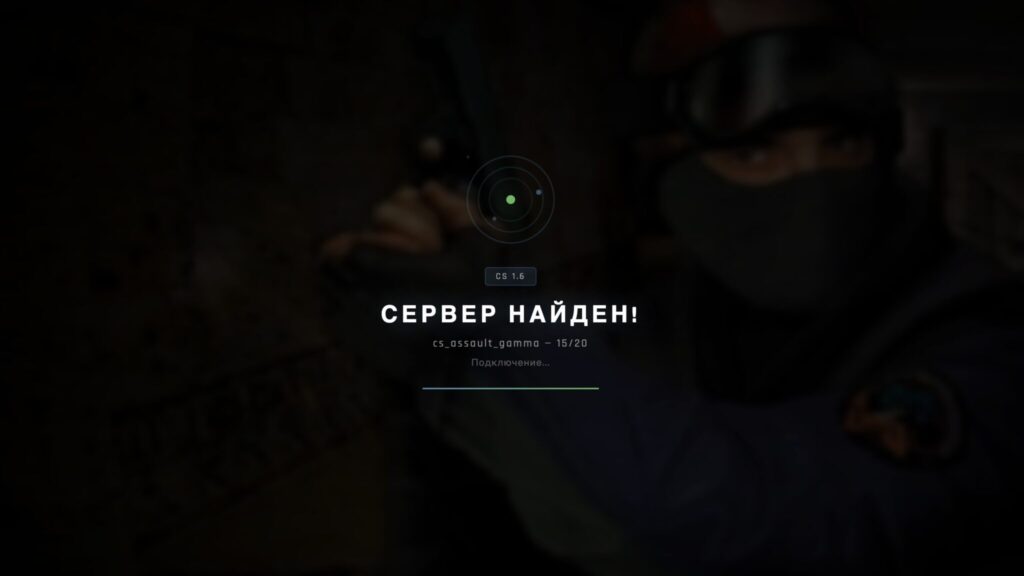
The play-cs.com connection screen reading “Server found!” with the cs_assault_gamma map, where 15 of 20 slots are taken
To pick a specific server instead of a random one, use the Choose server option. It shows the map, the mode and how many slots are filled. Ping depends on where the server is located; the source author’s server turned out to be in Germany. A green button in the top-right corner switches the game to full screen.
Playing on iPhone and iPad
Mobile is a little more complicated. play-cs.com is designed for keyboard and mouse, but cs-online.io has a full touch version. The left half of the screen works as a joystick for movement, and the right half controls the camera. Fire, jump and reload buttons sit along the screen edges.
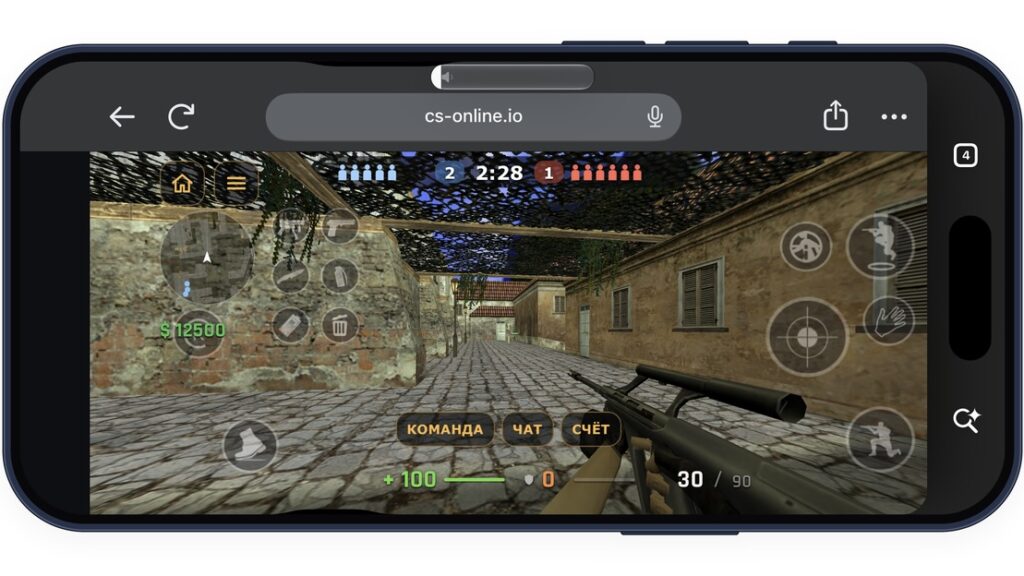
An iPhone in landscape running CS 1.6 on cs-online.io: touch buttons for firing, jumping and crouching along the screen edges, with the player holding an AUG rifle
Servers are shared, so phone players can join the same match as people on computers. Safari does not let websites open in full screen, so the source recommends adding the game to your Home Screen:
- Open cs-online.io in Safari.
- Tap Share.
- Choose Add to Home Screen.
- Launch CS Online from the new icon.
The developers officially mention Android and iPhone support. They say nothing specific about iPad, but according to the source the site opens the same way in Safari there. On the source author’s iPhone, the game downloaded 159 MB, so starting the download over Wi-Fi is a good idea. After that, the flow mirrors the desktop version: Quick Play, a server card listing the maps in rotation, and a Join button.
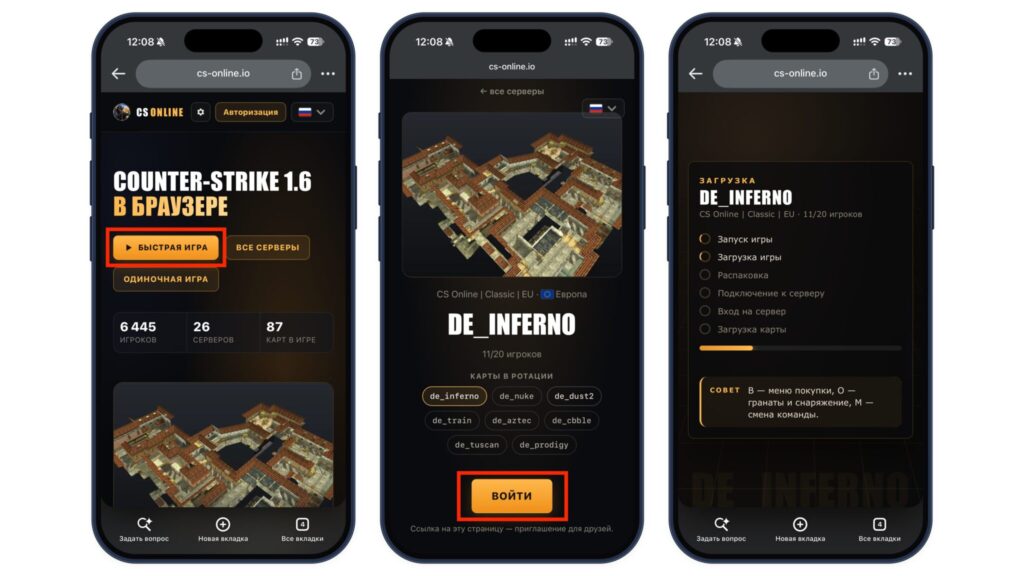
Three iPhone screens on cs-online.io: the Quick Play button, a de_inferno server card with a Join button, and the game download progress
The classic controls are unchanged
The original key layout has been kept. play-cs.com displays the full control scheme on the loading screen while map files are downloading.
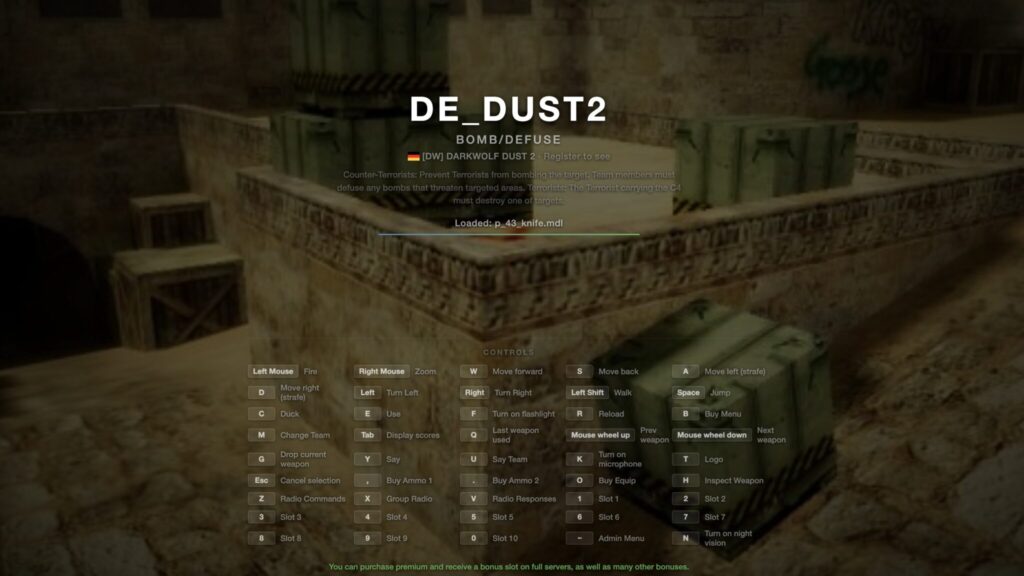
The de_dust2 loading screen on play-cs.com with a controls chart: keys and their actions in several columns
The main controls are:
- W, A, S, D: move; Shift: walk quietly; Space: jump; C: crouch;
- left mouse button: fire; right mouse button: aim;
- B: buy menu; R: reload; G: drop weapon;
- M: change team; Tab: scoreboard;
- Y: message all players; U: message your team only; K: microphone;
- F: flashlight; N: night vision; T: spray graffiti.
A few new additions
Some features were not in the version people played in computer clubs. On play-cs.com, the H key triggers a weapon inspect, as in much later games in the series, and the tilde key opens an admin menu. On cs-online.io, the buy menu has been redesigned so that each weapon has its own card showing caliber, rate of fire and price.
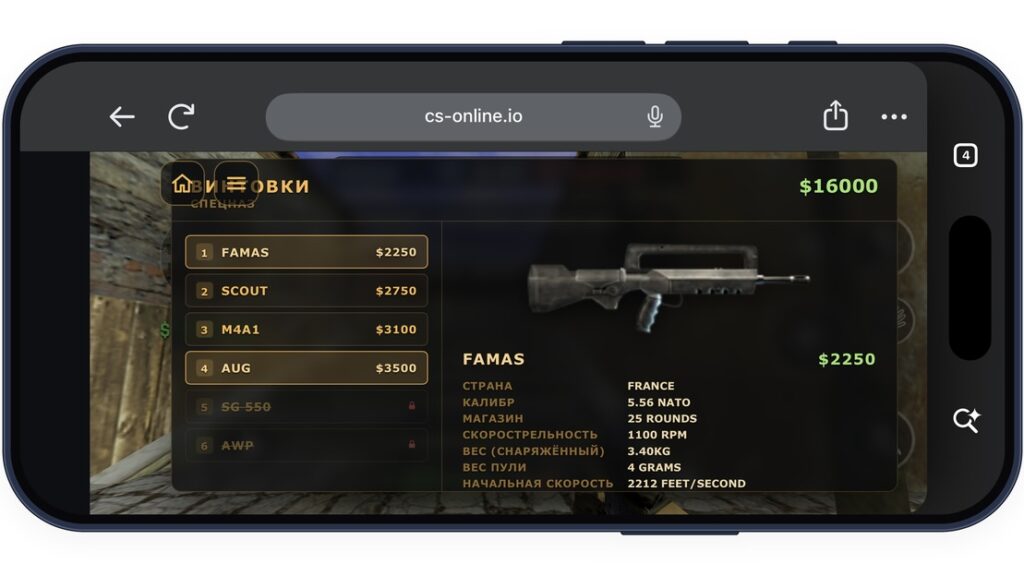
The cs-online.io weapon buy menu in a browser on an iPhone: a list of rifles with prices and a FAMAS card with its stats
You can play with a MacBook trackpad. However, the source says long-range firefights become an exercise in patience that way, and accuracy improves immediately with even an ordinary mouse.
Performance: the browser matters more than the Mac
Hardware is unlikely to be a problem, even on a MacBook Air with 8 GB of memory that struggles with modern games. According to the Steam system requirements cited in the source, Counter-Strike 1.6 needs a 500 MHz processor, 96 MB of RAM and a graphics card with 16 MB of memory. The source notes that any Apple Silicon Mac exceeds these figures by orders of magnitude.
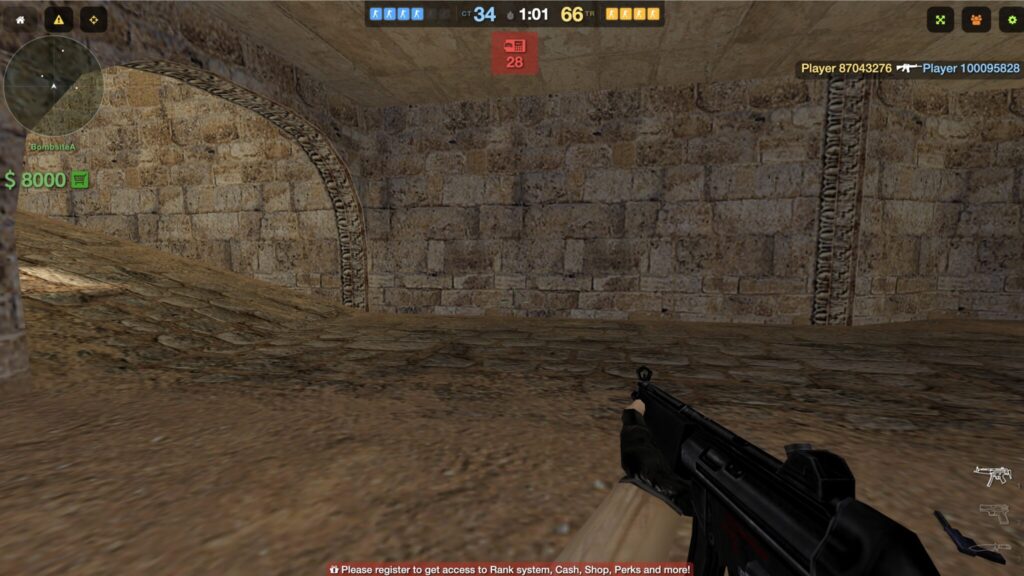
A firefight on de_dust2 in the browser: a player with an MP5 near bombsite A, a minimap on the left and $8,000 in the account
The source suggests the browser is the more likely bottleneck. Chrome with twenty tabs open can consume gigabytes of memory on its own, and on a base MacBook Air that is felt more than the game itself. Closing unnecessary tabs before a match is sensible, and the cs-online.io developers give the same advice if the game starts to stutter.
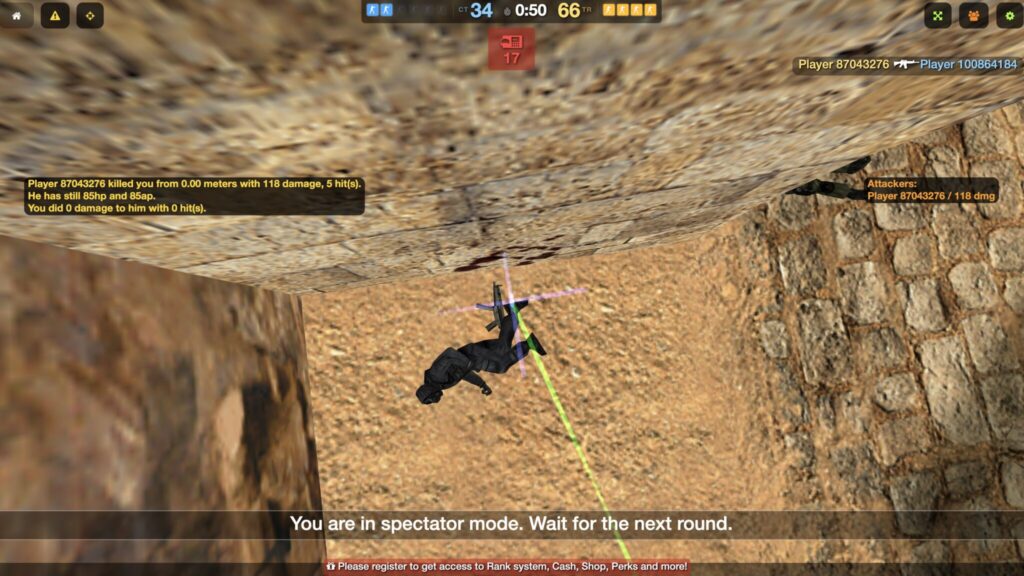
The screen after the player’s death on de_dust2: an opponent landed five hits for 118 damage, with a spectator mode notice at the bottom
The network is the other factor. Unlike cloud gaming services, these sites do not stream video from a remote server; the game runs on your own device. Multiplayer still depends on latency, though. According to the source, with ping approaching 100 ms it becomes noticeably harder to land shots, and an opponent can hit you five times while you are still turning around. cs-online.io says players in Europe get 30–80 ms to its Amsterdam servers, so choosing a server close to you helps.
Playing with friends
Both sites support playing with people you know:
- play-cs.com offers friends lists and clans, and you can rent your own server with any map and mode. Voice chat is also available; the microphone is toggled with K.
- cs-online.io keeps it simpler. You open a server page and send the link to friends, who join the same server. The first player to join becomes a temporary admin and can change the number of bots or restrict the game to humans only.
cs-online.io also hosts servers labeled Cheats ON, where every player has aimbot and wallhack built in.
Caveats before you play
- Both projects are unofficial. The source notes that sites like these sometimes shut down after letters from the rights holder’s lawyers. If you want to play, it may be better not to wait.
- No download is required. The browser version needs nothing installed, so the source advises avoiding any “builds” or installers offered by lookalike sites.
- Language. The source describes the play-cs.com interface as entirely in Russian, and the links it provides for both sites point to their Russian-language pages.