Having trouble paying for iCloud in Russia? After the events of 2022, and then the blocking of mobile payments starting April 1, 2026, the old methods no longer work. Fortunately, subscribing in advance for several months is still possible. We previously explained how to pay for subscriptions from a foreign Apple ID account, and now we’ll focus in more detail on iCloud. In this article, we’ll cover how to pay for iCloud for a year and for other periods.
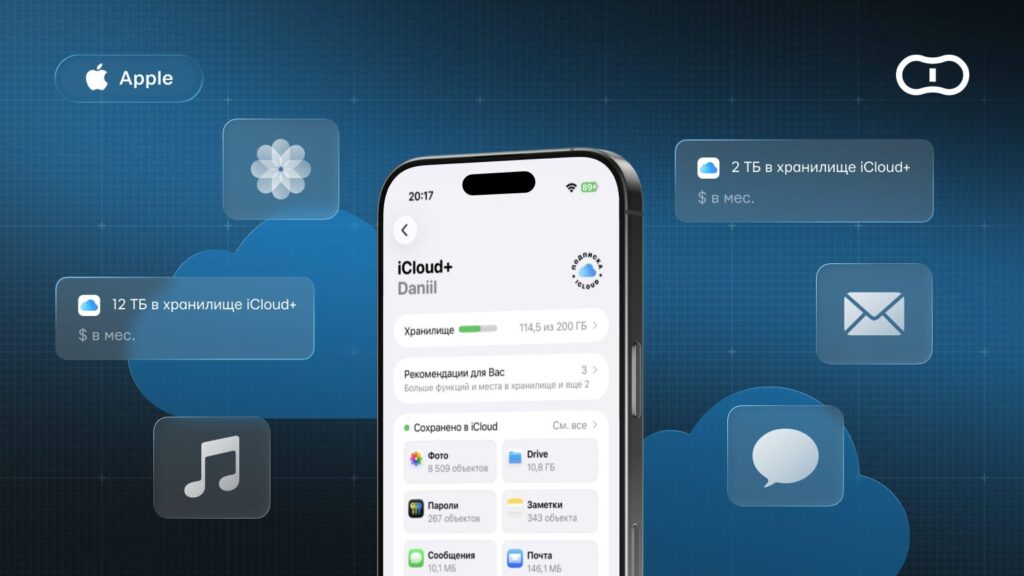
Understanding how to pay for iCloud in advance
Can You Pay for iCloud for Several Months?
Yes, technically it is possible. Apple does not officially sell ready-made “annual” or “semi-annual” plans at a discount. Your iCloud+ subscription charges your account every month.
So how do you pay in advance? It’s simple: you top up your Apple ID balance with a gift card for an amount that will last more than one month (for example, 2, 6, or 12 months), and the system will automatically renew the subscription by deducting money. To find out how much your desired plan costs, simply open your storage settings on iPhone.
How Much Does an iCloud Subscription Cost for a Year?
Choosing the right storage volume depends on how much data you plan to keep in the cloud. Paid iCloud plans cover volumes from 50 GB to 12 TB. A single user typically needs 50 GB, while 200 GB or 2 TB is better for a family. Professionals and large-scale projects may benefit from larger plans of 6 or 12 TB.
Below are all standard iCloud plans with current annual pricing for Turkey and the USA. The table will help you quickly compare available options and choose the best plan.
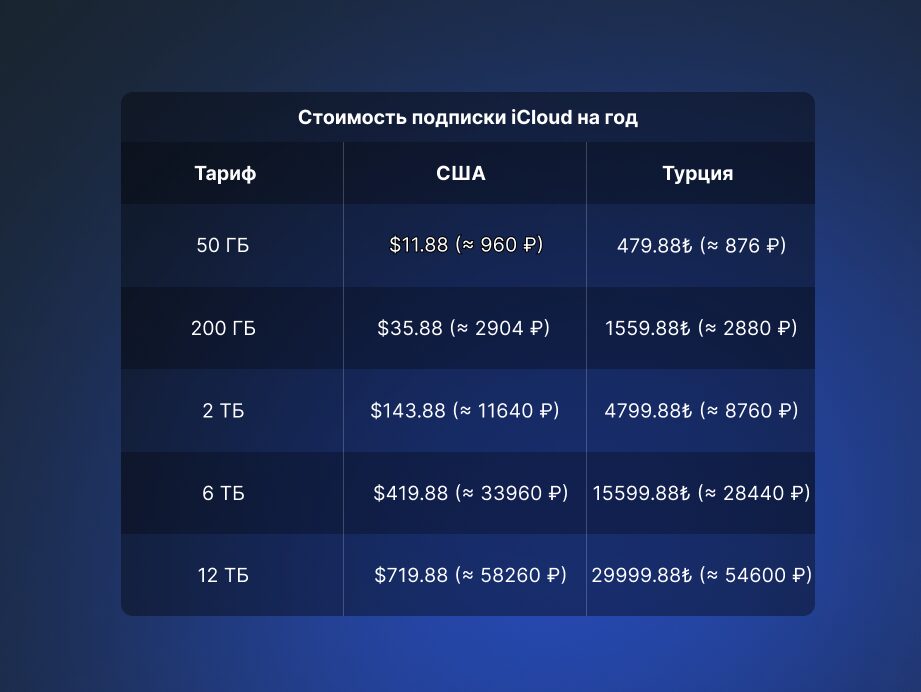
iCloud prices in the USA and Turkey
Preparation: What to Do Before Paying
Before looking for where to buy a gift card, complete a few important steps so the payment goes smoothly:
- Check your account region. If your region is set to Russia, you need to change it to an available one (for example, Turkey or the USA) — only then will the subscription work. Before switching, make sure to spend your entire ruble balance down to zero, otherwise the system won’t allow you to change the country.
- Disable active subscriptions. You won’t be able to change the region while you have active paid services. Wait for them to expire or cancel them manually.
- Choose a top-up method. The most reliable method right now is to buy and activate a gift card for the region linked to your account.
How to Pay for iCloud a Year in Advance Using a Gift Card
The most reliable way to top up your account in Russia is to use trusted online stores that sell digital Apple gift cards (Gift Cards). You simply buy a code for the required amount in your account’s currency (for example, US dollars or Turkish lira), and the balance is topped up immediately after activation. The key is to carefully choose a seller and pay attention to the commission rate.
How to Buy a Gift Card
You can quickly and conveniently top up your balance through specialized platforms. Here’s the process using the Paytool service as an example:
- Go to the Paytool website;
- Specify the desired region and select the gift card denomination;
- If you need multiple cards, add them using the “+” button;
- Click “Go to cart”;
- Enter your e-mail and choose a payment method: bank card, SBP, or SberPay;
- Scan the QR code to complete the payment.
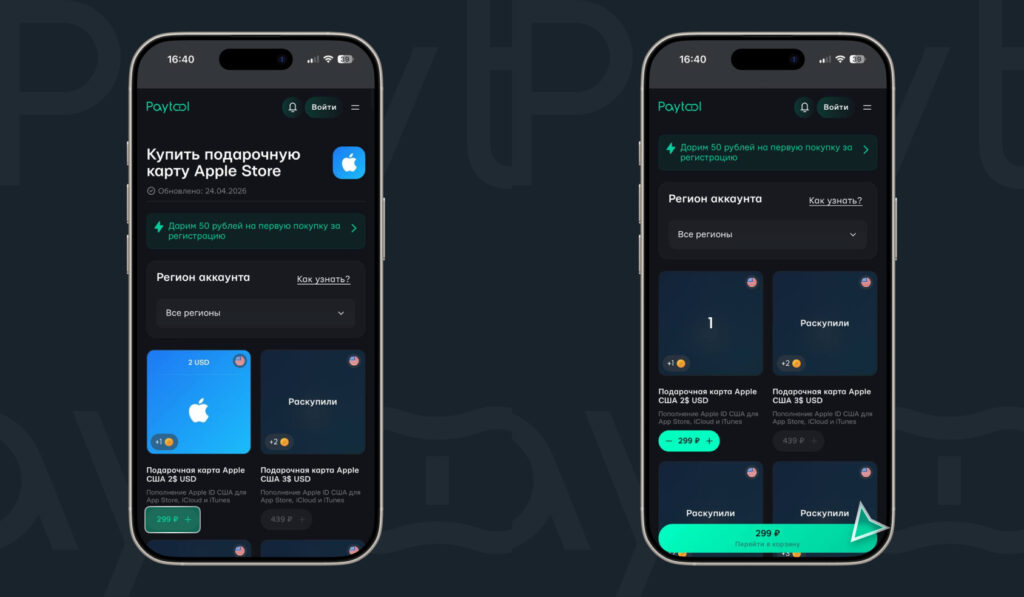
Select the card with the desired denomination and add it to your cart
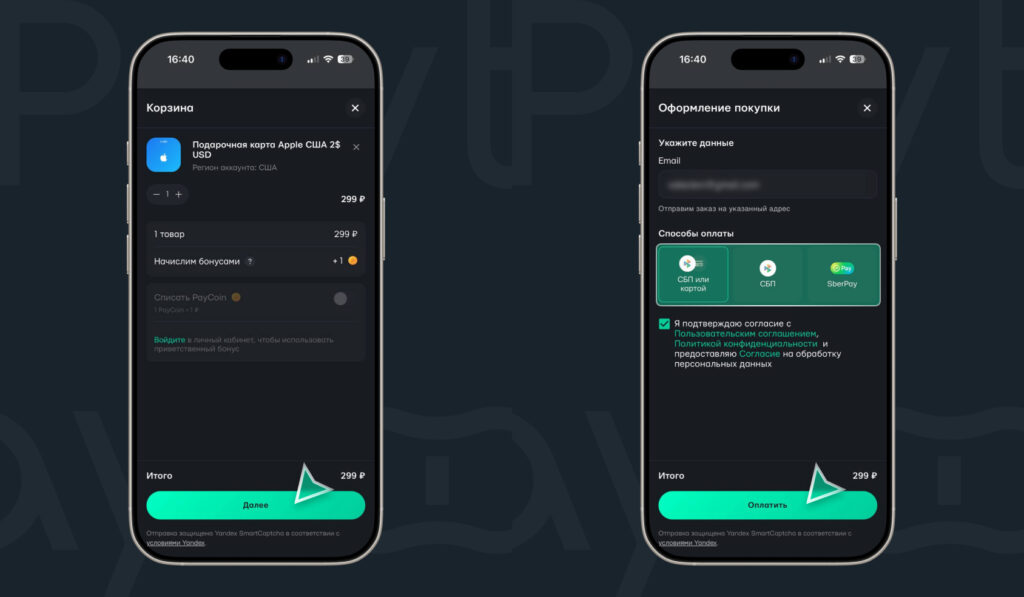
Go to the cart and pay for the card
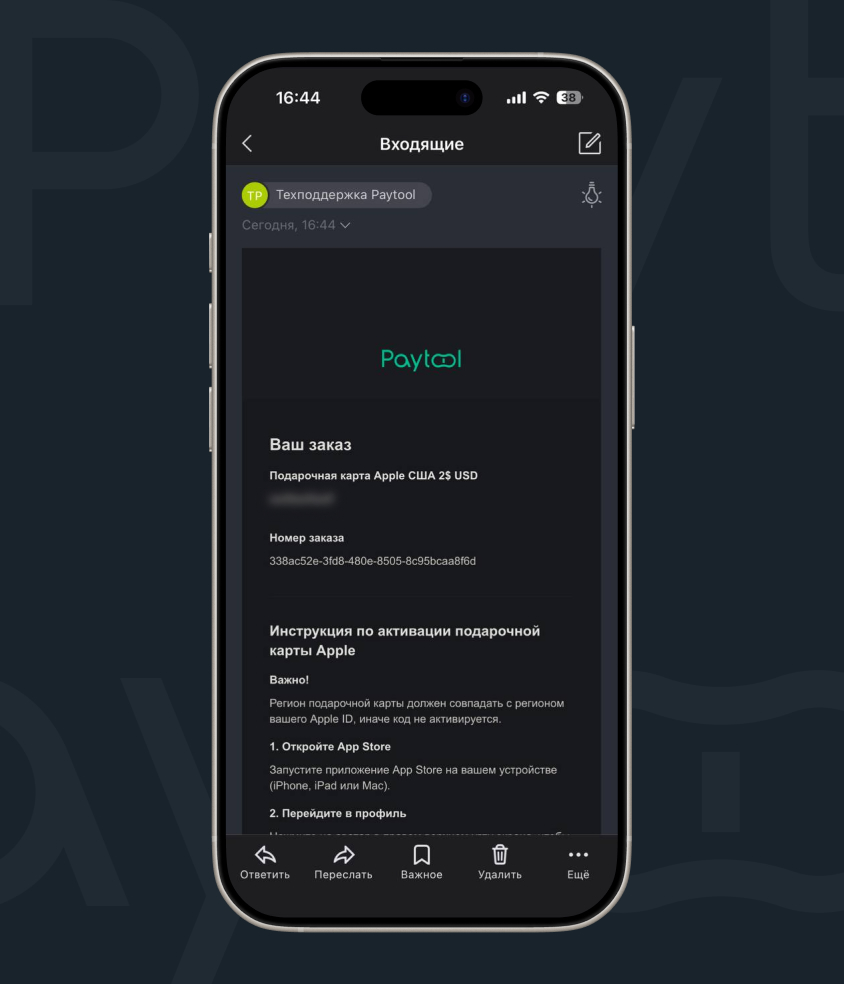
The activation code will be sent to your email
Done! A unique code will be sent to the specified email.

You can even get a small but nice welcome bonus
How to Activate (Redeem) the Card
Once you have the code, all that’s left is to activate it:
- Launch App Store on your iPhone or another Apple device;
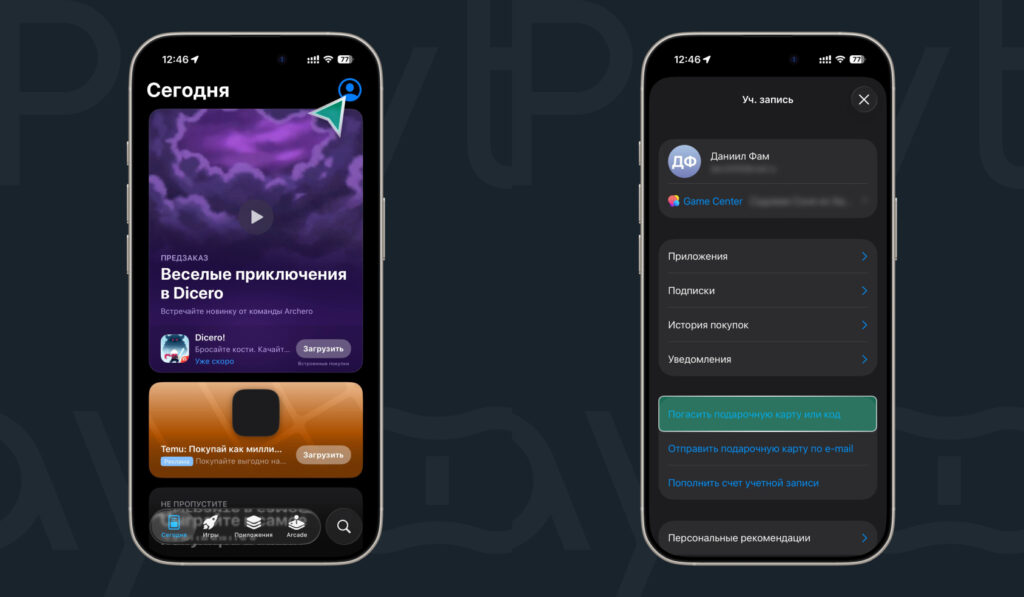
The card is activated through the App Store


