The Claude service from the American corporation Anthropic is used for working with texts, analyzing documents, programming, and solving other professional tasks. However, users from Russia face two limitations at once: Claude is not officially available in all countries, and Russian bank cards are not accepted for subscription payments. Because of this, subscribing to Claude Pro requires additional steps.
How to pay for and get access to Claude Pro from Russia
Let’s break down whether it’s possible to use the service from Russia in 2026, what payment methods remain available, and what you should consider before subscribing to the paid plan.
Does Claude Work in Russia
Claude is officially available not in all countries. Russia is not on the list of supported regions, so when trying to register, a user may encounter restrictions at the account creation stage.
This does not mean the service is completely inaccessible. Many users continue to work with Claude using accounts registered through supported regions. However, it’s important to note that access rules may change, and Anthropic reserves the right to revise the list of countries where use of the platform is permitted.
What Does a Claude Pro Subscription Offer
The free version of Claude allows you to explore the service’s capabilities, but with regular use, the limitations become noticeable. That’s why many users seek to pay for a Claude subscription and switch to the expanded plan.
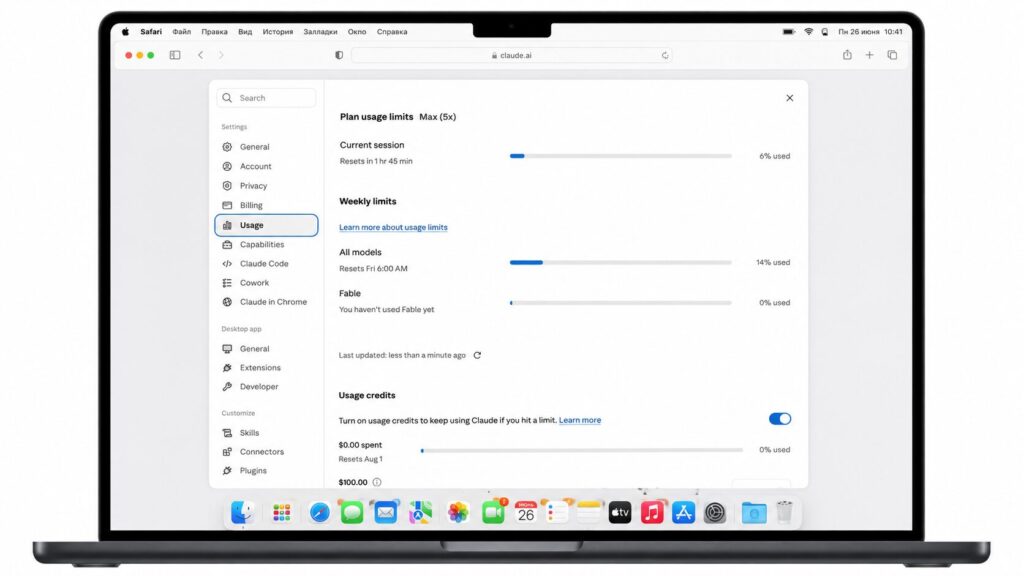
The paid subscription provides significantly higher request limits
Among the advantages of Claude Pro:
- increased message limits;
- priority access to new models;
- faster request processing;
- ability to work with large documents;
- stable access even during periods of high load.
The paid plan is especially popular among professionals who use artificial intelligence daily: marketers, developers, analysts, editors, entrepreneurs, and students.
Which Claude Plan to Choose
For most individual users, the optimal option remains Claude Pro. The subscription removes the main limitations of the free version, increases limits for working with models, and provides access to new features as they become available. This plan is usually sufficient for studying, working with texts, analyzing documents, programming, and solving everyday professional tasks.
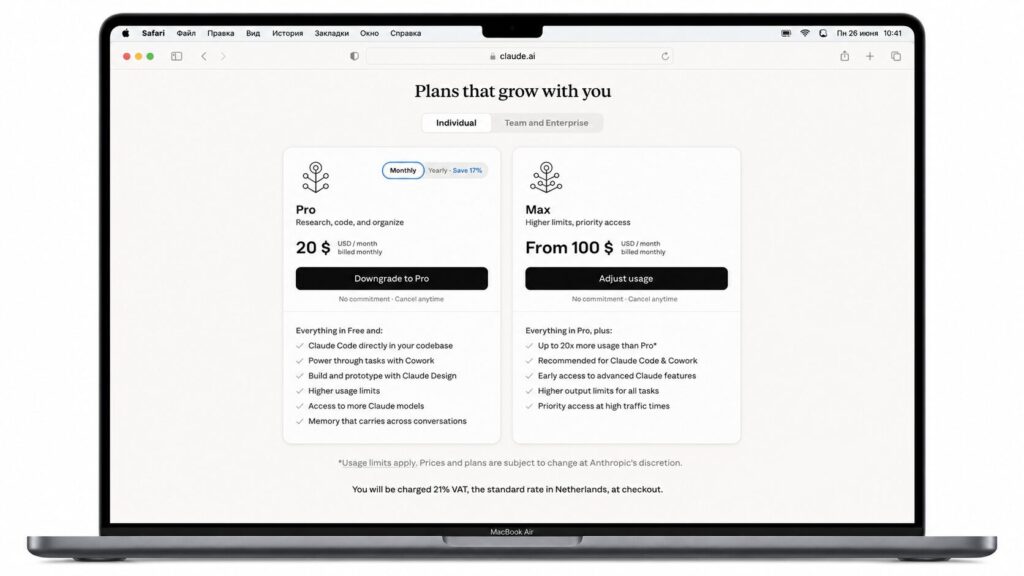
Claude Max offers higher limits but costs more
Anthropic also offers plans for teams and organizations. These are designed for companies that need to collaboratively use AI tools within a team. Such plans include centralized employee access management, additional security settings, administration tools, and other corporate features.
If only one person will be using the service, there is usually no reason to overpay for a team plan: most of its features will go unused. That’s why users more often choose Claude Pro, which provides access to the platform’s core features without additional corporate options.
With Claude Pro, you’ll get expanded limits and access to new models. You can subscribe from Russia through Paytool in just a few minutes.
How to Pay for Claude from Russia and Get Started
To get access to Claude Pro, you first need to register an account and then choose a subscription payment method. The main difficulty for Russian users is related to international payment restrictions: the service does not accept Russian bank cards, so alternative options must be found.
Step 1. Creating an Account: Registering for Claude
Registration begins on the official Claude website. The user needs to provide an email address and complete account verification. Depending on the region, a phone number may also be required for additional verification.
After completing registration, access to the free version of the service opens up. It allows you to evaluate Claude’s capabilities and determine whether the tool is suitable for solving specific tasks.
Step 2. Choosing a Payment Method for Claude
Since Russian bank cards typically cannot be used to pay for Claude, the user needs an alternative method for making international payments. Most commonly, Russian users rely on the following options:
- A foreign bank card. The simplest payment method. Suitable for users who have their own account at a foreign bank or a card issued outside of Russia.
- Virtual cards from international payment systems. Some foreign services allow you to issue virtual cards for online payments. However, the terms of issuance, availability for Russian residents, and commission rates can vary significantly.
- Intermediary services for paying for foreign subscriptions. This option is chosen by users who don’t want to independently open foreign accounts or deal with issuing virtual cards. The intermediary accepts payment through a convenient method and helps process the payment to the foreign service.
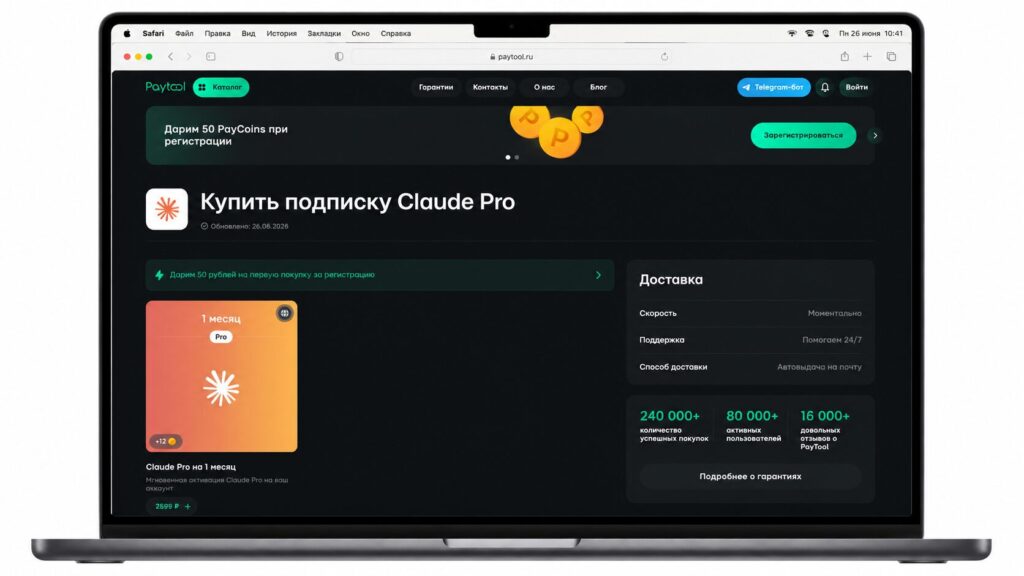
Paying through PayTool is simple and convenient
For example, through Paytool you can pay for Claude Pro and other foreign subscriptions without using a Russian bank card. The user doesn’t need to search for a suitable payment instrument or understand the specifics of international transactions. Payment usually takes minimal time, and if questions arise, you can contact the support team. The service does not request passwords, confirmation codes, or other account access credentials. The user retains full control over their account and gets access to the subscription immediately after the payment is processed.
Help from friends or relatives abroad. If they have a suitable card, they can subscribe using their payment method. However, in this case, it’s important to consider account security issues and regular subscription renewal.
Step 3. Subscribing to Claude
After choosing a suitable payment method, you need to go to your account settings and open the plan management section. Then the user selects Claude Pro and confirms the subscription activation.
At this stage, the service verifies the payment details and processes the charge. If the transaction is successful, the account status changes automatically.


