On Android smartphones, the default voice assistant is Gemini, which replaced Google Assistant. But it doesn’t work in Russia. Fortunately, you can now set Alisa AI as the default assistant and invoke it over any app with a single gesture or by holding the navigation button. This is the same system slot where Google Assistant or Gemini usually lives — and now you can give it to Alisa.
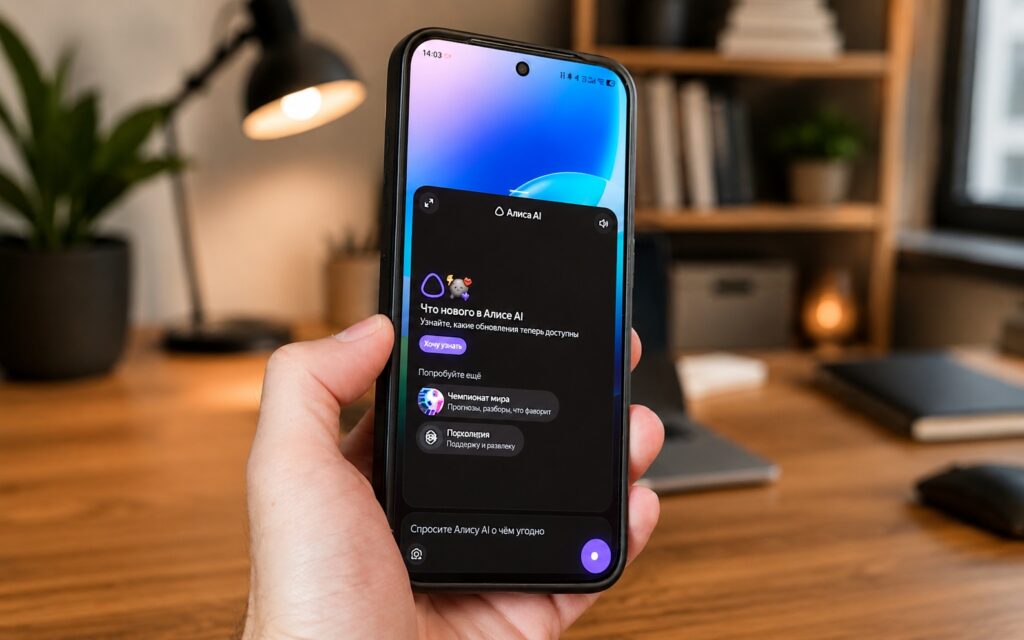
Making Alisa replace Google in just a couple of clicks
Alisa AI on Android — How It Works
Previously, to ask Alisa a question, you had to open its app or switch between windows. Now the assistant can be invoked right on top of whatever you’re doing, and it immediately accepts a voice or text query. Essentially, Alisa takes the place of the system digital assistant — the one that responds to a gesture or holding the navigation button.
The practical point is simple: you don’t need to interrupt reading, messaging, or gaming to ask something. Call the assistant, get an answer, return to what you were doing. This is exactly what the default assistant exists for. However, voice activation doesn’t work: to open Alisa AI, you need to set up a gesture or assign it to holding the power button.
What Alisa AI Can Do in Assistant Mode
When Alisa is set as the default assistant, its core set of features becomes available. According to Yandex, the assistant responds to text and voice queries, generates images, translates text, analyzes photos, and helps search for information on the internet.
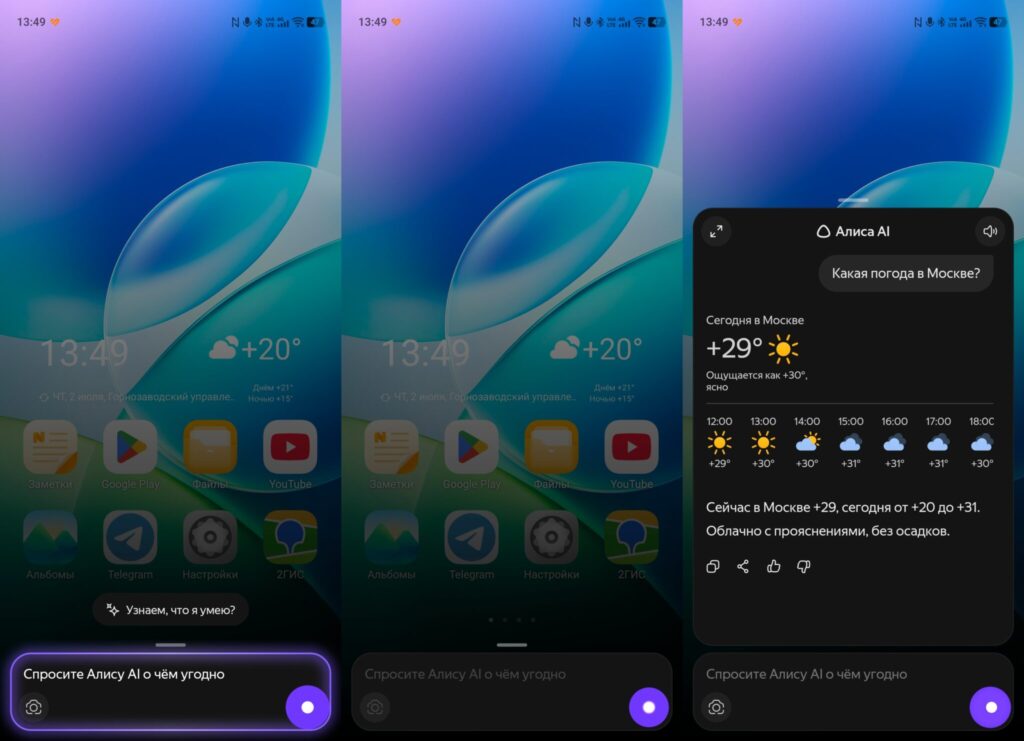
Alisa will be your default assistant
Beyond that, Alisa handles everyday tasks. It controls Yandex Music and smart home devices, shows weather forecasts, sets timers and alarms, and can also dial a contact’s number or emergency services. The feature list overlaps with what Google Assistant and Gemini offer — with the caveat that music and smart home here are tied to the Yandex ecosystem.
The main list of Alisa AI features as a default assistant:
- Quick answers without leaving your app. For example, you can ask Alisa to explain an unfamiliar term while reading an article, without opening a browser separately.
- Smart camera. The assistant analyzes images: just point your camera at a plant, instructions, or product ingredients, and Alisa recognizes and explains what it is. Using the camera, you can translate a foreign menu or figure out a complex diagram without switching between apps.
- Alisa generates images on request and shows the result right in the assistant window — for example, greeting cards or illustrations.
It’s worth keeping in mind: some features (music, smart home) are primarily useful for those already using Yandex services. If you’re in a different ecosystem, the real benefit narrows down to questions, translation, and camera features.
How to Make Alisa AI the Default Assistant
You can set Alisa as the default assistant in several ways: during the app’s first launch, through the “Set as default assistant” option in its settings, or through Android system settings. But first, you need to install the Alisa AI app.
Through phone settings, the process is as follows:
- Open your phone settings and go to the “Apps” section
- Select “Default apps”
- Open “Digital assistant”
- Choose Alisa AI from the list
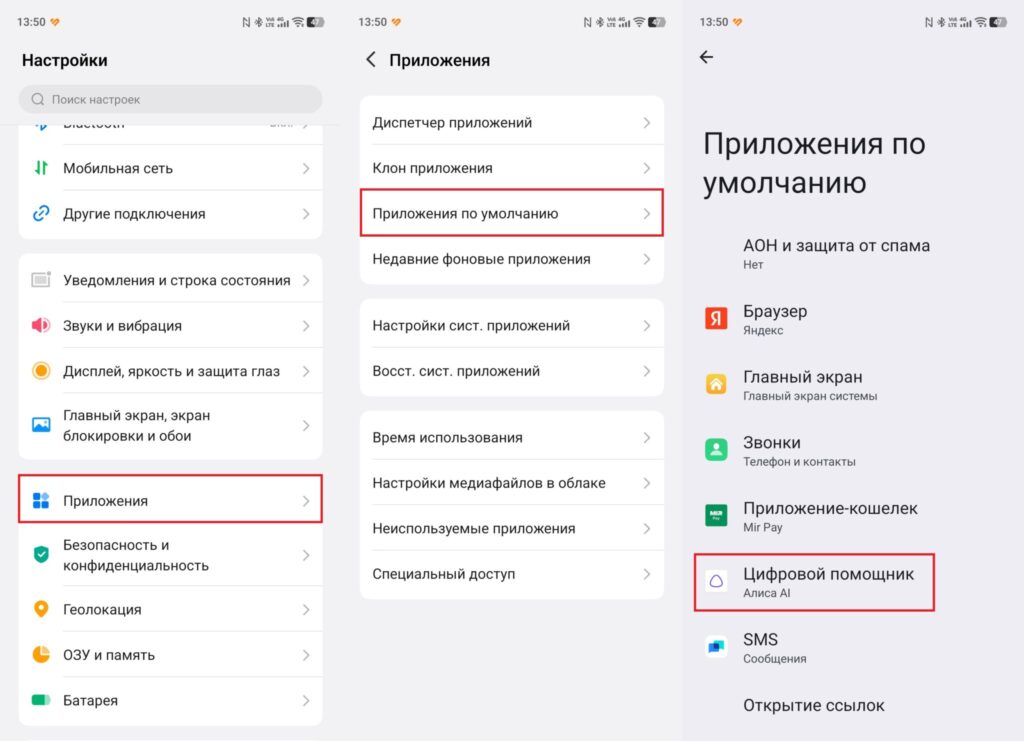
Everything is done through phone settings
After that, invoking the assistant with a gesture or navigation button will open Alisa instead of the system’s standard assistant. You can switch back to Google Assistant in the same place at any time.
Is It Worth Replacing Google Assistant with Alisa
The feature is free and reversible, so there’s no risk — you can try it and revert everything in a minute. Whether the switch makes sense depends on what you use: if you have Yandex Music, a Yandex smart home, and you already frequently ask Alisa questions, setting it as the default assistant will genuinely speed up those scenarios.
If, however, you’re tied to Google services and the integration with Google Calendar, Gmail, and Google reminders is important to you, switching the assistant just for camera translation and voice questions is probably not worth it. Otherwise, it’s a convenient step: Android finally lets you choose an assistant that fits your habits, rather than putting up with whatever comes by default.


