The VKontakte social network remains one of the main platforms for Russian-speaking users, and the question “how to log into my page” still consistently ranks among the top search queries. It might seem simple: open the website, enter your password — and you’re done. But in practice, passwords get lost, the mobile version throws surprises, and logging in on a new device might not work on the first try. Below are all working ways to log into VK in 2026: from a computer, iPhone, and any other device.

Do you use VKontakte?
Logging Into VKontakte from a Computer via Browser
The simplest way is to log into VK from a computer. Type vk.com in your browser’s address bar and press Enter. If you’ve logged in before and didn’t sign out, the site will immediately show your news feed. If not — a login form will appear.
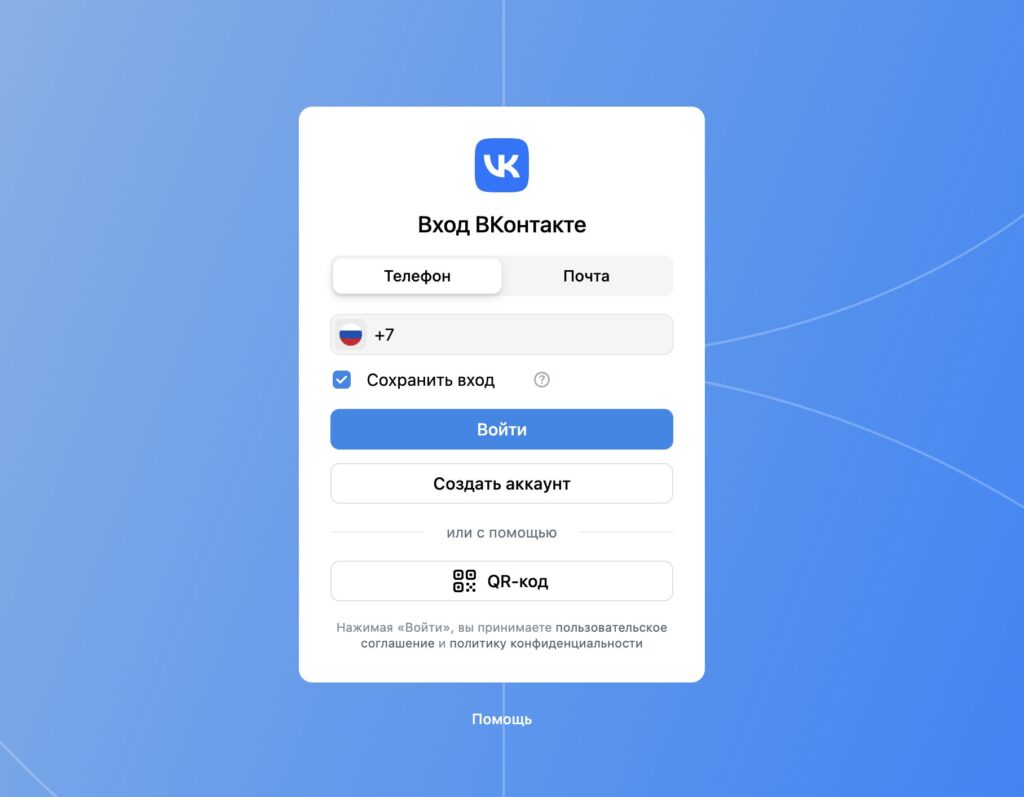
The easiest way to log into VK is through a browser, of course
In the login field, enter the phone number, email address, or username linked to your account. Then enter your password and click the “Log In” button. After that, you’ll be taken to your page.
If you don’t remember the exact website address, simply search for “VKontakte” in Yandex or Google and click the first link. It almost always leads to the official website. The main thing is to make sure the address bar shows exactly vk.com, and not a fake site with a similar address. Phishing pages are one of the main reasons for account loss.
How to Log Into VK from an iPhone and Other Smartphones
On smartphones, there are two main methods: through the official app and through a mobile browser. The VKontakte app is the most convenient option for everyday use. Download it from the App Store, launch it, and log in with your username and password. After the first login, your credentials are saved — you won’t need to enter them every time.
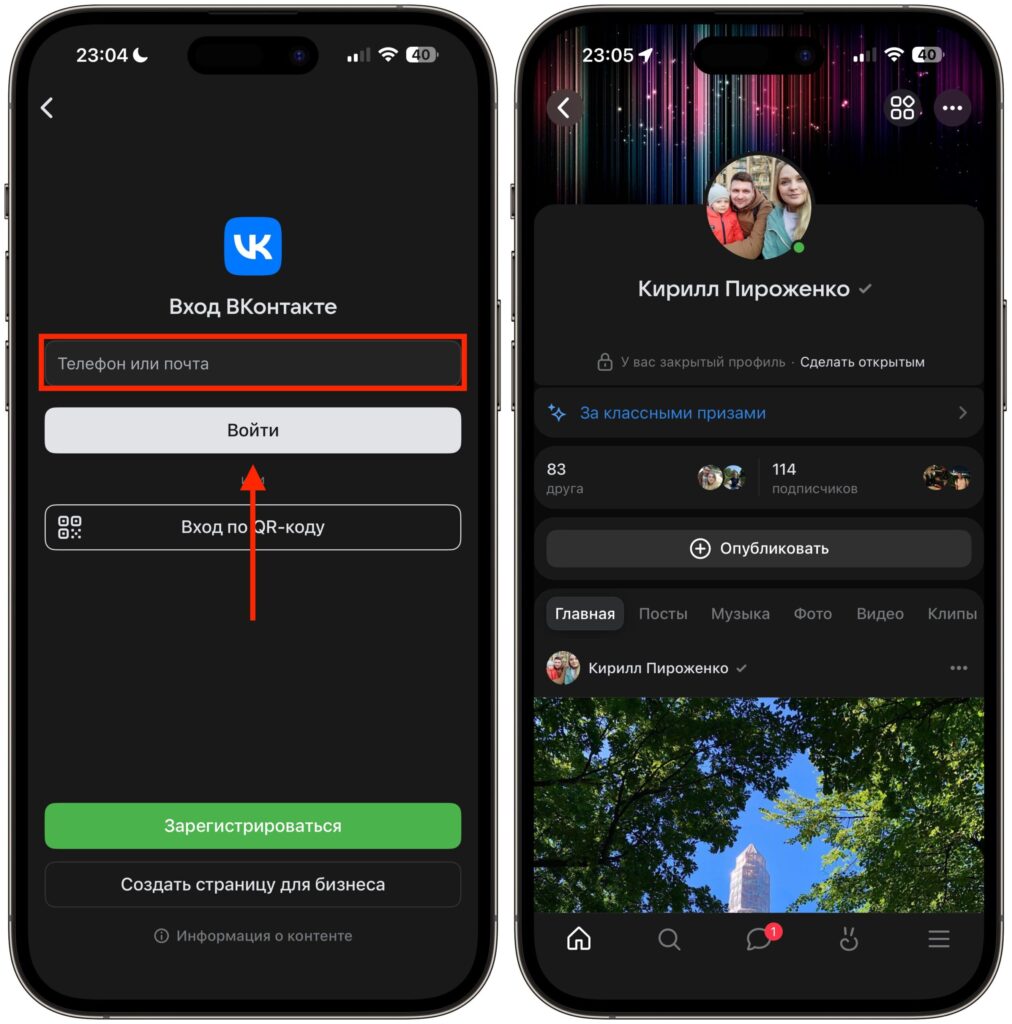
The app has long become familiar and remains a convenient way to access VK
A mobile browser works for those who don’t want to install an app. Open Safari or any other browser and go to vk.com. By default, the mobile version of the site will load with a simplified interface for small screens. For quick feed browsing and messaging, this is quite sufficient.
If you’re logging in from a new device, VKontakte may request additional verification — a code from an SMS or push notification. This is a normal security measure, not a sign of a problem with your account.
Authorization via VK ID and Two-Factor Authentication
In 2026, the main authorization method is VK ID. This is a single account for logging into VKontakte, Odnoklassniki, VK Music, VK Video, and other ecosystem services. Essentially, it’s the same VKontakte account but with a unified authorization system.
When logging in via VK ID, you enter your phone number, receive a confirmation code, and get to your page without needing to remember a password. This is especially convenient if you frequently change devices or use multiple gadgets simultaneously. VKontakte also supports two-factor authentication — where you need to enter a one-time code in addition to your password. This is an extra barrier for anyone who tries to access your account without permission. To enable it:
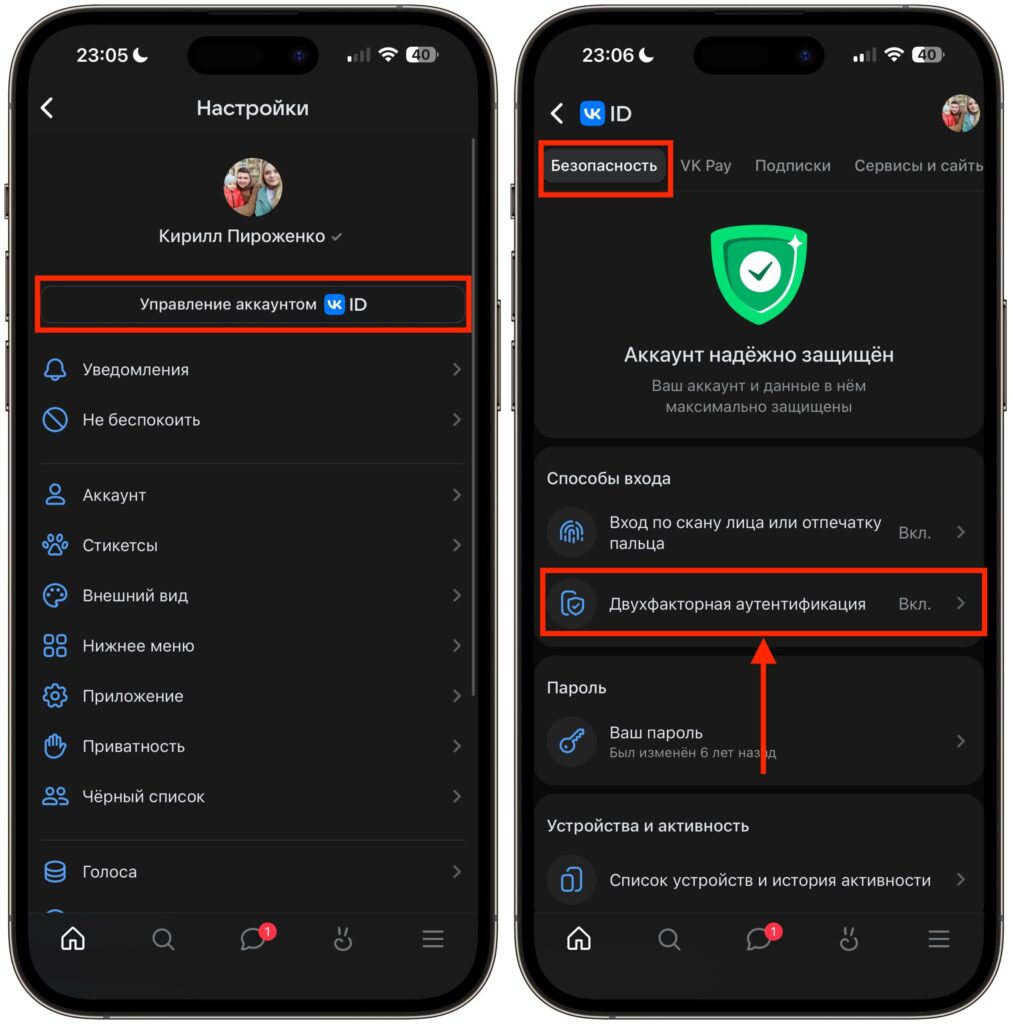
Make sure to enable 2FA. It’s your security
- Go to VKontakte.
- Tap the menu at the bottom right, then the three dots at the top.
- Select “Manage VK ID” and tap “Security.”
- Go to the “Two-Factor Authentication” section.
Full Version of VKontakte on iPhone
The mobile version of VKontakte is convenient for quick browsing, but not all features are available in it. Some profile settings, tools for community administrators, and advertising capabilities are only available in the full version. You can open it right from your smartphone.
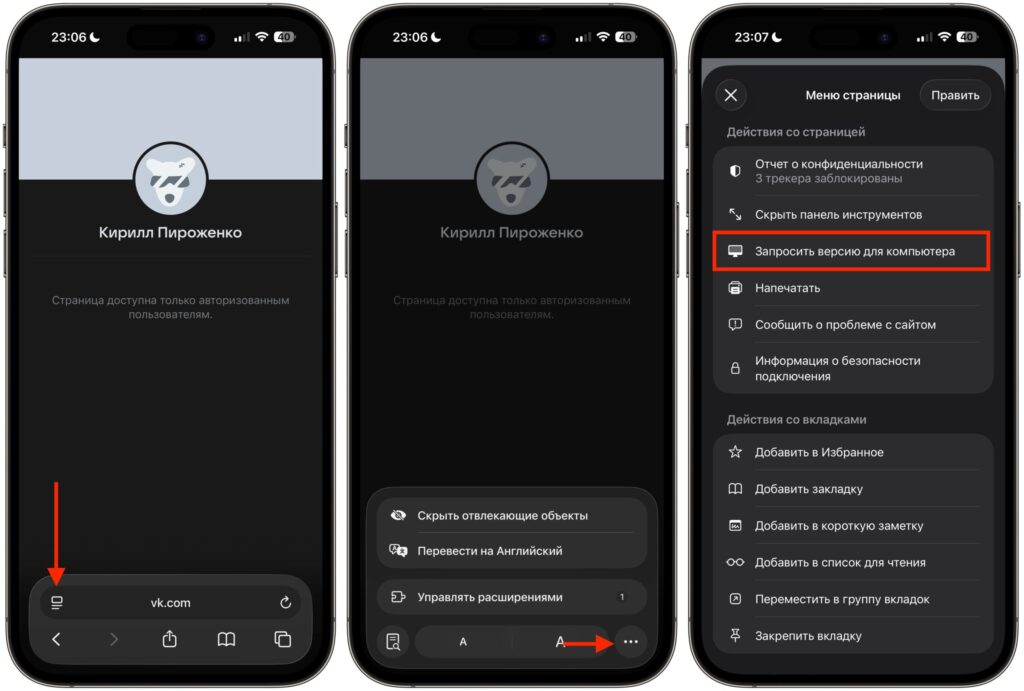
You can request the desktop version of the site, but it may not always open
- Through the browser menu — open vk.com in Safari, tap the icon with lines in the address bar, tap the ellipsis, and select “Request Desktop Website.” The page will reload, and you’ll see the full interface, just like on a computer.
- Manually through the address bar — if the address shows m.vk.com, simply delete “m.” and refresh the page. Sometimes the browser still redirects to the mobile version — in that case, use the menu method.
If the mobile version keeps opening, clear your browser cache and create a new bookmark with the address vk.com. You can add a shortcut to your iPhone’s home screen for quick access.
How to Log Into VK If You Forgot Your Password
Losing access to your VKontakte account is easier than it seems. But the situation is quite solvable — the social network offers several recovery options.
Recovery via phone or email is the fastest method. Here’s what to do:
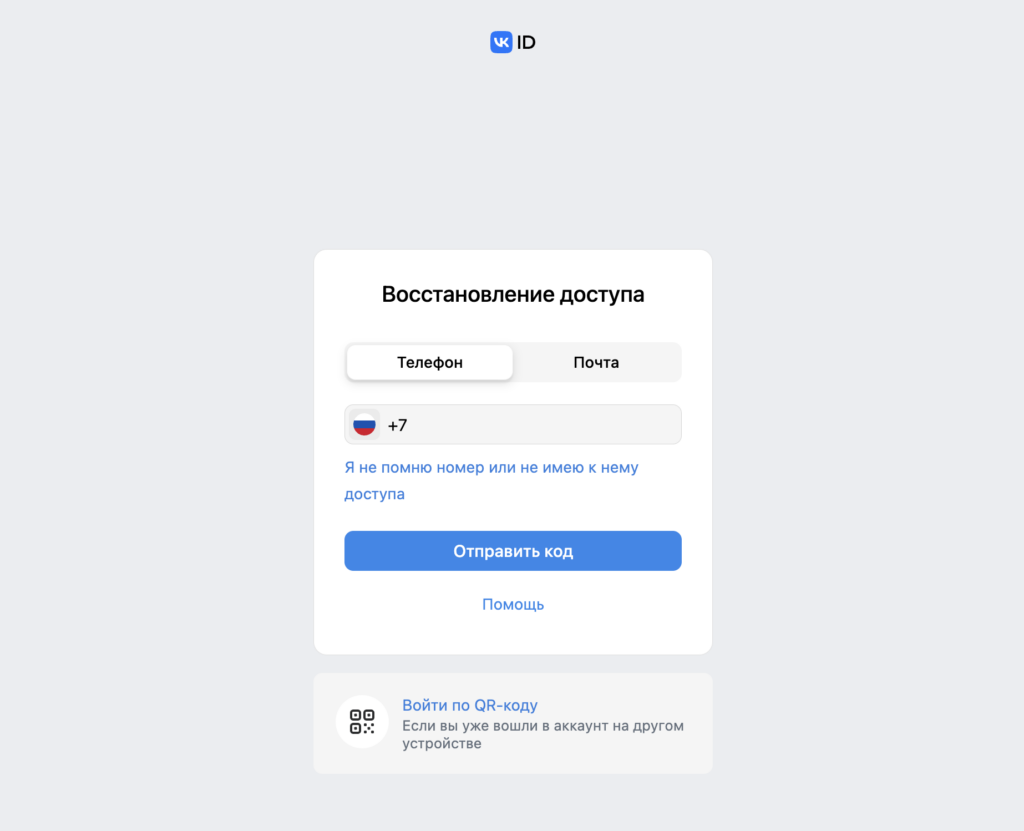
Password recovery starts with entering your email or phone number
- Open the recovery page at id.vk.com/restore.
- Enter the phone number or email address linked to your account.
- Receive a confirmation code and enter it on the website.
- Set a new password.
If none of the standard methods worked, submit a support request for identity verification via photograph. You may need to provide a photo with an ID document. The review takes time, but this is the last working option to recover your account.


