Even if you use the Russian segment of Play Market, AppGallery, or GetApps from Xiaomi, not all apps available in the catalogs are translated into Russian. Naturally, working with them without understanding the language turns out to be quite problematic. But there’s a solution. The free app PlayTranslate can translate text inside any program or game into the language you need, and Russian is on the list too. Let’s figure out how it works.
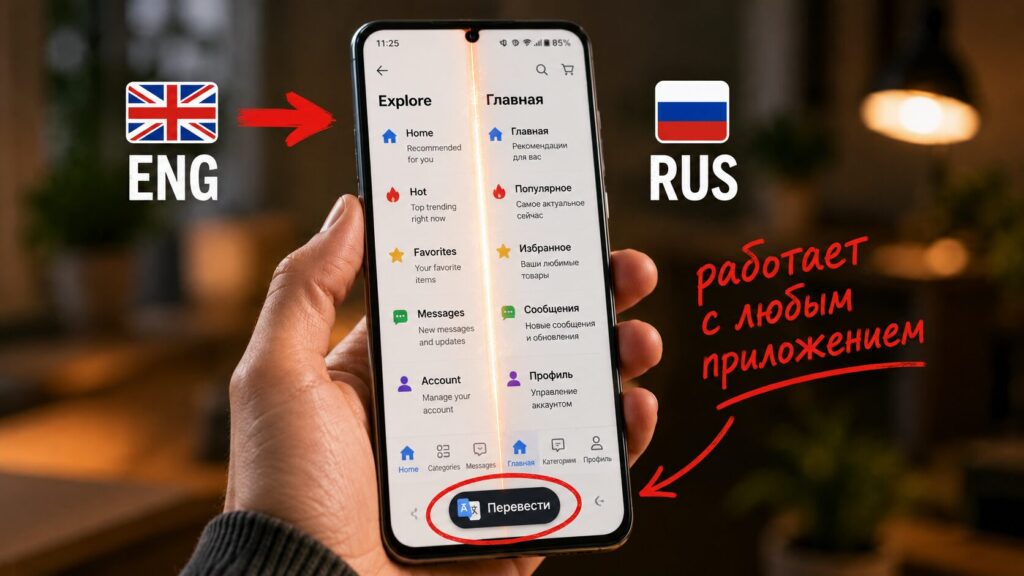
With PlayTranslate, you can translate any app
PlayTranslate — A Translator for Android Apps
The problem is familiar to anyone who has tried launching old or niche games: many titles never came out in Russian or even in English. Fan translations exist, but not for all games or apps, and that’s where PlayTranslate comes to the rescue.
PlayTranslate is an open-source application that isn’t available on Google Play, and that’s what makes it great. The app uses AI to recognize 23 languages and translate them into 59 more languages.
Among the available languages are English, Hindi, Spanish, Korean, and Russian. The translation appears over the game in real time, so you don’t need to change the language of the app itself.
Since its release, the app has been significantly improved. Updates added offline translation using locally downloaded AI models, text-to-speech, language learning flashcards, and translation across multiple screens. So essentially, it’s a tool not only for games but also indirectly for those who want to improve their language skills.
How to Translate an Android App to Russian
First, we need to install PlayTranslate. Again, it’s not on Google Play. So you’ll have to download the APK file from GitHub:
- Click this link and the download will start automatically;
- When the installation file is downloaded, tap on it to install;
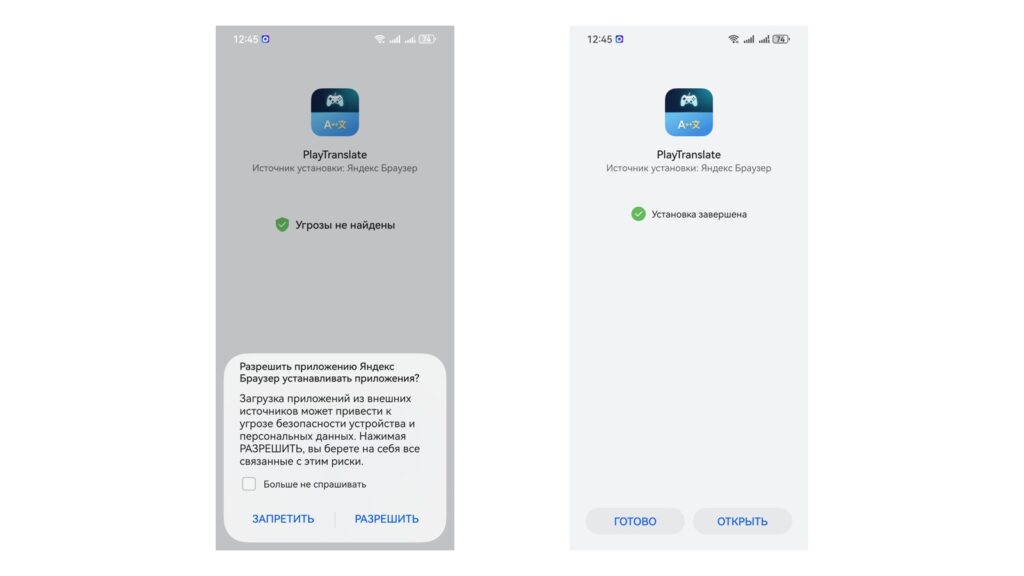
Yandex Browser will immediately ask for permission to install apps from unknown sources
- Confirm the installation (if the installation is blocked, go to “Settings” — “Install apps from external sources” — and allow your browser to install APKs);
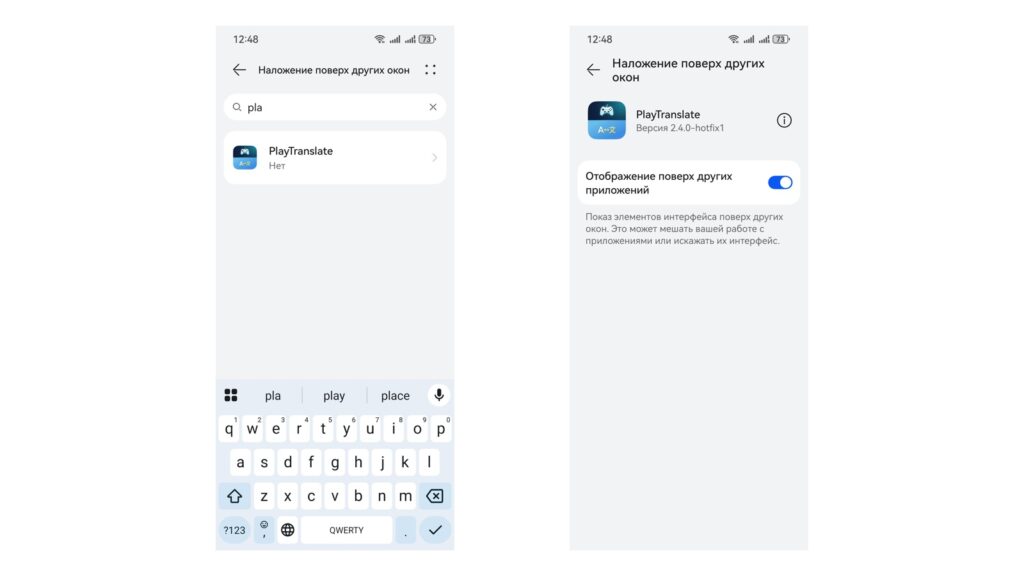
Allow the app to display over other apps
- Launch the app and, following the on-screen instructions, allow it to overlay on top of other apps;
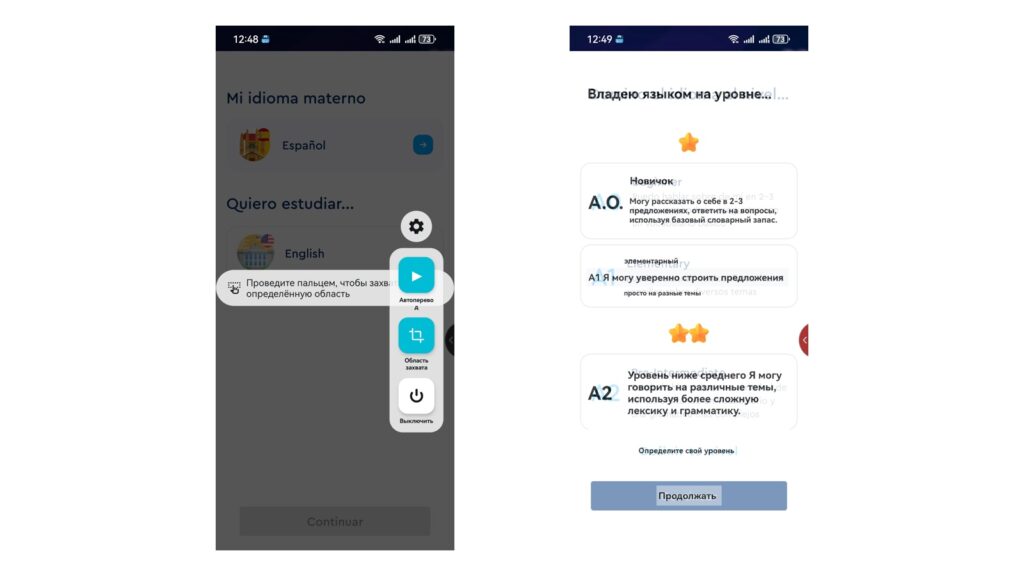
The translation works
- Select the source language of the app you’re translating and the target language (Russian);
- Launch the app you need to translate, pull out the PlayTranslate bubble, and then tap the translate button.
That’s it. Russian text will appear over the original text in the app’s source language. Yes, it’s not entirely convenient that you’ll have to change settings for each individual program, but it’s better than nothing at all. Right?
Should You Disable Google Play Protect
Some say there’s one significant problem with PlayTranslate. Because the app isn’t on Google Play, Android interferes with its operation. However, if you disable Google Play Protect, everything runs smoothly. That said, I don’t have and never had this problem on my Huawei.
But in any case, here’s how it’s done:
- Launch Google Play.
- Tap on your account icon in the upper right corner to open the menu.
- Go to the “Play Protect” section.
- Tap the gear icon in the upper right corner.
- Disable Play Protect.
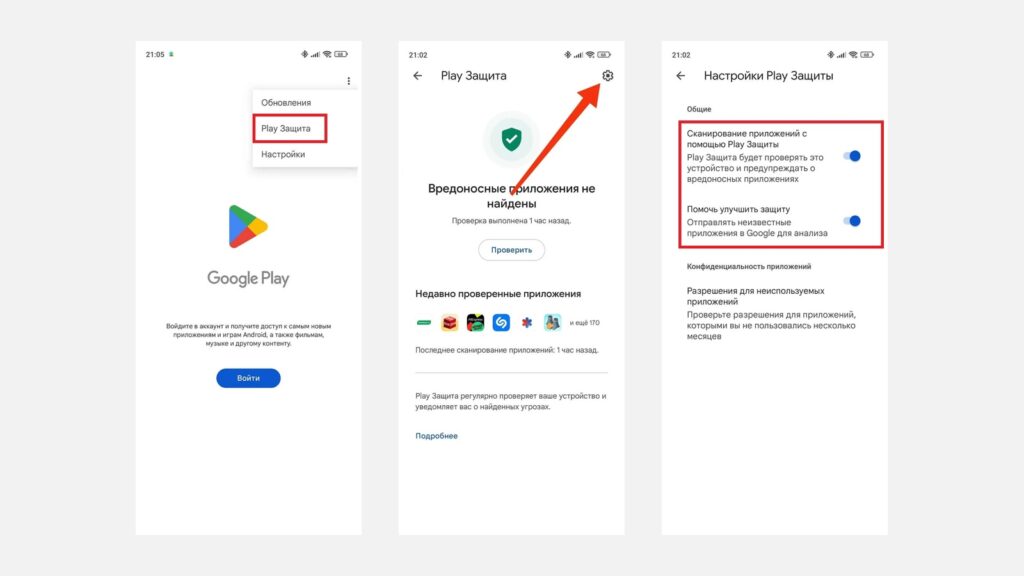
Play Protect can be disabled without signing into an account
The reason for blocking is clear: the app records the screen and uses the “display over other apps” permission. Without these rights, the overlay translation simply doesn’t work. To install PlayTranslate, you can temporarily pause Play Protect, but less technically savvy users are better off skipping the app.
Who Will Benefit from PlayTranslate for App Translation
The app is free, so money isn’t the issue here — it’s only about trust and convenience. The real benefit is obvious for emulation enthusiasts and those who play mobile games without translation: Japanese retro titles, niche Asian releases, and everything that never officially reached us.
The conclusion is simple. If you’re a technically confident user, willing to temporarily disable Play Protect and understand the risks — PlayTranslate genuinely opens access to games that would otherwise remain an incomprehensible set of characters. If you don’t want to deal with permissions and security settings, feel free to skip it: most mainstream programs and games already have translations.