Sber has once again sneaked its SberKids app into the App Store, and once again through a backdoor. In search, the app hides under the name BookTracker and pretends to be a reading tracker, although inside it’s the same old SberKids.
Sber Kids is back in the App Store
For those who haven’t been following this story from the beginning: the SberKids app is a separate bank for children aged 6 to 13. The child gets their own card and an app where they can track their balance, save toward a goal, and gradually learn not to spend everything on the first day.
Control stays with the parent: limits, card blocking, and spending statistics all live right in Sberbank Online. For a long time, the only way to install the service on an iPhone was through Sber’s proprietary utility — an option that was frankly not for everyone. Now a simple search in the store is enough; you just need to know the current name.
How to Download SberKids on iPhone
Open the App Store and type BookTracker in the search bar, or tap this link. Behind the modest reading app icon hides a fully working children’s bank client. The trick is familiar: Apple sees an innocent book app, while the user gets the full bank. Sber has already used this method multiple times to bring its services back to the store, and so far the scheme works reliably.
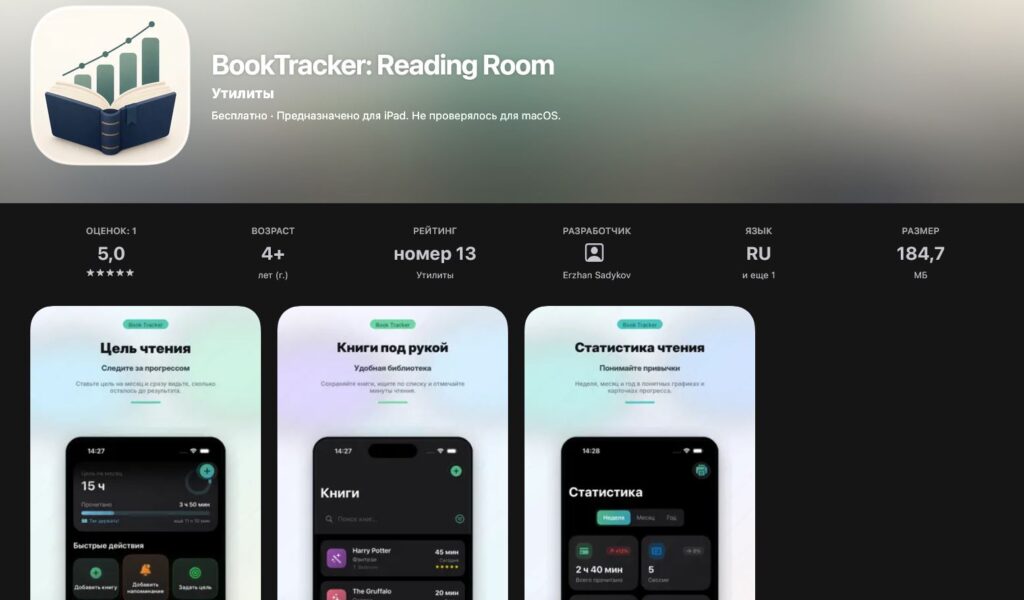
The app disguises itself as a book tracker
Installation works just like any regular iPhone app: you won’t need to change your Apple ID region, and a computer isn’t necessary either. And a small tip based on previous episodes: download it right away, don’t put it off until the evening. As soon as moderators figure out that BookTracker is actually SberKids, the app immediately gets pulled from search results. Sber traditionally confirms the release’s authenticity on its own channel, so stumbling upon a fake is nearly impossible.
What the New SberKids Can Do
Almost nothing remains of the stripped-down app that Apple once removed. Sber has beefed up the internals so much that the kids’ version rivals the adult one in some areas. Everything was already working properly in the previous version, and now even more so.
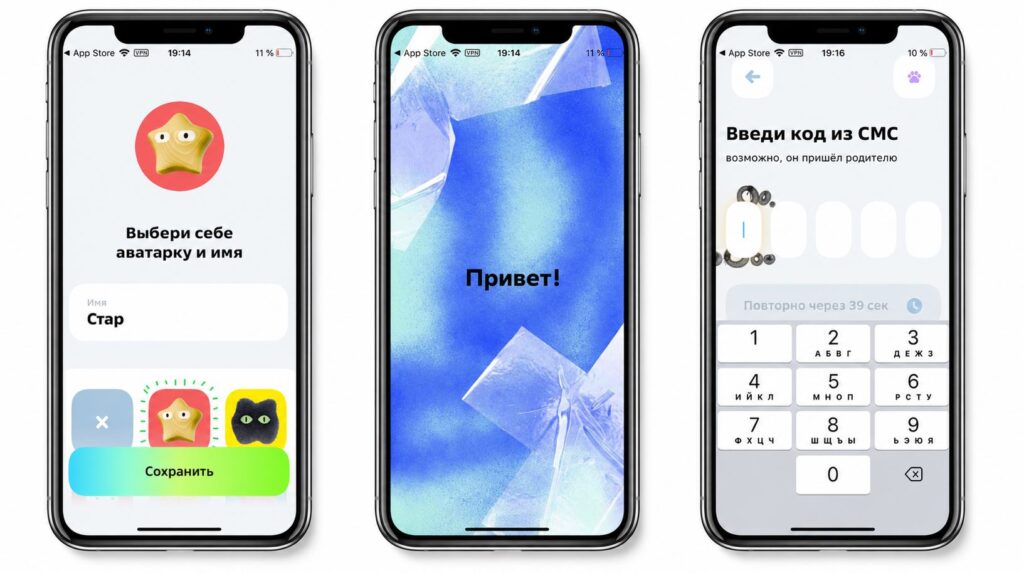
The app is indeed the real deal
- Payment via SBP (Faster Payments System) and QR code. The child can pay in stores with their phone and transfer money to friends at any bank, not just within Sber.
- Savings jar with interest. Money saved toward a goal doesn’t just sit there — it earns interest, making the concept of saving actually meaningful.
- Financial literacy videos. Short clips about budgeting, spending, and fraud protection, produced in a way that kids actually watch them to the end.
- SberCat assistant powered by the GigaChat neural network. It explains what to do with a lost card or a missing code, answers questions about money, and can even help with school assignments.
SberCat is especially impressive: it’s a full-fledged character that responds to voice and moves on screen. Previously, this feature was only available on the Android version, but now it’s accessible on iOS as well.
Who Will Find SberKids on iPhone Useful
Your child has turned six, and you’re wondering how to teach them about money without the daily “give me money for a snack”? Then SberKids is definitely your pick. I personally like the principle: the child learns about finances in an environment built for them, rather than getting lost in the adult Sberbank Online with its dozens of sections. The safety net is still in place — the card can be frozen at any moment, and spending can be tracked down to the last penny.
The conclusion remains the same, and there won’t be another: don’t hesitate. The saga of disguised banking apps keeps going in circles. Apple sooner or later figures out that behind the BookTracker label hides SberKids from Sber and removes it from the App Store. If you spot the app in the store, install it without thinking twice. If you miss the window, you’ll have to go back to Sber’s proprietary utility — and that’s a whole different story.


