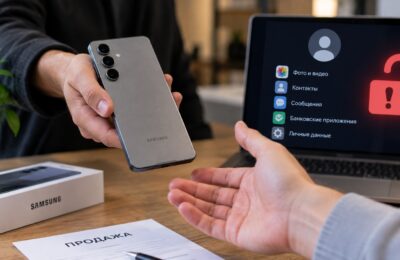
A new app called “Digital Safe” has appeared in the App Store. According to its description, it’s a harmless utility for storing receipts, warranty cards, and documents. In reality, it’s a disguised Gazprombank app that the bank once again managed to sneak past Apple’s filters.
Gazprombank released a new app for iPhone. Image: ixbt.com
This story has repeated itself more than once: after Gazprombank’s official app was removed from the App Store in November 2024 due to US sanctions, the bank has been regularly releasing clones under innocent names. There was YourShopper, CashHunter, GiftMate — and now “Digital Safe.” The scheme works until Apple discovers the substitution and removes the app.
“Digital Safe” — Is It Gazprombank or Not?
On the surface, everything looks perfectly innocent. The icon is a metal safe with a wheel handle on a blue-orange background. The category is “Utilities.” Age rating is 16+. Only one language — Russian. The developer is listed as Oksana Filimonova, with an empty page and no portfolio of other apps.
The screenshots show a minimalist interface with blue panels and labels like “For storing receipts, warranty cards, and other documents.” Not a word about banking, cards, transfers, or the Faster Payments System (SBP). Apple lets such apps through moderation because technically there are no violations in the description — it’s just a utility like any other.
But if you download and open it, inside you’ll find the familiar Gazprombank interface with all the usual functionality: cards, accounts, transfers, SBP payments, and much more.
Why Was the Gazprombank App Removed from the App Store?
The reason is simple — the bank simply has no other way to give iPhone customers a full-featured mobile app. After the November 2024 sanctions, Apple removed the official app from the App Store, and now iOS users are offered either using the web version through a browser or adding the online.gpb.ru shortcut to their home screen.
Both options work, but with noticeable compromises. The web version doesn’t deliver push notifications — neither for payments nor for incoming funds. There’s no biometric Face ID login in the way it exists in a native app. The Safari interface noticeably falls short of the native app in terms of speed and convenience.
That’s why Gazprombank releases a disguised clone in the App Store roughly once every few months. The previous version — GiftMate — came out on December 25, 2025. Before that, there were CashHunter and YourShopper (February 2025). “Digital Safe” is the next iteration in this chain.
How to Install Gazprombank on iPhone
You need to act fast. Apple usually discovers such apps within a few days or weeks and removes them without warning. The process is standard:
- Open the App Store on your iPhone
- Search for “Digital Safe” or go directly to the app page
- Download the app and wait for installation
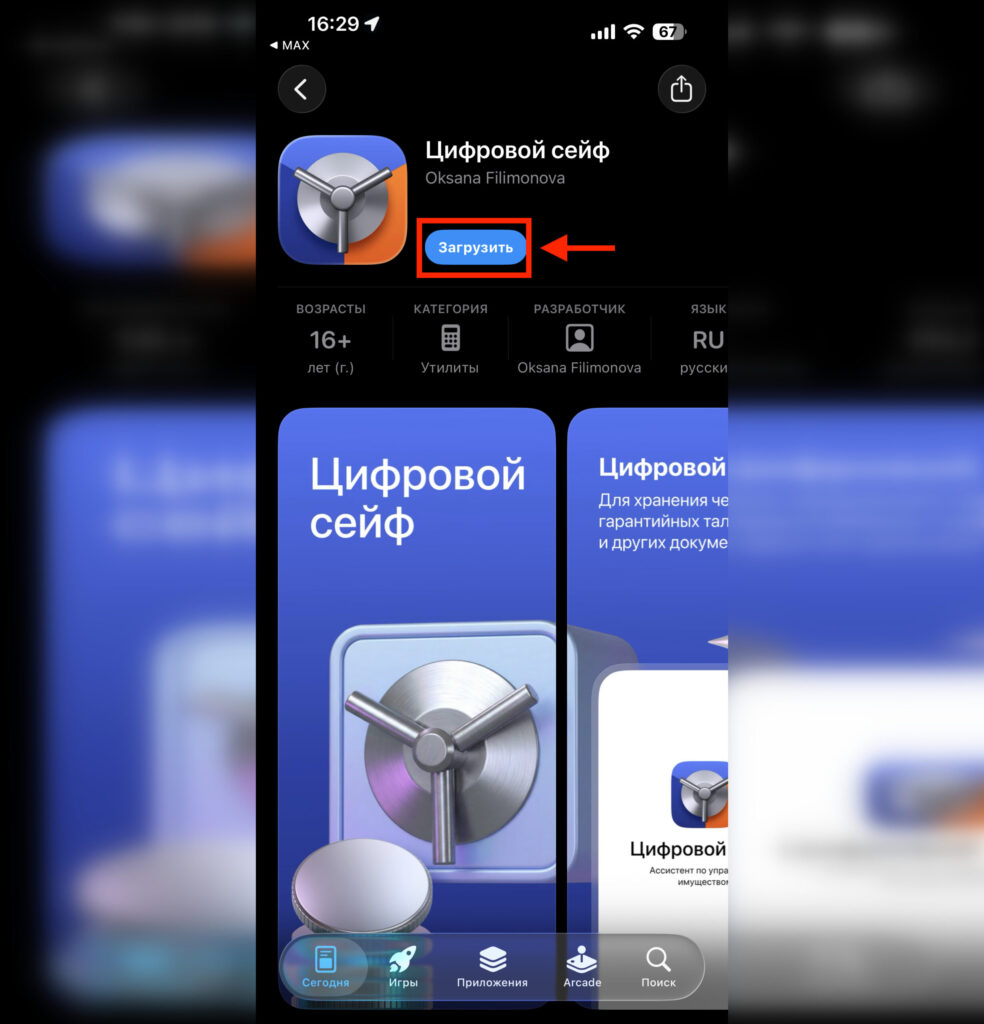
You simply need to download the app and log in with your credentials
Download Gazprombank on iPhone
After installation, do not delete the app — even if Apple removes it from the store, the already installed copy will continue to work. That’s exactly how those who managed to download previous versions are currently using Gazprombank on their iPhones.
To log in, you’ll need your phone number and your Gazprombank online banking password. If you were already registered in the old version of the app, you don’t need to set anything up again — the login credentials are the same.
How to Verify That the Gazprombank App Isn’t Fake
Most importantly — don’t confuse it with scammers. In the summer of 2025, a fake app called “Gazprombank My Account” appeared in the App Store, created by fraudsters to steal customer data. The bank officially warned against downloading it at the time.
Currently, the “Digital Safe” page can be easily accessed from Gazprombank’s official Telegram channel. This is perhaps the most important confirmation that the app is genuine. Never enter your card details or passwords if the interface after launch looks suspicious or differs from the familiar Gazprombank app.
And one last thing: these workaround apps don’t last long. If you’re a Gazprombank customer using an iPhone — install “Digital Safe” as soon as you see it in the App Store. You may not get another chance for several months, until the next clone appears under a new name.