Fortnite can once again be downloaded on iPhone — and this time even from the Russian App Store. Back in May of last year, Fortnite returned to the American App Store after a court victory, and downloading it required creating a foreign account. Now Epic Games has expanded the game’s availability to new regions, and there’s no need for any tricks with switching accounts anymore.
Fortnite is now available in the App Store
Fortnite in the Russian App Store: What Changed
In August 2020, Epic Games implemented its own payment system directly within the game, bypassing Apple’s 30-percent commission. The response was swift: Apple removed Fortnite from the store, and Epic filed a lawsuit. This began one of the most high-profile legal battles in the history of mobile platforms.
The legal proceedings between Epic and Apple lasted several years. In 2024, the European Union required Apple to allow third-party app stores, and Fortnite returned to iPhone in the EU through the Epic Games Store. Then in May 2025, a U.S. federal court ruled that Apple had violated a court injunction and must bring the game back to the American App Store.
At that time, instructions were published on how to install Fortnite through a foreign account — this required changing the region in settings or creating a separate Apple account. The method worked but wasn’t the most convenient, especially if you had active subscriptions.
And now, a year later, everything has changed. Epic Games expanded Fortnite’s availability in the App Store to new regions. The game is now available for download worldwide — including Russia.
How to Install Fortnite on iPhone in Russia
Now that the game is available in the Russian App Store, the installation process has become as simple as possible.
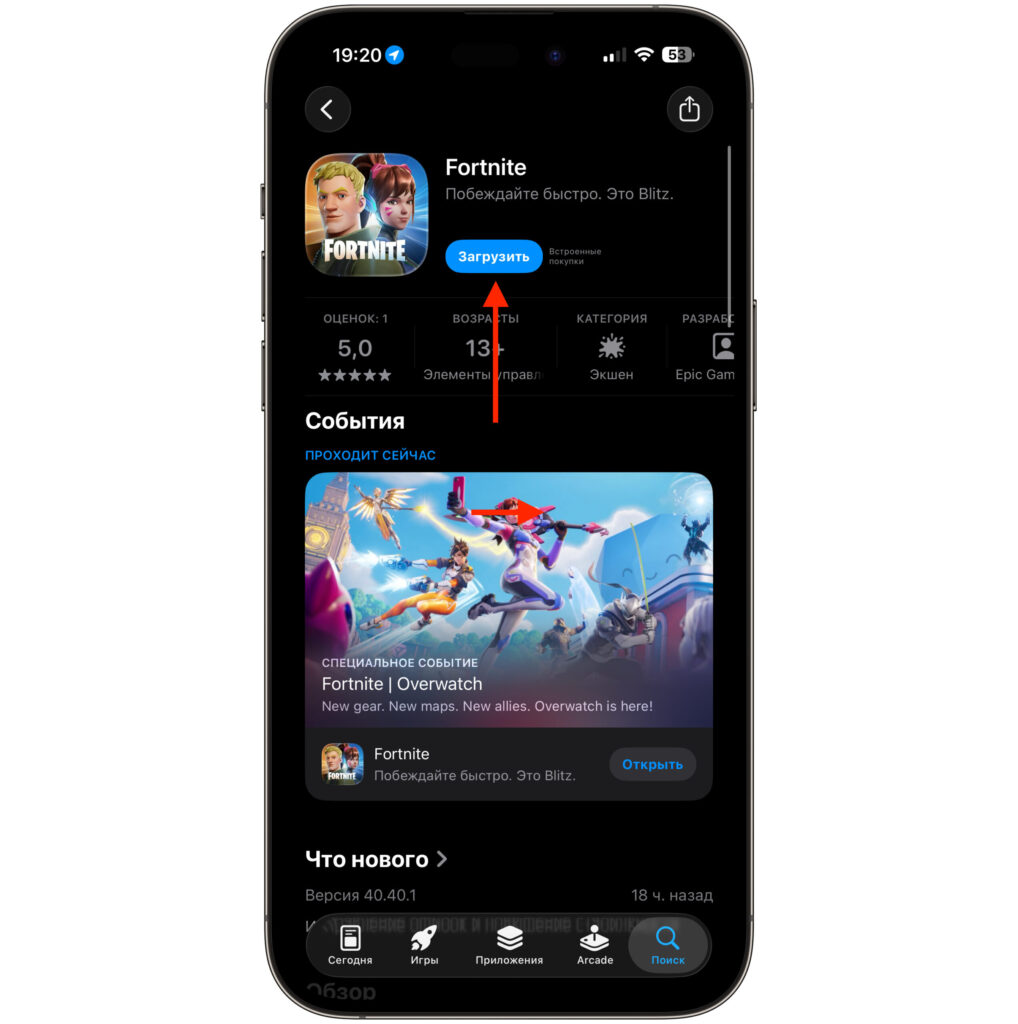
The app is available for download
- Open the App Store on your iPhone.
- Type Fortnite in the search bar or follow this link.
- Find the app by developer Epic Games Inc. and tap the “Download” button.
- Wait for the download to complete — the app weighs about 2.5 GB.
- Open Fortnite and wait for the additional data download to finish — approximately 12 GB more. Make sure you’re connected to Wi-Fi.
- Done — you can start playing.
Previously, you had to change your Apple account region to the US for this. Now a regular Russian account is all you need — Fortnite appears in the App Store search and downloads without any workarounds.
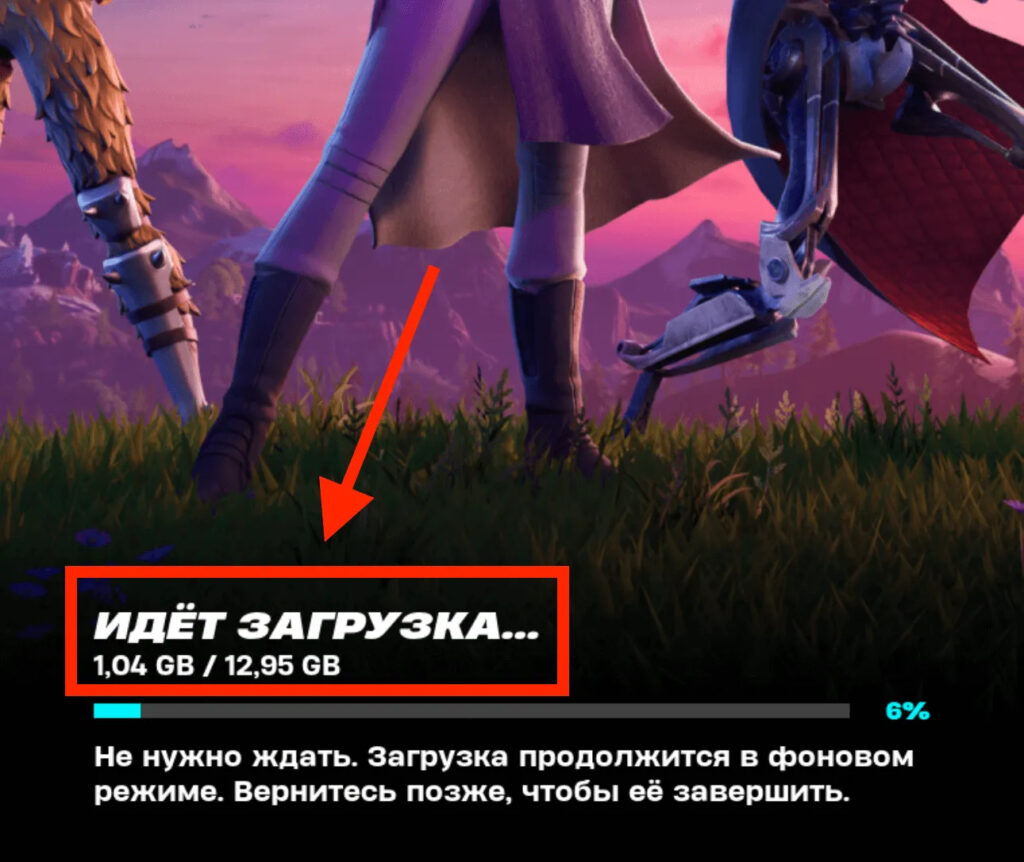
Be prepared for a long download
For a comfortable installation, you’ll need at least 15 gigabytes of free space on your iPhone. Before downloading, go to Settings — General — iPhone Storage and delete unnecessary apps or photos if needed. And make sure to connect to Wi-Fi — downloading this much data over a cellular network will take a very long time.
Which iPhones Support Fortnite and How Much Storage Is Needed
Fortnite’s system requirements for iOS aren’t exactly lenient. The game runs on the following devices:
- iPhone 11 and newer
- iPhone SE third generation and newer
- iPad Pro 10.5-inch and newer
- iPad Air fourth generation and newer
- iPad tenth generation and newer
- iPad mini sixth generation and newer
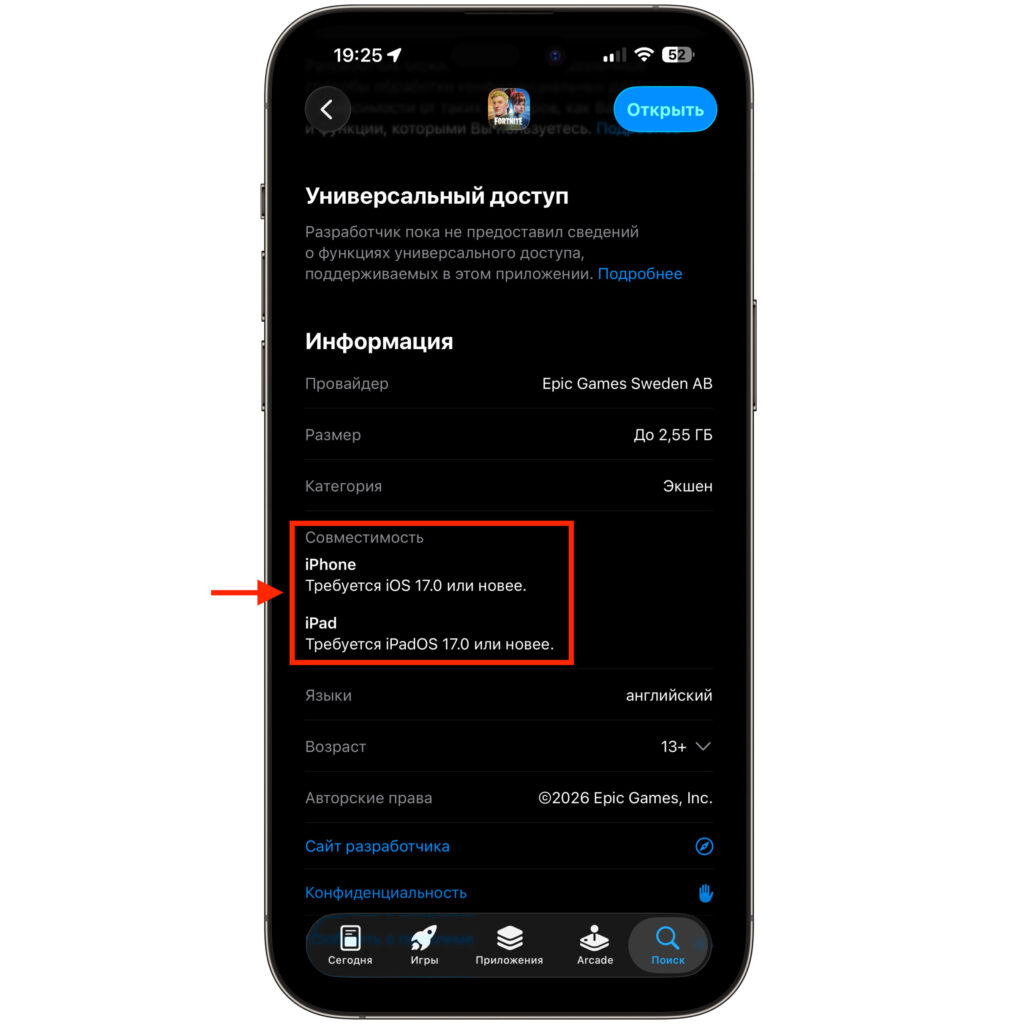
Fortnite is compatible with this iOS version or newer
The minimum system version is iOS 17.0. If you have an iPhone XS, XR, or an older model — Fortnite won’t launch on them. You can connect a controller to the game — DualSense and Xbox gamepads are supported via Bluetooth. This significantly simplifies controls, because playing Fortnite on a touchscreen is not for the faint of heart.
In-Game Purchases in Fortnite in Russia
Fortnite is a free game. You don’t pay for downloading or for access to the main game modes. Battle Royale, Zero Build, LEGO Fortnite, Fortnite Festival — all of this is available immediately after installation. Money is only spent on cosmetics: skins, emotes, and the battle pass.
However, the situation with purchasing in-game V-Bucks currency in Russia is complicated. There are effectively no working payment methods in the Russian App Store for Fortnite. Russian bank cards are not accepted, and topping up your Apple ID balance through the usual methods is no longer possible. The only options are to use any remaining balance on your Apple ID if you still have some, or to buy V-Bucks through a foreign account with a linked App Store gift card. And of course, nothing stops you from buying currency directly from Epic Games, but you’ll need a foreign bank card.
What’s New in Fortnite for iOS
Over six years of absence from iOS, Fortnite has changed significantly. New modes appeared: “Zero Build” without construction, LEGO Fortnite with survival and crafting elements, and Fortnite Festival with musical rhythm mini-games. The game has long gone beyond a simple battle royale and has transformed into an entertainment platform.
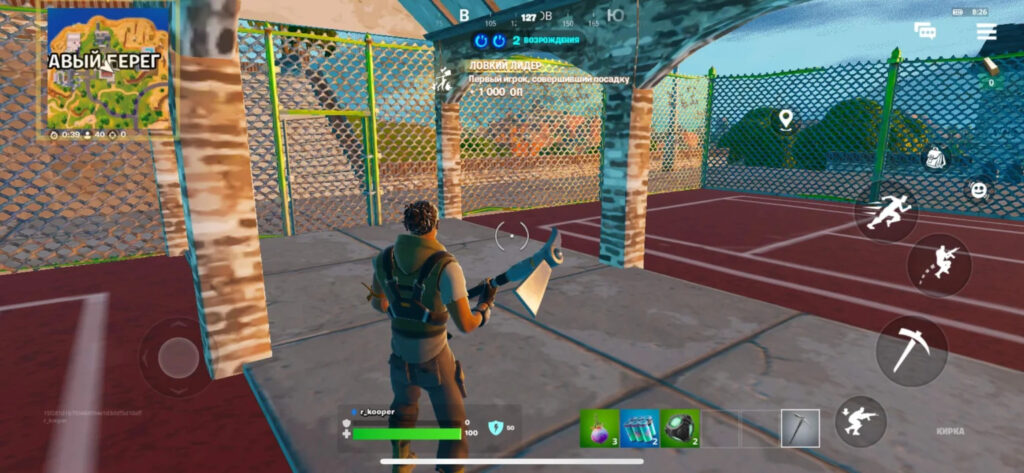
You can just enjoy playing the shooter
The mobile version is a full-fledged game client. All modes, all updates, cross-play with other platforms — everything is there. If you’ve been wanting to return to Fortnite or try the game for the first time — now is the perfect moment. Just open the App Store, tap “Download,” and wait. The main thing is to free up at least 15 GB of storage on your iPhone in advance and make sure your model is supported. After six years, Fortnite has finally returned to iPhone. And this time, it’s for everyone.


