You can turn close-up photographs of eyes into striking, one-of-a-kind iPhone wallpapers using ChatGPT’s image generation — no subscription required. The source author reports taking macro photos of their children’s irises and feeding them into ChatGPT along with a carefully crafted prompt, producing photorealistic wallpapers in just a few minutes. The technique leverages the natural uniqueness of each person’s iris pattern to create deeply personal artwork that looks especially impressive on OLED screens, where true black pixels switch off entirely for higher contrast and slightly better battery efficiency.
What you need to know
- The free version of ChatGPT is sufficient — no paid subscription is needed for this technique.
- The prompt is designed to preserve the real colors and fiber structure of the iris rather than letting the AI invent new details.
- Black backgrounds pair well with OLED displays (used in modern iPhones), as inactive pixels save power and boost contrast.
- The same prompt can be adapted for Mac or other monitors by changing the resolution and aspect ratio.
Why iris macro photos make compelling wallpapers
Every human iris has a unique pattern of fibers, color gradients, and subtle transitions — no two are alike. When isolated against a pure black background, these intricate natural structures become visually arresting. The source author reports arranging two irises vertically so they slightly overlap, forming an infinity-symbol composition, with a thin stream of cosmic-dust particles in matching natural tones running between them to add depth.
On OLED screens found in modern iPhones, the black background areas are rendered by completely deactivated pixels. This means the irises appear to float in true darkness, drawing all attention to the detail in the image while also being marginally more power-efficient than a bright wallpaper.
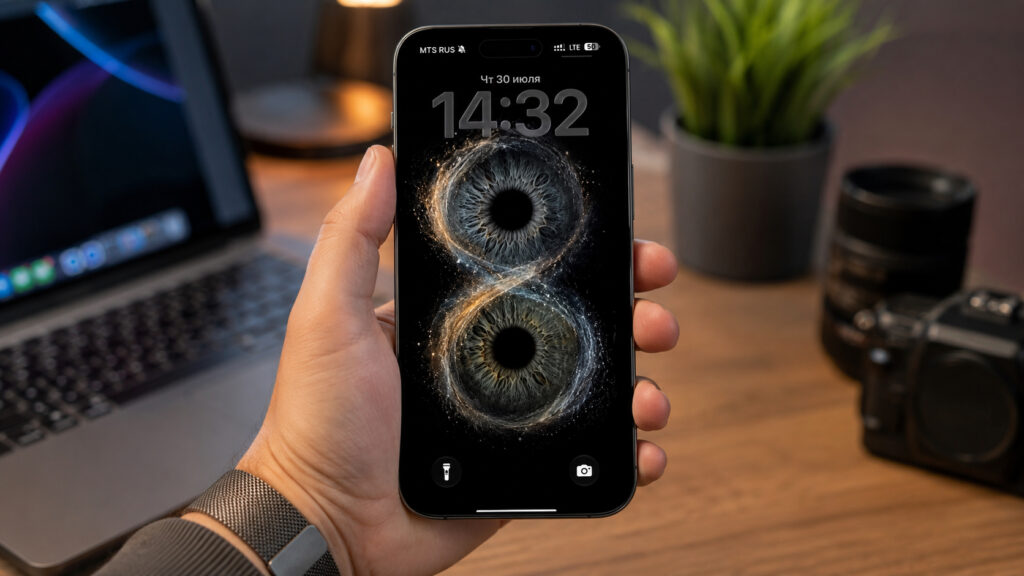
Examples of striking wallpapers created from eye photos
The ChatGPT prompt for generating eye wallpapers
The source author reports spending considerable time refining a prompt that prevents the AI from adding unwanted lens flares, window reflections, or distorted colors. The goal is to make the model preserve the real iris structure from your reference photos rather than inventing its own. Here is the full prompt, translated into English:
Vertical iPhone wallpaper (1290×2796 or 1179×2556, 9:19.5). Use the attached real iris photographs as reference. Preserve the colors, pattern, fibers, and structure of each iris as accurately as possible. Two irises are arranged vertically and slightly overlap, forming an infinity-symbol composition. A thin stream of cosmic dust and glowing particles — created from the natural tones of both irises — flows between them. Absolutely black background with generous free space above and below for the iPhone lock screen. Macro photography, ultra-detailed iris fibers, depth, HDR, cinematic lighting, high contrast, photorealism, Iris Photography, luxury fine art, 8K, Ultra HD, sharp focus. Pupils are deep natural black with no window reflections, no interior reflections, no photographer reflections, no geometric flares. Only soft round studio highlights or barely noticeable natural highlights are allowed. No text, logos, or watermarks.
Copy this prompt and paste it into a ChatGPT conversation along with your reference photos. The source author notes you can adjust the particle-stream color or the number of eyes in the composition, but recommends leaving the fiber-preservation instructions unchanged for best results.
Step-by-step guide
The source author reports that the free version of ChatGPT is sufficient — no paid plan is required. You will need sharp macro photographs of eyes where the iris fibers are clearly visible and not blurred. Shooting in daylight near a window or with an external light source produces the most saturated colors without flash.
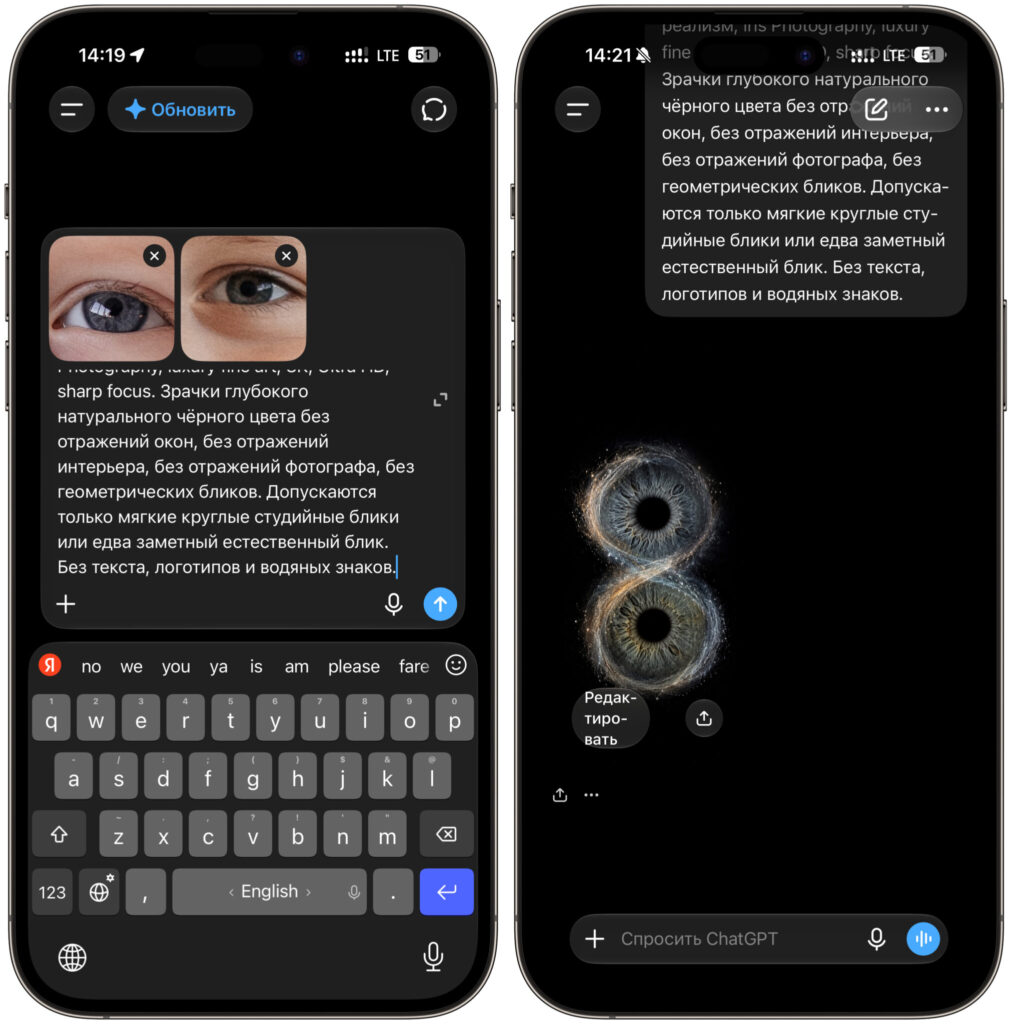
Submit the prompt and reference photos to ChatGPT
- Photograph an eye in close-up under good lighting so the iris fibers are sharp and detailed.
- Open ChatGPT in a browser or the mobile app and sign in to your account.
- Attach the iris photographs you want to use as reference to a new message.
- Copy the prompt above and paste it into the same message beneath the photos.
- Send the request and wait for the AI to generate your composition.
- If the result is not satisfactory, ask the model to increase detail or change the particle-stream color.
- Save the finished image to your photo library and set it as wallpaper through your iPhone’s settings.
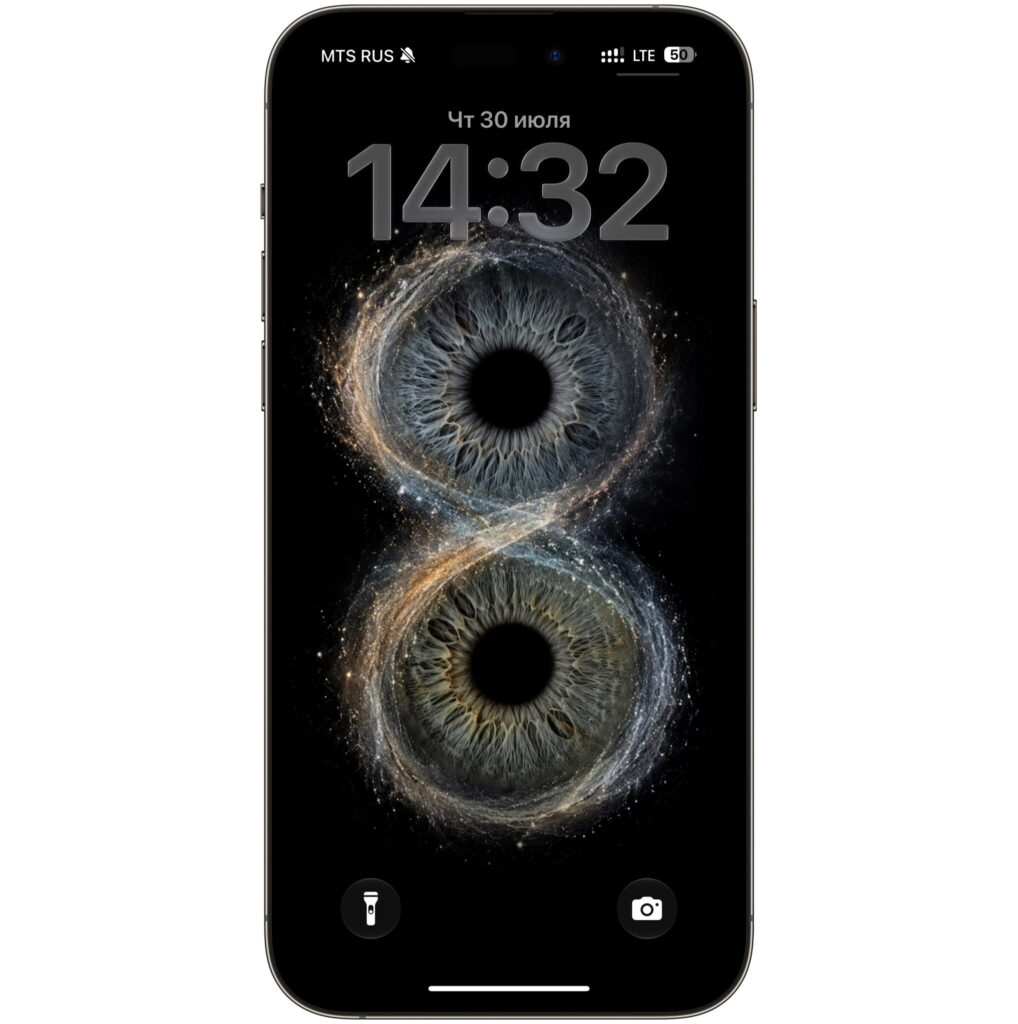
The finished wallpaper output
The source author recommends checking the result on your lock screen immediately, because the clock and widgets can easily cover the most visually interesting part of the image. If the composition ends up hidden behind the clock, simply ask the AI to shift the irises lower and regenerate.
Adapting the wallpaper for Mac or other monitors
The same prompt can produce desktop wallpapers for a Mac or any other display — you just need to change the resolution and aspect ratio at the beginning of the prompt. For most monitors, 16:9 at 3840×2160 works well; for ultrawide displays, use 21:9. All other lines in the prompt about preserving iris fibers and using a black background can remain unchanged.
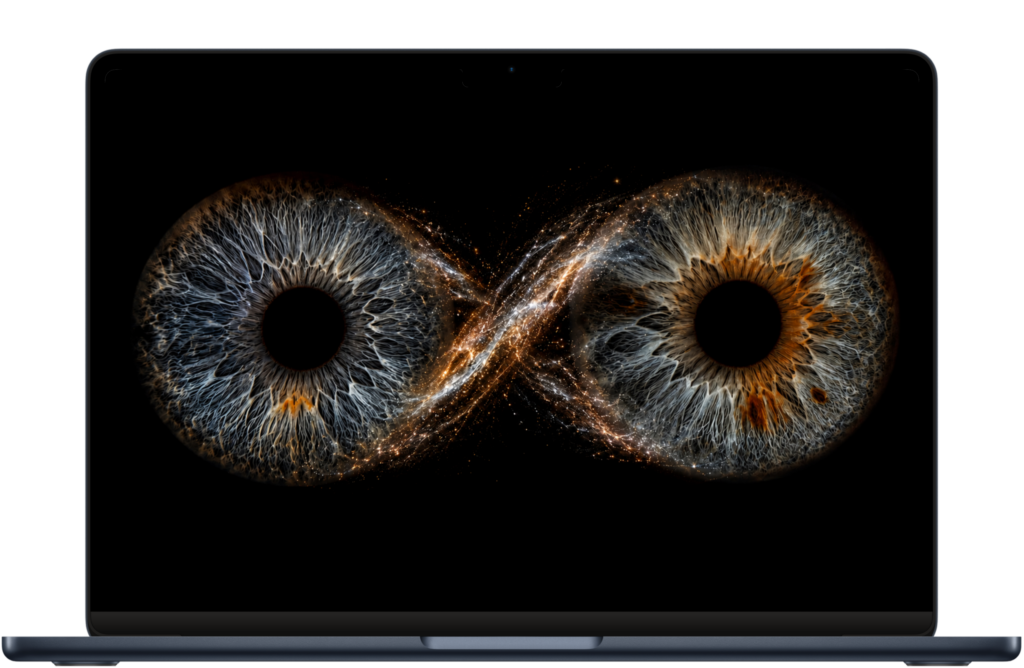
For Mac, simply change the resolution and aspect ratio in the prompt
For a desktop layout, the source author suggests rotating the composition horizontally and spreading the irises toward the edges, leaving the center clear for icons and windows. Adding a brief instruction about free space in the middle of the frame is enough for the AI to recompose the image accordingly. This way, the same set of eye photos can yield a matching wallpaper set across all your devices.
Limitations to keep in mind
Results will vary depending on the quality of your source photos — blurry or poorly lit iris shots will produce less impressive output. The AI may occasionally add unwanted artifacts or deviate from the real iris colors despite the prompt’s instructions; regenerating or refining the request usually helps. Additionally, while the free tier of ChatGPT currently supports image generation, feature availability and usage limits may change over time.


