Everyone has received a gift at least once that made them smile politely and put it away on a shelf. A third bath set, a mug with a motivational quote, or a scented candle “just in case.” Sound familiar? The problem isn’t your friends’ generosity — it’s that they simply don’t know what you actually want. Asking feels awkward, and guessing is nearly impossible.
Sometimes a simple app can significantly simplify your life
Online wishlists solve this problem elegantly. You compile a wish list with links to stores, share it with friends, and they choose and reserve gifts. No duplicates, no disappointments, and no awkward moments during unwrapping. One of the most convenient services for this is Followish. It’s completely free, works right in the browser on any device, and doesn’t require your friends to register at all. Let’s walk through how to use it step by step.
How to Register on the Wishlist Service Followish
Download the Followish app from the App Store and sign in with Apple or Google. The whole process takes about a minute. After signing in, you’ll land on your page, which displays all your wishlists, the number of added gifts, and your friends list. It’s empty at first, but not for long.
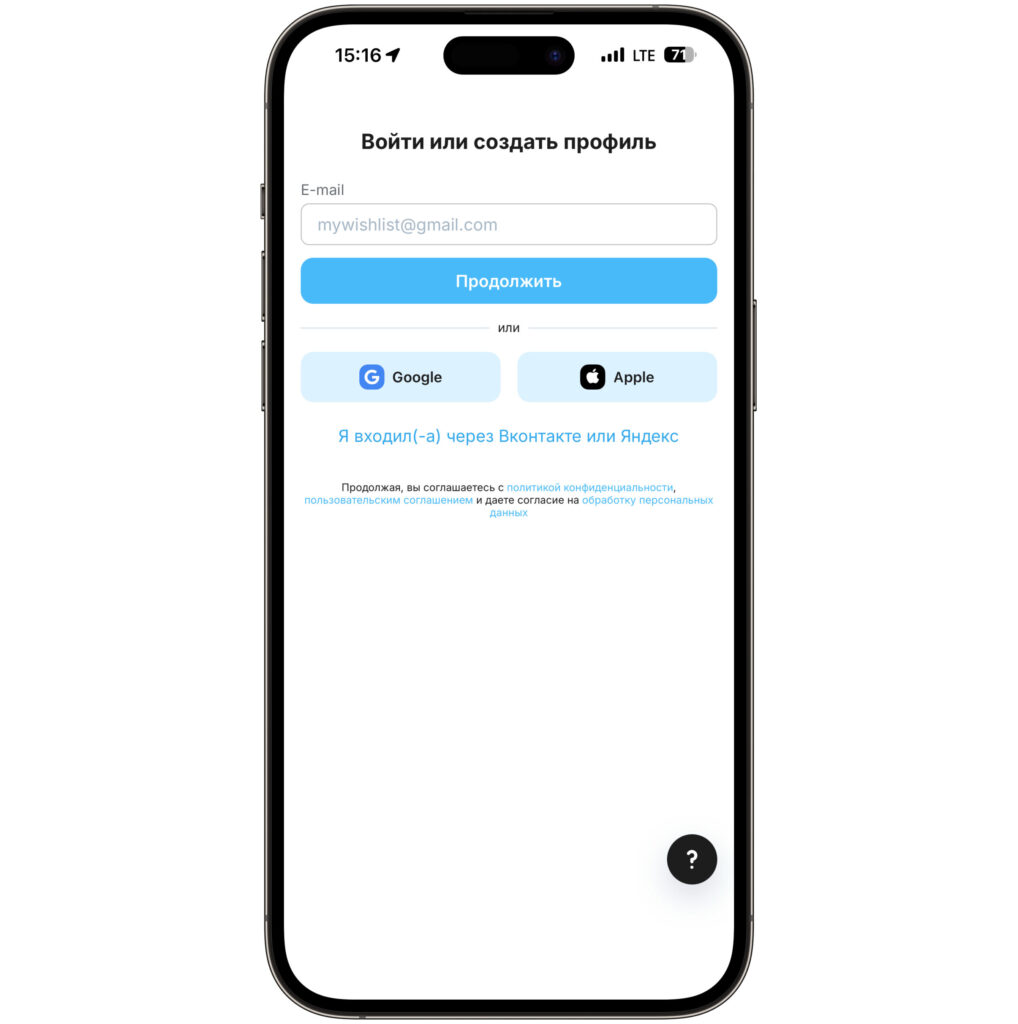
Sign in with Apple or Google. It’s much simpler and faster
The interface is pleasant and minimalist. At the bottom of the screen, you’ll find tabs — “My Page,” “Friends,” “Gift Ideas,” “Gifts for Friends,” and “Menu.” Through the last one, you can configure your profile and notifications.
How to Create a Wishlist with Gifts
Tap the “Create Wishlist” button on the main page and fill out a simple form. Enter a name — for example, “Birthday,” “New Year,” or “Housewarming.” In the “Comment” field, you can write a greeting or gift preferences. If the wishlist is tied to a specific date, select it in the corresponding field — friends will see how much time is left.
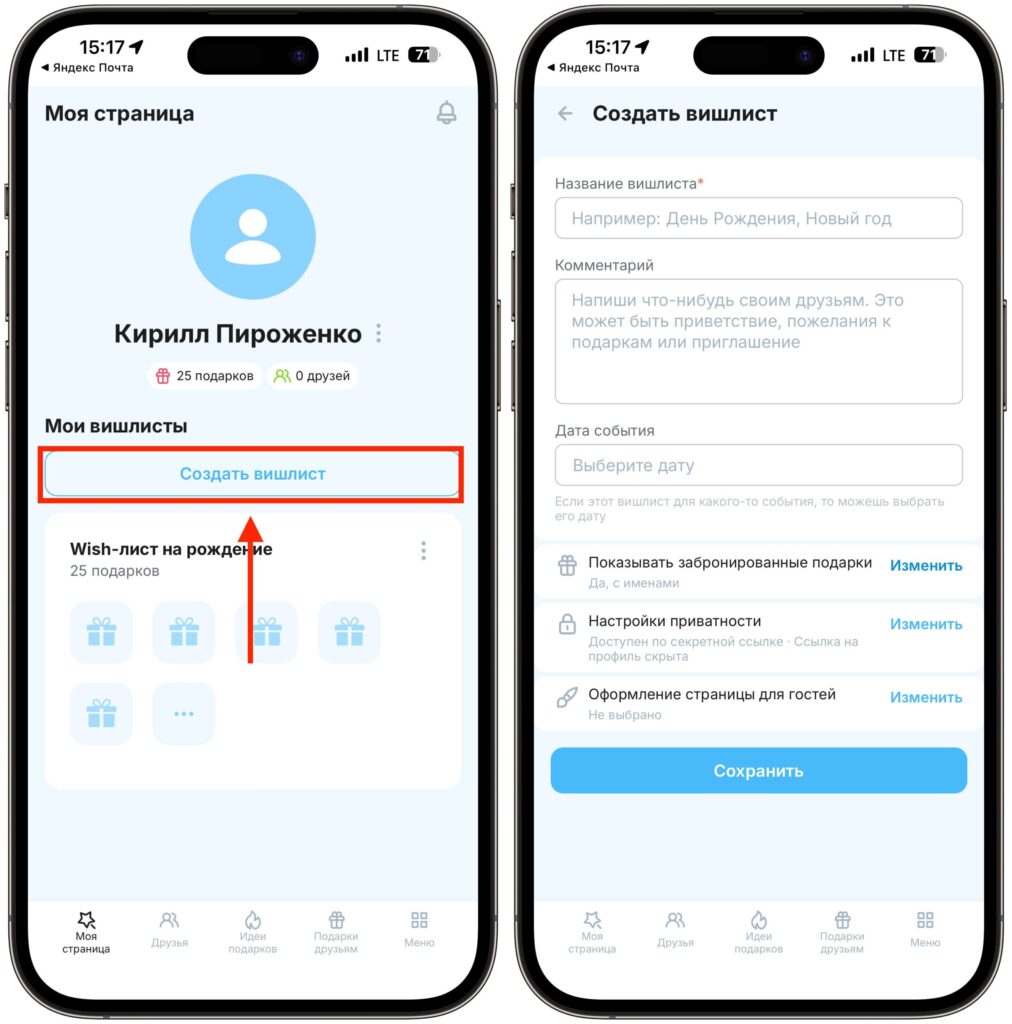
You can create wishlists for each holiday or simply keep updating the same one
The wishlist privacy settings deserve special attention. Followish allows flexible access management. You can make a wishlist public or accessible only via a secret link, and your profile can be hidden from strangers. There’s also an interesting reservation option — you can show reserved gifts but without the givers’ names. This way, you’ll know that someone has taken a gift, but the surprise is preserved.
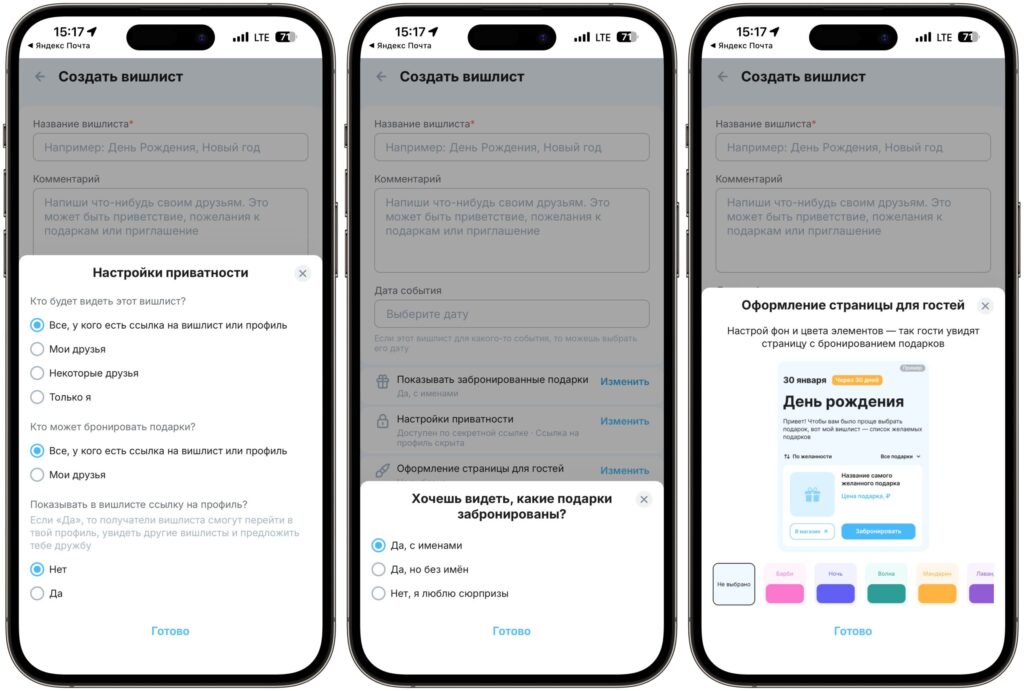
The service offers interesting privacy settings
Another detail — customizing the page for guests. You can choose a visual theme so your wishlist looks festive and memorable. After all, this is about celebrations, and the little things matter.
Adding Items from Ozon, Wildberries, and Yandex Market to Your Wishlist
Open your created wishlist and tap “Add Gift.” The following fields are available for each wish:
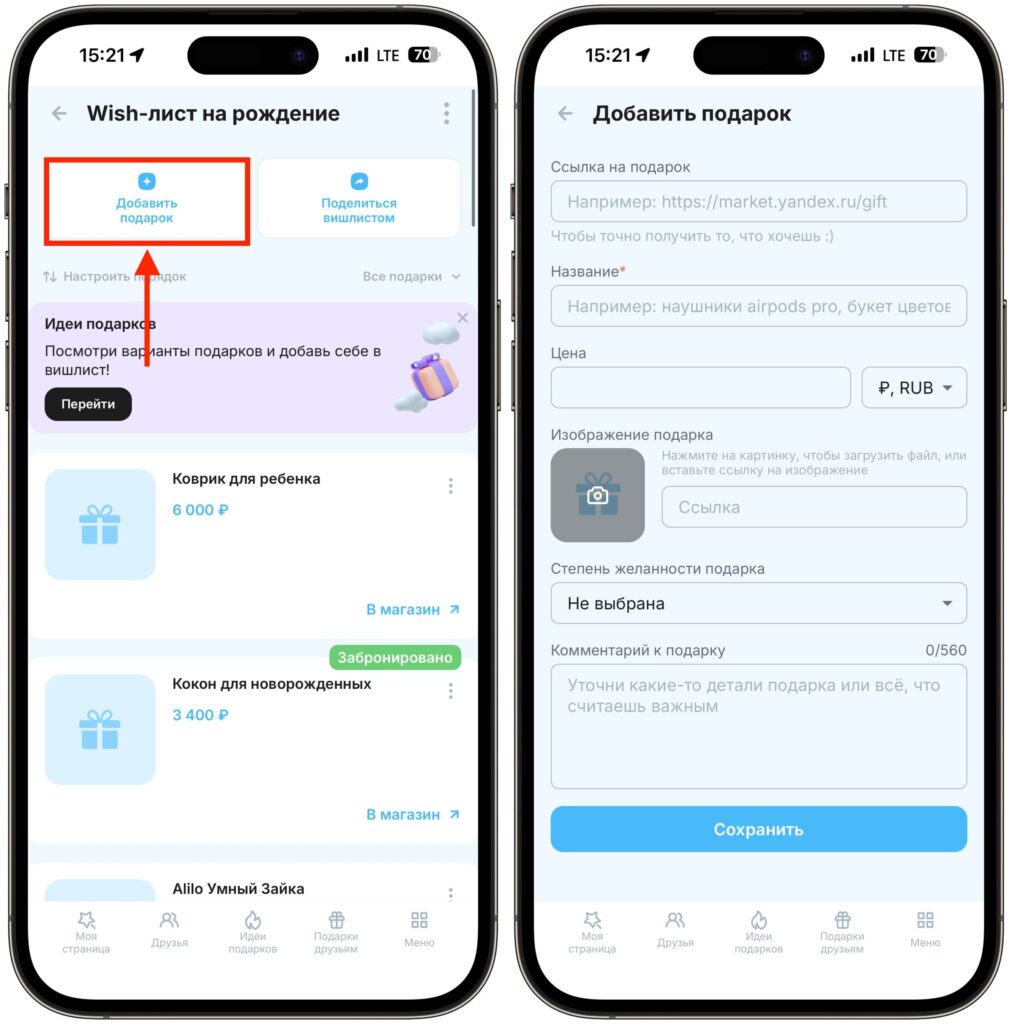
Add gifts to your wishlist one by one. Note that you can attach photos, add links to marketplaces, and descriptions
- Gift link — paste a URL from an online store (Yandex Market, Ozon, Wildberries, etc.). This way, friends will buy exactly what you wanted
- Name — a brief description, such as “AirPods Pro Headphones” or “Flower Bouquet”
- Price — specified in rubles by default, but you can choose another currency
- Image — upload a photo or provide a link to an image to make the list more visual
- Desirability level — helps friends prioritize and understand what matters most to you
- Comment — specify the color, size, configuration, or any other details. Up to 560 characters
The store link is the key element of the whole idea. Thanks to it, friends will buy exactly the right model in the right color, rather than “something similar from the next aisle.” You can add an unlimited number of gifts and sort them in the desired order using the “Customize Order” button. By the way, if you’re not sure what to add to your wishlist, check out the “Gift Ideas” tab. Followish offers curated gift collections from which you can add items you like with a single tap.
Sending Your Wishlist to Friends
Tap “Share Wishlist” at the top of the list. The service will generate a link that you can send via any messenger — Telegram, WhatsApp, or others. A regular message or a social media post works too.
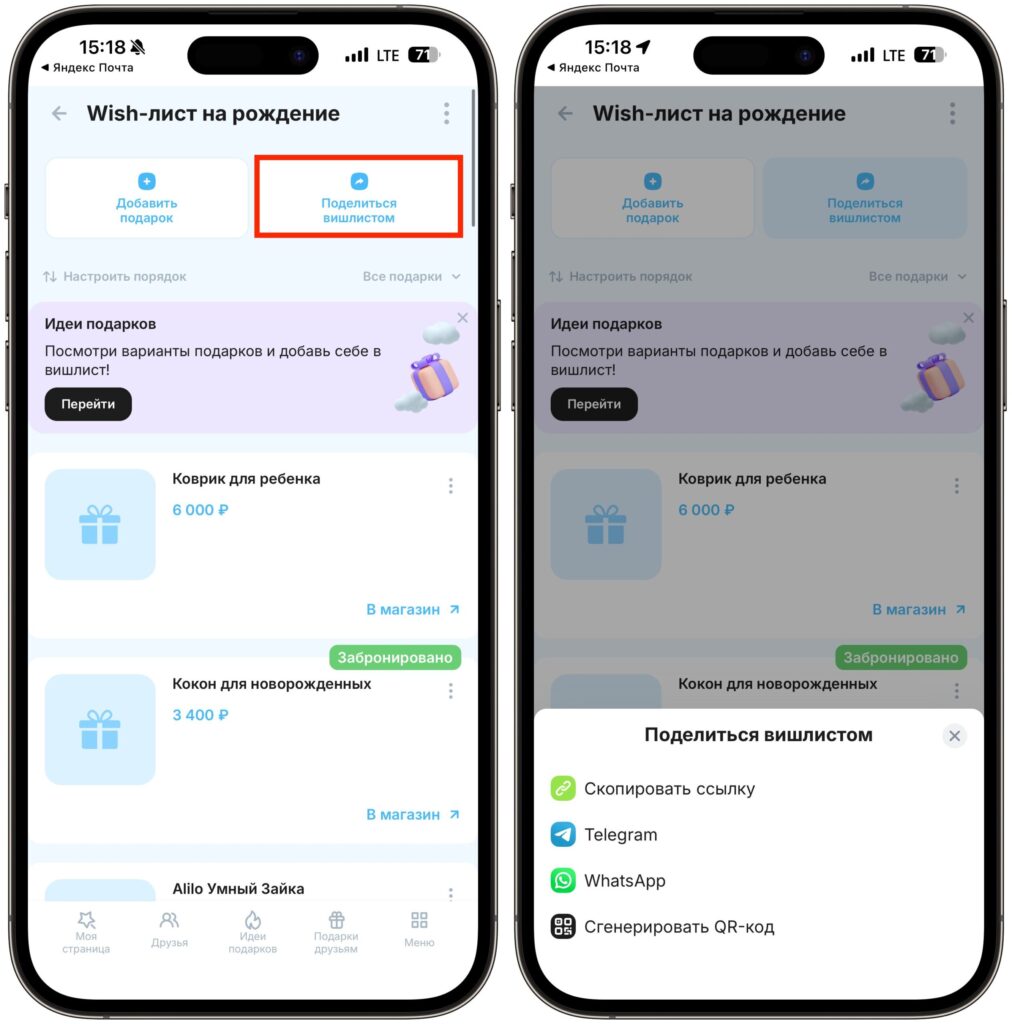
Sharing a finished wishlist is as easy as it gets
When a friend opens your link, they’ll see the full list of gifts with prices and buttons to go to the store. Next to each available gift, there will be a “Reserve” button. To reserve, they just need to enter their name — no registration required. This is truly important because any extra steps scare people off. Already reserved gifts are marked with a gray “Reserved” badge, so the duplicate problem is completely solved. Two identical kettles for a birthday are a thing of the past.


