Don’t know how to buy a game in the App Store in Russia? Since April 1, 2026, the familiar methods for topping up your iPhone balance have completely changed. In this article, we’ll break down the current methods in detail, explain how to buy an app in the App Store now, and look at the pros and cons of the new approaches to paying within the Apple ecosystem.
Figuring out how to buy a game in the App Store
Why Old Apple Payment Methods No Longer Work
Since April 1, 2026, the familiar methods for topping up your balance for App Store purchases and other Apple services in Russia have changed. Payment through mobile carriers like MTS or Beeline, as well as Apple gift cards for the Russian region, have stopped working.
If your Apple ID already has money on it, you can still use it to pay for games, apps, in-app purchases, and subscriptions. But if the balance is zero, buying an app in the App Store with a Russian account is no longer possible.
Therefore, the only working scenario right now is using an Apple account from another region and topping it up with a gift card from the corresponding country or a foreign bank card, provided it was issued in the same country as the account. But let’s go through everything step by step.
Apple gift cards can be purchased through the Paytool service to continue using the App Store without restrictions.
How to Buy an App in the App Store in Russia: Step-by-Step Guide
Step 1: Using a Foreign Apple ID Region
Changing your account’s country is a standard option that Apple provides to users worldwide. The switch takes 10–15 minutes and doesn’t require creating a new profile.
Before changing your Apple region, check the following:
- Your Apple ID balance is zero. The remaining funds are tied to the current region and cannot be transferred. If there’s money in the account, spend it first or contact Apple support at 8 800 555 6734 and request a forced write-off.
- Active subscriptions are canceled. Since April 2026, you can change your region from a Russian account even with active subscriptions, and Apple will automatically convert them to the new country’s currency. However, some subscriptions may not transfer correctly, so it’s better to cancel them before switching countries.
Detailed instructions for checking your balance and canceling subscriptions can be found on Apple’s website.
How to change your Apple region step by step:
- Open “Settings” — tap on your Apple ID profile;
- Go to “Media & Purchases” — “View Account”;
- Select “Country/Region” — “Change Country or Region”;
- Choose the desired country (for example, USA or Turkey);
- Under payment methods, select “None”;
- Enter an address from the chosen country. Any real address from Google Maps will work.
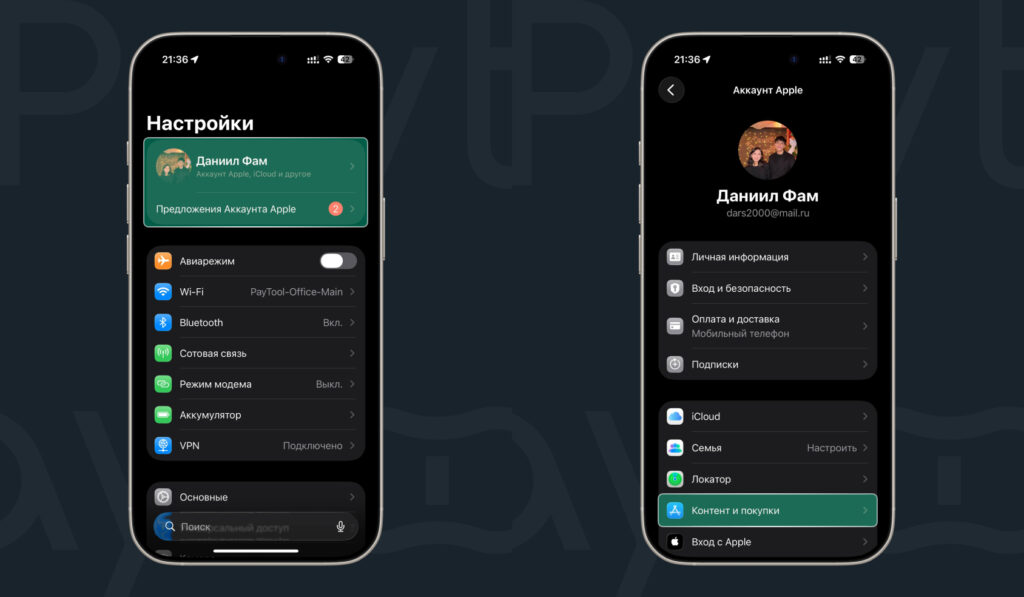
Region change starts in Settings
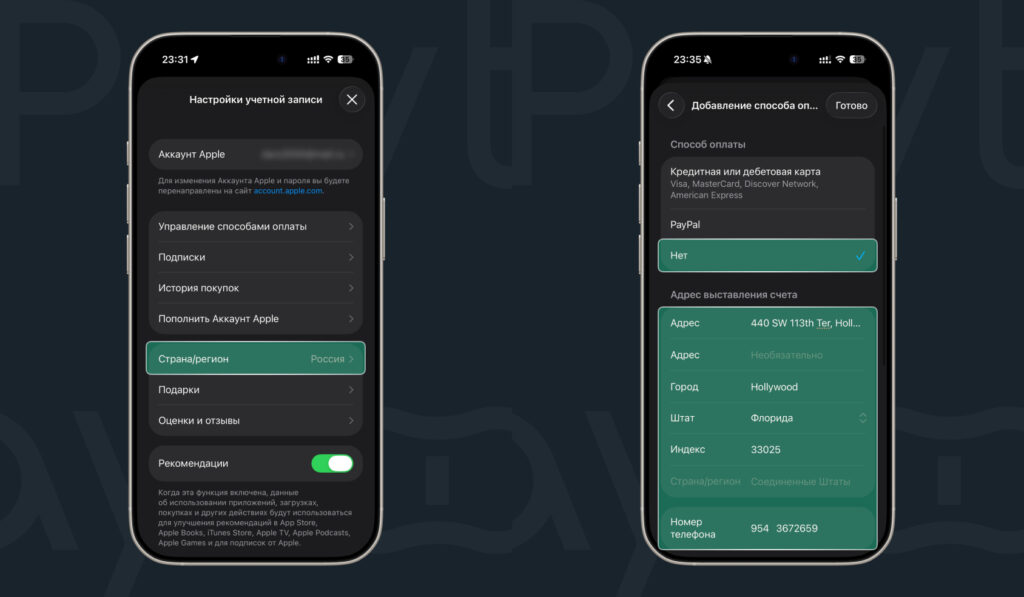
Choose a country and switch to it
After confirmation, the App Store will switch to the new region. Prices will be displayed in the local currency, and the available app catalog will expand.
Step 2: Topping Up Your Apple ID Balance
Changing your Apple region isn’t enough — you need a way to add funds. The main method for Russian users is Apple gift cards from foreign regions.
App Store Gift Card. You buy a code through an intermediary service, receive a 16-digit code via email, enter it in the App Store — and the funds are credited to your balance instantly. No bank card is required, and no account details are shared with anyone.
Instructions for purchasing a code:
- Go to the Paytool bot and press /start;
- Go to “Catalog”;
- Select the country of your Apple ID account;
- Choose the desired certificate denomination and add it to your cart;
- Open the cart and tap “Proceed to Payment”;
- Confirm and complete the payment;
- After payment, the top-up code will be sent directly to the chat bot.
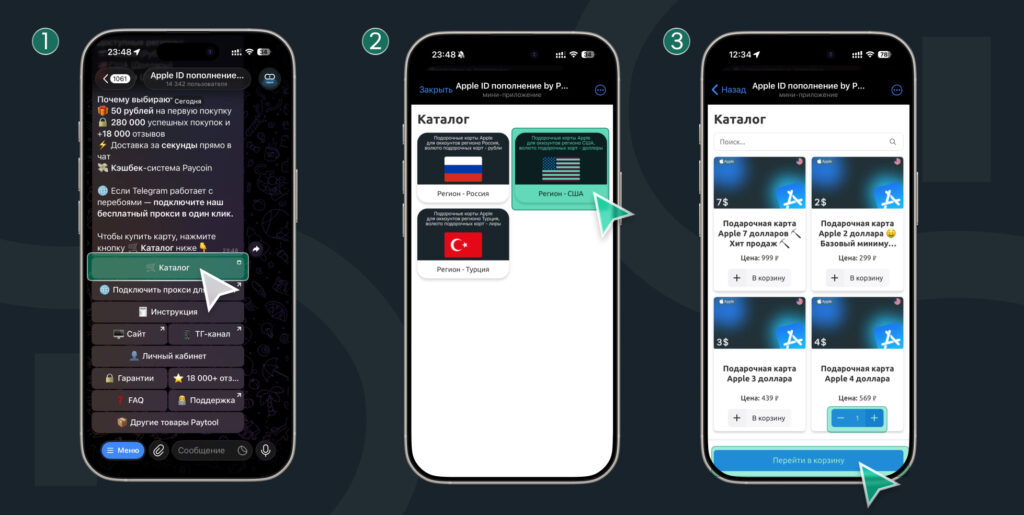
The card is purchased via Telegram
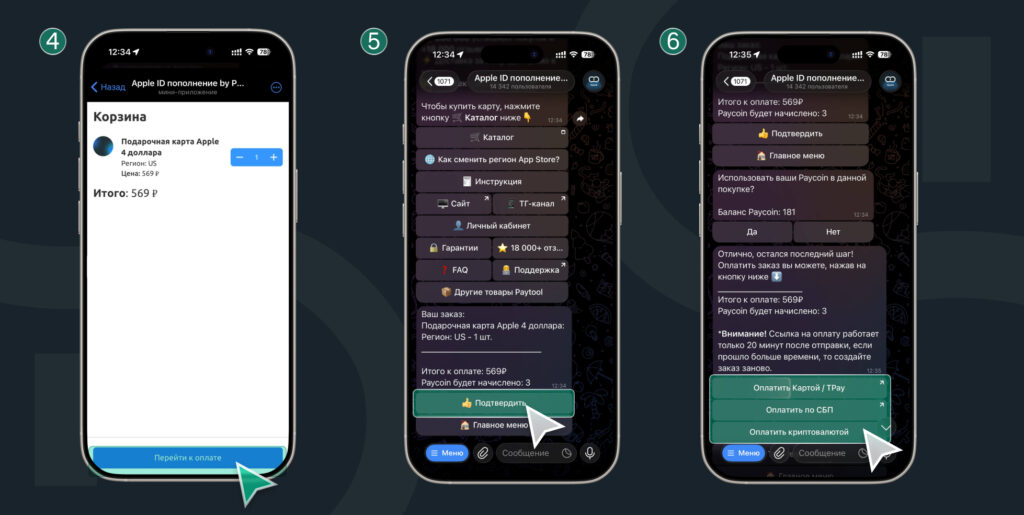
The bot is simple and straightforward
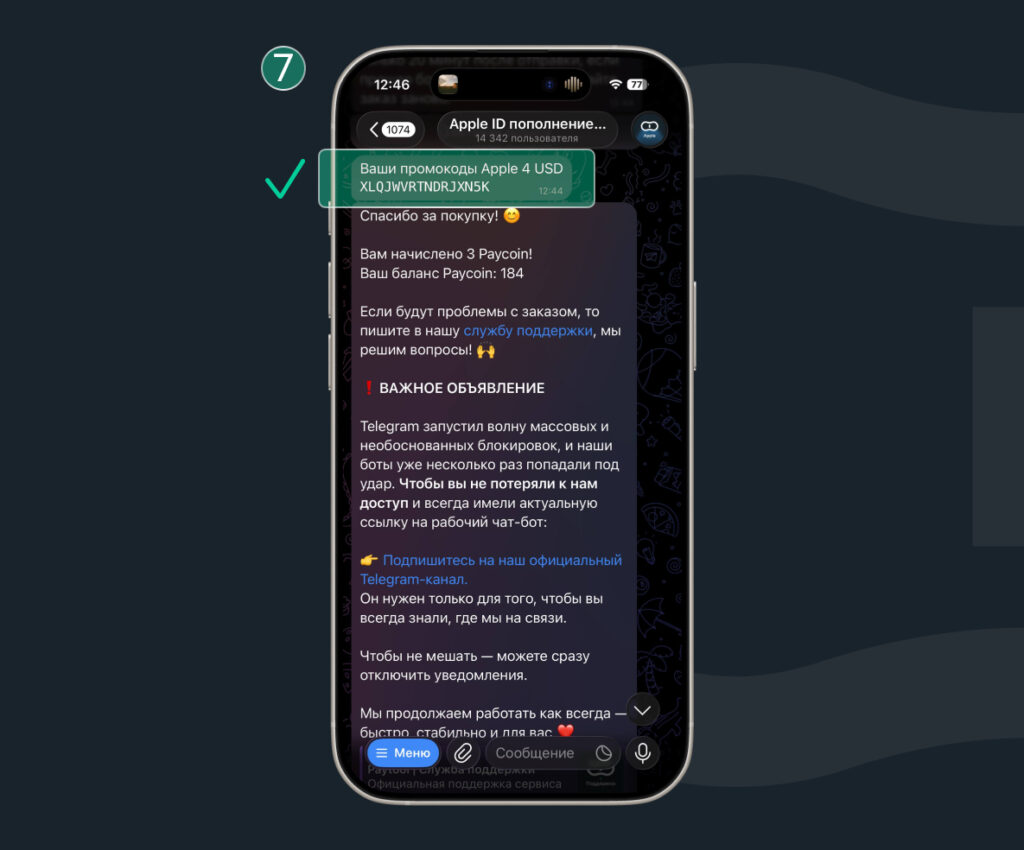
The confirmation code will arrive in the bot
New Paytool users get a welcome bonus of 50 rubles. The bonus can be applied to your first Apple account top-up or any other service purchase.
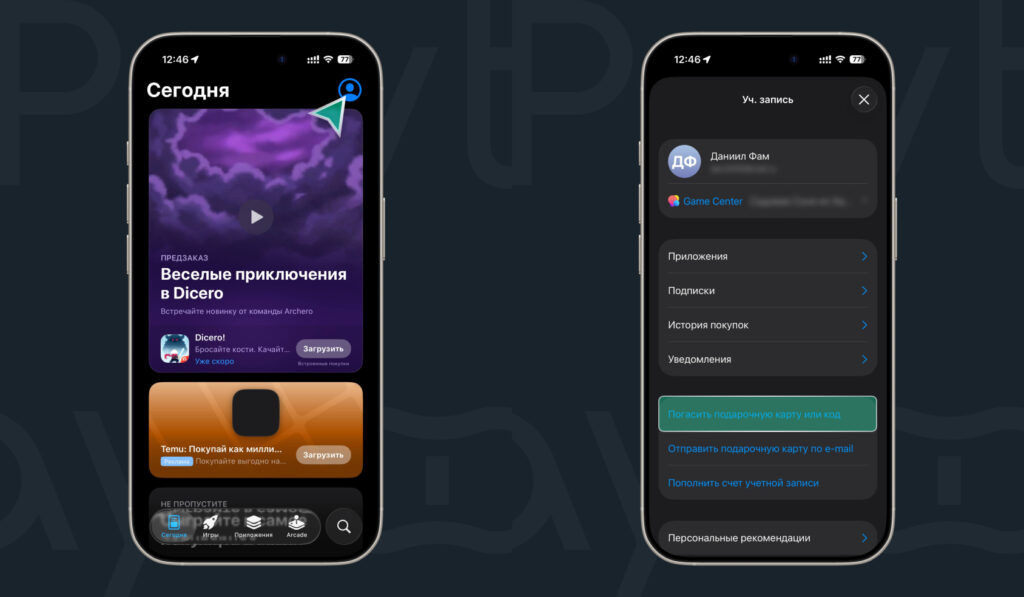
How to redeem the code:
- Open the App Store;
- Tap on your avatar in the top right corner;