Flying abroad and worried about mobile internet? Forget about expensive roaming and running around the airport looking for a local SIM card. Sber has its own solution. In Sberbank Online, you can buy a foreign eSIM in just a couple of minutes — and your iPhone will stay connected in 145 countries worldwide. Here’s how it works and why you should set up a virtual SIM in advance — before your flight.
Sber sells eSIM for travel right in its app
Foreign eSIM from Sber for Traveling Abroad
This is a virtual SIM card with prepaid internet data. No physical card — everything is loaded onto your iPhone via a QR code or a direct link. The slot for your main SIM remains free, and your Russian number continues to work in parallel.
An important note: the foreign eSIM is designed for internet only. It has no phone number, so you can’t make calls or send SMS with it. However, you can use messengers, social media, navigation, upload photos, and even share internet with other devices. Essentially, this is everything a traveler needs. Calls have long moved to messengers, and internet on an eSIM is several times cheaper than traditional roaming.
Countries Where Sber’s eSIM Works
The package covers 145 countries worldwide — virtually all popular tourist destinations. Here’s just part of the list:
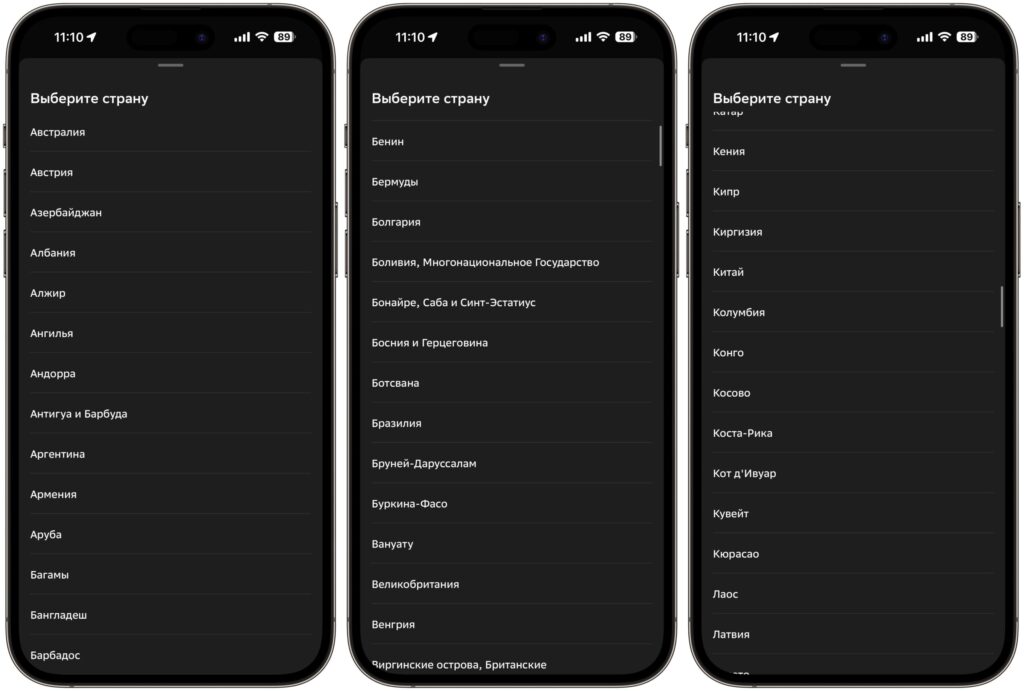
The list of countries is huge and won’t fit here entirely
- Middle East and Africa: Turkey, Egypt, UAE, Saudi Arabia, Qatar, Israel, Jordan, Tunisia, Morocco
- Asia: Thailand, Vietnam, Indonesia (Bali), Japan, South Korea, China, Maldives
- Europe: Greece, Cyprus, Spain, Italy, France, Germany, Czech Republic, Switzerland, United Kingdom
- Americas: USA, Canada, Mexico
- CIS: Kazakhstan, Armenia, Uzbekistan
- Islands: Seychelles, Maldives
The full list can be viewed directly in the app when setting up your eSIM — that’s also where you select the country you need.
Prices for Foreign eSIM in Sberbank Online
The cost depends on the specific country — prices vary for each destination. The set of plans is the same: from 1 GB for 7 days to unlimited packages for a week. There are also intermediate options — 2 GB, 3 GB, 5 GB, as well as unlimited plans for 1, 3, and 5 days in three tiers (lite, basic, plus).
As an example, let’s take two destinations. Serbia — one of the most budget-friendly:
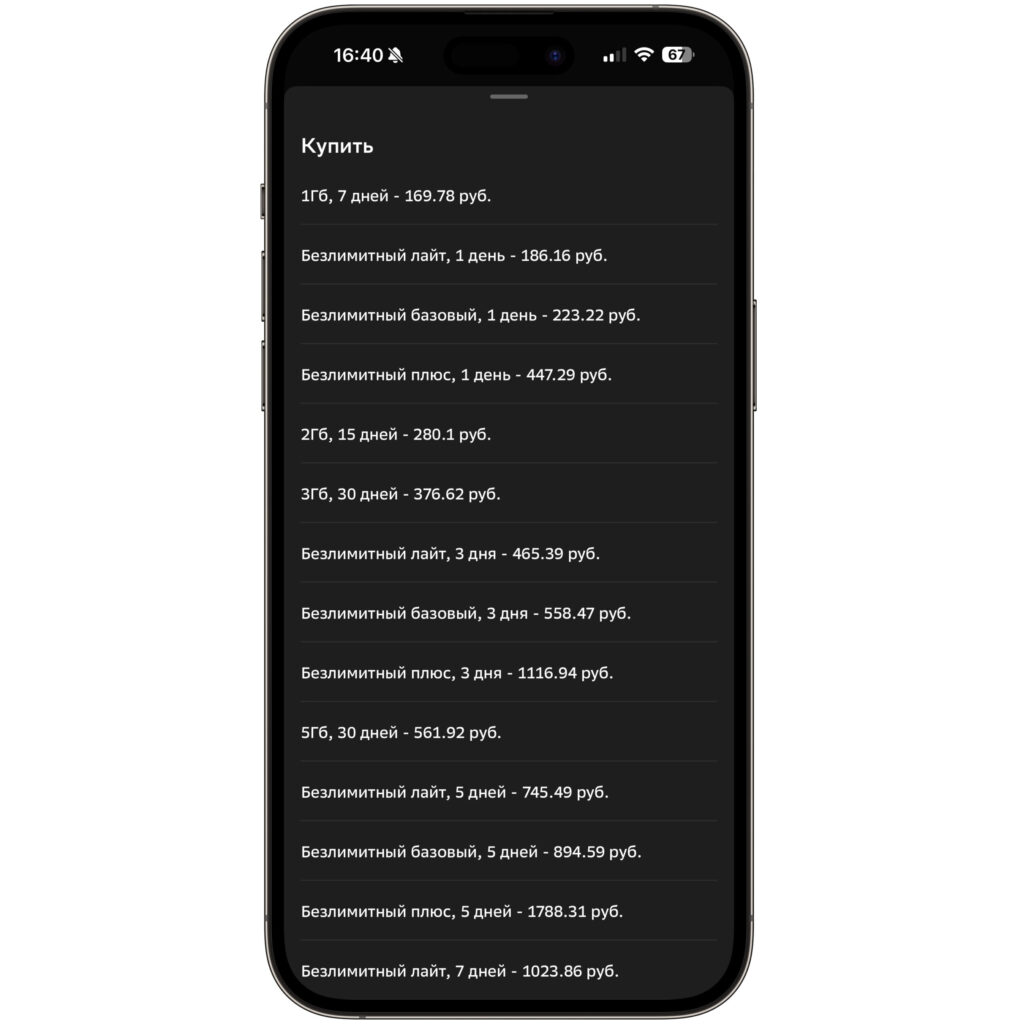
Prices for Serbia are quite affordable
- 1 GB, 7 days — 169.78 ₽
- 2 GB, 15 days — 280.10 ₽
- 3 GB, 30 days — 376.62 ₽
- 5 GB, 30 days — 561.92 ₽
- Unlimited lite, 1 day — 186.16 ₽
- Unlimited basic, 1 day — 223.22 ₽
And here’s Kazakhstan — a pricier destination:
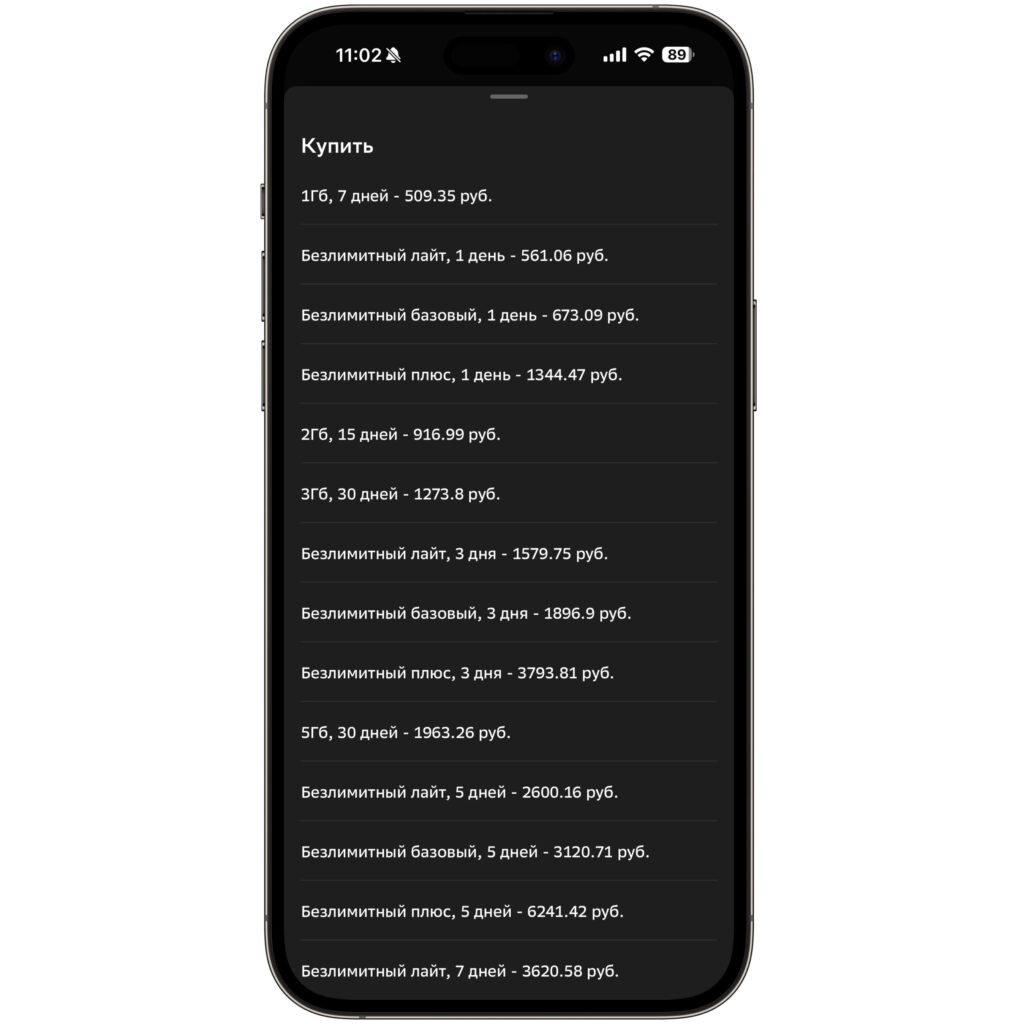
For Kazakhstan, the prices are steeper
- 1 GB, 7 days — 509.35 ₽
- 2 GB, 15 days — 916.99 ₽
- 3 GB, 30 days — 1,273.80 ₽
- 5 GB, 30 days — 1,963.26 ₽
- Unlimited lite, 1 day — 561.06 ₽
- Unlimited basic, 1 day — 673.09 ₽
The price range is significant — the same 1 GB eSIM for Serbia costs three times less than for Kazakhstan. But even for the more expensive destinations, it’s noticeably cheaper than traditional roaming. Exact prices for your country can be checked right in the app when placing your order.
Buying an eSIM for Travel in Sberbank Online
The process is as simple as possible and takes literally a couple of minutes:
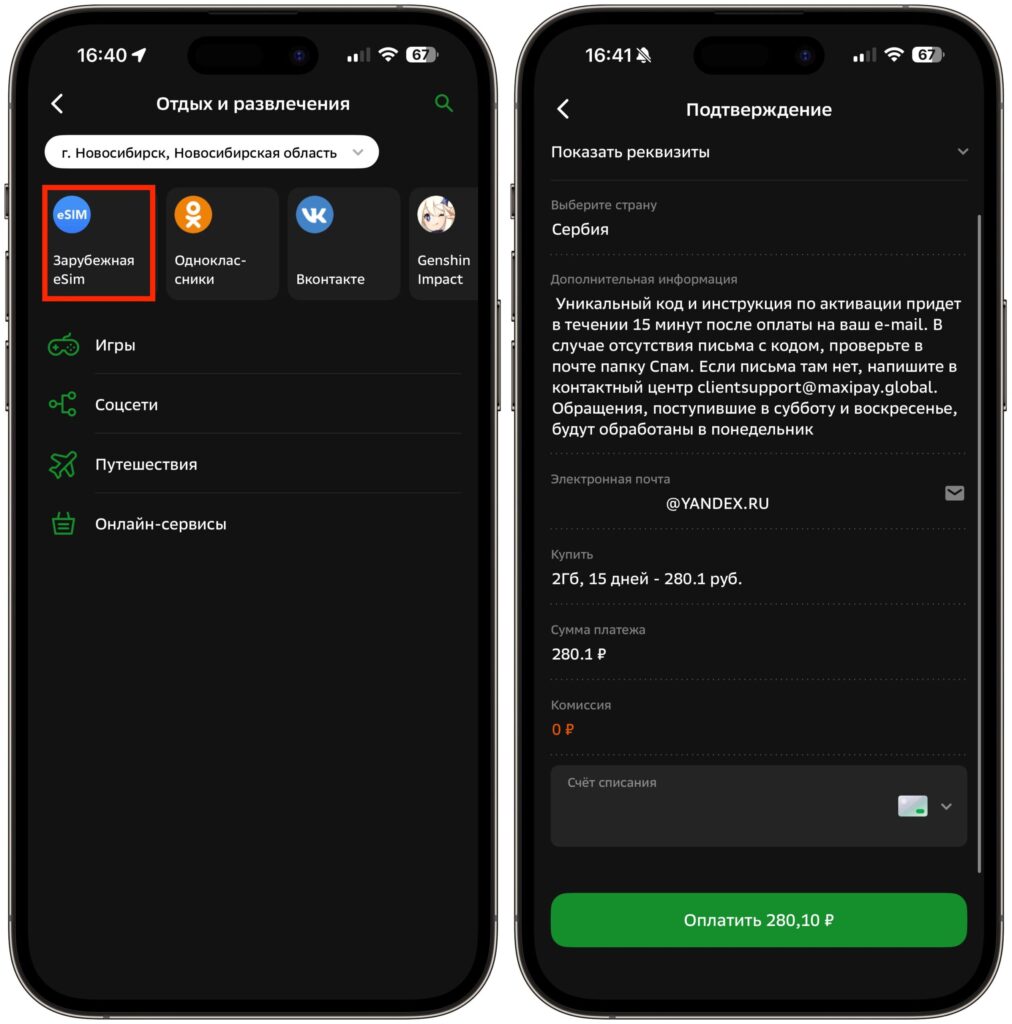
The eSIM is purchased in just a couple of taps
- Open the Sberbank Online app on your iPhone
- Go to “Payments” — “Leisure and Entertainment” — “Foreign eSIM.” Or simply type “eSIM” in the search bar on the main screen
- Select the country where you plan to use the internet
- Enter your email — all activation information will be sent there
- Choose a plan — the desired data volume and validity period
- Pay with any card
Done. After payment, you’ll receive an email with a QR code and detailed setup instructions.
How to Set Up a Foreign eSIM on iPhone
There are two methods. The first is to scan the QR code from the email using your iPhone camera. The system will automatically offer to add the data plan.
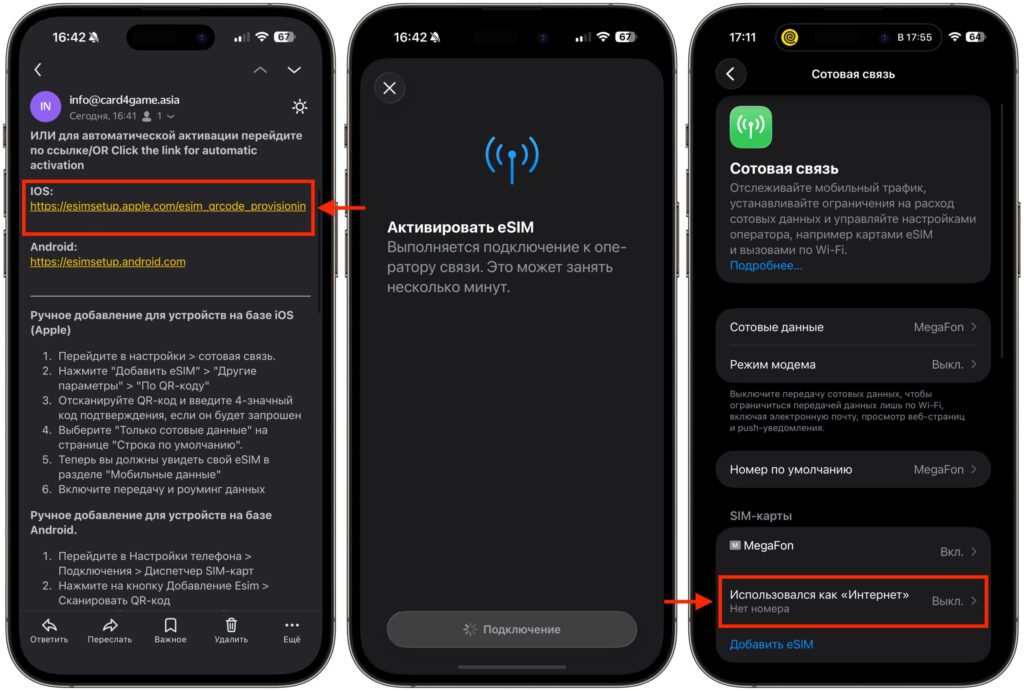
I recommend activating via the link from the email. It’s faster and easier
But there’s an easier option — follow the direct link from the email. The eSIM will be added to your smartphone automatically, without scanning. After installation, go to “Settings” — “Cellular” and make sure that the eSIM is selected for data transfer. Otherwise, traffic will go through your main carrier in roaming — and that’s a completely different cost.
Why a Foreign eSIM Shows “No Network” in Russia