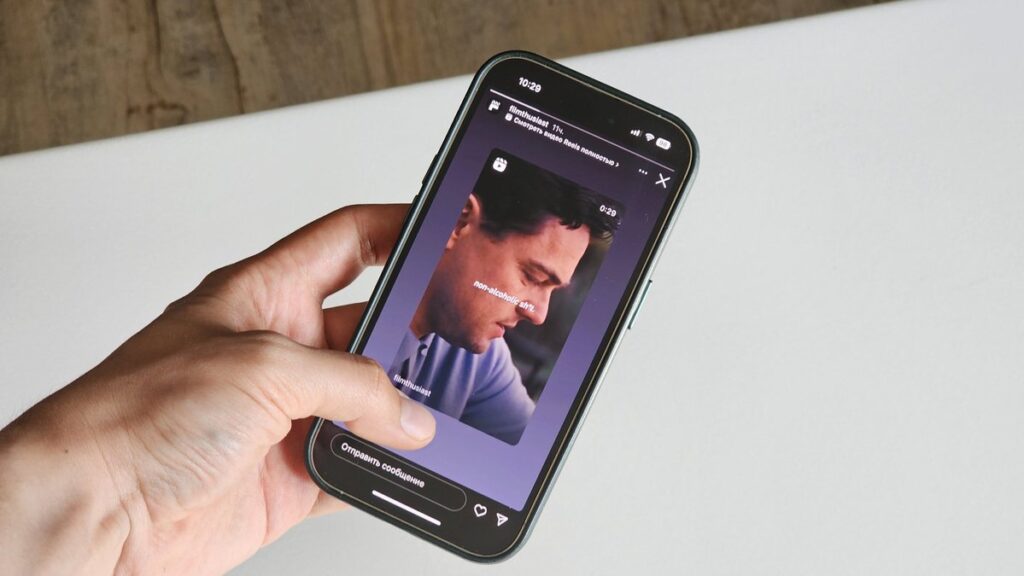
Instagram* shows the story author a list of everyone who viewed it. If you don’t want to appear on that list, regular viewing through the app won’t work — you need workaround tools. Below are several working ways to view Stories anonymously: through websites, Telegram bots, and smartphone apps. Considering that the social network may introduce a paid subscription, free workaround methods are becoming even more relevant.
You can view Instagram Stories anonymously, but it takes some effort
Websites for Anonymous Instagram* Story Viewing
The quickest option is to open a special website in your browser and enter the username of the desired account. No registration or login is required, so the social network has no way of knowing who is viewing the stories.
Using Instasupersave as an example, here’s how it works:
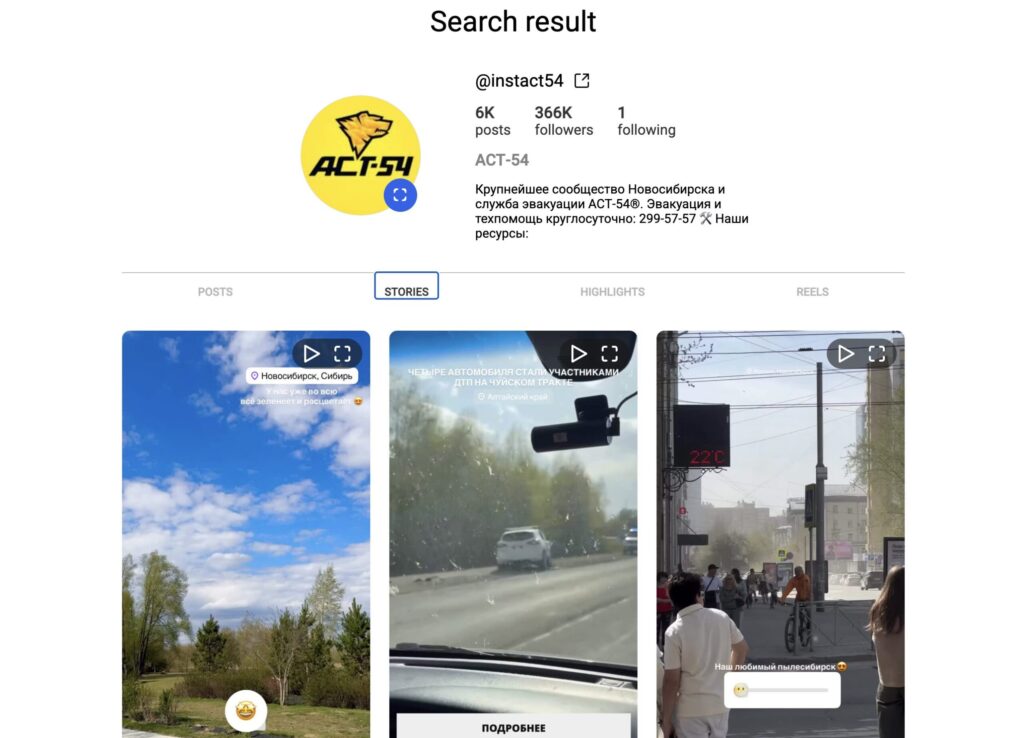
Enter the username on the site and see all current stories
- Open instasupersave.com and enter the username in the search bar.
- Press Enter or click the magnifying glass icon.
- Go to the “Stories” or “Highlights” tab.
- Click on a photo or video — it will open in full-screen mode.
- If desired, download the story by clicking the arrow in the corner.
Other services work using the same logic — all of them are free and don’t require registration:
Important limitation: these services can only see public accounts. Private profiles cannot be accessed through them — more on that below.
Telegram Bots for Viewing Instagram* Stories
If you’d rather not open a browser, Telegram bots can handle the same task. The advantage of this method is that you don’t need an Instagram* account, and stories can often be downloaded directly to your phone. The downside is that many bots are paid or limited in their free version. For example, IGSpyBot only provides free access for 24 hours, and Anonim Save Bot only lets you view the single most recent story.
Two free options worth noting:
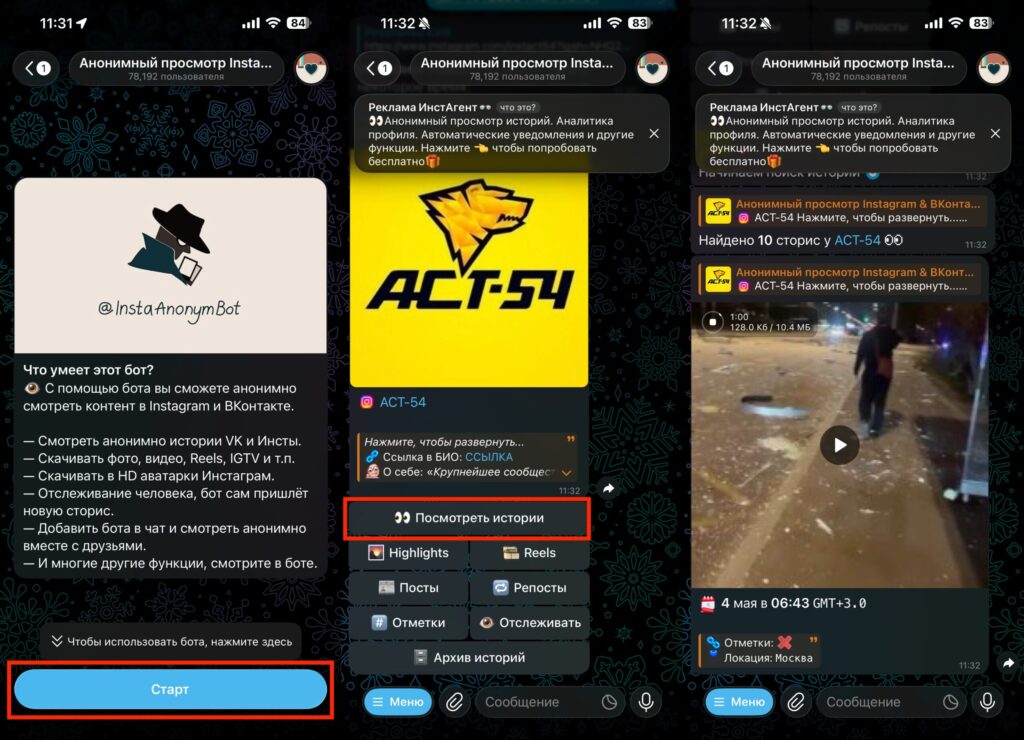
Sent the bot the needed info and got the video as output. You can also save them to your device
- InstaAnonymBot — works with Instagram* and VK, but requires a link to the account rather than just the username.
- Anonym_insta_bot — just the username is enough; the bot will show current disappearing stories.
The logic is similar for all bots: press “Start,” send the username or link, and select “Stories” from the menu.
Apps for Viewing Instagram* Stories on iPhone
Let’s be honest right away: smartphone apps are the least convenient of the four methods. This option has several drawbacks:
- there are few such apps in the App Store (Android has a wider selection);
- lots of ads;
- free features are heavily limited;
- many of them don’t work properly without a VPN;
- some apps require you to log into your Instagram* account.

Apps for viewing stories on smartphones usually limit free access
Among specific options, Story Viewer Anonymous stands out — it doesn’t require logging into your profile, but it only shows one recent story for free; the rest require payment.
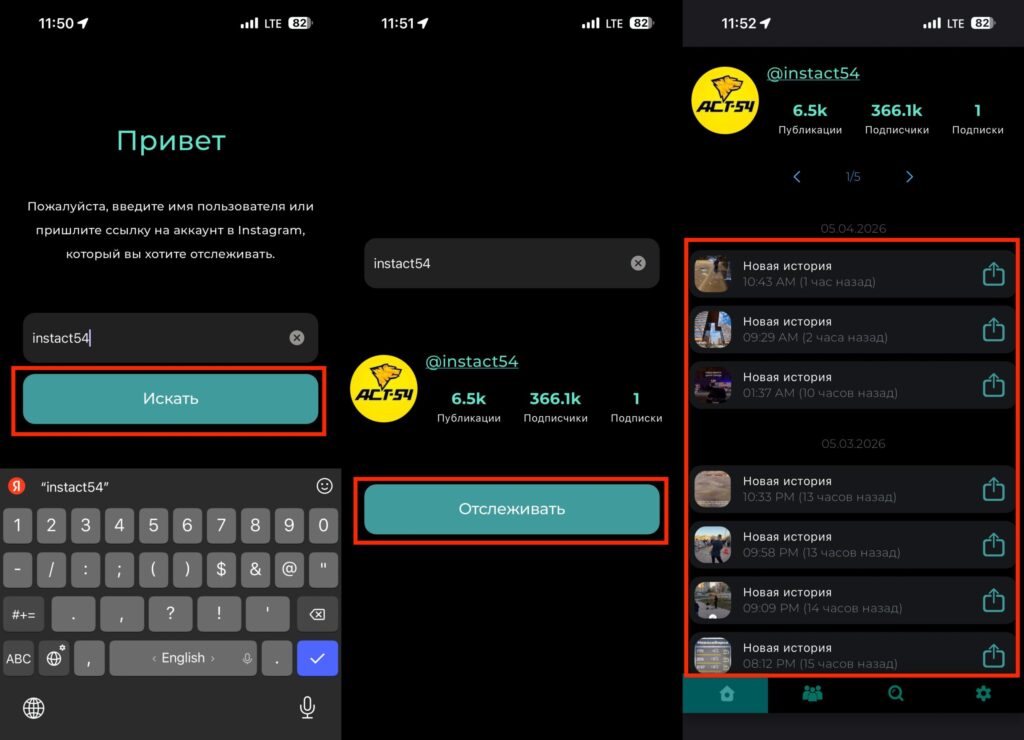
Just the username is enough, and you can follow their stories
For iPhone owners, this means a simple thing: solving this task through the App Store is harder than through a website or Telegram bot. If you’re on iOS, it’s easier to open Safari and use an online service from the first section — the result is the same, but with less hassle.
Can You View Stories from a Private Instagram* Account?
Here we’ll have to disappoint you: neither services, nor bots, nor apps can open stories from private accounts. All these tools only work with public profiles.
There are only two working workarounds, and both are compromises:
- Create a second account, send a follow request, and wait for the owner to approve it. Registration takes a couple of minutes: long-press your avatar in the bottom right corner, select “Add Account,” “Create New Account,” enter a username and password, and tap “Complete Registration.”
- View the story and immediately block the author — then your view won’t be displayed. The downside is that you need to keep the person blocked for the entire 24-hour lifespan of the story; otherwise, you’ll reappear on the viewers list.
How to Download an Instagram* Story Anonymously
A separate task is not just viewing but saving a story for yourself. The easiest way to do this is through the same online services: Instavisor, Savefrom.net, Save Insta, StoriesIG, and similar ones. After opening the story in full-screen mode, click the arrow in the corner — the photo or video will download to your device.
The story author won’t find out about this: neither the view nor the download through a third-party site shows up in their statistics. Telegram bots like StoryNinjaBot can also send stories as files — this is convenient if you already live in the messenger.
The Most Convenient Way to View Instagram Stories Anonymously