Russia’s Ministry of Education has for the first time formulated screen time guidelines for children and distributed them across the regions. The guidelines cover smartphones, computers, and television, with the ministry setting its own limit for each age group. Let me highlight the key point right away: these are not bans or mandatory rules, but methodological recommendations for parents and educators. For Apple device owners, this is primarily an opportunity to understand what exactly the ministry is proposing and how these numbers align with the built-in tools of iPhone, iPad, and Mac. Let’s break it all down step by step.
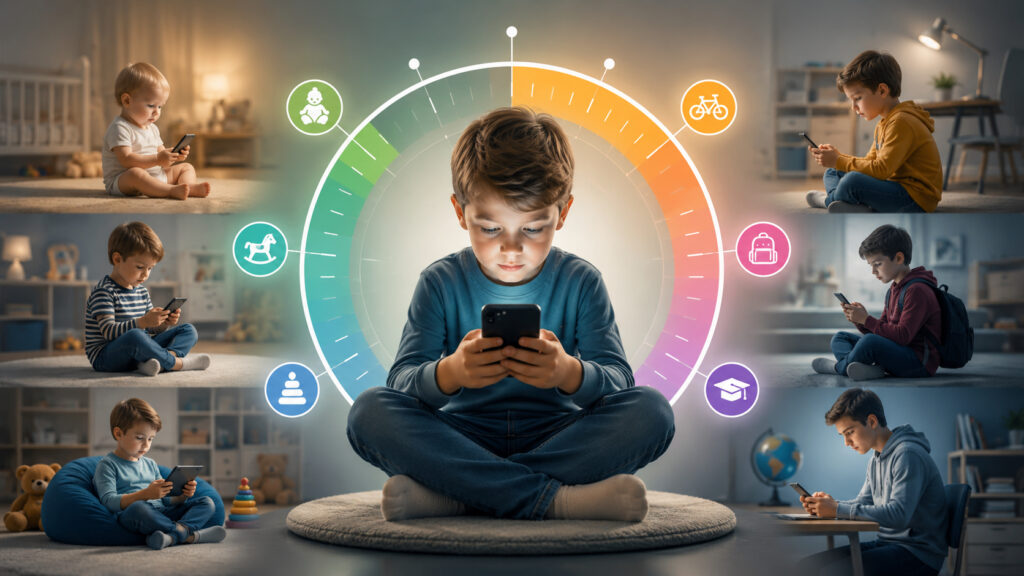
Screen time guidelines have been set for every age
Children’s Screen Time Guidelines by Age
The smartphone recommendations are tied to age. Under three years old, smartphones are advised to be excluded entirely, and from there the limit gradually increases:
Here’s the smartphone breakdown
- 2–3 years — up to 20 minutes per day
- 3–7 years — up to 1 hour per day
- 7–11 years — up to 1.5 hours per day
- 11–16 years — up to 2 hours per day
The age under three deserves special attention: doctors and psychologists have long recommended not giving toddlers a smartphone at all, and here the ministry’s position fully aligns with theirs.
The logic is quite simple: the younger the child, the less screen time. For teenagers, the upper limit is two hours per day, which is already comparable to how much an adult spends on average in messengers alone.
How Long Can a Child Sit at a Computer Without a Break
Here the focus shifts not so much to total hours but to breaks. The main rule is not to sit continuously without pauses:

The computer situation is even more interesting
- 7–11 years — no more than 30 minutes at a time, with breaks every 20 minutes for eye exercises and stretching
- 12–14 years — no more than 45 minutes at a time, followed by a mandatory break
- 15–17 years — a total of 1–2 hours per day with breaks and alternating with offline activities
A good benchmark is the well-known 20-20-20 rule: every 20 minutes, look for 20 seconds at an object approximately six meters away. It effectively relieves eye strain during long screen sessions and is easy for even a schoolchild to remember.
The approach is quite reasonable. Eye fatigue and posture depend not only on total time but also on whether the child takes breaks. If a student is gaming on a Mac or figuring things out, breaks every 20–30 minutes relieve a significant portion of the strain.
How Many Hours of TV Is a Child Allowed Per Day
TV limits are slightly higher than for smartphones. Presumably because the screen is farther from the eyes and the content is more often passive:
The TV picture is the simplest
- 3–7 years — up to 30 minutes per day
- 8–10 years — up to 1 hour per day
- 11–14 years — 1.5–2 hours per day
- 14–18 years — up to 3 hours per day with breaks every hour
It’s also worth remembering the quality of content: half an hour of an educational cartoon and half an hour of mindless scrolling through short videos affect a child very differently, even though the time is the same.
For teenagers, the upper TV limit is a full three hours, which is noticeably more than the two hours for smartphones. In practice, this is more of a guideline than a strict rule: adding up screen time from a smartphone, computer, and TV in a single day and fitting all the guidelines at once is nearly impossible. So it’s worth taking the total calmly: what matters more than perfect numbers is the simple fact that the child isn’t spending the entire day in front of a screen.
Parental Controls and App Limits on iPhone
I’ve already stated the most important thing: these are recommendations, not law. They introduce no sanctions or mandatory controls — they’re simply a benchmark that parents can follow at their own discretion.
The good news is that controlling screen time on Apple devices requires no additional purchases. iPhone and iPad have a built-in “Screen Time” feature with usage reports and app limits, and through “Family Sharing” a parent can set restrictions for a child’s account remotely. This way you can limit games or social media to a specific number of minutes per day and set up downtime overnight.
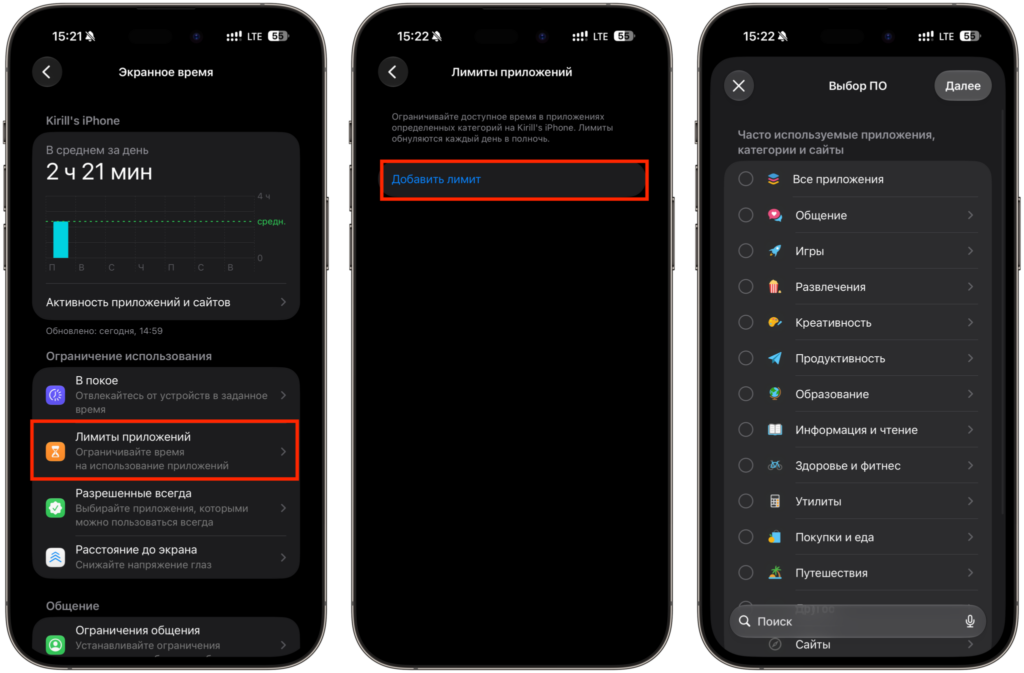
You can set very flexible limits for apps
In addition to app limits, Screen Time includes a “Downtime” section for quiet hours, communication restrictions, and content settings with age ratings. Setting all of this up takes just a couple of minutes, and you can change the limits at any time right from the settings.
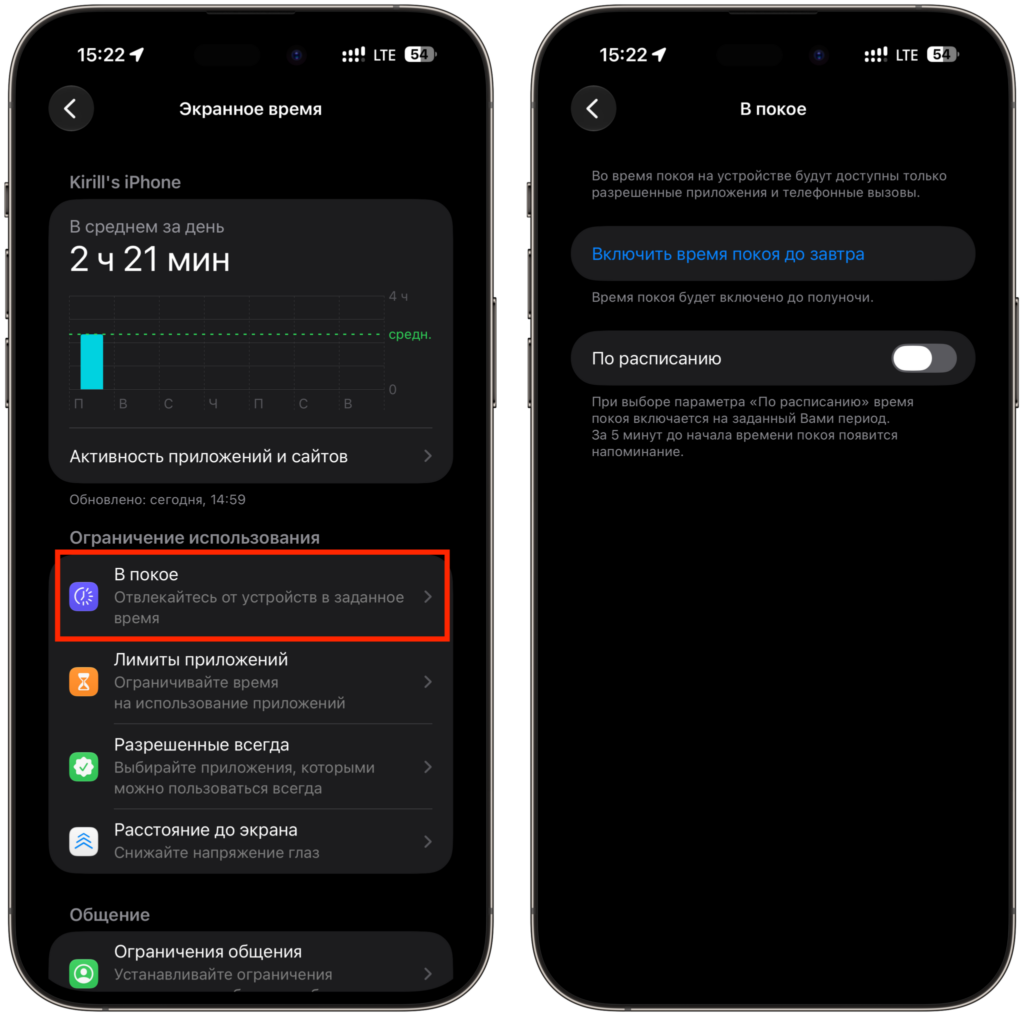
There’s a separate setting for downtime


