A week after the release of the stable Android 17 operating system, users have started discovering small but pleasant changes. One of them is support for the LHDC v5 codec for wireless audio. In short: Pixel can now transmit higher-quality sound to headphones via Bluetooth than before. And this will genuinely benefit many owners of modern headphones.
Android 17 adds support for a new codec
LHDC Codec — What It Is and Why You Need It
A codec is the method by which a phone compresses and transmits sound to wireless headphones. It determines how much data reaches the headphones and how clean the sound will be. LHDC v5 is designed for high bitrate, meaning it transmits more audio information than the familiar AAC and SBC.
Previously, the problem was that many headphones already supported LHDC, but Pixel did not. Because of this, the phone would fall back to Sony’s LDAC codec or even weaker AAC and SBC, even if the headphone hardware supported something better.
Which Headphones Support LHDC
LHDC support has long been available from a number of manufacturers. LHDC works with the latest Nothing Ear headphones, as well as several OnePlus models and the realme Buds Air8 Pro.
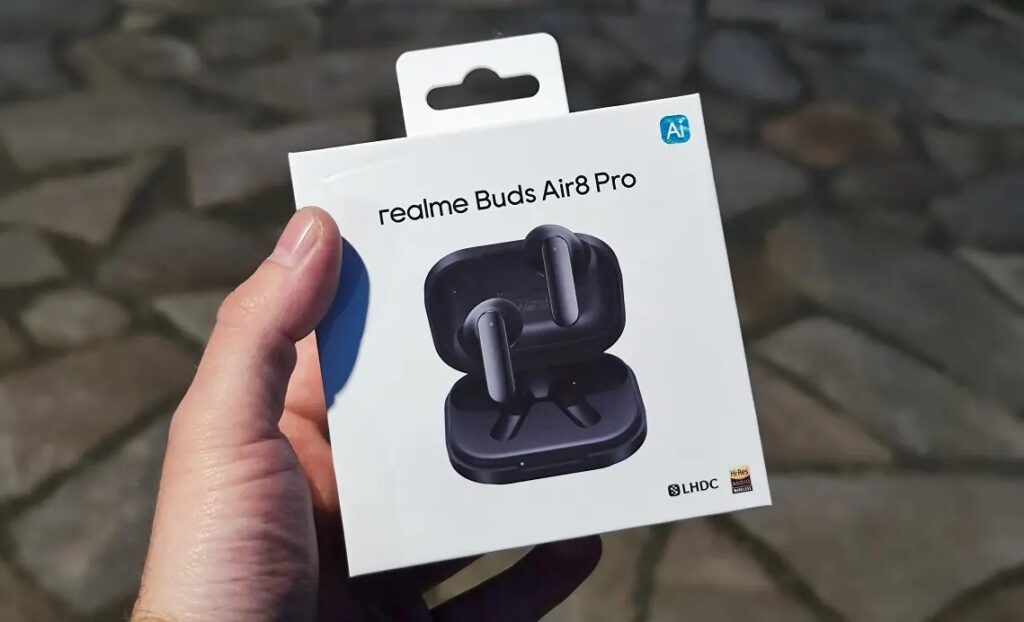
One of the latest models with LHDC support
At the same time, it’s important to set realistic expectations:
- Only Pixel owners who already use headphones with LHDC support will benefit;
- If you have Sony headphones with LDAC or regular models on AAC, the new codec won’t add anything for you;
- The difference in sound is most noticeable with good headphones and high-quality music, not just any track from social media.
In other words, this isn’t an “update for everyone” but a targeted improvement for a specific audience that previously suffered from Pixel’s limitations.
How to Enable LHDC v5 on Pixel
Based on user discoveries, the codec may need to be enabled manually. This is done through the hidden developer menu — you’ll need to activate it first if it’s not already open:
- Open your phone’s settings and go to the “System” section.
- Find “Developer Options” (if they’re not there, activate them by tapping the build number several times in the phone’s About section).
- Navigate to the Bluetooth audio codec setting.
- Select LHDC v5.
- If necessary, enable Hi-Res Audio mode in your headphones’ official app.
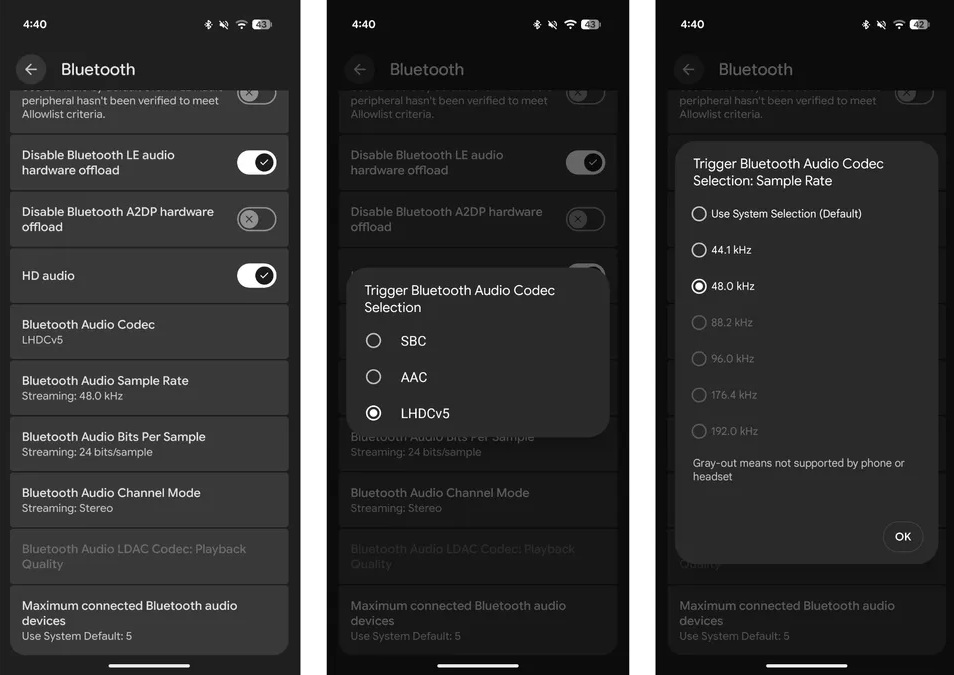
The codec is enabled in Bluetooth settings on Google Pixel smartphones
Without a high-quality audio source, there’s little point: for the codec to shine, you need high-resolution music. As an example, Apple Music with Hi-Res Lossless support up to 24-bit and 96 kHz is mentioned.
Is It Worth Updating to Android 17 and Buying New Headphones
If you’re already on Android 17, you don’t need to buy anything extra, since LHDC v5 support is already built into the system. Just check the settings and your headphones’ app. This is a rare case where an update quietly removes an old limitation rather than adding another cosmetic change.
That said, buying new headphones just for LHDC isn’t worth it. The difference in sound is just a nice bonus for those who meet three conditions: a Pixel on Android 17, headphones with codec support, and high-quality music. If even one of these is missing, your sound will remain the same. The bottom line is simple: Android 17 turned out better than it looked at launch, and wireless audio enthusiasts have something to thank it for. But this is an improvement for a specific use case, not a reason to rush to the store.


